
1. Важне информације о безбедности
Please read all instructions carefully before operating your Thomson RR 68 M clock. Keep this manual for future reference.
- Не излажите сат екстремним температурама, директној сунчевој светлости или високој влажности.
- Избегавајте испуштање сата или његово излагање јаким ударцима.
- Не покушавајте да растављате или модификујете сат. То ће поништити гаранцију.
- Користите само наведени тип батерија. Водите рачуна о исправном поларитету приликом уметања батерија.
- Извадите батерије ако се сат неће користити дуже време како бисте спречили цурење.
2. Производ је готовview
Familiarize yourself with the components of your Thomson RR 68 M clock.
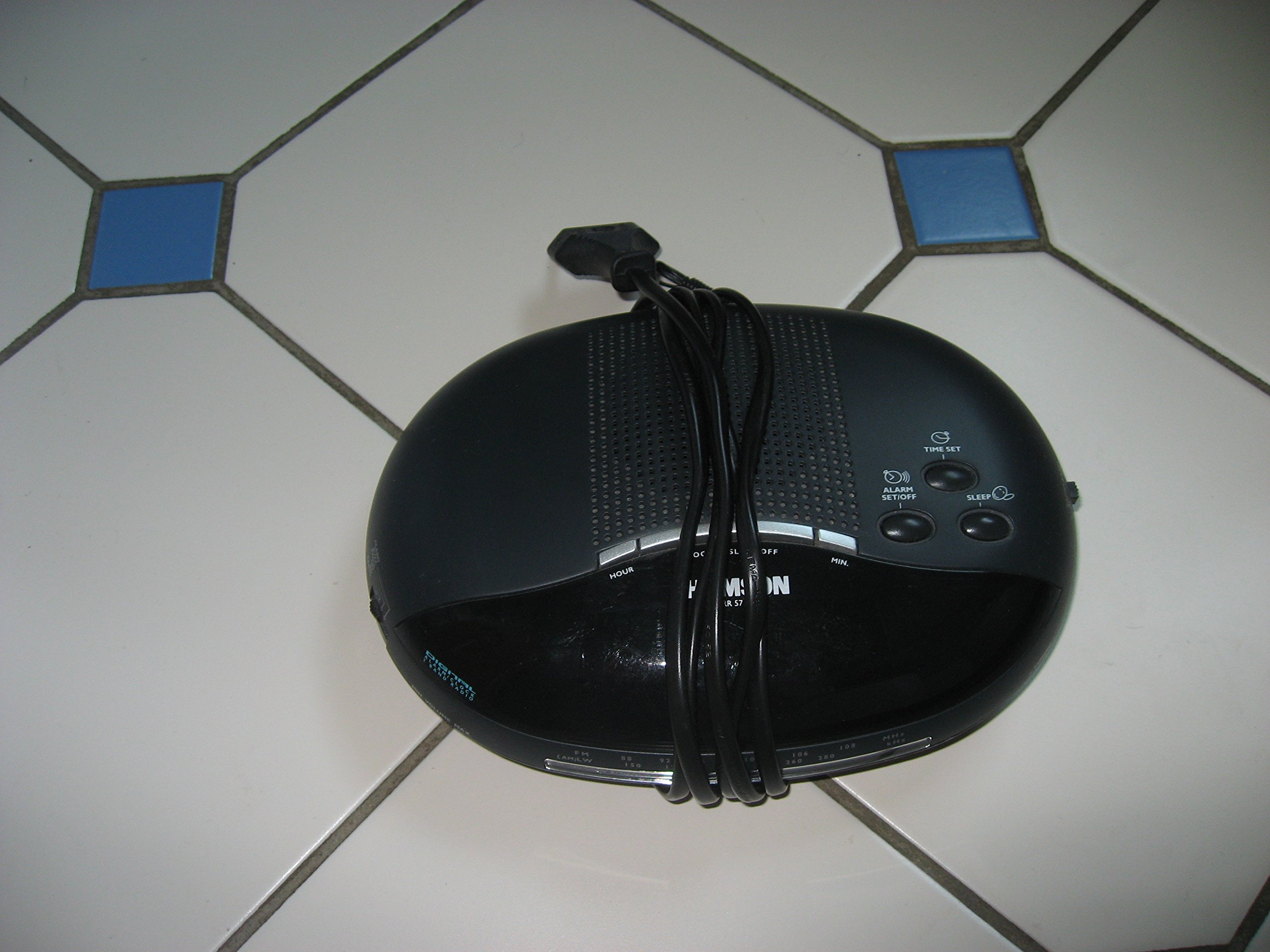
Слика 1: Фронт view of the Thomson RR 68 M clock, showing the digital display and control buttons. This image illustrates the compact design suitable for tabletop placement.
2.1 Садржај пакета
- Thomson RR 68 M Clock Unit
- Кориснички приручник (овај документ)
3. Подешавање
3.1 Напајање сата
The Thomson RR 68 M clock operates on batteries (not included). Ensure you have the correct type and quantity of batteries before proceeding.
- Пронађите поклопац одељка за батерије на задњој или доњој страни сата.
- Remove the battery compartment cover by sliding or unlatching it.
- Insert the required batteries, paying close attention to the polarity markings (+ and -) inside the compartment.
- Replace the battery compartment cover securely. The clock display should now illuminate.
4. Упутство за употребу
4.1 Подешавање времена
To set the current time on your Thomson RR 68 M clock:
- Locate the 'SET' or 'MODE' button, usually on the back or side of the clock. Press and hold this button for a few seconds until the hour digits begin to flash.
- Use the '+' or 'HOUR' button to adjust the hour. Press repeatedly to advance the hour.
- Press the 'SET' or 'MODE' button again. The minute digits will begin to flash.
- Use the '+' or 'MINUTE' button to adjust the minutes. Press repeatedly to advance the minutes.
- Press the 'SET' or 'MODE' button one last time to confirm the time setting and exit the setting mode. The display will stop flashing.
Note: This model does not feature an alarm function.
5. Одржавање
5.1 Чишћење
Да бисте одржали изглед вашег сата:
- Wipe the clock's exterior with a soft, dry cloth.
- Не користите абразивна средства за чишћење, раствараче или хемијске спрејеве, јер могу оштетити завршну обраду.
5.2 Замена батерије
When the display dims or the clock stops functioning, it is time to replace the batteries. Follow the steps in Section 3.1 to replace the old batteries with new ones. Dispose of used batteries responsibly according to local regulations.
КСНУМКС. Решавање проблема
If you encounter issues with your Thomson RR 68 M clock, refer to the following common problems and solutions:
6.1 Clock Display is Blank or Dim
- Проверите батерије: Уверите се да су батерије правилно уметнуте са одговарајућим поларитетом. По потреби замените новим батеријама.
- Одељак за батерије: Проверите да ли је поклопац одељка за батерије безбедно затворен.
6.2 Time is Incorrect
- Време ресетовања: Follow the instructions in Section 4.1 to manually set the time.
- Снага батерије: If the time frequently resets or loses accuracy, the batteries may be low and require replacement.
7. Спецификације
| Број модела | RR 68 M |
| Бранд | ТХОМСОН |
| Тип монтаже | Таблетоп |
| Извор напајања | Батерије (нису укључене) |
| Функција аларма | бр |
8. Информације о гаранцији
Specific warranty details for the Thomson RR 68 M clock are not provided within this user manual. Please refer to the product packaging, the point of purchase, or the official Thomson webсајт за свеобухватне услове гаранције.
9. Корисничка подршка
For further assistance, technical support, or inquiries regarding your Thomson RR 68 M clock, please visit the official Thomson webсајту или контактирајте њихову службу за кориснике. Контакт информације су обично доступне на сајту произвођача webсајт или паковање производа.