
Увод
This manual provides essential instructions for the safe and efficient operation of your NEC VT670 Value LCD Video Projector. Please read this manual thoroughly before using the projector and keep it for future reference. The NEC VT670 is designed for clear image projection with a native resolution of 1024 x 768 and a brightness of up to 2,100 ANSI lumens.
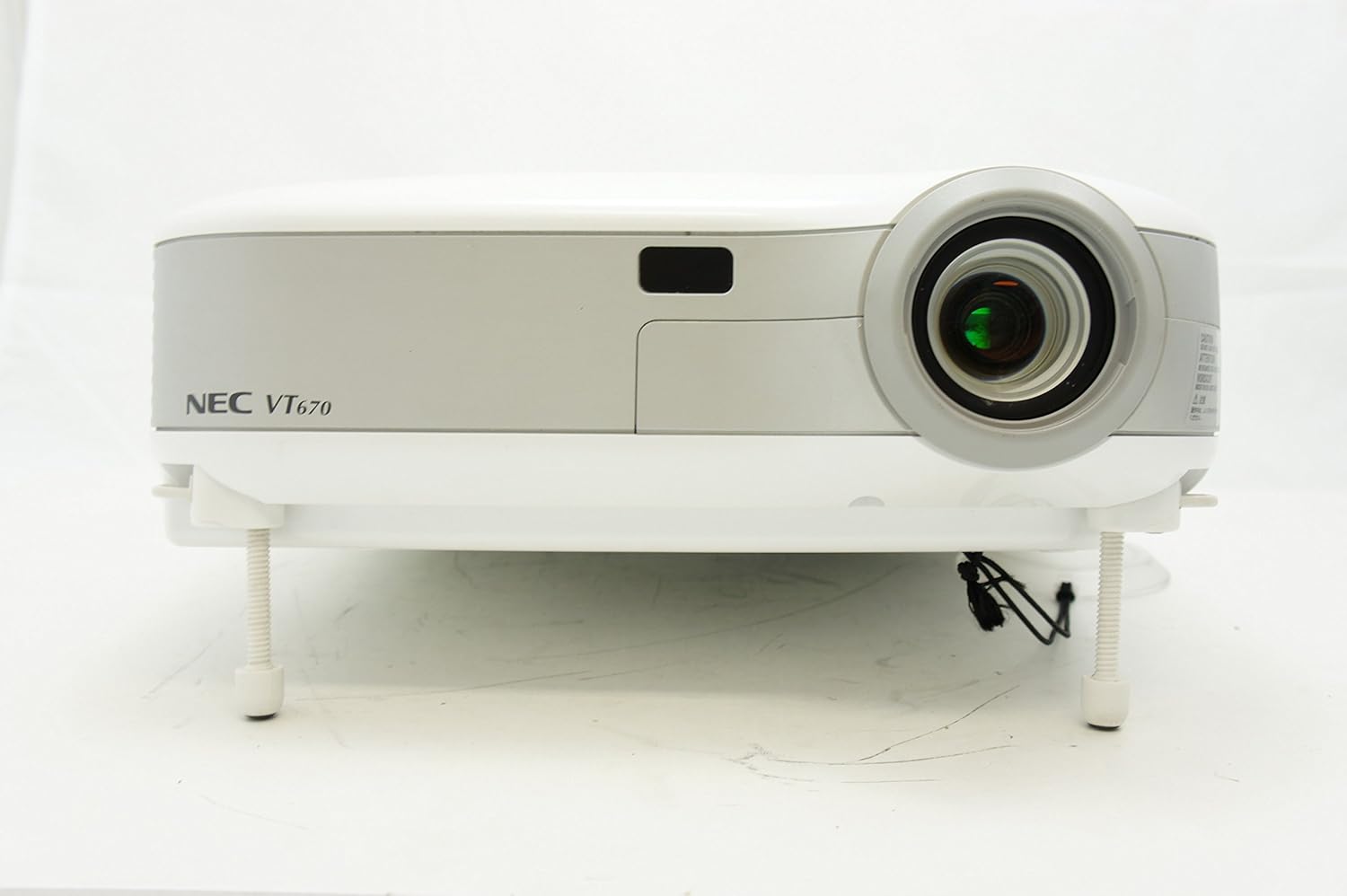
Слика 1: Фронт view of the NEC VT670 projector, showing the lens and front panel.
Сетуп
Follow these steps to set up your NEC VT670 projector:
- Пласман: Position the projector on a stable, flat surface or mount it according to the instructions for your specific mounting solution. Ensure adequate ventilation around the unit. The projector is designed for tabletop mounting.
- Прикључак за напајање: Прикључите кабл за напајање на утичницу за напајање пројектора, а затим на уземљену електричну утичницу.
- Изворна веза: Connect your video source (e.g., computer, DVD player) to the appropriate input port on the projector. The VT670 supports VGA (D-Sub), S-Video, and composite video inputs. Use the color-coded connections for ease of setup.
- Кабловске везе: Ensure all necessary cables, such as the VGA cable for computer input, are securely connected to both the projector and the source device.
- Аудио веза: If your source provides audio, connect it to the projector's audio input ports. The projector features built-in speakers.
- Почетно укључивање: Притисните дугме за напајање на пројектору или даљинском управљачу да бисте укључили уређај.

Слика 2: Rear panel of the NEC VT670 projector, illustrating various input and output ports including VGA, S-Video, and audio connections.

Слика 3: Example of a VGA cable (left) and a power cable (right) used for connecting the projector.
Упутство за употребу
This section details the basic operation of your projector.
Укључивање/искључивање
- Да бисте укључили, притисните ПОВЕР button once. The power indicator will illuminate.
- Да бисте искључили напајање, притисните ПОВЕР button twice. The projector will enter a cooling cycle before shutting down completely.
Избор улазног извора
- Користите ИНПУТ or dedicated source buttons (e.g., РАЧУНАР 1, ВИДЕО) on the control panel or remote to cycle through available input sources.

Слика 4: Top control panel of the NEC VT670 projector, showing power, input selection, and navigation buttons.
Подешавање фокуса и зума
- Подесите ФОЦУС ring on the lens until the image is sharp and clear.
- Користите ЗООМ lever on the lens to adjust the image size to fit your screen.
Навигација кроз мени
- Притисните тастер МЕНУ button to access the on-screen display (OSD) menu.
- Користите дугмад са стрелицама (UP, ДОВН, ЛЕВО, ДЕСНО) за навигацију кроз опције менија.
- Притисните ЕНТЕР or СЕЛЕЦТ да бисте потврдили избор.
- Притисните ЕКСИТ or МЕНУ again to close the OSD menu.
Одржавање
Редовно одржавање обезбеђује оптималне перформансе и продужава век трајања вашег пројектора.
Lamp Замена
Пројектор лamp има ограничен век трајања. Када лamp индикатор светли или слика постане тамна, лamp may need replacement. Refer to the full service manual for detailed lamp поступке замене. Увек дозволите пројектору да се потпуно охлади пре него што покушатеamp замена.
Чишћење ваздушног филтера
Dust accumulation on the air filter can reduce cooling efficiency and affect projector performance. Clean the air filter regularly (e.g., every 100 hours of operation) by removing it and gently brushing off dust or using a vacuum cleaner. Replace the filter if it is damaged.
Чишћење сочива
Нежно обришите сочиво пројектора меком крпом која не оставља влакна, посебно дизајнираном за оптичке површине. Не користите абразивна средства за чишћење или прекомерну силу.
Решавање проблема
Овај одељак пружа решења за уобичајене проблеме на које можете наићи.
| Проблем | Могући узрок | Решење |
|---|---|---|
| Нема приказане слике |
|
|
| Слика је мутна |
|
|
| Нема звука |
|
|
Спецификације
Key technical specifications for the NEC VT670 Value LCD Video Projector:
- Назив модела: ВТ670
- Тип приказа: ЛЦД
- Изворна резолуција: 1024 к 768 (КСГА)
- Максимална осветљеност: КСНУМКС АНСИ лумени
- Однос контраста: 400:1
- Технологија повезивања: VGA (D-Sub), S-Video, Composite Video
- Повезивање хардвера: D-Sub, VGA
- Максимална величина слике: 300 инча
- Фактор форме: Портабле
- Тип монтаже: Таблетоп Моунт
- Тип контролера: Контрола дугмета
- Тежина артикла: 9.2 фунти
- Додатне карактеристике: Уграђени звучници
- Подржани сигнали: PC, NTSC, PAL, SECAM, HDTV
Информације о гаранцији
The NEC VT670 Value LCD Video Projector comes with a 2 година гаранције. This warranty covers defects in materials and workmanship under normal use. For specific terms and conditions, please refer to the warranty card included with your product or contact NEC customer support.
Подршка
For further assistance, technical support, or service inquiries regarding your NEC VT670 projector, please visit the official NEC website or contact their customer service department. Keep your product model number (VT670) and serial number ready when contacting support.
Онлине ресурси: www.nec.com