
Увод
This manual provides detailed instructions for the setup, operation, and maintenance of your Universal Remote Control MX-350 Osiris IR/RF Remote Control. Please read this manual thoroughly before using your remote to ensure proper functionality and to maximize your user experience. Keep this manual for future reference.
Производ је завршенview
The Universal Remote Control MX-350 Osiris is a versatile IR/RF remote designed to consolidate control of up to 10 of your home entertainment devices. It features both Infrared (IR) and Radio Frequency (RF) capabilities, allowing for flexible control options, including devices hidden from line-of-sight when used with an RF base station (sold separately).
Кључне карактеристике:
- Universal IR/RF control for multiple devices.
- Подржава до 10 уређаја.
- Customizable macros for multi-command sequences.
- Backlit buttons and LCD screen for low-light operation.
- Learning function to capture commands from original remotes.
Изглед даљинског управљача:
The MX-350 features a clear button layout with an LCD screen at the top for device selection and function display.

Слика 1: Предња страна view of the MX-350 remote with LCD screen and primary controls.

Figure 2: The MX-350 remote with its blue backlight engaged.
The top of the remote houses the IR and RF emitters, ensuring broad compatibility and range.
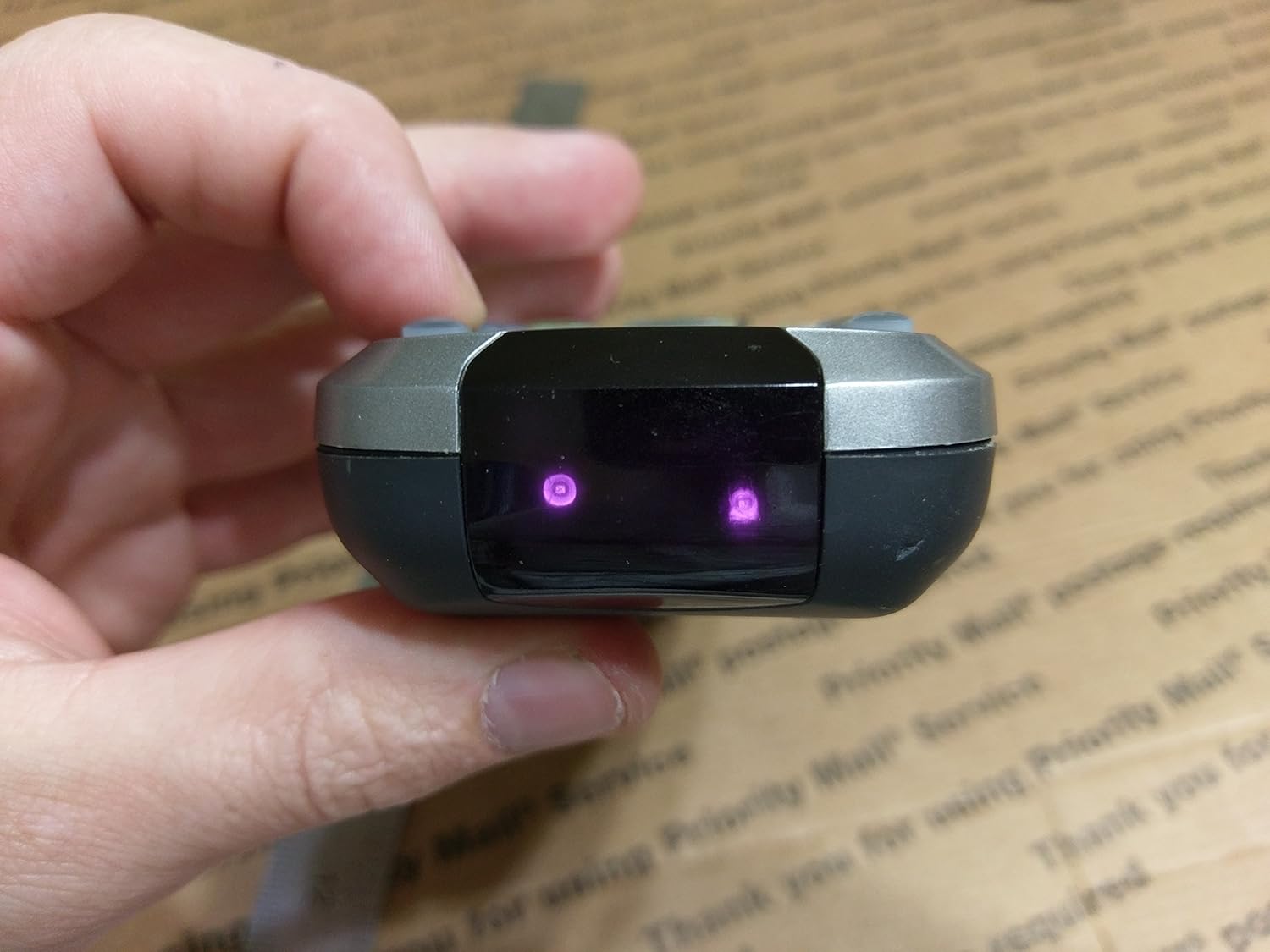
Слика 3: Врх view showing IR/RF emitters.
Сетуп
1. Инсталација батерије
- Пронађите поклопац одељка за батерије на задњој страни даљинског управљача.
- Притисните резу надоле и скините поклопац.
- Уметните четири (4) ААА батерије, водећи рачуна о исправном поларитету (+/-) као што је назначено унутар одељка.
- Гурните поклопац батерије назад на место док не кликне безбедно.
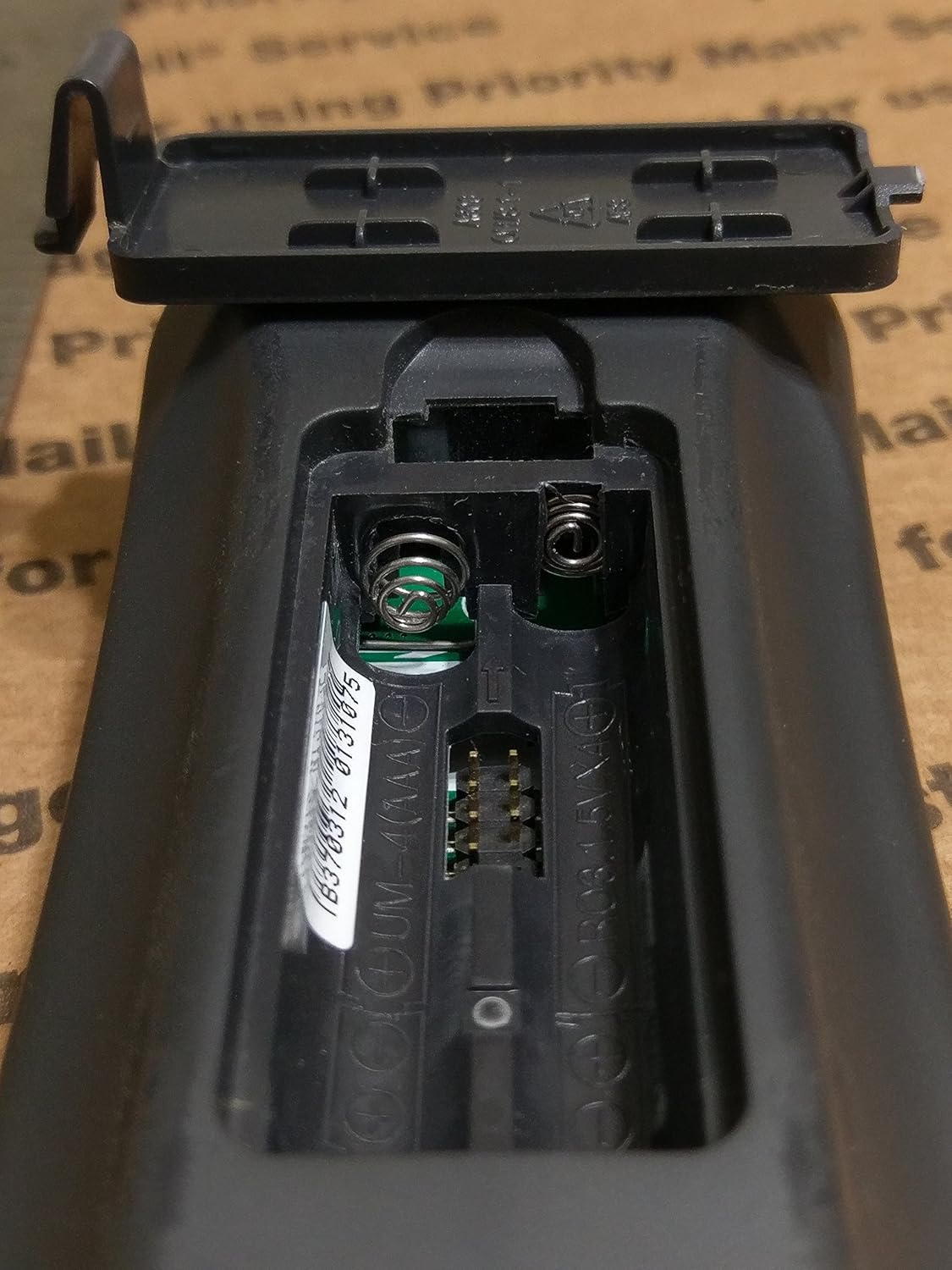
Figure 4: Battery compartment for 4 AAA batteries.
2. Почетно програмирање
The MX-350 can be programmed using pre-programmed codes or by learning commands directly from your original device remotes.
- Code-Based Programming: Refer to the separate code list provided with your remote or available from the manufacturer's website. Select the device type (e.g., TV, DVD) and enter the corresponding code.
- Функција учења: This allows the MX-350 to 'learn' commands from your existing remote controls. Position the MX-350 and your original remote face-to-face, typically 1-3 inches apart. Follow the on-screen prompts on the MX-350's LCD to enter learning mode and transfer commands.
For detailed programming steps, consult the full programming guide or contact customer support.
Упутство за употребу
1. Избор уређаја
To control a specific device, press the corresponding device button (e.g., TV, CABLE, DVD) located near the top of the remote. The LCD screen will display the selected device.
2. Основне функције
- Напајање (УКЉУЧЕНО/ИСКЉУЧЕНО): Use the dedicated ON and OFF buttons to power your selected device.
- Јачина звука (VOL +/-): Adjust the volume of your audio device.
- Канал (CH +/-): Change channels on your TV or cable box.
- Искључи звук: Mute or unmute the audio.
- Navigation (Arrow Keys & SEL): Use the directional pad to navigate menus and the SEL (Select) button to confirm choices.
- Мени/Излаз: Access and exit device menus.
- Guide/Info: Display program guides or information.
3. Advanced Functions (Macros)
Macros allow you to program a sequence of commands to be executed with a single button press. For example, a macro can turn on your TV, cable box, and audio receiver, switch to the correct input, and set a preferred volume level. Refer to the full programming guide for detailed instructions on creating and assigning macros.
4. Позадинско осветљење
The MX-350 features a blue backlight for all buttons and the LCD screen, enhancing visibility in dim lighting conditions. The backlight typically activates with any button press and remains on for a few seconds.
Одржавање
Чишћење
To clean your remote, use a soft, dry cloth. Do not use abrasive cleaners, waxes, or solvents. Avoid getting moisture into any openings.
Замена батерије
Replace the batteries when the remote's performance degrades, the backlight dims significantly, or the LCD display becomes faint. Always replace all four AAA batteries at the same time with new ones. Dispose of used batteries according to local regulations.
Решавање проблема
- Даљински не реагује:
- Проверите да ли су батерије правилно уметнуте и да ли су довољно напуњене. Замените их ако је потребно.
- Ensure there is a clear line of sight between the remote's IR emitter and the device's IR receiver (for IR control).
- Verify that the correct device mode is selected on the remote.
- Уређај не реагује на команде:
- Confirm the remote is programmed with the correct code for the device. Try alternative codes if available.
- If using the learning function, ensure the commands were learned correctly. Repeat the learning process if needed.
- Check the device itself to ensure it is powered on and functioning correctly with its original remote.
- Backlight or LCD display issues:
- Low battery power can affect backlight brightness and LCD clarity. Replace batteries.
- If the display is completely blank or shows unusual characters after battery replacement, contact customer support.
If issues persist after following these troubleshooting steps, please contact Universal Remote Control customer support for further assistance.
Спецификације
| Феатуре | Спецификација |
|---|---|
| Бранд | Универсал |
| Назив модела | MX-350 Osiris (Model 8056) |
| Технологија повезивања | Инфрацрвено (ИЦ), радиофреквентно (РФ) |
| Максимални број подржаних уређаја | 20 (typically programmed for 10 devices) |
| Количина дугмета | 35 |
| Максимални домет | 100 Feet (RF) |
| Тип батерије | 4 к ААА батерије |
| Боја | Црно |
Гаранција и повраћај
This product is sold as brand new. Returns are accepted but may be subject to a return service charge of up to 25% if the item has been opened, used, and/or otherwise handled in a way that renders it not in "brand new" condition. If the item is tampered with, a refund will not be issued. This information pertains to return conditions and does not constitute a product warranty. For specific warranty details, please refer to the documentation provided at the time of purchase or contact the manufacturer directly.