
1. Увод
Thank you for choosing the Hunter 44760 Multi-Stage Heat Pump Thermostat. This device is designed to provide efficient and precise control over your home's heating and cooling system. It is compatible with single and multi-stage heat pump systems, controlling one stage of cooling and two stagес од топлоте.
Key features of your Hunter 44760 thermostat include:
- Auto Season Changeover: Automatically switches between heating and cooling modes.
- INDIGLO Backlit Display: Provides clear visibility in various lighting conditions.
- Pre-Programmed Temperature & Vacation Overrides: Allows temporary adjustments or extended holds.
- Energy Monitor: Tracks system usage time to help manage energy consumption.
- Индикатор замене филтера: Reminds you when to replace your system's air filter.
- Аутоматски опоравак: Helps maintain comfort while optimizing energy use.
- Упозорење о ниској батерији: Обавештава вас када је потребно заменити батерије.
- Резервна батерија: Задржава подешавања током напајањаtages (потребне су 2 ААА батерије, нису укључене).
2. Инсталација
The Hunter 44760 thermostat is designed for easy do-it-yourself installation. Please follow these instructions carefully to ensure proper setup and operation.
2.1 Пре него што почнете
- Искључите напајање to your heating and cooling system at the main circuit breaker or fuse box before beginning installation.
- Ensure you have the necessary tools: screwdriver, wire stripper/cutter, and electrical tape.
- Confirm your system is compatible with a multi-stagе термостат топлотне пумпе.
2.2 Removing Your Old Thermostat and Wiring
- Carefully remove the cover of your existing thermostat.
- Before disconnecting any wires, label each wire with the corresponding terminal letter from your old thermostat. This is crucial for correct wiring of the new thermostat.
- Искључите жице и уклоните зидну плочу старог термостата.
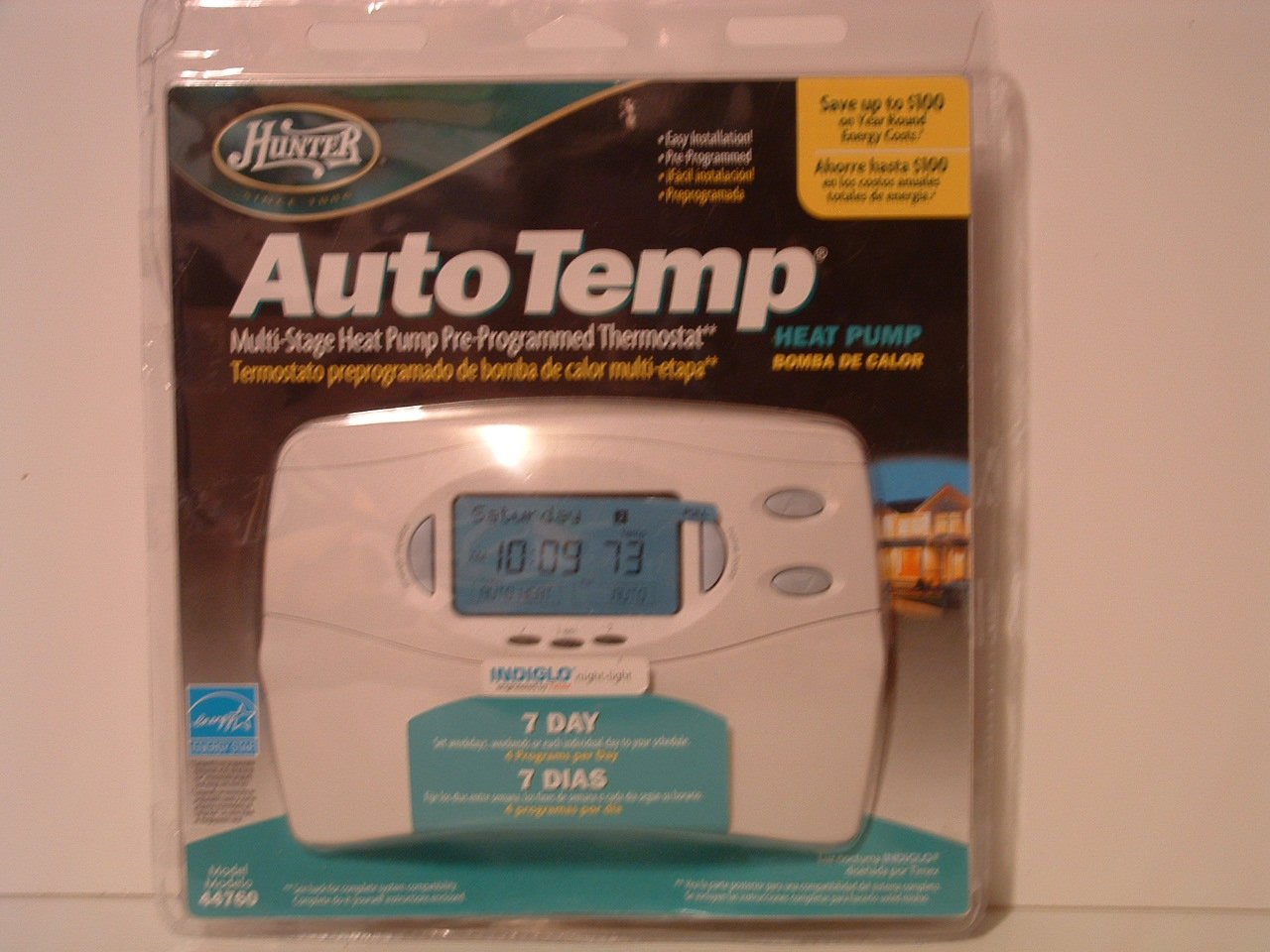
Image: Hunter 44760 Thermostat packaging illustrating key features and simplified installation steps. The top right corner shows a visual guide for removing the existing thermostat, labeling wires, installing the new wall plate, and attaching the cover.
2.3 Монтажа новог термостата
- Install the new wall plate provided with your Hunter 44760 thermostat. Secure it to the wall using the included screws.
- Повежите означене жице са одговарајућим терминалима на новој зидној плочи. Погледајте дијаграм ожичења у комплетном упутству за специфичне везе.
- Уметните 2 ААА батерије (нису укључене) у одељак за батерије.
- Attach the thermostat cover to the wall plate, ensuring it clicks securely into place.
- Вратите напајање система за грејање и хлађење на прекидачу.
3. Операција
This section details how to operate your Hunter 44760 thermostat, including basic controls and programming features.
3.1 Приказ прекоview
The thermostat features an INDIGLO backlit display that shows the current temperature, set temperature, time, and system status. The display is designed for clear readability.
Image: Hunter 44760 Thermostat packaging showing the thermostat's front panel with its digital display (showing 10:09 and 73 degrees) and various control buttons below it.
3.2 Основне контроле
- Temperature UP/DOWN Buttons: Use these buttons to adjust the desired temperature setting.
- Прекидач вентилатора:
- АУТО: The fan runs only when the heating or cooling system is operating.
- НА: Вентилатор ради континуирано, без обзира на то да ли је систем грејања или хлађења активан.
- Системски прекидач:
- ТОПЛОТА: Термостат контролише систем грејања.
- ХЛАДАН: Термостат контролише систем хлађења.
- ВАН: Системи грејања и хлађења су искључени.
3.3 Programming Features
The Hunter 44760 offers advanced programming options for energy efficiency and comfort.
- Auto Season Changeover: This feature automatically switches between heating and cooling modes as needed, eliminating the need for manual adjustment.
- Home Today & Vacation Overrides: Use these functions for temporary temperature adjustments or to set an extended hold for vacation periods.
- Energy Monitor: Приступите овој функцији за view the run time of your heating and cooling system, helping you understand and manage energy usage.
- Индикатор замене филтера: A reminder will appear on the display when it's time to check or replace your system's air filter.
- Аутоматски опоравак: This intelligent feature ensures your home reaches the desired temperature by the start of a programmed period, optimizing system operation.
- Permanent and Vacation Hold: These settings allow you to maintain a specific temperature indefinitely or for a set vacation duration, overriding the regular program.
- Returns to Programmed Settings: The thermostat can easily revert to your pre-programmed schedule.
4. Одржавање
Proper maintenance ensures the longevity and optimal performance of your thermostat.
4.1 Замена батерије
The thermostat requires two AAA batteries (not included) for operation and to maintain settings during power outages. A low battery warning will appear on the display when replacement is needed.
- Пажљиво повуците тело термостата са зидне плоче да бисте приступили одељку за батерије.
- Remove the old batteries and insert two new AAA alkaline batteries, ensuring correct polarity (+/-).
- Reattach the thermostat body to the wall plate.
4.2 Чишћење
Очистите спољашњост термостата меком крпомamp крпа. Не користите абразивна средства за чишћење или раствараче, јер могу оштетити завршну обраду или унутрашње компоненте.
КСНУМКС. Решавање проблема
Ако наиђете на проблеме са термостатом, погледајте следеће уобичајене проблеме и решења.
- Thermostat Display is Blank:
- Check if the power to your HVAC system is on at the circuit breaker.
- Replace the AAA batteries in the thermostat.
- Систем не реагује (нема грејања/хлађења):
- Ensure the system switch is set to HEAT or COOL, not OFF.
- Verify the fan switch is set to AUTO or ON.
- Проверите да ли је подешена температура изнад (за грејање) или испод (за хлађење) тренутне собне температуре.
- Confirm all wiring connections are secure.
- Нетачно очитавање температуре:
- Уверите се да термостат није изложен директној сунчевој светлости, промаји или изворима топлоте.
- Allow time for the thermostat to acclimate to the room temperature after installation.
- Filter Change Indicator Remains On:
- Replace your system's air filter.
- Reset the filter change indicator through the thermostat's settings menu (refer to the full manual for specific steps).
6. Спецификације
Below are the technical specifications for the Hunter 44760 Multi-Stage Heat Pump Thermostat.
| Феатуре | Спецификација |
|---|---|
| Бранд | Хунтер |
| Број модела | 44760 |
| Волtage | 24 Волтс |
| Боја | Бела |
| Посебне карактеристике | Low Battery Indicator, INDIGLO Backlight, Energy Star Compliant |
| Димензије производа | 2 к 7 к 5 инча |
| Тежина артикла | 1.1 фунти |
| Батерије су потребне | 2 ААА батерије (нису укључене) |
| Тип контроле | Контрола дугмета |
7. Информације о гаранцији
The Hunter 44760 Multi-Stage Heat Pump Thermostat comes with a Ограничена једногодишња гаранција from the date of purchase. This warranty covers defects in materials and workmanship under normal use. Please retain your proof of purchase for warranty claims. For full details regarding warranty terms and conditions, refer to the documentation included with your product or contact Hunter Fan Company customer support.
8. Корисничка подршка
If you have any questions, require technical assistance, or need further support regarding your Hunter 44760 thermostat, please contact the Hunter Fan Company customer service. Contact information can typically be found on the manufacturer's webсајту или у оригиналном паковању производа.