
HawkEye DT2B-TM
DepthTrax 2B Boat Mount In-Dash Digital Depth Finder User Manual
Brand: HawkEye | Model: DT2B-TM
1. Увод и крајview
The HawkEye DepthTrax 2B is a sophisticated in-dash digital depth finder designed to provide accurate and reliable depth readings for various marine applications. This manual provides comprehensive instructions for the installation, operation, and maintenance of your DepthTrax 2B unit, ensuring optimal performance and longevity.

Figure 1.1: HawkEye DepthTrax 2B Digital Depth Finder (Black and White Models)
2. Кључне карактеристике
- Wide Depth Range: Delivers uninterrupted depth readings from 2.5 to 600 feet, even at speeds up to 60 mph. Transducer Frequency: 200 kHz.
- Versatile Transducer: Includes a dual-mount transducer that can be installed via transom mount or glue-in method. Capable of shooting through solid fiberglass hulls and aluminum hulls up to 1/8-inch thick.
- Advanced Warning System: Садржи 3-сtage system that signals alarm conditions with an audible alarm, an ultra-bright red LED warning light, and LCD alarm indicators.
- Очисти екран: Equipped with a no-glare, polarized LCD icon display and a storage sun cover, ensuring clear viewing with or without sunglasses.
- Precision Programming: Algorithmic programming significantly reduces false readings, providing unmatched precision in depth measurement.
- Прилагодљиви изглед: Includes various bezels and display faces for aesthetic customization.

Figure 2.1: Detailed Feature Overview
3. Подешавање и инсталација
The DepthTrax 2B is designed for straightforward installation. Please follow these steps carefully for optimal performance.
3.1 Инсталација сонде
The unit comes with a dual-mount transducer, allowing for either transom or glue-in installation.
- Transom Mount: Secure the transducer to the boat's transom using the provided mounting bracket and hardware. Ensure it is positioned correctly to avoid interference and maintain consistent water contact at speed.
- Glue-In Mount: This method is suitable for NON-CORED fiberglass hulls or aluminum hulls thinner than 1/8 inch ONLY. It is crucial to test the transducer's performance in the desired location before permanent adhesion. Use marine-grade epoxy for a secure and watertight bond.
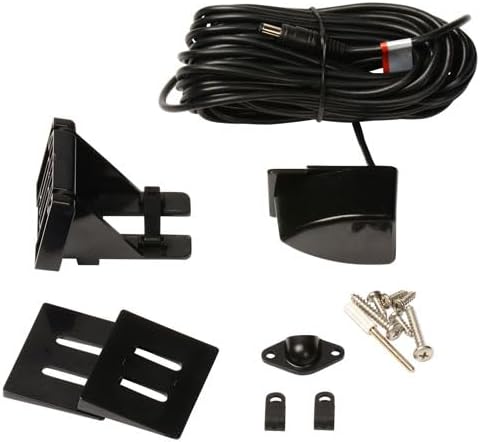
Figure 3.1: Transducer and Mounting Hardware

Figure 3.2: Transducer Sonar Beam Illustration
3.2 Инсталација дисплеја
The DepthTrax 2B is designed for in-dash mounting, fitting seamlessly into a standard 2-inch gauge opening.
- Припремите отварање: Use a 2-inch hole saw to create the mounting hole in your boat's dash.
- Повежите ожичење: Connect the transducer cable and power supply (DC power) to the back of the display unit according to the wiring diagram provided in the full manual (available online).
- Безбедносна јединица: Insert the display unit into the opening and secure it with the provided mounting hardware. Apply marine sealant under the bezel for a watertight seal.
- Customize Appearance: Select your preferred bezel (black or white) and display face to match your boat's aesthetics.

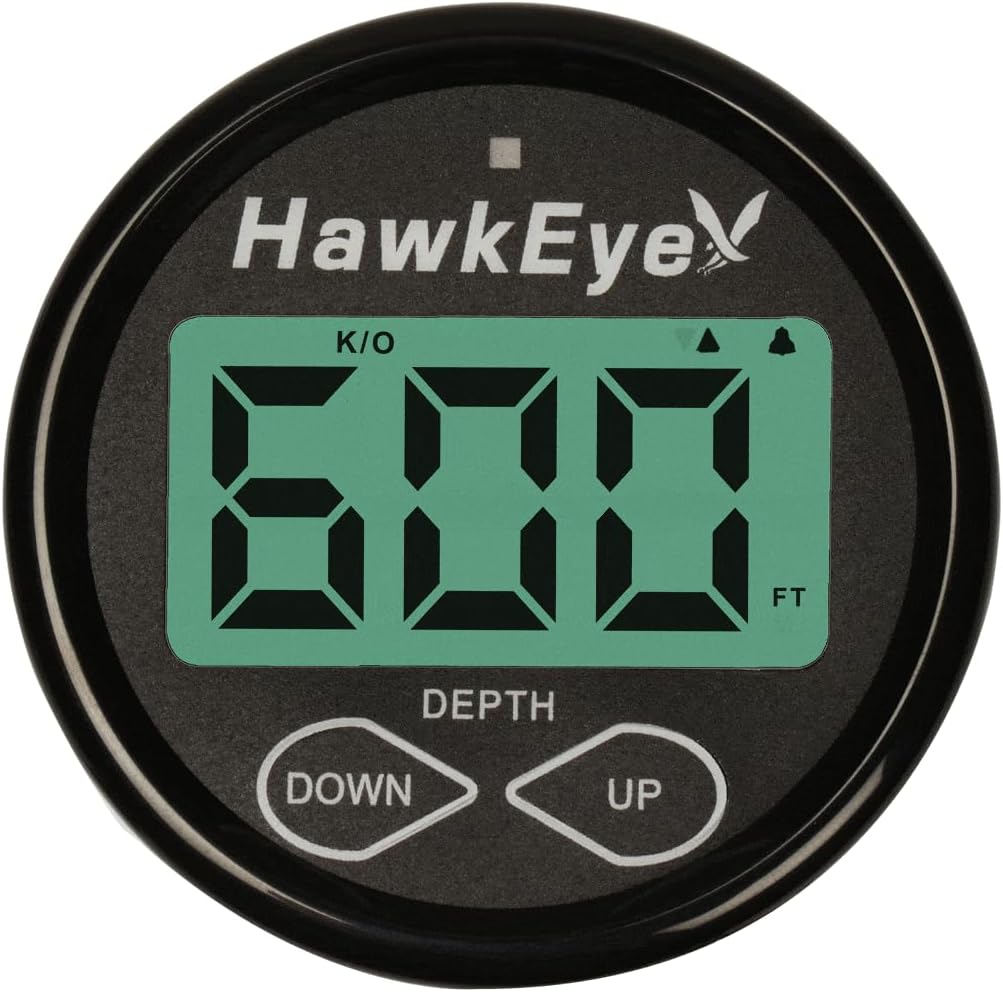
Слика 3.3: Предња и бочна страна Views of the Display Unit

Figure 3.4: Customizable Bezel and Display Face Options
4. Упутство за употребу
The DepthTrax 2B is designed for intuitive operation, providing essential depth information at a glance.
4.1 Укључивање/искључивање
The unit typically powers on with the boat's main power or a dedicated instrument switch, as it does not feature a separate on/off switch. Ensure proper wiring during installation to control power via your boat's electrical system.
4.2 Очитавање дисплеја
The large LCD display provides clear depth readings. The polarized screen ensures visibility even in direct sunlight.
4.3 Setting Alarms and Units
Utilize the "DOWN" and "UP" buttons to navigate settings and adjust parameters.
- Јединице: Toggle between feet and meters for depth readings.
- Оффсет: Adjust the depth offset to account for the transducer's installation depth below the waterline, ensuring true depth readings.
- Shallow Water Alarm: Set a minimum depth threshold. If the water depth falls below this, the 3-stage alarm system will activate.
- Deep Water Alarm: Set a maximum depth threshold. If the water depth exceeds this, the 3-stage alarm system will activate.
- 1-Touch Mute: Temporarily silence alarms with a single touch.
5. Одржавање
Proper maintenance ensures the longevity and continued accuracy of your DepthTrax 2B.
- Чишћење: Regularly wipe the display screen with a soft, damp cloth. Avoid abrasive cleaners that could damage the polarized surface.
- Transducer Inspection: Periodically inspect the transducer for marine growth or damage. Clean gently with a soft brush if necessary.
- Складиштење: When not in use, especially during off-season storage, utilize the provided storage sun cover to protect the display from UV exposure and physical damage.
- Везе: Уверите се да су сви електрични спојеви безбедни и без корозије.
КСНУМКС. Решавање проблема
If you encounter issues with your DepthTrax 2B, refer to the following common troubleshooting tips:
| Проблем | Могући узрок | Решење |
|---|---|---|
| No Depth Reading / Erratic Readings |
|
|
| Display Not Powering On |
|
|
| Alarms Not Functioning |
|
|
For more detailed troubleshooting or issues not listed here, please refer to the complete online manual or contact HawkEye customer support.
7. Спецификације
| Атрибут | Детаљ |
|---|---|
| Бранд | HawkEye |
| Назив модела | DT2B-TM |
| Парт Нумбер | ДФ10Д |
| Извор напајања | ДЦ напајање |
| Величина екрана | 1.86 инча |
| Дисплаи Типе | ЛЦД |
| Тежина артикла | 1.7 фунти |
| Димензије производа (ДкШкВ) | 4 cm D x 2 cm Š x 6 cm V |
| Максимална дубина мерења | 600 стопа |
| Тип монтаже | Transom Mount (also supports Glue-In) |
| Боја | Црно/Бело |
| Материјал | Алуминијум |
| Произвођач | NorCross Marine Products |
| Земља порекла | Кина |
| Укључене компоненте | DepthTrax 2B Boat Mount In Dash Digital Depth Finder |
| Спорт Типе | Вожња чамцем, пецање |
8. Гаранција и подршка
The HawkEye DepthTrax 2B comes with a manufacturer's warranty. For specific details regarding warranty coverage, duration, and terms, please refer to the warranty documentation included with your product or visit the official HawkEye webсајту.
For technical assistance, troubleshooting not covered in this manual, or warranty claims, please contact HawkEye customer support. Contact information can typically be found on the product packaging or the official brand webсајту.

Figure 8.1: Designed and Supported in the USA
Ask a question about this manual
Ask about setup, troubleshooting, compatibility, parts, safety, or missing instructions. Manuals+ will review the question and use this page’s manual context to help answer it.