
Увод
This manual provides instructions for the proper use and care of your Cellet USB Charger and Data Cable. This cable allows you to connect your compatible Nextel mobile phone to a computer via a USB port for charging and data transfer purposes.
Компатибилни модели: Nextel i830, i860, i305, i205, i730, i530, i733.
Сетуп
-
Повежите се са телефоном: Locate the data port on your compatible Nextel phone. Carefully align the phone connector end of the Cellet USB cable with the phone's data port and insert it firmly until it clicks into place. Do not force the connection.
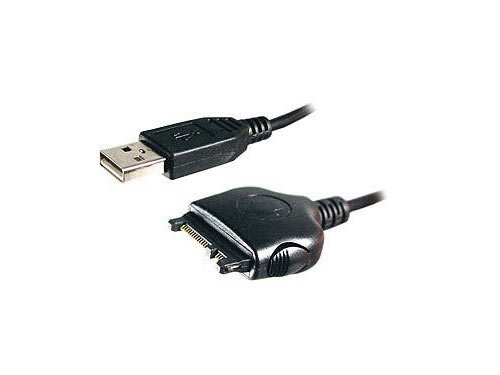
Image: The Cellet USB Charger and Data Cable, showing both the standard USB-A connector and the proprietary phone connector.
-
Повежите се са рачунаром: Insert the standard USB-A end of the cable into an available USB port on your computer (PC or laptop). Ensure the connection is secure.
-
Software (Not Included): Please note that this cable does not include data management software. Any necessary software for managing phonebook, ringtones, logos, or accessing PC data, internet, and email via your phone must be acquired separately from your phone manufacturer or service provider.
Оперативни
-
Пуњење: Once connected to a powered USB port on your computer, the cable will facilitate charging of your phone's battery. The charging status will typically be indicated on your phone's screen.
-
Пренос података: With appropriate software installed on your computer, this cable enables data transfer functions. This includes managing and backing up your phonebook, changing ringtones and logos, and accessing contacts, PC data, the internet, and email through your phone. The cable supports a transfer rate of up to 4 Mbps.
Одржавање
-
Складиштење: Store the cable in a cool, dry place away from direct sunlight and extreme temperatures when not in use. Avoid tightly coiling the cable to prevent damage to the internal wires.
-
Чишћење: Use a soft, dry cloth to clean the cable and connectors. Do not use liquid cleaners or solvents, as these can damage the cable.
-
Руковање: Always grasp the connector ends when plugging or unplugging the cable. Avoid pulling on the cable itself, as this can strain the connections and lead to damage.
Решавање проблема
-
Cable Not Connecting/Recognized:
- Ensure the cable is firmly inserted into both the phone and the computer's USB port.
- Покушајте са другим УСБ портом на рачунару.
- Verify that your phone model is listed as compatible (i730, i530, i830, i860, i305, i205, i733). Incompatible phones may not work correctly.
- Restart your computer and phone, then try connecting again.
-
Телефон се не пуни:
- Confirm the USB port on your computer is powered and functioning correctly.
- Check if the phone's charging indicator is active.
- Уверите се да кабл није оштећен.
-
Проблеми са преносом података:
- Confirm that you have the correct data management software installed on your computer for your specific phone model.
- Check your phone's settings to ensure data transfer is enabled.
- Уверите се да кабл није оштећен.
Спецификације
| Бранд | Целлет |
| Компатибилни модели | Nextel i830, i860, i305, i205, i730, i530, i733 |
| Повезивање | УСБ |
| Брзина преноса података | До 4 Мбпс |
| Тежина артикла | 4.8 унци |
| Произвођач | Целлет |
| ASIN | B000LT22CE |
| УПЦ | 800768507670, 808100910799 |
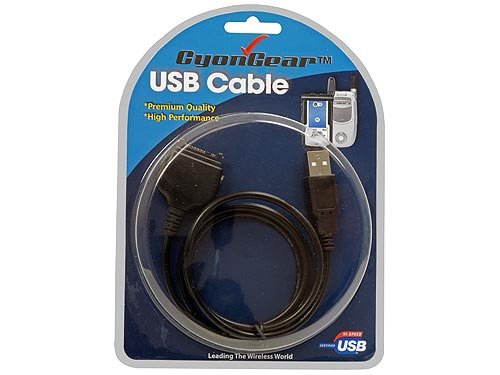
Image: The Cellet USB Charger and Data Cable shown in its retail packaging.
Гаранција и подршка
For warranty information or technical support regarding your Cellet USB Charger and Data Cable, please refer to the documentation provided with your purchase or contact Cellet customer service directly. Contact details can typically be found on the manufacturer's official webсајту.