
1. Увод
Thank you for choosing the Casio PQ-31-1EF Digital Wake Up Timer. This manual provides detailed instructions for the proper setup, operation, and maintenance of your new digital alarm clock. Please read this manual thoroughly before using the product to ensure correct usage and to prevent damage.
2. Мере предострожности
- Не излажите уређај екстремним температурама, директној сунчевој светлости или високој влажности.
- Избегавајте испуштање уређаја или његово излагање јаким ударцима.
- Не покушавајте да растављате или модификујете уређај. То ће поништити гаранцију.
- Држите батерије ван домашаја деце. Ако се прогута, одмах потражите медицинску помоћ.
- Истрошене батерије одложите у складу са локалним прописима.
3. Садржај пакета
Please check to ensure all items are present in your package:
- 1 x Casio PQ-31-1EF Digital Wake Up Timer
- 2 x Lithium Metal batteries (pre-installed or included separately)
- 1 x Упутство за употребу (овај документ)
4. Производ је готовview
The Casio PQ-31-1EF is a compact digital alarm clock designed for reliability and ease of use. It features a clear digital display, an integrated alarm function, and a light for visibility in low-light conditions. The sturdy case provides impact resistance for daily use.
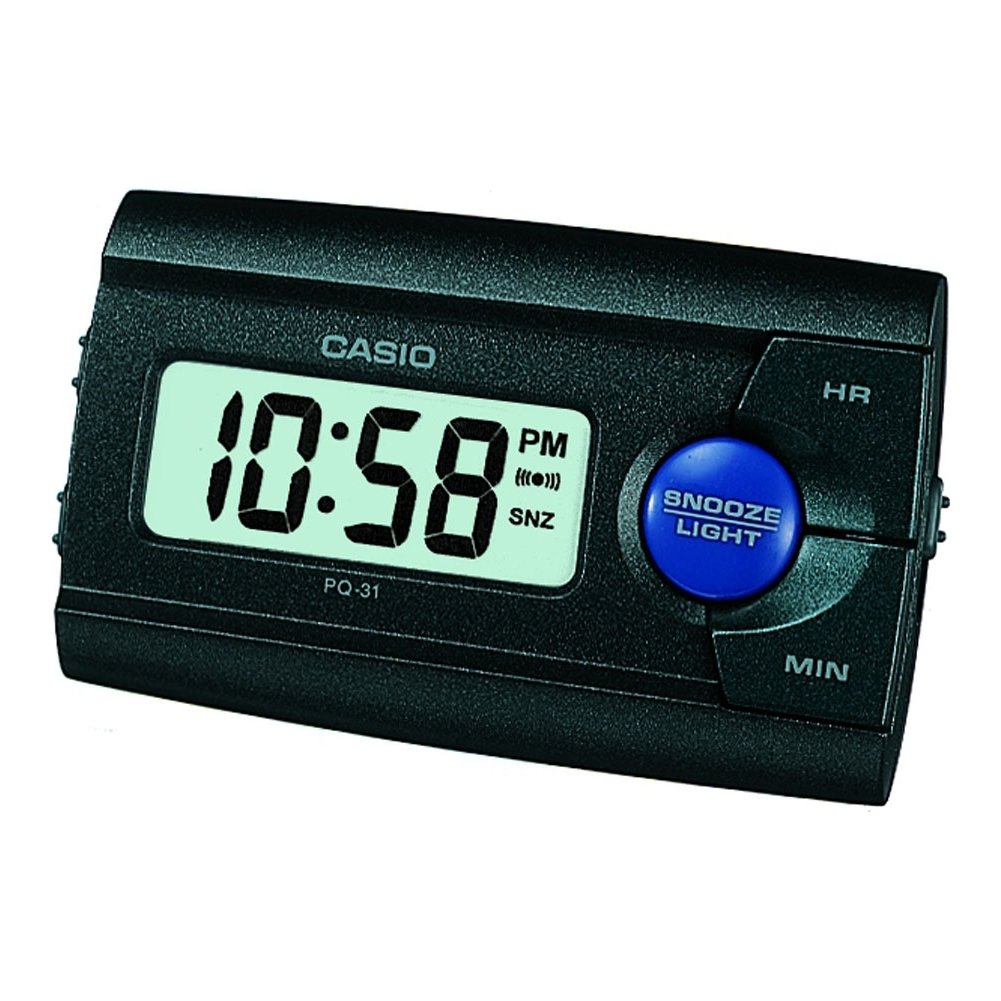
Слика 1: Предња страна view of the Casio PQ-31-1EF Digital Wake Up Timer. Shows the digital display and general shape of the device.
Button Functions (Typical Layout - Refer to actual device for exact labels):
- MODE/SET Button: Used to switch between time, alarm, and timer modes, and to confirm settings.
- ADJUST/+/H Button: Used to increase values (hours) or move forward in settings.
- ADJUST/-/M Button: Used to decrease values (minutes) or move backward in settings.
- Дугме ЛИГХТ: Активира позадинско осветљење на неколико секунди.
- Прекидач за УКЉУЧИВАЊЕ/ИСКЉУЧИВАЊЕ АЛАРМА: Укључује/искључује функцију аларма.
- Дугме СНООЗЕ: Temporarily silences the alarm and activates snooze function.
5. Подешавање
5.1 Инсталација батерије
Your Casio PQ-31-1EF requires 2 Lithium Metal batteries. These are typically included with the product.
- Пронађите поклопац одељка за батерије на задњој или доњој страни уређаја.
- Open the cover by sliding it or unscrewing it (if applicable).
- Insert the 2 Lithium Metal batteries, ensuring the positive (+) and negative (-) terminals are aligned correctly according to the diagram inside the compartment.
- Вратите поклопац одељка за батерије безбедно.
The clock display should now activate. If not, check battery orientation or replace with fresh batteries.
5.2 Почетно подешавање времена
- У режиму нормалног приказа времена, притисните и држите МОДЕ/СЕТ дугме неколико секунди док цифре сати не почну да трепћу.
- Користите ADJUST/+ or ADJUST/- buttons to set the correct hour. Pay attention to AM/PM indicators if your clock uses a 12-hour format.
- Притисните тастер МОДЕ/СЕТ поново притисните дугме да бисте прешли на подешавање минута. Цифре минута ће трептати.
- Користите ADJUST/+ or ADJUST/- дугмад да бисте подесили тачне минуте.
- Притисните тастер МОДЕ/СЕТ button one more time to exit the time setting mode. The time will now be set.
6. Упутство за употребу
6.1 Подешавање аларма
The daily alarm reminds you of events that recur every day.
- Са нормалног приказа времена, притисните дугме МОДЕ/СЕТ button once to enter alarm setting mode. The alarm time will be displayed, and the hour digits may flash.
- Користите ADJUST/+ or ADJUST/- дугмад да бисте подесили жељени сат аларма.
- Притисните тастер МОДЕ/СЕТ button again to move to the minute setting.
- Користите ADJUST/+ or ADJUST/- дугмад за подешавање жељених минута аларма.
- Притисните тастер МОДЕ/СЕТ button one more time to confirm the alarm setting and return to normal time display.
6.2 Активирање/деактивирање аларма
To turn the alarm ON or OFF, locate the АЛАРМ УКЉУЧЕН / ИСКЉУЧЕН switch (usually on the side or back of the unit) and slide it to the desired position. An alarm icon will typically appear on the display when the alarm is active.
6.3 Коришћење функције одлагања
Када се огласи аларм, притисните СНООЗЕ button (often a large button on top of the unit). The alarm will temporarily stop and sound again after a few minutes (typically 5-10 minutes, depending on the model).
6.4 Коришћење позадинског осветљења
To illuminate the clock face in dark environments, press the ЛИГХТ button. The light-emitting diode (LED) will illuminate the display for a short period, then automatically turn off.
7. Одржавање
7.1 Чишћење јединице
To clean the Casio PQ-31-1EF, wipe it gently with a soft, dry cloth. Do not use abrasive cleaners, solvents, or chemical sprays, as these can damage the casinг и приказ.
7.2 Замена батерије
When the display becomes dim or the clock functions erratically, it is time to replace the batteries. Follow the steps in Section 5.1 Battery Installation to replace the 2 Lithium Metal batteries. Ensure proper disposal of old batteries.
КСНУМКС. Решавање проблема
| Проблем | Могући узрок | Решење |
|---|---|---|
| Екран је празан или замагљен. | Батерије су истрошене или неправилно постављене. | Замените батерије новим, водећи рачуна о исправном поларитету. |
| Аларм се не оглашава. | Аларм није активиран или је јачина звука прениска (ако се може подесити). | Ensure the ALARM ON/OFF switch is in the ON position. Check alarm settings. |
| Време је погрешно. | Time was not set correctly or batteries were removed. | Reset the time following instructions in Section 5.2. |
| Дугмад не реагују. | Привремени софтверски квар или празна батерија. | Remove and reinsert batteries to reset the unit. Replace batteries if necessary. |
9. Спецификације
| Феатуре | Детаљ |
|---|---|
| Број модела | PQ-31-1EF |
| Бранд | Цасио |
| Дисплаи Типе | Дигитал |
| Боја | Black (Unit color, display is typically grey/LCD) |
| Извор напајања | Баттери Поверед |
| Тип батерије | 2 x Lithium Metal batteries |
| Димензије производа (Ш x В) | 8.6W x 5H centimetres |
| Тежина артикла | 45.4 грама |
| Посебне карактеристике | Alarm, Backlight (LED), Impact Resistance |
| Тип монтаже | Стони носач |
| Унутрашња/спољна употреба | Индоор |
10. Гаранција и подршка
Casio products are manufactured to high-quality standards and are backed by a manufacturer's warranty. For specific warranty terms and conditions, please refer to the warranty card included with your purchase or visit the official Casio webсајт за ваш регион.
If you encounter any issues or require technical assistance, please contact Casio customer support through their official website or the contact information provided in your product packaging. Please have your model number (PQ-31-1EF) and proof of purchase ready when contacting support.
Напомена: Гарантни услови могу се разликовати у зависности од региона.