
1. Увод
This manual provides essential information for the safe and efficient operation of your Sharp Aquos LC42D64U 42-Inch 1080p LCD HDTV. Please read these instructions thoroughly before using your television and retain them for future reference. The Sharp Aquos D64 series offers a slim design, Full HD 1080p resolution, and advanced features for an enhanced viewинг искуство.
2. Важне информације о безбедности
Увек се придржавајте основних мера безбедности када користите овај телевизор како бисте смањили ризик од пожара, струјног удара и повреда.
- Извор напајања: Прикључите телевизор само на напајање назначено на етикети.
- вентилација: Обезбедите одговарајућу вентилацију. Не блокирајте вентилационе отворе.
- Вода и влага: Не излажите телевизор киши или влази. Не стављајте предмете напуњене течношћу на телевизор.
- Чишћење: Искључите телевизор из зидне утичнице пре чишћења. Користите меку, суву крпу.
- Сервисирање: Не покушавајте сами да сервисирате овај производ. Све сервисирање препустите квалификованом сервисном особљу.
- Монтажа: If wall-mounting, ensure the mount is compatible and installed by qualified personnel.
- деца: Надгледајте децу како бисте их спречили да се пењу на телевизор или играју са њим.
3. Шта је у кутији
Проверите да ли су све компоненте присутне пре него што наставите са подешавањем.
- Sharp Aquos LC42D64U 42-Inch LCD HDTV
- Ремоте Цонтрол
- Табле Станд
- Повер Цорд
- Кориснички приручник (овај документ)
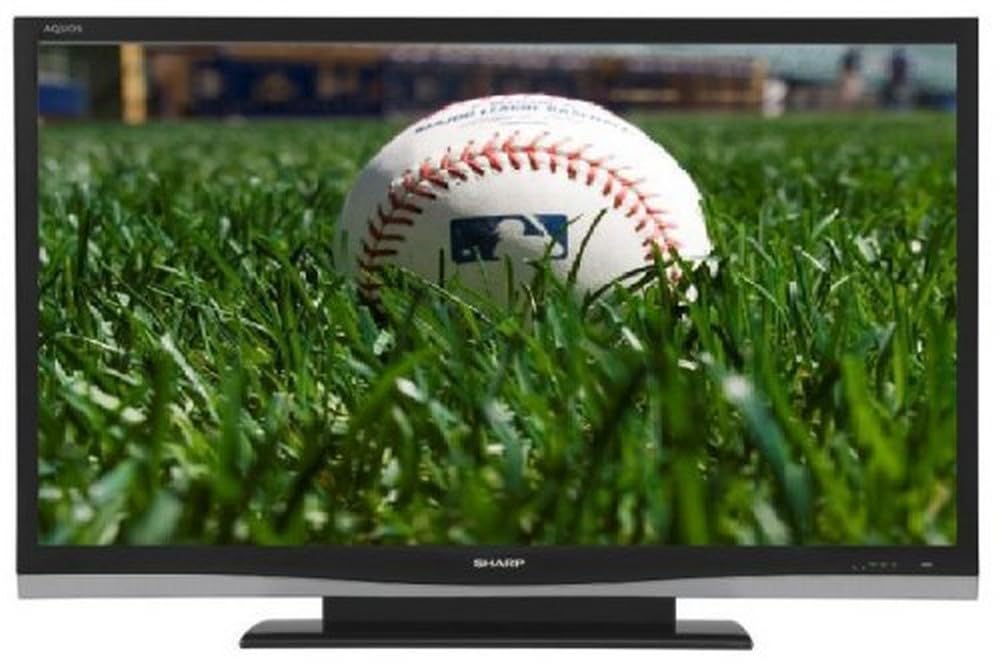
Слика: Фронт view of the Sharp Aquos LC42D64U 42-Inch LCD HDTV with its included table stand.
4. Подешавање
4.1 Причвршћивање постоља за сто
If you are not wall-mounting the television, attach the included table stand. Refer to the separate assembly guide for detailed instructions on securing the stand to the TV. Ensure all screws are tightened securely.
4.2 Повезивање екстерних уређаја
Connect your external devices (e.g., cable box, Blu-ray player, game console) to the appropriate input terminals on the rear or side of the TV.
- ДВИ: For high-definition digital video and audio. The TV features three HDMI 1.3 inputs (two rear, one side).
- Component Video (Y, Pb, Pr): For high-definition analog video. Two inputs are available.
- Composite Video (A/V): For standard-definition analog video and audio. One side and one rear input.
- С-Видео: For standard-definition video. One side and one rear input.
- PC Input (D-Sub 15-pin): Повежите рачунар да бисте га користили као монитор.
- RF Antenna Inputs: Two inputs for connecting an antenna or cable TV.
- Етхернет порт: For network connectivity (DLNA).
4.3 Прикључак за напајање
After connecting all desired devices, plug the power cord into the TV's power inlet and then into a wall outlet. The TV will enter standby mode.
5. Упутство за употребу
5.1 Initial Power On and Channel Setup
- Притисните тастер ПОВЕР button on the remote control or the TV to turn it on.
- The first time you power on, the TV will guide you through the initial setup process, including language selection and channel scanning.
- Select your preferred language (English, Spanish, or French).
- Perform an "Easy Setup" or "Channel Setup" scan to detect available digital (ATSC, QAM) and analog (NTSC) channels.
5.2 Основне функције даљинског управљача
- СНАГА: Turns the TV on or off (standby).
- УЛАЗНИ: Cycles through available input sources (HDMI, Component, PC, etc.).
- ЦХ +/-: Мења канале.
- ВОЛ +/-: Подешава јачину звука.
- МЕНИ: Accesses the on-screen menu for settings adjustments.
- ДУГМЕ СА СТРЕЛИЦАМА: Крећите се кроз опције менија.
- ЕНТЕР: Потврђује изборе.
- EXIT/RETURN: Излази из менија или враћа се на претходни екран.
5.3 Навигација кроз мени и подешавања
Притисните тастер МЕНУ button to access various settings categories:
- слика: Adjust brightness, contrast, color, tint, sharpness, and backlight. The OPC function automatically adjusts brightness based on room conditions.
- аудио: Control volume, bass, treble, balance, and select audio modes.
- канал: Rescan channels, add/delete channels, and set up favorite channels.
- Подешавање: General settings like language, time, sleep timer, and parental controls (V-Chip).
- Напредне функције: Access settings for DLNA, Picture-in-Picture, and AQUOS LINK.
6. Напредне функције
6.1 AQUOS LINK (HDMI-CEC)
AQUOS LINK allows convenient control of compatible Sharp devices connected via HDMI using just your AQUOS TV remote. Ensure connected devices also support HDMI-CEC (Consumer Electronics Control) and are enabled in their respective settings.
6.2 DLNA Compatibility
The TV is DLNA-compatible, enabling interoperability with other DLNA-certified electronics, computers, and mobile devices. Connect the TV to your home network via the Ethernet port to access and share digital content (photos, videos, music) from compatible devices on your network.
6.3 Picture-in-Picture (PIP)
The Picture-in-Picture function allows simultaneous viewing of a TV program and a video or PC source. Consult the on-screen menu for PIP activation and source selection.
6.4 V-Chip System
The V-Chip system allows you to block TV and movie programs based on their rating, providing parental control over objectionable content. Access V-Chip settings through the TV's setup menu.
7. Одржавање
7.1 Чишћење екрана
Нежно обришите екран меком крпом која не оставља влакна. За тврдокорне мрље, лагано дampобришите крпу водом или специјализованим средством за чишћење екрана. немој use harsh chemicals, abrasive cleaners, or spray liquids directly onto the screen.
7.2 Чишћење кабинета
Wipe the TV cabinet with a soft, dry cloth. Avoid using solvents or abrasive materials.
7.3 Општа нега
- Искључите телевизор из струје током олуја са грмљавином или када га не користите дуже време.
- Држите телевизор даље од директне сунчеве светлости, извора топлоте и прекомерне прашине.
- Обезбедите довољно простора око телевизора за правилну вентилацију.
КСНУМКС. Решавање проблема
Пре него што контактирате корисничку подршку, испробајте следећа решења за уобичајене проблеме:
| Проблем | Могуће решење |
|---|---|
| Нема струје | Проверите да ли је кабл за напајање добро прикључен у телевизор и зидну утичницу. Уверите се да утичница има струје. |
| Нема слике, али је звук присутан | Проверите да ли је изабран исправан улазни извор. Проверите кабловске везе са спољним уређајима. |
| Нема звука, али је слика присутна | Check the volume level and mute setting. Ensure audio cables are correctly connected. |
| Даљински управљач не ради | Замените батерије. Уверите се да нема препрека између даљинског управљача и инфрацрвеног сензора телевизора. |
| "Hotel Mode" issue (as per customer review) | If the TV is stuck in a limited functionality mode, contact Sharp customer support for assistance in disabling "Hotel Mode." This typically requires a specific service menu sequence. |
9. Спецификације
| Феатуре | Детаљ |
|---|---|
| Број модела | LC42D64U |
| Величина екрана | 42 инча |
| Дисплаи Тецхнологи | ЛЦД |
| Резолуција | 1080p (Full HD) |
| Однос контраста | 10,000:1 Динамички |
| Време одговора | 4 милисекунди |
| ХДМИ портови | 3 (2 задња, 1 бочна) |
| Component Video Inputs | 2 |
| Композитни видео улази | 3 (1 бочне, 2 позади) |
| S-Video Inputs | 2 (1 бочне, 1 позади) |
| ПЦ Инпут | 1 (D-Sub 15-pin) |
| Етхернет порт | Да |
| Тип тјунера | ATSC, QAM, NTSC |
| Родитељска контрола | В-Цхип |
| Тежина | 70.2 фунти (приближно) |
| Модел Иеар | 2008 |
10. Гаранција и подршка
10.1 Ограничена гаранција
This Sharp Aquos LC42D64U television comes with a 1 Year Parts and 1 Year Labor Warranty from the date of original purchase. This warranty covers manufacturing defects in materials and workmanship under normal use. It does not cover damage caused by misuse, accident, modification, or unauthorized repair.
Сачувајте доказ о куповини за гаранцијске захтеве.
10.2 Корисничка подршка
For technical assistance, troubleshooting beyond this manual, or warranty service, please contact Sharp Customer Support. Refer to the contact information provided with your product documentation or visit the official Sharp webсајт за најновије информације о подршци.
When contacting support, please have your model number (LC42D64U) and serial number ready.