
1. Увод
This manual provides instructions for the proper use and maintenance of the ProMaster OpticClean Deluxe 5-Piece Care Kit, Model 4879. This kit is designed to assist in the cleaning and care of digital and traditional camera equipment, including lenses, sensors, and camera bodies.
2. Садржај комплета
The ProMaster OpticClean Deluxe 5-Piece Care Kit includes the following components:
- Specially designed Cleaning Swabs
- Четка за дување
- Ленс Тиссуе
- Тканина од микровлакана
- Cleaning Fluid (30 ml)
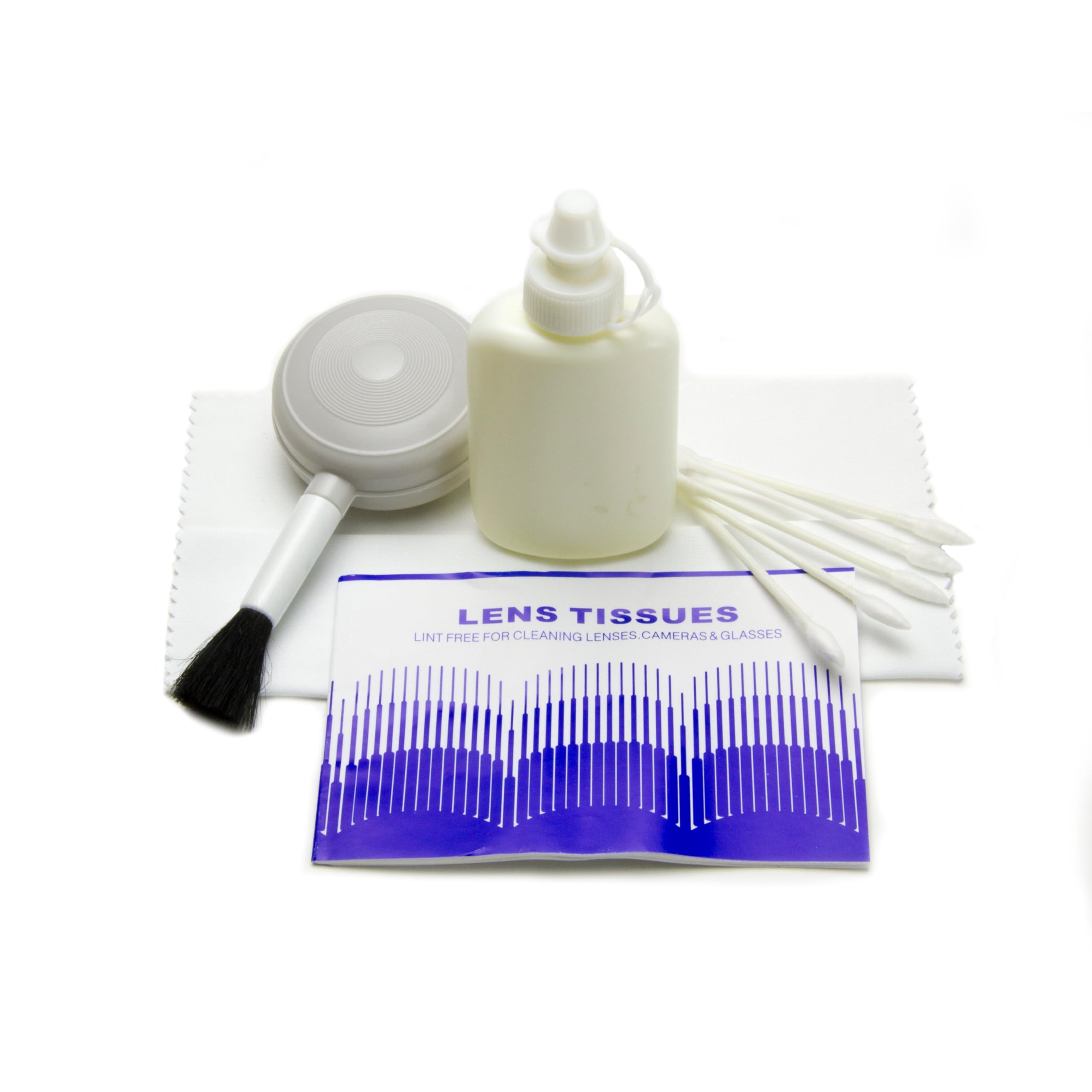
Image: The complete ProMaster OpticClean Deluxe 5-Piece Care Kit, showing all included items.
3. Подешавање и припрема
Before beginning any cleaning procedure, ensure you are in a clean, dust-free environment. Wash your hands thoroughly to avoid transferring oils or dirt to your equipment or the cleaning tools.
- Распакујте све компоненте из комплета.
- Inspect each tool for any debris or contamination before use. If the microfiber cloth or blower brush appears dirty, clean them as described in the Maintenance section.
- Ensure the cleaning fluid bottle is securely capped when not in use.
4. Упутство за употребу
Follow these steps for effective cleaning of your camera equipment:
4.1. Removing Loose Dust and Debris
- Користите Четка за дување to remove loose dust particles from lenses, camera bodies, and sensor surfaces. Hold the camera or lens facing downwards to allow gravity to assist in dust removal.
- Squeeze the blower bulb firmly and repeatedly to generate a strong air stream. Avoid touching the brush bristles to the surface being cleaned.
4.2. Cleaning Lenses and Optical Surfaces
- First, use the Blower Brush to remove any loose dust.
- Apply one or two drops of the Течност за чишћење onto a fresh piece of Ленс Тиссуе or a corner of the Тканина од микровлакана. Do not apply fluid directly to the lens surface.
- Gently wipe the lens surface in a circular motion, starting from the center and moving outwards. Use light pressure.
- For stubborn smudges, use a new, dry section of lens tissue or microfiber cloth to buff gently until clean and streak-free.
- For small crevices or edges, use a Брис за чишћење with a minimal amount of cleaning fluid.
4.3. Cleaning Camera Body and LCD Screens
- Use the Blower Brush to remove loose dust from the camera body.
- For smudges or fingerprints on the camera body or LCD screen, lightly dampен тхе Тканина од микровлакана with a small amount of Cleaning Fluid.
- Gently wipe the surface. Avoid excessive moisture, especially near buttons or ports.
- Use a dry part of the microfiber cloth to remove any remaining moisture or streaks.
5. Maintenance of Cleaning Kit Components
Proper maintenance of your cleaning kit ensures its longevity and effectiveness.
- Крпа од микровлакана: Wash the microfiber cloth periodically with mild soap and water. Allow it to air dry completely. Do not use fabric softener, as it can leave residues that may transfer to optical surfaces.
- Blower Brush: If the brush bristles become dirty, gently clean them with a soft, damp cloth. Ensure the brush is completely dry before reuse.
- Cleaning Swabs and Lens Tissue: These are disposable items and should be discarded after a single use to prevent cross-contamination.
- Течност за чишћење: Store the cleaning fluid in a cool, dry place with the cap securely tightened.
КСНУМКС. Решавање проблема
- Streaks or Residue After Cleaning: Ensure you are using a clean, dry section of the microfiber cloth or fresh lens tissue. Use minimal cleaning fluid. Over-application of fluid or a dirty cloth can cause streaks.
- Persistent Dust: If dust remains after using the blower brush, it may be stuck to the surface. Proceed with gentle wiping using cleaning fluid and lens tissue/microfiber cloth as described in section 4.2.
- Damage to Equipment: Always use light pressure when cleaning. Excessive force can scratch optical surfaces or damage coatings. If you suspect damage, discontinue use and consult a professional.
7. Спецификације
| Феатуре | Детаљ |
|---|---|
| Бранд | ПроМастер |
| Назив модела | OpticClean Deluxe |
| Број модела | 4879 |
| Подесите име | OpticClean Deluxe 5 piece Care Kit OC |
| Број ставки | 5 |
| Материјал | Microfiber (cloth) |
| Волуме течности | 30 ml (cleaning fluid) |
| Тежина артикла | 2 фунти |
| УПЦ | 029144048792 |
8. Гаранција и подршка
For warranty information or technical support regarding your ProMaster OpticClean Deluxe 5-Piece Care Kit, please refer to the official ProMaster webсајт или контактирајте њихову службу за кориснике. Сачувајте рачун као доказ о куповини.
You can find more information about ProMaster products and support at the ProMaster Store on Amazon.