
Увод
Хвала вам на куповиниasing the Karlsson KA4819 LED Cube Alarm Clock. This manual provides detailed instructions for setting up, operating, and maintaining your new alarm clock. Please read this manual thoroughly before use to ensure proper function and longevity of the product. Keep this manual for future reference.
Безбедносне информације
- Уверите се да је јачина звука адаптера за напајањеtagе одговара вашем локалном извору напајања.
- Не излажите уређај води, влази или екстремним температурама.
- Избегавајте испуштање или излагање уређаја јаким ударима.
- Не покушавајте сами да растављате или поправљате уређај. Све сервисирање препустите квалификованом особљу.
- Држите уређај даље од директне сунчеве светлости и извора топлоте.
- Искључите уређај из струје током олуја са грмљавином или када га не користите дуже време.
Садржај пакета
Молимо вас да проверите пакет за следеће ставке:
- Karlsson KA4819 LED Cube Alarm Clock
- Повер Адаптер
- Кориснички приручник (овај документ)
Note: Batteries are not included and are not required for primary operation as the device is electric. This model's specifications indicate that batteries are not included.
Производ је завршенview
The Karlsson KA4819 is a stylish LED alarm clock designed in a cube shape, featuring a clear digital display. Its primary function is to display time and act as an alarm. The exterior is made of plastic with a walnut finish, giving it a natural aesthetic.
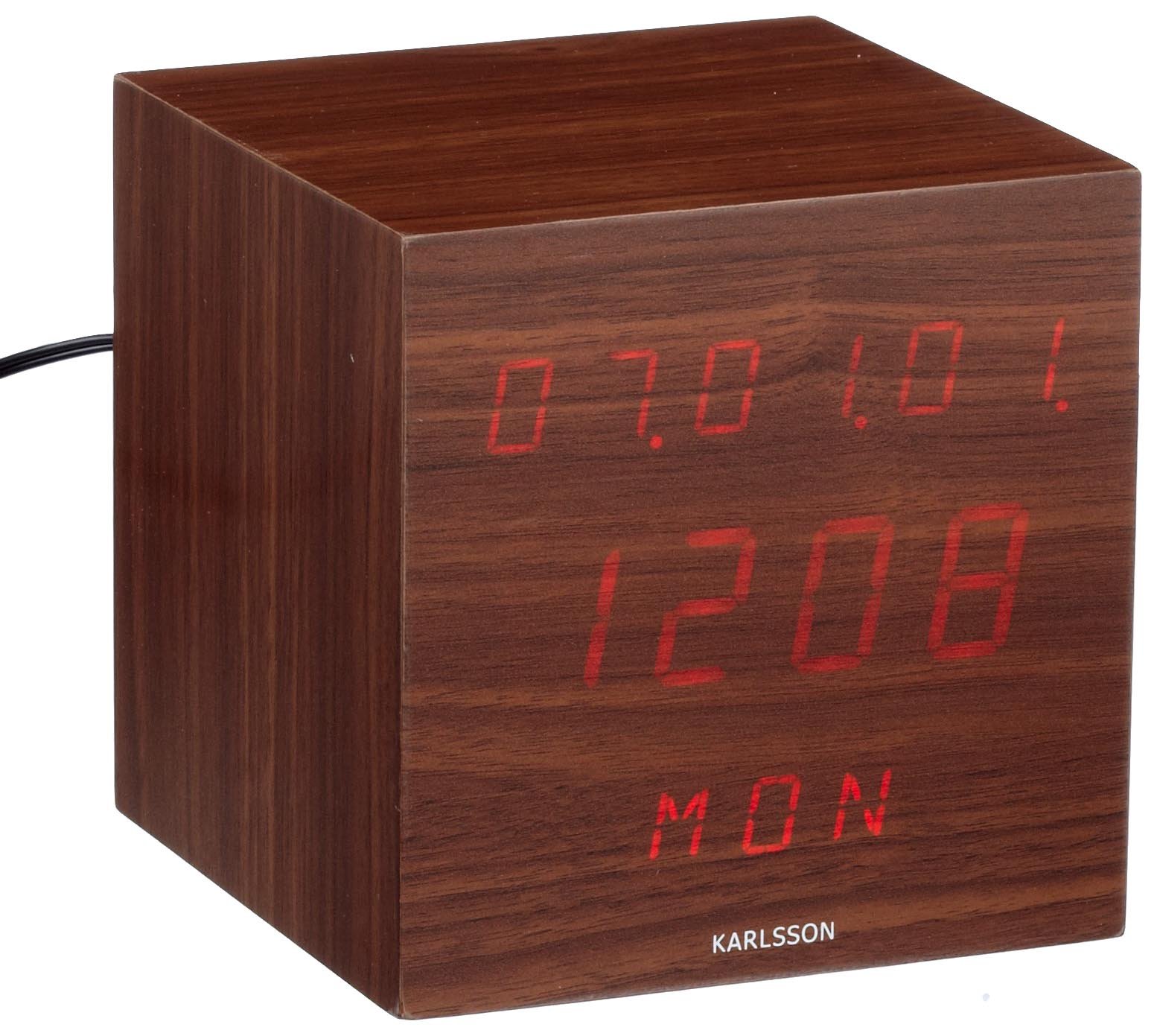
Слика 1: Предња страна view of the Karlsson KA4819 LED Cube Alarm Clock. The clock features a digital LED display showing the time, encased in a cube-shaped housing with a walnut wood-like finish.
The control buttons are typically located on the back or bottom of the unit, allowing for time setting, alarm setting, and display adjustments.
Сетуп
- Распакујте уређај: Carefully remove the alarm clock and all accessories from the packaging.
- Прикључите напајање: Insert the small end of the power adapter cable into the DC input port on the back or bottom of the alarm clock. Plug the other end of the power adapter into a standard electrical outlet.
- Почетни приказ: Upon connecting power, the LED display should light up, typically showing a default time or flashing digits.
Упутство за употребу
Подешавање времена
- Лоцирајте СЕТ or МОДЕ button, usually on the back or bottom of the clock. Press and hold this button for a few seconds until the hour digits start flashing.
- Користите UP и ДОВН (or + and -) buttons to adjust the hour.
- Притисните тастер СЕТ or МОДЕ поново притисните дугме да бисте прешли на подешавање минута. Цифре минута ће трептати.
- Користите UP и ДОВН дугмад за подешавање минута.
- Притисните СЕТ or МОДЕ one more time to confirm the time and exit the setting mode. The display will stop flashing.
- Note: Some models may offer 12-hour or 24-hour format selection during the time setting process. Look for an indicator like "AM/PM" or a specific button press to toggle this.
Постављање аларма
- Лоцирајте АЛАРМ or МОДЕ button. Press it once to enter alarm setting mode. The alarm time will typically be displayed, or an alarm icon will appear.
- Притисните и држите АЛАРМ or СЕТ дугме док цифре сата аларма не почну да трепћу.
- Користите UP и ДОВН дугмад за подешавање сата аларма.
- Притисните тастер АЛАРМ or СЕТ button again to move to the alarm minute setting. The minute digits will flash.
- Користите UP и ДОВН дугмад за подешавање минута аларма.
- Притисните АЛАРМ or СЕТ one more time to confirm the alarm time.
- Да бисте активирали или деактивирали аларм, притисните дугме АЛАРМ УКЉУЧЕН / ИСКЉУЧЕН button (if available) or cycle through modes using the АЛАРМ button until an alarm icon (e.g., a bell) appears or disappears on the display.
Функција одлагања
When the alarm sounds, press any button (often the top button or a dedicated СНООЗЕ button) to activate the snooze function. The alarm will temporarily stop and sound again after a set interval (e.g., 5-10 minutes).
Заустављање аларма
To turn off the alarm completely after it sounds, press a specific button (often АЛАРМ ОФФ or МОДЕ) or let it ring for its full duration, after which it may automatically turn off or reset for the next day.
Подешавање осветљености екрана
Some models allow adjustment of the LED display brightness. Look for a ДИММЕР or БРИГХТНЕСС button, or a combination of buttons (e.g., UP/ДОВН while not in setting mode) to cycle through brightness levels. A user review indicates that even the lowest brightness setting might still be quite bright.
Одржавање
- Чишћење: Use a soft, dry cloth to clean the surface of the alarm clock. Do not use abrasive cleaners, waxes, or solvents, as these can damage the finish.
- Складиштење: If storing the device for an extended period, unplug it from the power outlet and store it in a cool, dry place.
- Кабл за напајање: Regularly inspect the power cord for any signs of damage. If damaged, discontinue use and replace it with an approved adapter.
Решавање проблема
| Проблем | Могући узрок | Решење |
|---|---|---|
| Екран је празан или се не осветљава. | Нема прикључка за напајање или нестанка струјеtage. | Ensure the power adapter is securely plugged into both the clock and a working electrical outlet. Check if the outlet has power. |
| Time is incorrect after a power interruption. | The clock does not have a backup battery for memory retention. | Reset the time manually following the "Setting the Time" instructions. |
| Аларм се не оглашава. | Аларм није активиран или је погрешно подешен. | Verify that the alarm time is set correctly and that the alarm function is turned ON (look for an alarm icon on the display). |
| Дугмад не реагују. | Привремени проблем са софтвером или напајањем. | Unplug the power adapter, wait 30 seconds, then plug it back in to perform a soft reset. |
| Display is too bright at night. | Brightness setting is too high or no dimmer function. | If a dimmer function is available, adjust it to a lower setting. If not, consider placing the clock further away or using a light-filtering film. |
Спецификације
- Бренд: Карлсон
- Број модела: КА4819
- Материјал: Plastic (with Walnut finish)
- Тип покрета: кварц
- Извор напајања: Electric (Mains powered)
- Функција аларма: Да
- Тип монтаже: Таблетоп
- Батерије укључене: бр
Гаранција и подршка
The Karlsson KA4819 LED Cube Alarm Clock comes with a 1 година гаранције from the date of purchase, as indicated in the product features. This warranty covers manufacturing defects under normal use.
For warranty claims, technical support, or further assistance, please contact your retailer or the official Karlsson customer service. Please retain your proof of purchase for warranty validation.
For more information about Karlsson products, you may visit the official Karlsson brand store: Karlsson Brand Store