
1. Увод
The Technaxx FMT300BT is a versatile Bluetooth FM transmitter designed to enhance your in-car audio experience. It allows you to stream music wirelessly from your mobile device, play audio from USB drives or SD cards, and make hands-free calls through your car's sound system. This manual provides comprehensive instructions to help you set up, operate, and maintain your device effectively.
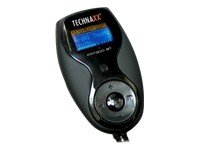
The Technaxx FMT300BT Bluetooth FM Transmitter with its flexible neck and LCD display.
2. Садржај пакета
Молимо вас да проверите пакет за следеће ставке:
- Technaxx FMT300BT Unit
- Даљински управљач на волану
- Ручни даљински управљач
- Audio Cable (3.5mm to 2.5mm jack)
- Осигурач
- Кориснички приручник (овај документ)
3. Карактеристике производа
The Technaxx FMT300BT offers a range of features for convenient in-car entertainment and communication:
- MP3 FM Transmitter for car with Bluetooth hands-free function.
- Compatible with most Bluetooth mobile devices.
- CVC (Clear Voice Capture) technology for noise and echo reduction.
- Excellent sound quality with Duplex Communication.
- Prioritized audio sources: Bluetooth calls > Bluetooth music > AUX Input > SD/USB.
- Ability to play music from your mobile device via Bluetooth.
- Mute function for pleasant conversations.
- Recall and voice functions (requires compatible mobile device).
- Automatic Bluetooth connection and memory saving.
- Equalizer mode and repeat mode.
- File creation and selection function.
- Includes both a simple handheld remote and a steering wheel remote control for safe operation while driving.
- Flexible and easy to maneuver design.
- Features an AUX-In port.
- Transmits audio to car speakers via FM frequency (assuming an existing car radio).
- Charger output: 5V DC, 1.5A.
4. Подешавање
Follow these steps to set up your FMT300BT:
- Прикључак за напајање: Insert the FMT300BT into your vehicle's 12V-24V cigarette lighter socket. The device will power on automatically, and the LCD screen will illuminate.
- Избор ФМ фреквенције:
- Tune your car radio to an unused FM frequency (e.g., 88.1 MHz or 107.9 MHz). Choose a frequency with minimal static.
- On the FMT300BT, use the frequency adjustment buttons (CH+ / CH-) to match the frequency of your car radio.
- Блуетоотх упаривање:
- Уверите се да је Блуетоотх омогућен на вашем мобилном уређају.
- Тражи available Bluetooth devices and select "FMT300BT".
- If prompted, enter the pairing code (usually "0000").
- The device will automatically connect to your paired phone upon subsequent power-ons.
- Media Insertion:
- For USB playback: Insert a USB flash drive into the designated USB port.
- For SD/SDHC/MMC playback: Insert a compatible memory card into the SD card slot.

Цлосе-уп view of the Technaxx FMT300BT showing the USB port with a USB drive inserted.

Сиде view of the Technaxx FMT300BT showing the SD card slot with an SD card inserted.
- Подешавање даљинског управљача: The handheld remote is ready for use. For the steering wheel remote, ensure it has a clear line of sight to the FMT300BT for infrared communication.

Детаљно view of the 12V cigarette lighter plug of the Technaxx FMT300BT.

The compact handheld remote control for the Technaxx FMT300BT, displaying various function buttons.

Technaxx FMT300BT installed in a car's cigarette lighter socket, showing its flexible arm and display.
5. Упутство за употребу
Once set up, operate your FMT300BT using the device buttons or remote controls:
- Пуштање музике:
- From USB/SD Card: Once a USB drive or SD card is inserted, the device will automatically start playing MP3 files. Use the remote or device buttons to navigate tracks (Previous/Next), adjust volume, or change folders.
- Преко Блуетоотх-а: After successful Bluetooth pairing, play music from your mobile device. The audio will be transmitted to your car speakers.
- Via AUX-In: Connect an external audio device (e.g., MP3 player) to the 2.5mm AUX-In port using the provided audio cable. Select AUX input on the FMT300BT.
- Хандс-фрее позивање:
- When a call comes in, the music will pause, and the call will be routed through your car speakers.
- Press the "Answer" button on the device or remote to accept the call.
- Use the integrated microphone for communication.
- Press the "End Call" button to hang up.
- Подешавање јачине звука: Adjust the volume using the volume buttons on the FMT300BT or the remote control. You may also need to adjust your car radio's volume.
- Equalizer (EQ) Mode: Press the EQ button on the remote to cycle through different equalizer presets.
- Мод понављања: Use the repeat button on the remote to select playback modes (e.g., repeat all, repeat one, random).
- Навигација по фасциклама: Use the folder buttons on the remote to browse through music folders on USB or SD cards.
6. Одржавање
To ensure the longevity and optimal performance of your FMT300BT, follow these maintenance guidelines:
- Одржавајте уређај чистим и без прашине. Користите меку, суву крпу за чишћење.
- Избегавајте излагање уређаја екстремним температурама, директној сунчевој светлости или влази.
- Не покушавајте сами да растављате или поправљате уређај. То ће поништити гаранцију.
- Replace the fuse only with a fuse of the same type and rating if necessary.
КСНУМКС. Решавање проблема
If you encounter issues with your FMT300BT, refer to the following troubleshooting steps:
- Нема напајања:
- Ensure the FMT300BT is securely plugged into the cigarette lighter socket.
- Check the vehicle's cigarette lighter fuse and the fuse within the FMT300BT's plug.
- Poor Audio Quality / Static:
- Ensure your car radio and the FMT300BT are tuned to an unused FM frequency. Try different frequencies.
- Adjust the volume on both the FMT300BT and your car radio.
- Move your mobile device closer to the FMT300BT if using Bluetooth.
- Ensure the AUX cable is fully inserted and not damaged.
- Проблеми са Блуетоотх везом:
- Make sure Bluetooth is enabled on your mobile device and the FMT300BT is in pairing mode (if applicable, usually automatic).
- Delete "FMT300BT" from your phone's paired devices list and try pairing again.
- Restart both your phone and the FMT300BT.
- Даљински управљач не реагује:
- Проверите батерију у даљинском управљачу и замените је ако је потребно.
- Ensure there is a clear line of sight between the remote and the FMT300BT (especially for the steering wheel remote).
- Music Not Playing from USB/SD:
- Ensure the USB drive or SD card contains compatible MP3 files.
- Check that the storage device is properly inserted.
- Try a different USB drive or SD card.
8. Спецификације
| Блуетоотх интерфејс | Version 2.1, Class 2 |
| Блуетоотх фреквенција | 2.402 - 2.480 GHz |
| Подржани Блуетоотх Проfiles | HSHF, Headset, A2DP |
| FM фреквенција преноса | 88.1 - 107.9 MHz |
| Волtage | DC 12V - 24V (cigarette lighter power) |
| Цхаргер Оутпут | КСНУМКСВ ДЦ, КСНУМКСА |
| Микрофон | Integrated noise elimination |
| Подржани формати меморије | SD/SDHC/MMC/USB |
| Дисплаи | ЛЦД екран са плавим позадинским осветљењем |
| Аудио улаз/излаз | 2.5 мм прикључак |
| ДСП Тецхнологи | Echo elimination and noise reduction |
| Тежина уређаја | 105г |
| Димензије уређаја | 45 к 260 к 30 мм |
| Тежина пакета | 275г |
| Димензије пакета | 180 к 200 к 35 мм |
9. Гаранција и подршка
гаранција: This Technaxx product comes with a 1 година гаранције from the date of purchase. Please retain your proof of purchase for any warranty claims. The warranty covers manufacturing defects but does not cover damage caused by misuse, accidents, unauthorized modifications, or normal wear and tear.
Подршка: For technical assistance, troubleshooting beyond the scope of this manual, or warranty inquiries, please contact Technaxx customer support or your authorized retailer. Contact information can typically be found on the Technaxx webсајту или на паковању вашег производа.