
1. Производ је готовview
The Mad Catz Officially Licensed Controller for Xbox 360 is designed to enhance your gaming experience. This controller features analog triggers and joysticks, along with vibration feedback technology, to immerse you in your favorite games. Its soft touch elastomere finish ensures comfort during extended gaming sessions.
Кључне карактеристике:
- Officially Licensed Product for Xbox 360
- Integrated vibration feedback technology
- Responsive analog triggers and joysticks
- PC USB compatible for versatile use
- Durable construction with a comfortable soft touch elastomere finish
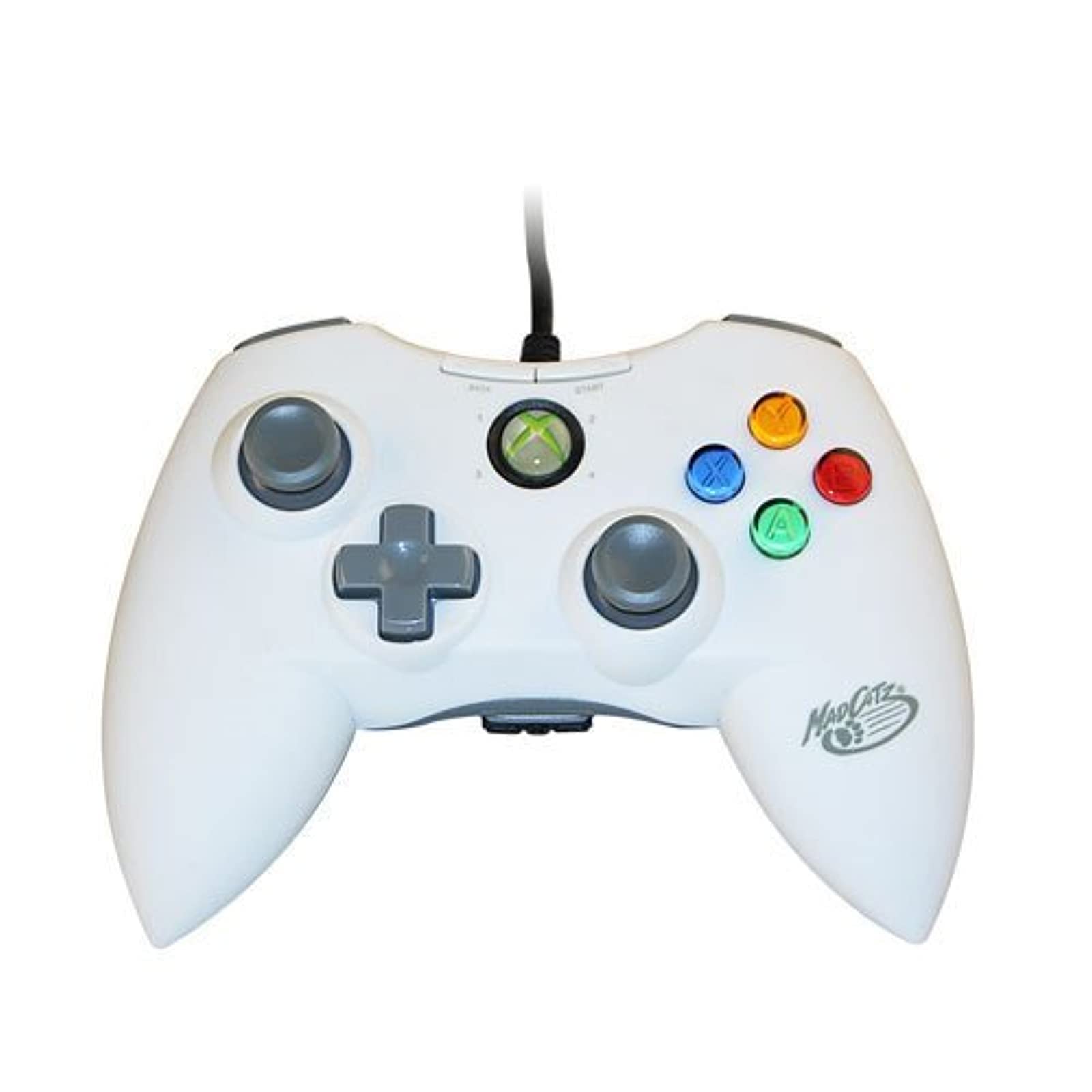
Слика 1.1: Предња страна view of the Mad Catz Officially Licensed Controller for Xbox 360 in White.
2. Упутства за подешавање
2.1 Connecting to Xbox 360
- Пронађите слободан УСБ порт на вашој Xbox 360 конзоли.
- Plug the USB connector of the Mad Catz controller firmly into the USB port.
- The controller will automatically be recognized by the console. The guide button LED will illuminate to indicate a successful connection and assigned player number.
2.2 Повезивање са рачунаром
- Locate an available USB port on your personal computer.
- Plug the USB connector of the Mad Catz controller firmly into the USB port.
- For most Windows operating systems, the necessary drivers will install automatically. Follow any on-screen prompts.
- Once drivers are installed, the controller should be ready for use with compatible PC games. You may need to configure controller settings within individual game menus.
3. Управљање контролером
The Mad Catz controller features a standard layout for Xbox 360, ensuring familiarity and ease of use.
- Леви и десни аналогни штапићи: Used for character movement, camera control, or menu navigation.
- D-Pad (смерни тастер): Provides precise directional input, often used for menu navigation or specific in-game actions.
- Дугмад A, B, X, Y: Primary action buttons, typically color-coded and labeled.
- Дугмад за покретање и враћање: Used for pausing games, accessing in-game menus, or confirming selections.
- Леви и десни браници (LB, RB): Located on the top edge of the controller, used for various in-game functions.
- Леви и десни окидачи (LT, RT): Analog triggers located on the underside of the controller's top edge, providing pressure-sensitive input for actions like acceleration or firing weapons.
- Дугме за водич: The central button with the Xbox logo, used to access the Xbox Guide or dashboard.
Вибрациона повратна информација: The controller incorporates vibration motors that provide tactile feedback during gameplay, enhancing immersion by simulating in-game events like impacts or explosions.
4. Одржавање
Proper care will extend the life of your Mad Catz controller.
- Чишћење: Use a soft, dry cloth to wipe down the controller. Avoid using liquid cleaners, solvents, or abrasive materials, as these can damage the finish or internal components.
- Складиштење: Чувајте контролер на хладном и сувом месту, даље од директне сунчеве светлости и екстремних температура. Избегавајте постављање тешких предмета на контролер.
- Нега каблова: Do not sharply bend or pull the USB cable. Always grasp the plug when disconnecting the controller.
КСНУМКС. Решавање проблема
If you encounter issues with your controller, refer to the following common solutions:
- Контролор не реагује:
- Уверите се да је УСБ кабл безбедно прикључен и на контролер и на конзолу/рачунар.
- Покушајте да повежете контролер са другим УСБ портом.
- Поново покрените Xbox 360 конзолу или рачунар.
- Vibration Feedback Not Working:
- Check the in-game settings of the game you are playing to ensure vibration feedback is enabled.
- Verify that the controller is properly connected and recognized by the system.
- Buttons or Analog Sticks Malfunctioning:
- Inspect for any visible debris or obstructions around the buttons or analog sticks.
- If issues persist, the controller may require service.
- PC Compatibility Issues:
- Ensure your PC's operating system is up to date.
- For some PC games, manual configuration of controller settings within the game's options menu may be necessary.
6. Спецификације
| Бранд | Мад Цатз |
| Број модела | MCP471600M01/04/1 |
| Хардверска платформа | Ксбок 360 |
| Компатибилни модели конзола | Microsoft Xbox 360, Microsoft Xbox 360 E |
| Боја | Бела |
| Тежина артикла | 233 грама |
| Димензије артикла (Д к Ш к В) | 8 к 5.5 к 3.5 инча |
| УПЦ | 071030164833, 080050412176, 072090440974, 151903469828, 728658009656 |
7. Гаранција и подршка
Specific warranty details and direct support contact information are not provided in this manual. Please refer to the product packaging or the official Mad Catz website for the most current warranty information and customer support options.