
1. Увод
The SANYO VPC-CG20 is a compact, high-definition camcorder and 10-megapixel digital camera designed for capturing both video and still images. This device features Full HD 1080i video recording at 60 frames per second, a 10-megapixel still image sensor, and a 5x optical zoom lens. It includes a 2.7-inch wide LCD monitor for easy framing and playback, along with optical image stabilization for clearer footage and photos. This manual provides essential information for setting up, operating, and maintaining your VPC-CG20 camcorder.
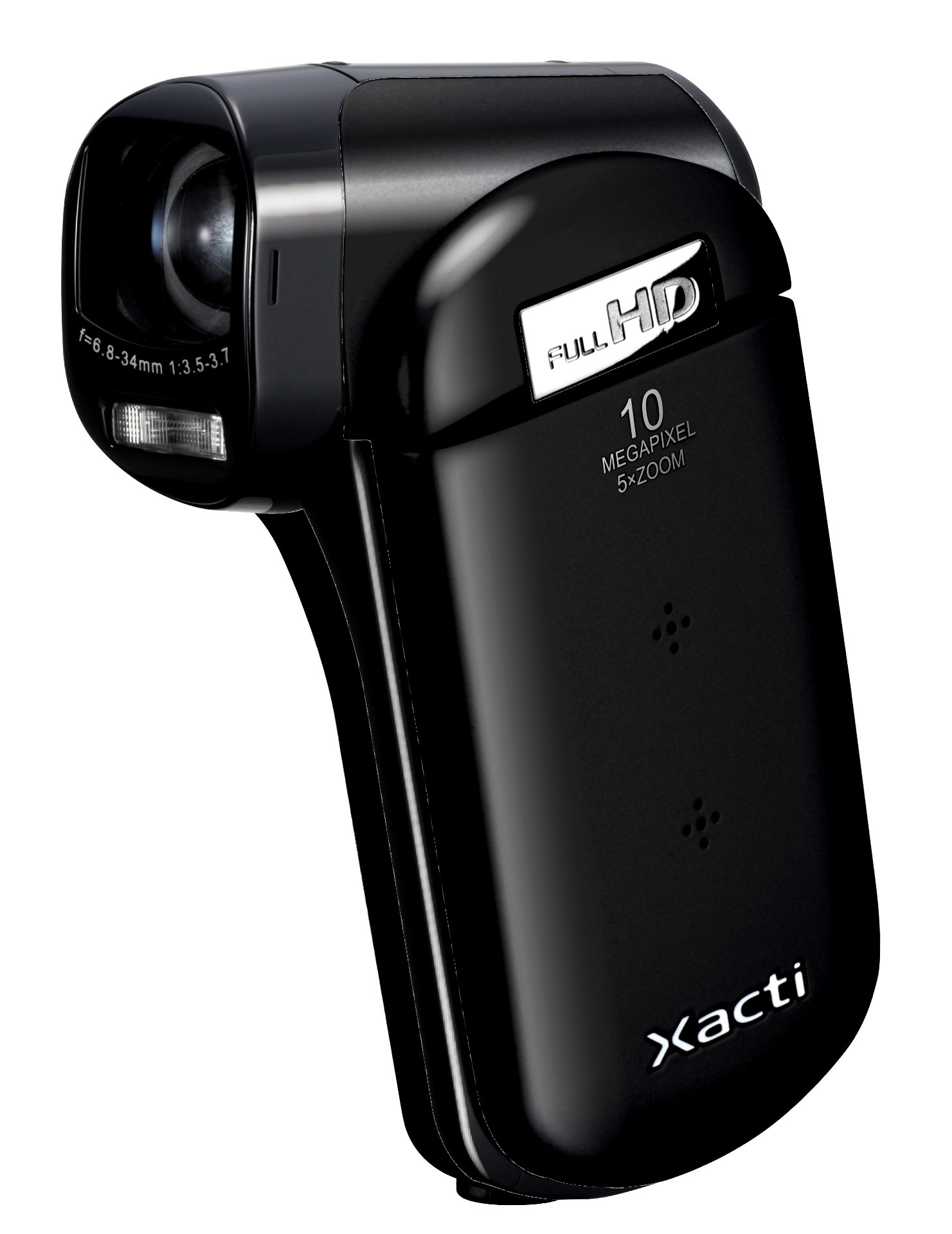
Слика 1.1: Предња страна view of the SANYO VPC-CG20 High Definition Camcorder.
2. Садржај пакета
Молимо вас да проверите да ли су све следеће ставке укључене у пакет вашег производа:
- SANYO VPC-CG20 Camcorder
- Пуњива батерија
- АЦ адаптер/пуњач
- УСБ кабл
- АВ кабл
- Врист Страп
- Кориснички приручник (овај документ)
3. Делови и контроле
Упознајте се са различитим деловима и контролама вашег камкордера.
3.1. Фронт View
The front of the camcorder features the lens, flash, and microphone.
3.2. Позади View
The rear panel typically includes the record button and power indicator.
3.3. Сиде View (LCD Monitor Open)
When the 2.7-inch LCD monitor is open, you will find navigation buttons, menu access, and the zoom lever. The USB and AV ports are also located on the side, often beneath a protective cover.
3.4. Дно View
The bottom of the camcorder houses the battery compartment and the SD card slot.
4. Подешавање
4.1. Пуњење батерије
- Insert the rechargeable battery into the camcorder's battery compartment, ensuring correct orientation.
- Connect the AC adapter to the camcorder's power input.
- Укључите АЦ адаптер у зидну утичницу. Индикаторска лампица пуњења ће се упалити.
- Charge the battery until the indicator light changes or turns off, signaling a full charge.
4.2. Inserting an SD Memory Card
The VPC-CG20 uses SD memory cards for storage.
- Open the SD card slot cover, usually located on the bottom or side of the camcorder.
- Insert the SD card with the metal contacts facing the correct direction (refer to the diagram near the slot). Push until it clicks into place.
- Чврсто затворите поклопац слота за SD картицу.
Напомена: Ensure the SD card is not locked (write-protected) before insertion.
5. Управљање камкордером
5.1. Укључивање/искључивање
- To power on, open the LCD monitor. The camcorder will typically power on automatically.
- To power off, close the LCD monitor.
5.2. Снимање видеа
The VPC-CG20 records Full HD 1080i video (1920 x 1080) at 60 frames per second in H.264/MPEG-4 format.
- Ensure the camcorder is in video recording mode (check the mode switch or menu).
- Кадрирајте снимак помоћу ЛЦД монитора од 2.7 инча.
- Притисните тастер Рецорд button to start recording. The record indicator will light up.
- Притисните тастер Рецорд дугме поново да бисте зауставили снимање.
5.3. Снимање фотографија
The camcorder can capture 10-megapixel still images in JPEG format.
- Switch the camcorder to still image mode.
- Compose your shot on the LCD monitor.
- Притисните тастер Затварач button halfway to focus, then press fully to take the picture.
5.4. Коришћење Зума
Use the zoom lever to adjust the 5x optical zoom. Push the lever towards 'T' for telephoto (zoom in) and 'W' for wide-angle (zoom out).
5.5. Стабилизација слике
The VPC-CG20 features optical image stabilization to reduce blur from camera shake during both video recording and photo capture. This feature is typically active by default.
5.6. Репродукција
- Пребаците камкордер у режим репродукције.
- Use the navigation buttons to select the desired video or photo.
- Притисните тастер Играј дугме за view videos or display photos.
5.7. Повезивање са рачунаром
За пренос files, connect the camcorder to your computer using the supplied USB cable. The camcorder will appear as a removable storage device, allowing you to copy files.
6. Одржавање
6.1. Чишћење камкордера
- Користите меку, суву крпу за чишћење кућишта камкордера.
- За сочиво и ЛЦД екран користите специјализовану крпу и раствор за чишћење сочива. Избегавајте абразивне материјале.
- Do not use organic solvents such as alcohol or thinner.
6.2. Складиштење
Store the camcorder in a cool, dry place away from direct sunlight and extreme temperatures. Remove the battery if storing for extended periods.
КСНУМКС. Решавање проблема
| Проблем | Решење |
|---|---|
| Камкордер се не укључује. | Ensure the battery is charged and correctly inserted. Try charging the battery. |
| Не могу да снимам видео/фотографишем. | Check if an SD card is inserted and has sufficient free space. Ensure the SD card is not write-protected. |
| Лош квалитет слике/видеа. | Clean the lens. Ensure adequate lighting. Check shooting mode settings. |
| Рачунар не препознаје камеру. | Ensure the USB cable is securely connected. Try a different USB port or cable. Restart both camcorder and computer. |
8. Спецификације
| Феатуре | Детаљ |
|---|---|
| Назив модела | VPC-CG20 |
| Резолуција снимања видео записа | 1080p (Full HD 1920 x 1080, 60i) |
| Ефективна резолуција мировања | 10 МП |
| Оптицал Зоом | 5x |
| Стабилизација слике | Оптицал |
| Величина екрана | 2.7 инча |
| Тип флеш меморије | SD (SDHC compatible) |
| Формат видео снимања | H.264, MPEG-4 |
| Подржани формат слике | ЈПЕГ |
| Технологија повезивања | УСБ |
| Фоцус Типе | Ауто Фоцус |
| Режими снимања | Фаце Детецтион |
| Тежина артикла | 0.35 фунти (приближно 159 грама) |
9. Гаранција и подршка
For information regarding the product warranty, please refer to the warranty card included in your original packaging or visit the official SANYO support website. For technical assistance, troubleshooting beyond this manual, or service inquiries, please contact SANYO customer support through their official channels.
Сачувајте доказ о куповини за гаранцијске захтеве.