
1. Увод
Thank you for choosing the LiteOn eSAU108-97 External Recording DVD Drive. This portable optical drive offers reliable DVD and CD reading and writing capabilities, powered conveniently via a single USB connection. It is designed for use with laptops and other compatible devices, providing a compact and efficient solution for your optical media needs.
Молимо вас да пажљиво прочитате ово упутство пре употребе уређаја како бисте осигурали правилан рад и максимално продужили његов век трајања.
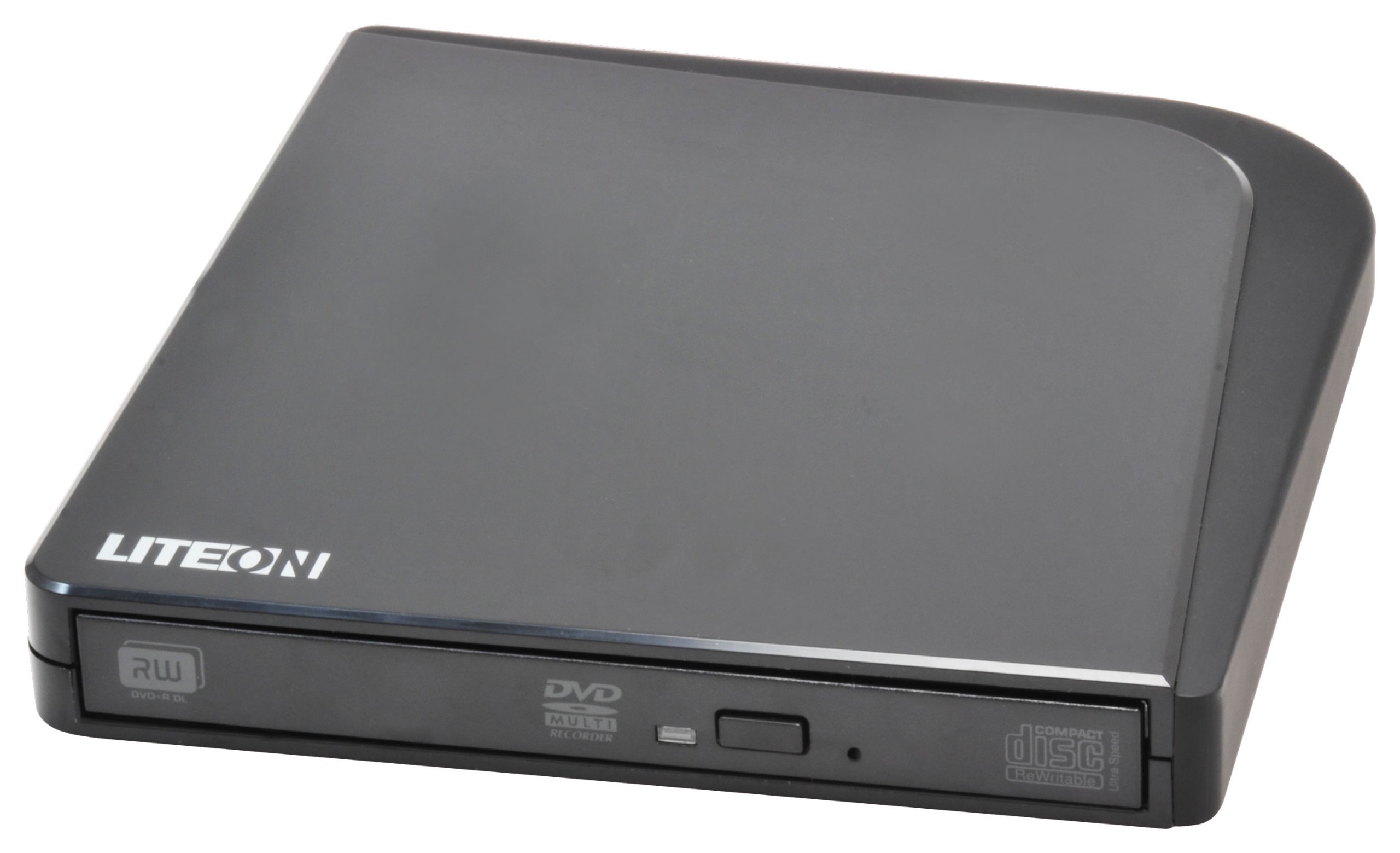
Слика 1: LiteOn eSAU108-97 External Recording DVD Drive. This image displays the compact, black external DVD drive, highlighting its sleek design and the USB port for connectivity.
2. Садржај пакета
Пажљиво проверите садржај пакета. Ако било који предмет недостаје или је оштећен, одмах контактирајте продавца.
- LiteOn eSAU108-97 External Recording DVD Drive
- USB Data/Power Cable
- Водич за брзи почетак (ово упутство)
3. Подешавање
3.1 Системски захтеви
- Operating System: Windows XP/Vista/7/8/10/11, macOS 10.x or later, Linux (kernel 2.6 or later)
- Доступан USB 2.0 или 3.0 порт
- Минимално 512 МБ РАМ-а
- Minimum 10GB free hard disk space (for disc burning software and temporary files)
3.2 Повезивање диска
- Locate an available USB port on your laptop or computer.
- Connect the smaller end of the provided USB cable to the USB port on the LiteOn eSAU108-97 drive.
- Connect the larger end of the USB cable to the USB port on your computer.
- The drive is bus-powered, meaning it draws power directly from the USB port. No external power adapter is required.
- Ваш оперативни систем би требало аутоматски да детектује и инсталира потребне драјвере. Овај процес може потрајати неколико тренутака.
3.3 Инсталација драјвера
The LiteOn eSAU108-97 is a plug-and-play device. Most modern operating systems will automatically install the required drivers upon connection. No manual driver installation is typically needed. If the drive is not recognized, try connecting it to a different USB port or restarting your computer.
4. Руковање погоном
4.1 Учитавање диска
- Притисните дугме за избацивање на предњој страни уређаја да бисте отворили лежиште диска.
- Carefully place a CD or DVD onto the tray with the label side facing up. Ensure the disc is centered on the spindle.
- Пажљиво гурните лежиште диска назад у уређај док не кликне. Немојте силом угурати лежиште.
4.2 Playing/Reading Discs
Once a disc is loaded, your operating system may automatically prompt you to choose an action (e.g., play a movie, open files). If not, navigate to 'My Computer' or 'This PC' (Windows) or 'Finder' (macOS), locate the optical drive icon, and double-click it to access the disc's contents.
4.3 Recording/Burning Discs
To record data, music, or video onto a blank CD-R/RW or DVD-R/RW disc, you will need compatible disc burning software (e.g., Windows Media Player, Nero, Roxio, or built-in macOS utilities). Follow the instructions provided with your chosen software to perform burning operations.
4.4 Избацивање диска
- Избацивање софтвера: Right-click on the drive icon in 'My Computer'/'This PC' or 'Finder' and select 'Eject'.
- Ручно избацивање: Притисните дугме за избацивање на предњој страни уређаја.
- Хитно избацивање: In case of power failure or if the eject button does not work, locate the small pinhole on the front of the drive. Insert a straightened paperclip into the pinhole and push gently until the tray partially opens. Then, pull the tray out manually.
5. Одржавање
5.1 Cleaning the Drive
Keep the drive clean and free from dust. Use a soft, dry, lint-free cloth to wipe the exterior. Do not use liquid cleaners or abrasive materials. Avoid opening the drive casing, as this can damage internal components and void your warranty.
5.2 Чишћење дискова
Always handle discs by their edges. If a disc is dirty, gently wipe it from the center outwards with a soft, lint-free cloth. Do not use circular motions, as this can cause scratches. For stubborn smudges, use a specialized disc cleaning solution.
5.3 Складиштење
When not in use, store the drive in a cool, dry place, away from direct sunlight, extreme temperatures, and high humidity. Keep it protected from dust and physical impact.
КСНУМКС. Решавање проблема
| Проблем | Могући узрок | Решење |
|---|---|---|
| Рачунар не препознаје диск | Loose USB connection, insufficient power, driver issue, faulty USB port. | Ensure USB cable is securely connected. Try a different USB port. Restart your computer. Check Device Manager (Windows) or System Information (macOS) for the drive. |
| Disc not reading/writing | Dirty or scratched disc, incorrect disc type, faulty disc, drive lens dirty, incompatible software. | Clean the disc. Try a different disc. Ensure the disc type is compatible (CD-R/RW, DVD-R/RW). Use appropriate burning software. |
| Disc tray not opening/closing | Obstruction, mechanical issue, power issue. | Check for obstructions. Ensure the drive is powered (connected via USB). Use the emergency eject hole if necessary. |
| Споро перформансе | USB 1.1 port, background processes, fragmented hard drive. | Connect to a USB 2.0 or 3.0 port. Close unnecessary applications. Ensure your computer meets system requirements. |
7. Спецификације
- Модел: eSAU108-97
- Интерфејс: УСБ 2.0 (компатибилан са УСБ 3.0)
- Тип: External Portable DVD Drive
- Хардверска платформа: Лаптоп
- Тежина артикла: Приближно 1.2 фунте (0.54 кг)
- Димензије пакета: 8.27 к 7.72 к 2.87 инча (21 к 19.6 к 7.3 цм)
- Боја: Црно
- Величина кеша: 2 МБ
- Снага: УСБ Бус Поверед
- Подржани формати дискова: DVD-ROM, DVD-R, DVD-RW, DVD+R, DVD+RW, CD-ROM, CD-R, CD-RW
8. Гаранција и подршка
LiteOn products are designed and manufactured to the highest quality standards. This product is covered by a limited warranty from the date of purchase. Please refer to the warranty card included in your package or visit the official LiteOn webсајт за детаљне услове гаранције.
For technical support, troubleshooting assistance, or service inquiries, please visit the LiteOn support website or contact their customer service department. Contact information can typically be found on the official LiteOn webсајту или у паковању вашег производа.