
1. Увод
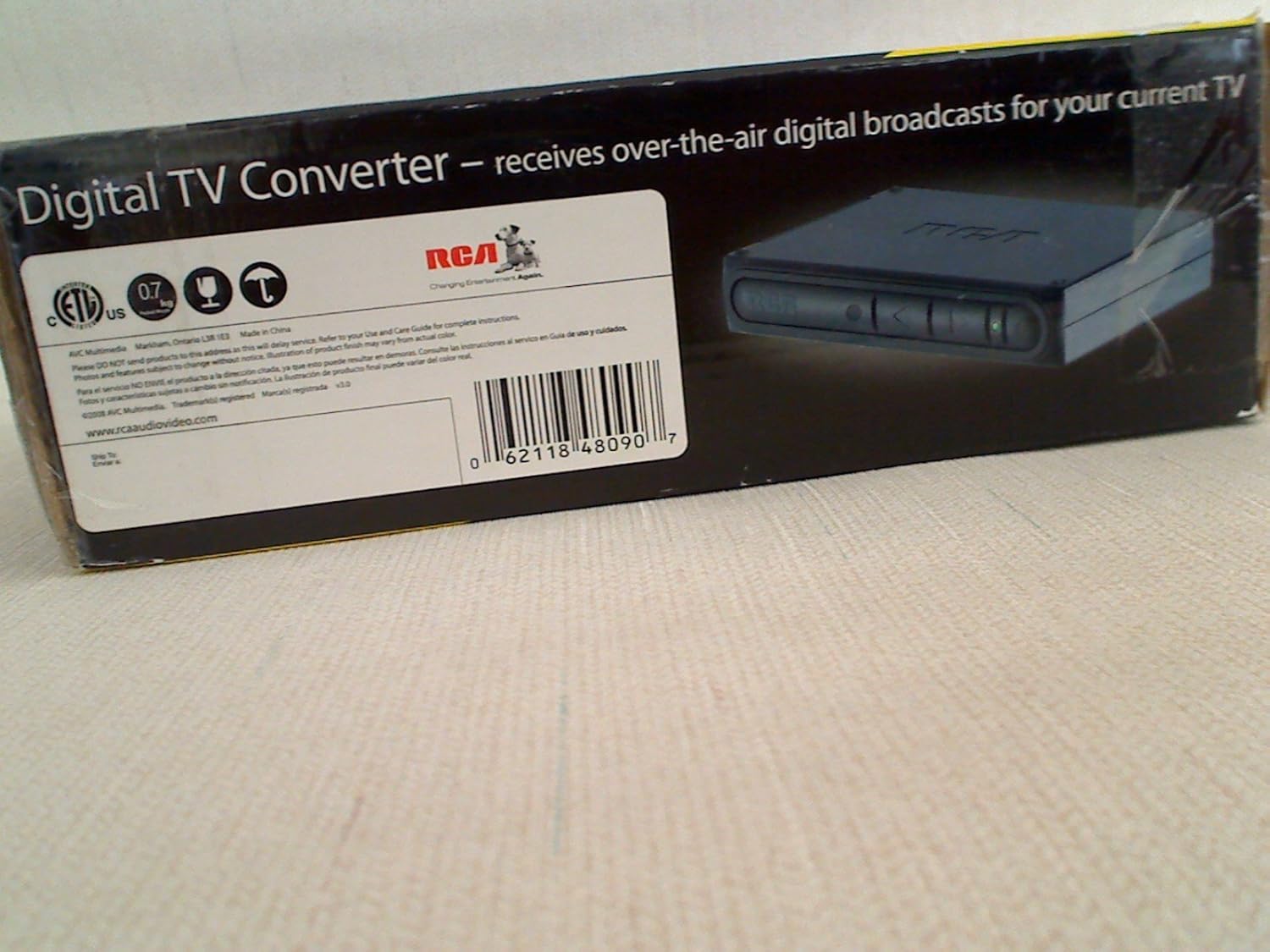
The RCA DTA809 DTV Digital TV Converter Box is designed to enable analog television sets to receive over-the-air digital television broadcasts. This device converts digital signals into an analog format, making them compatible with older analog TVs. It features an Electronic Programming Guide (EPG) for easy program selection and a smart antenna interface for improved signal reception.
Please read this manual thoroughly before operating your converter box to ensure proper setup and use.
2. Садржај пакета
Проверите да ли су све ставке наведене у наставку укључене у ваш пакет:
- RCA DTA809 DTV Digital TV Converter Box
- Ремоте Цонтрол
- Повер Адаптер
- RCA User Manual (this document)
- Водич за брзи почетак
- ААА батерије (за даљински управљач)
- Коаксијални кабл

Слика 2.1: Package contents of the RCA DTA809 DTV Digital TV Converter Box. This image displays the converter box, remote control, power adapter, user manual, quick start guide, AAA batteries, and a coaxial cable.
3. Упутства за подешавање
Follow these steps to connect your RCA DTA809 converter box to your analog television and antenna.
- Повезивање антене: Connect your over-the-air antenna to the "ANT IN" port on the back of the RCA DTA809 converter box.
- Повезивање са ТВ-ом: Use the coaxial cable provided to connect the "TO TV" (RF Out) port on the converter box to the "ANT IN" or "RF IN" port on your analog television. Alternatively, if your TV has RCA composite video/audio inputs, you can use RCA cables (not included) to connect the "VIDEO OUT" and "AUDIO OUT (L/R)" ports on the converter box to the corresponding inputs on your TV.
- Прикључите напајање: Plug the power adapter into the "DC IN" port on the converter box, then plug the other end into a standard electrical outlet.
- Уметните батерије у даљински управљач: Open the battery compartment on the back of the remote control and insert the two AAA batteries, ensuring correct polarity (+/-).
- Укључено: Turn on your television and select the correct input source (e.g., TV, Video 1, AV) that corresponds to where you connected the converter box. Then, press the Power button on the converter box or its remote control.
- Initial Channel Scan: Upon first power-on, the converter box will likely prompt you to perform an automatic channel scan. Follow the on-screen instructions to scan for available digital channels. This process may take several minutes.
Слика 3.1: Front panel of the RCA DTA809 converter box, showing control buttons and indicator lights.
4. Упутство за употребу
Once setup is complete, you can begin using your RCA DTA809 converter box to watch digital television.
4.1 Основни рад
- Укључивање/искључивање: Притисните тастер ПОВЕР button on the remote control or the front panel of the converter box.
- Избор канала: Користите ЦХ+ / ЦХ- buttons to change channels sequentially, or enter the channel number directly using the numeric keypad on the remote.
- Контрола јачине звука: Користите ВОЛ+ / ВОЛ- buttons on the remote control to adjust the audio volume.
- Искључи звук: Притисните тастер МУТЕ button to temporarily silence the audio. Press again to restore.
4.2 Electronic Programming Guide (EPG)
The EPG provides a schedule of current and upcoming programs. To access the EPG:
- Притисните тастер ГУИДЕ дугме на вашем даљинском управљачу.
- Користите дугмад са стрелицама (UP, ДОВН, ЛЕВО, ДЕСНО) to navigate through channels and program listings.
- Притисните OK or СЕЛЕЦТ да view details about a selected program.
- Притисните ЕКСИТ to leave the EPG.
4.3 Навигација кроз мени
The menu allows you to adjust settings, perform channel scans, and configure other features.
- Притисните тастер МЕНУ дугме на даљинском управљачу да бисте приступили главном менију.
- Use the arrow buttons to navigate through menu options.
- Притисните OK or СЕЛЕЦТ to enter a sub-menu or confirm a selection.
- Притисните ЕКСИТ to return to the previous menu or exit the menu system.
5. Одржавање
Proper care and maintenance will ensure the longevity of your RCA DTA809 converter box.
- Чишћење: Disconnect the power before cleaning. Use a soft, dry cloth to wipe the exterior of the converter box. Do not use liquid cleaners, aerosols, or abrasive materials.
- вентилација: Ensure the converter box is placed in a well-ventilated area. Do not block any ventilation openings.
- Окружење: Избегавајте излагање уређаја екстремним температурама, влази, директној сунчевој светлости или прашњавом окружењу.
- Кабл за напајање: Редовно проверавајте кабл за напајање да ли је оштећен. Уколико је оштећен, прекините употребу и контактирајте корисничку подршку.
КСНУМКС. Решавање проблема
If you encounter issues with your RCA DTA809, refer to the following common problems and solutions.
| Проблем | Могући узрок / решење |
|---|---|
| Но Повер |
|
| Нема сигнала / Црни екран |
|
| Даљински управљач не ради |
|
| Poor Picture Quality / Freezing |
|
7. Спецификације
Technical specifications for the RCA DTA809 DTV Digital TV Converter Box.
- Бренд: РЦА
- Модел: ДТА809
- Тип интерфејса: РЦА
- Тип материјала: Electronic Components, Plastic
- УПЦ: 062118480907
- Тежина артикла: Approximately 0.01 Ounces (Note: This weight seems unusually low and might be a data entry error. Refer to product packaging for accurate weight.)
- Број канала: 100 (Digital TV channels)
- Тип монтаже: Сурфаце Моунт
8. Гаранција и подршка
For warranty information, technical support, or service inquiries, please refer to the warranty card included with your product or visit the official RCA support webсајту.
Више информација и ресурса за подршку можете пронаћи на RCA Brand Store on Amazon.