
Увод
Welcome to the Greenlee DM-810A True RMS Digital Multimeter user manual. This document provides essential information for the safe and effective operation, maintenance, and troubleshooting of your device. The DM-810A is designed for accurate measurement of AC/DC voltage, AC/DC current, resistance, capacitance, frequency, and continuity, making it a versatile tool for electrical professionals.
Безбедносне информације
Да бисте осигурали сигуран рад и сервис бројила, следите ова упутства. Непоштовање ових упозорења може довести до тешких повреда или смрти.
- Always read and understand the entire instruction manual before using the meter.
- Не прекорачујте максималне границе уноса за било коју функцију.
- Будите опрезни када радите са волtagизнад 30V AC RMS, 42V вршне струје или 60V DC. Ови напониtagпредстављају опасност од удара.
- Always use the proper terminals, function, and range for your measurements. The DM-810A features a Beep-Jack audible and visible warning to guard against improper A and mA terminal plug-in.
- Inspect test leads for damaged insulation or exposed metal before each use. Replace if damaged.
- Do not use the meter if it appears damaged or if the case is open.
- Пре рада се уверите да је поклопац батерије безбедно затворен.
- Adhere to local and national safety codes. Use personal protective equipment (PPE) such as approved safety glasses and electrically insulated gloves when necessary.
Производ је завршенview
This section identifies the key parts and controls of your Greenlee DM-810A multimeter.

Слика 1: Фронт view of the Greenlee DM-810A Digital Multimeter, showing the display, function selector dial, and input jacks.
- Приказ: Large LCD for clear readings, often with dual display capability.
- Function Selector Dial: Used to select the desired measurement function (e.g., V~, V-, A~, A-, Ω, CAP, Hz, Continuity).
- Улазни прикључци:
- ЦОМ: Заједнички (негативни) улаз за сва мерења.
- VΩHz: Позитиван унос за запреминуtagе, мерења отпора, фреквенције и капацитета.
- mA: Positive input for milliampовде и микроampтренутна мерења.
- A: Positive input for ampтренутна мерења.
- Дугмад:
- СЕЛЕЦТ: Toggles between functions on a single dial position (e.g., AC/DC voltagе, диода/континуитет).
- ДОМЕТ: Manually selects measurement range or returns to auto-ranging.
- △: Delta function for relative measurements.
- ДРЖАТИ: Замрзава тренутно очитавање на екрану.
Сетуп
Инсталација батерије
The Greenlee DM-810A requires batteries for operation. Refer to the back of the meter for the battery compartment. Use a screwdriver to open the compartment, insert the specified batteries (typically AA or 9V, check the compartment label), observing correct polarity, and then securely close the cover.
Повезивање пробних водича
Always ensure test leads are properly connected before taking measurements.
- Уметните црни тест кабл у ЦОМ (заједнички) улазни прикључак.
- Insert the red test lead into the appropriate positive input jack based on the measurement you intend to make:
- Фор волtage, resistance, capacitance, or frequency, use the ВΩХз Јацк.
- За милиampere or microampere current, use the мАμА Јацк.
- За ampere current, use the A Јацк.
- The meter's Beep-Jack feature will provide an audible and visible alert if the function selector is set to a current measurement (A or mA) but the test lead is incorrectly plugged into a voltage/resistance jack, or vice-versa. This helps prevent damage to the meter and ensures correct setup.
Упутство за употребу
This section details how to perform various measurements with your DM-810A multimeter.
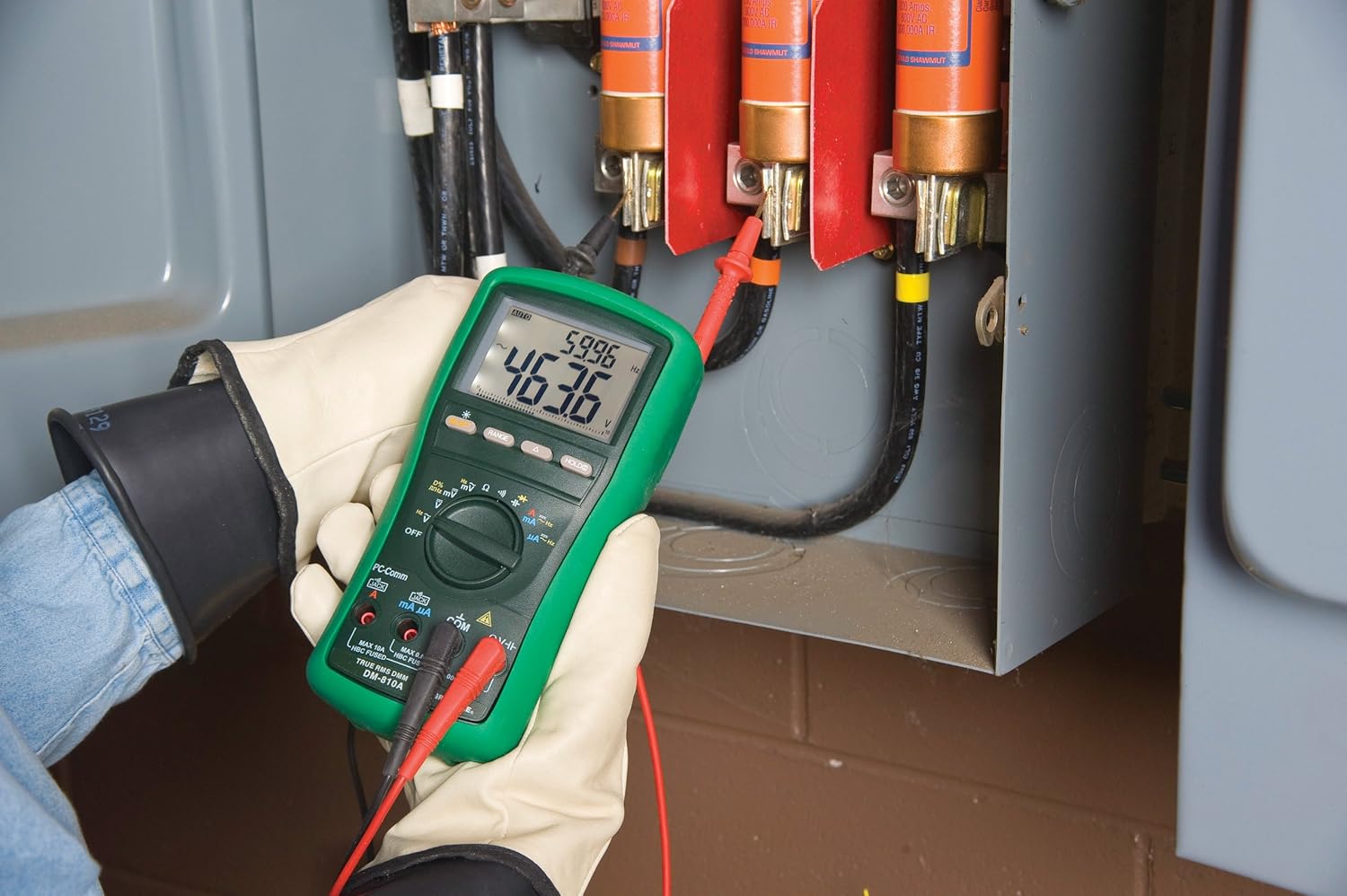
Слика 2: The Greenlee DM-810A Digital Multimeter being used to take measurements within an electrical panel, demonstrating practical application.
Меасуринг АЦ/ДЦ Волtage
- Set the function selector to V~ (AC Voltagе) или V- (DC Voltage). Use the SELECT button to toggle if both are on one position.
- Прикључите црни проводник ЦОМ и црвени тестни проводник до ВΩХз.
- Connect the test probes in parallel across the circuit or component to be measured.
- Прочитајте књtagе вредност на дисплеју.
Мерење АЦ/ДЦ струје
Важно: Current measurements require the meter to be connected in series with the circuit. Ensure the circuit is de-energized before connecting the meter.
- Искључите струјно коло.
- Set the function selector to A~ (AC Current) or A- (DC Current), or mA~ / mA-.
- Прикључите црни проводник ЦОМСпојите црвени мерни кабл на мАμА for small currents or A for larger currents (up to 10A). The Beep-Jack warning will activate if leads are in the wrong jacks for the selected function.
- Open the circuit where the current is to be measured and connect the meter in series.
- Поново укључите коло и очитајте тренутну вредност.
- De-energize the circuit before disconnecting the meter.
Мерење отпора (Ω)
- De-energize the circuit or component.
- Set the function selector to Ω.
- Прикључите црни проводник ЦОМ и црвени тестни проводник до ВΩХз.
- Повежите тест сонде преко компоненте.
- Прочитајте вредност отпора.
Measuring Capacitance (CAP)
- Уверите се да је кондензатор потпуно испражњен пре мерења.
- Set the function selector to CAP.
- Прикључите црни проводник ЦОМ и црвени тестни проводник до ВΩХз.
- Спојите мерне сонде преко кондензаторских терминала.
- Очитајте вредност капацитета.
Measuring Frequency (Hz)
- Set the function selector to Hz.
- Прикључите црни проводник ЦОМ и црвени тестни проводник до ВΩХз.
- Повежите тест сонде преко извора сигнала.
- Read the frequency value.
Тест континуитета
- De-energize the circuit or component.
- Set the function selector to the continuity symbol (often shared with diode test, use SELECT to toggle).
- Прикључите црни проводник ЦОМ и црвени тестни проводник до ВΩХз.
- Connect the test probes across the circuit path or component.
- Звучни сигнал указује на континуитет (низак отпор). Дисплеј ће приказати вредност отпора.
Одржавање
Чишћење
Обришите бројило огласомamp крпу и благи детерџент. Не користите абразивна средства или раствараче. Уверите се да је мерач потпуно сув пре употребе.
Замена батерије
When the battery indicator appears on the display, replace the batteries immediately to ensure accurate readings. Follow the battery installation steps outlined in the Setup section.
Замена осигурача
If the current measurement functions cease to work, the internal fuses may need replacement. Refer to the meter's internal diagram (usually accessible by opening the battery compartment or back casing) for fuse specifications and replacement instructions. Always replace fuses with those of the specified type and rating to maintain safety and performance.
Решавање проблема
This section provides solutions for common issues encountered during the operation of your DM-810A multimeter.
| Проблем | Могући узрок | Решење |
|---|---|---|
| Нема дисплеја или је дисплеј замагљен | Празне или празне батерије | Замените батерије. |
| Нетачна очитавања | Incorrect function/range selected; Damaged test leads; External interference | Verify function and range; Inspect and replace test leads; Move away from strong electromagnetic fields. |
| Мерење струје не ради | Blown fuse; Incorrect lead connection | Check and replace fuses; Ensure leads are in the correct A or mA jacks. |
| Beep-Jack warning active | Test leads connected to incorrect input jacks for the selected function | Adjust test lead connections to match the selected function on the dial. |
| Continuity test not beeping | Отворено коло; Висок отпор | Ensure the circuit is closed; Check for breaks in the circuit or component. |
Техничке спецификације
The following table outlines the key technical specifications for the Greenlee DM-810A Digital Multimeter.
| Феатуре | Валуе |
|---|---|
| Бранд | Греенлее |
| Модел | ДМ-810А |
| Меасуремент Типе | Прави РМС дигитални мултиметар |
| Извор напајања | Баттери Поверед |
| Стиле | Дигитал |
| Тежина артикла | 16 унци (1 фунта) |
| Димензије производа (Д к Ш к В) | 10 к 10 к 12 инча |
| Цертификати | CE, CSA, UL |
| УПЦ | 783310087434 |
Гаранција и подршка
Информације о гаранцији
The Greenlee DM-810A Digital Multimeter comes with a Двогодишња гаранција произвођачаОва гаранција покрива недостатке у материјалу и изради при нормалној употреби. Молимо вас да сачувате доказ о куповини за потребе подношења захтева за гаранцију.
Корисничка подршка
For technical assistance, warranty service, or to inquire about replacement parts, please contact Greenlee customer support. Refer to the official Greenlee webсајт или паковање производа за најновије контакт информације.