
1. Увод
This manual provides essential information for the proper installation, operation, and maintenance of your Sony MPF920-F Floppy Drive. Please read this manual thoroughly before using the product to ensure optimal performance and longevity.
The Sony MPF920-F is a reliable internal floppy disk drive designed for reading and writing data to 3.5-inch floppy disks. It is compatible with various computer systems that support standard floppy drive interfaces.
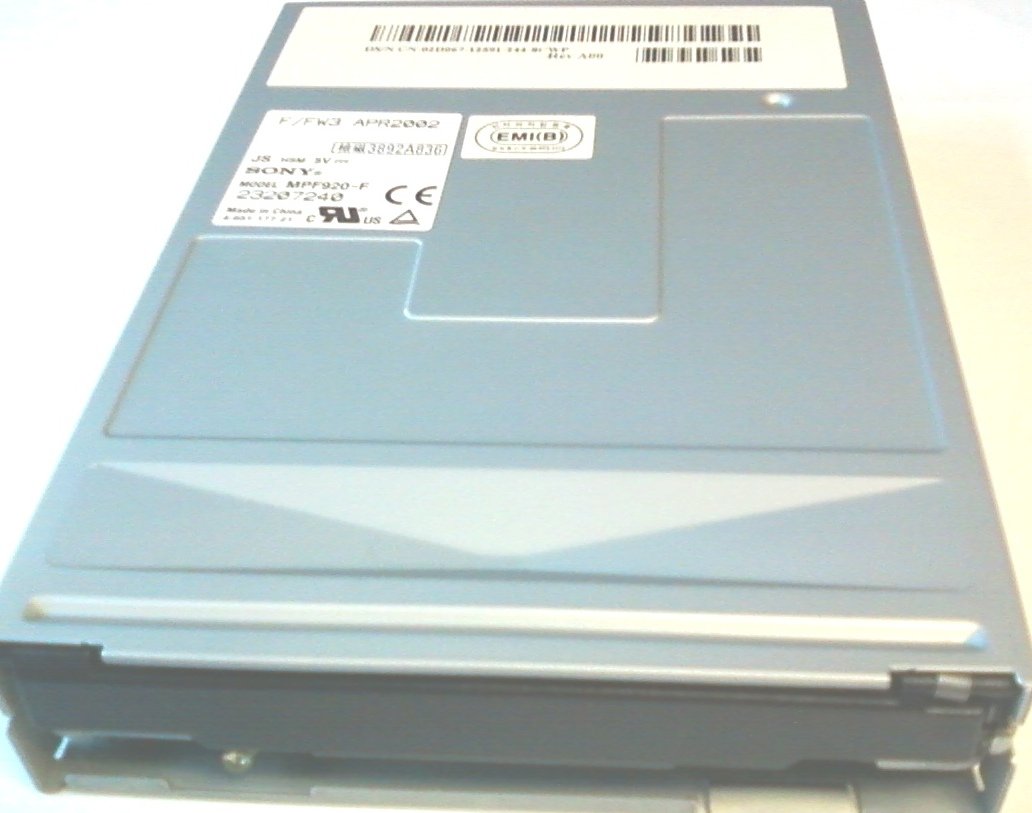
Слика 1.1: Врх view of the Sony MPF920-F Floppy Drive, showing the internal circuit board and mounting points.
2. Подешавање и инсталација
Follow these steps to properly install your Sony MPF920-F Floppy Drive into your computer system.
2.1 Мере предострожности
- Always power off and unplug your computer before opening the case or installing any internal components.
- Discharge any static electricity by touching a grounded metal object before handling the drive.
- Handle the drive by its edges to avoid touching sensitive electronic components.
2.2 Физичка инсталација
- Отворите кућиште рачунара: Carefully open your computer's case according to its manufacturer's instructions.
- Пронађите одељак за уређај: Identify an available 3.5-inch drive bay. If necessary, remove any blanking plates.
- Монтирајте диск: Slide the floppy drive into the chosen drive bay from the front of the computer case. Secure it with screws on both sides of the drive bay.
- Connect Data Cable: Connect the floppy data cable (typically a 34-pin ribbon cable) to the data connector on the back of the floppy drive. Ensure the red stripe on the cable aligns with Pin 1 on the drive connector.
- Повежите кабл за напајање: Connect a 4-pin Molex power connector from your power supply unit (PSU) to the power input on the back of the floppy drive.
- Затвори случај: Once all connections are secure, close your computer case and reconnect all external peripherals.

Слика 2.1: Врх view of the Sony MPF920-F Floppy Drive, showing its compact form factor suitable for a 3.5-inch bay.

Слика 2.2: Страна view of the Sony MPF920-F Floppy Drive, displaying the product label with model number and certifications.
2.3 BIOS Configuration (if necessary)
In some older systems, you may need to enable the floppy drive in your computer's BIOS/UEFI settings. Refer to your computer's motherboard manual for specific instructions on accessing and configuring BIOS settings.
3. Операција
Using your Sony MPF920-F Floppy Drive is straightforward. Follow these guidelines for proper disk handling and data access.
3.1 Inserting a Floppy Disk
- Ensure the floppy disk is oriented correctly, with the metal shutter facing forward and the label side typically facing up (or to the right, depending on drive orientation).
- Gently slide the floppy disk into the drive slot until it clicks into place. Do not force the disk.
- The drive's activity LED may illuminate briefly as the system detects the disk.
3.2 Accessing Data
Once inserted, the floppy disk should appear as a removable drive (e.g., Drive A: or B:) in your operating system's file explorer. You can then open, save, or copy files to and from the disk as you would with any other storage device.
3.3 Ejecting a Floppy Disk
To eject a floppy disk, press the eject button located on the front panel of the floppy drive. The disk will partially eject, allowing you to pull it out completely.

Слика 3.1: Врх view of the Sony MPF920-F Floppy Drive, showing the label with model information and certifications.
4. Одржавање
Proper maintenance ensures the longevity and reliable performance of your floppy drive.
4.1 Cleaning the Drive Heads
Over time, dust and debris can accumulate on the drive heads, leading to read/write errors. Use a specialized floppy drive cleaning kit (which typically includes a cleaning disk and solution) to clean the heads periodically. Follow the instructions provided with the cleaning kit.
4.2 Општа нега
- Keep the area around your computer and the floppy drive free from dust.
- Avoid exposing the drive to extreme temperatures or humidity.
- Do not insert damaged or dirty floppy disks into the drive.
КСНУМКС. Решавање проблема
If you encounter issues with your Sony MPF920-F Floppy Drive, refer to the following common problems and solutions.
5.1 Диск није детектован
- Check Power and Data Cables: Ensure both the power cable and the 34-pin data cable are securely connected to the drive and the motherboard. Verify the data cable's orientation (red stripe to Pin 1).
- БИОС подешавања: Confirm that the floppy drive is enabled in your computer's BIOS/UEFI settings.
- Проблеми са возачем: In modern operating systems, floppy drives are usually plug-and-play. If issues persist, check Device Manager for any driver conflicts or missing drivers.
5.2 Read/Write Errors
- Check Disk Condition: Ensure the floppy disk is not damaged, dirty, or corrupted. Try a different disk.
- Clean Drive Heads: Use a floppy drive cleaning kit to clean the drive heads as described in the Maintenance section.
- Disk Write Protection: Verify that the floppy disk's write-protect tab is not engaged if you are trying to write data.
5.3 Disk Stuck in Drive
- Gentle Ejection: Press the eject button firmly but gently.
- Циклус напајања: If the disk remains stuck, power off your computer, wait a few seconds, and then power it back on. Sometimes this can reset the drive mechanism.
- Manual Ejection (Advanced Users Only): In rare cases, a small hole might be present on the drive's front panel for manual ejection using a straightened paperclip. Consult your drive's specific documentation if available.
6. Спецификације
Below are the technical specifications for the Sony MPF920-F Floppy Drive:
| Феатуре | Детаљ |
|---|---|
| Број модела | MPF920-F |
| Произвођач | Сони |
| Димензије производа | 6 к 4 к 1 инча |
| Тежина артикла | 9.6 унци |
| Интерфејс | Standard 34-pin FDD interface |
| Disk Type Supported | 3.5-inch floppy disks |
| Повер Рекуиремент | 5V DC (via 4-pin Molex connector) |
| Датум првог доступног | 30. септембра 2010. године |

Слика 6.1: Детаљно view of the product label on the Sony MPF920-F Floppy Drive, confirming model and regulatory information.
7. Гаранција и подршка
Information regarding the specific warranty terms for the Sony MPF920-F Floppy Drive was not available in the provided product data. For warranty details and technical support, please refer to the original purchase documentation or contact Sony customer service directly.
You may also visit the official Sony website for product support resources and contact information.

Figure 7.1: Close-up of the Sony MPF920-F Floppy Drive label, highlighting manufacturing details and serial information.