
Увод
This manual provides essential instructions for the setup, operation, and maintenance of your Dynex DX-19L150A11 19-inch LCD Television. Please read this manual thoroughly before using your television to ensure proper and safe operation.
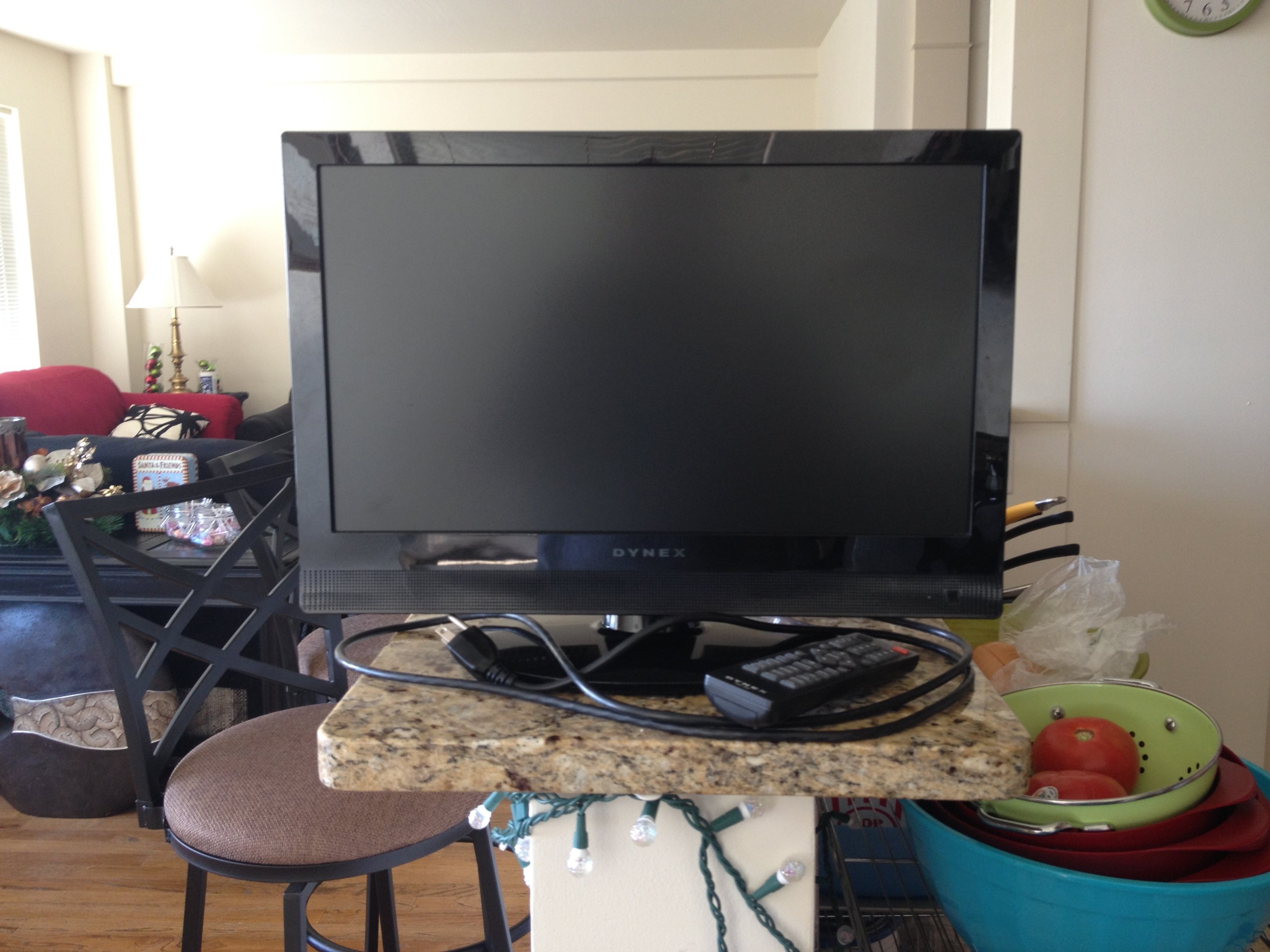
Слика 1: Фронт view of the Dynex DX-19L150A11 19-inch LCD Television with its stand attached.
Шта је у кутији
Проверите да ли су све следеће ставке укључене у ваш пакет:
- Dynex DX-19L150A11 19-inch LCD Television
- Телевизијски штанд
- Даљински управљач (батерије нису укључене)
- Повер Цорд
- Кориснички приручник (овај документ)
Сетуп
1. Причвршћивање постоља
- Carefully place the television face-down on a soft, clean surface to prevent screen damage.
- Align the television stand with the mounting holes on the bottom of the television.
- Причврстите постоље помоћу приложених завртња. Уверите се да је постоље чврсто причвршћено пре него што наставите.
- Carefully lift the television and place it on a stable, level surface.
Alternatively, the television supports VESA 200 x 200 mm mounting for wall installation (wall mount sold separately).
2. Повезивање уређаја
- Прикључак за напајање: Plug the power cord into the AC IN port on the back of the television, then plug the other end into a wall outlet.
- HDMI уређаји: Connect an HDMI cable from your external device (e.g., cable box, DVD player) to the HDMI port on the television. This model features one HDMI port.
- Антена/кабл: Connect an antenna or cable TV coaxial cable to the ANT/CABLE IN port for over-the-air or cable broadcasts.
Упутство за употребу
1. Укључивање/искључивање
- Притисните тастер ПОВЕР button on the remote control or on the television to turn the TV on or off.
2. Коришћење даљинског управљача
Insert two AAA batteries (not included) into the remote control. The remote allows you to control various functions:
- ЦХ +/-: Промените канале.
- ВОЛ +/-: Подесите јачину звука.
- УЛАЗНИ: Select input source (HDMI, TV, AV).
- МЕНИ: Access the on-screen display (OSD) menu for settings.
- Дугмад са СТРЕЛИЦАМА: Крећите се кроз опције менија.
- ЕНТЕР: Потврдите изборе.
3. Избор улазног извора
Притисните тастер ИНПУТ button on the remote control repeatedly to cycle through available input sources (e.g., TV, HDMI).
4. Подешавање поставки слике и звука
Притисните тастер МЕНУ button on the remote control to access the main menu. Use the arrow buttons to navigate to Picture or Sound settings and adjust options such as brightness, contrast, color, and audio mode.
Спецификације
| Феатуре | Спецификација |
|---|---|
| Број модела | ДКС-19Л150А11 |
| Величина екрана | 19 инча |
| Дисплаи Тецхнологи | ЛЦД |
| Резолуција | 1080п |
| Рефресх Рате | 60 Хз |
| Однос контраста | 4000:1 |
| Maximum Display Brightness | 250 Нит |
| Аспецт Ратио | 16:9 |
| Повезивање | 1x HDMI, Wired |
| Тип монтаже | Table Mount, VESA 200 x 200 mm |
| Аудио излаз | Built-in speakers (2.0 or 2.1 channels, 6 watts) |
| Димензије производа (Д x Ш x В) | 20"Д к 16.7"Ш к 20"В |
Решавање проблема
Ако наиђете на проблеме са телевизором, погледајте следеће уобичајене проблеме и решења:
- Нема напајања:
- Уверите се да је кабл за напајање безбедно прикључен и на телевизор и на исправну електричну утичницу.
- Проверите да ли је утичница функционална тако што ћете укључити други уређај.
- Притисните дугме за напајање на самом телевизору, не само на даљинском управљачу.
- Нема слике/звука:
- Проверите да ли је изабран исправан улазни извор (нпр. HDMI 1, TV).
- Проверите све кабловске везе (HDMI, антена) да бисте били сигурни да су безбедно причвршћене.
- Подесите јачину звука и уверите се да телевизор није искључен.
- Try a different input source or device to isolate the problem.
- Даљински управљач не ради:
- Замените батерије новим.
- Ensure there are no obstructions between the remote and the TV's remote sensor.
Одржавање
Cleaning the Television
- Always unplug the television from the power outlet before cleaning.
- Користите меку, суву крпу која не оставља влакна да нежно обришете екран и кућиште.
- За тврдокорне трагове, лагано дampОчистите крпу водом или благим, неабразивним средством за чишћење екрана. Никада не прскајте средство за чишћење директно на екран.
- Избегавајте употребу абразивних средстава за чишћење, воскова или растварача јер могу оштетити завршну обраду.
Гаранција и подршка
Your Dynex DX-19L150A11 19-inch LCD Television is covered by a Ограничена гаранција. Please refer to the warranty card included with your purchase for specific terms and conditions, including coverage duration and limitations.
For technical support, service inquiries, or to obtain replacement parts, please contact Dynex customer service. Contact information can typically be found on the manufacturer's official webсајту или на паковању вашег производа.