
Увод
This manual provides essential information for the setup, operation, maintenance, and troubleshooting of your HP Compaq LA2206x 21.5-inch LED LCD Monitor. The monitor features a super-thin, soft black design with a 21.5-inch diagonal widescreen display, offering Full HD images. Its WLED backlight technology contributes to improved recyclability, and advanced adjustability enhances user productivity.
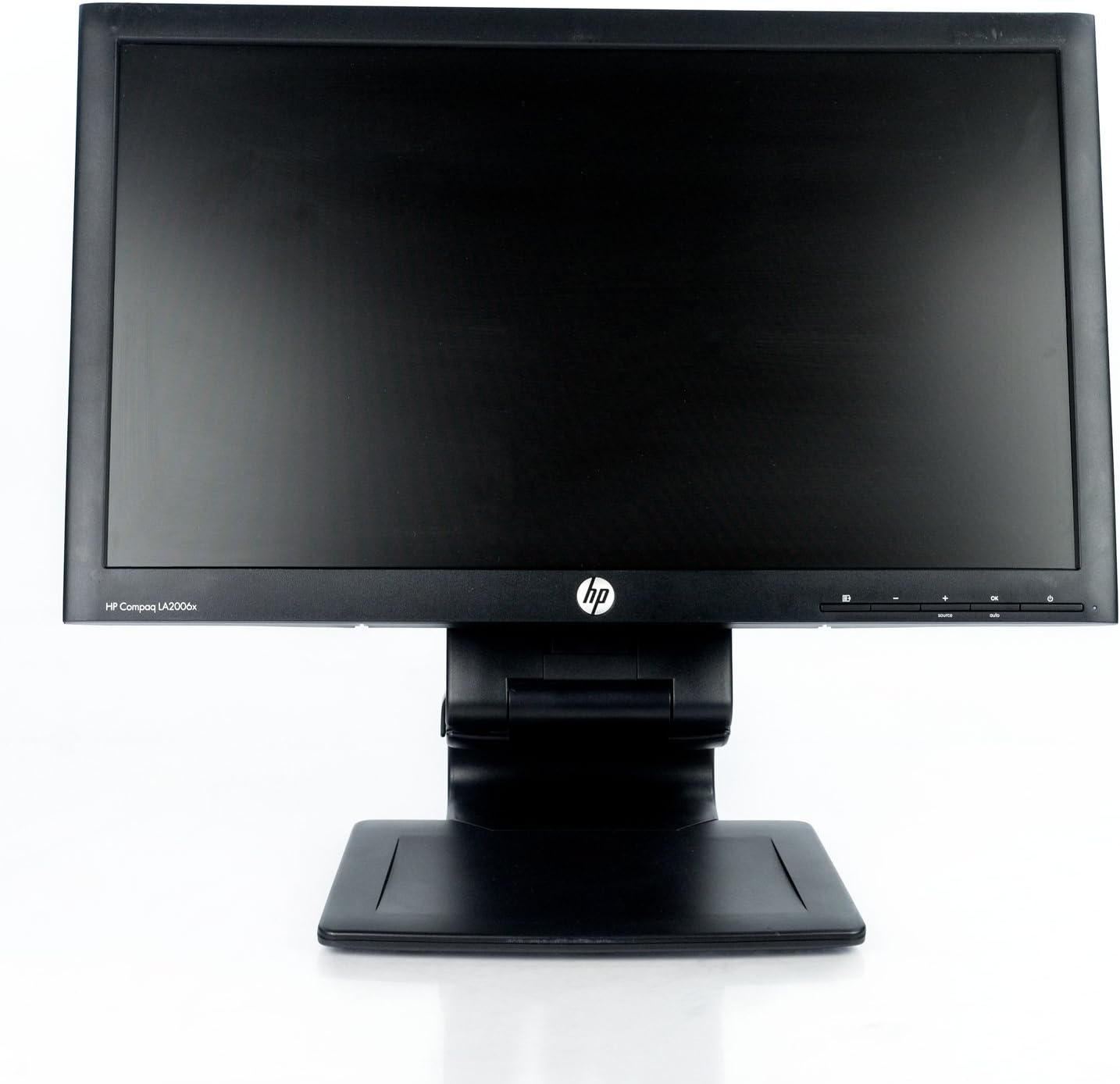
Слика 1: Фронт view of the HP Compaq LA2206x monitor, showcasing its slim bezel and adjustable stand.
Сетуп
1. Распакивање монитора
Carefully remove all components from the packaging. Ensure all parts are present before proceeding with assembly. Retain packaging for future transport or service.
2. Састављање постоља
- Поставите монитор лицем надоле на меку, чисту површину да бисте спречили огреботине.
- Align the stand base with the stand column. Secure the base to the column using the provided screw, if applicable.
- Attach the assembled stand to the back of the monitor. Ensure it clicks securely into place or is fastened with screws as per the included quick setup guide.
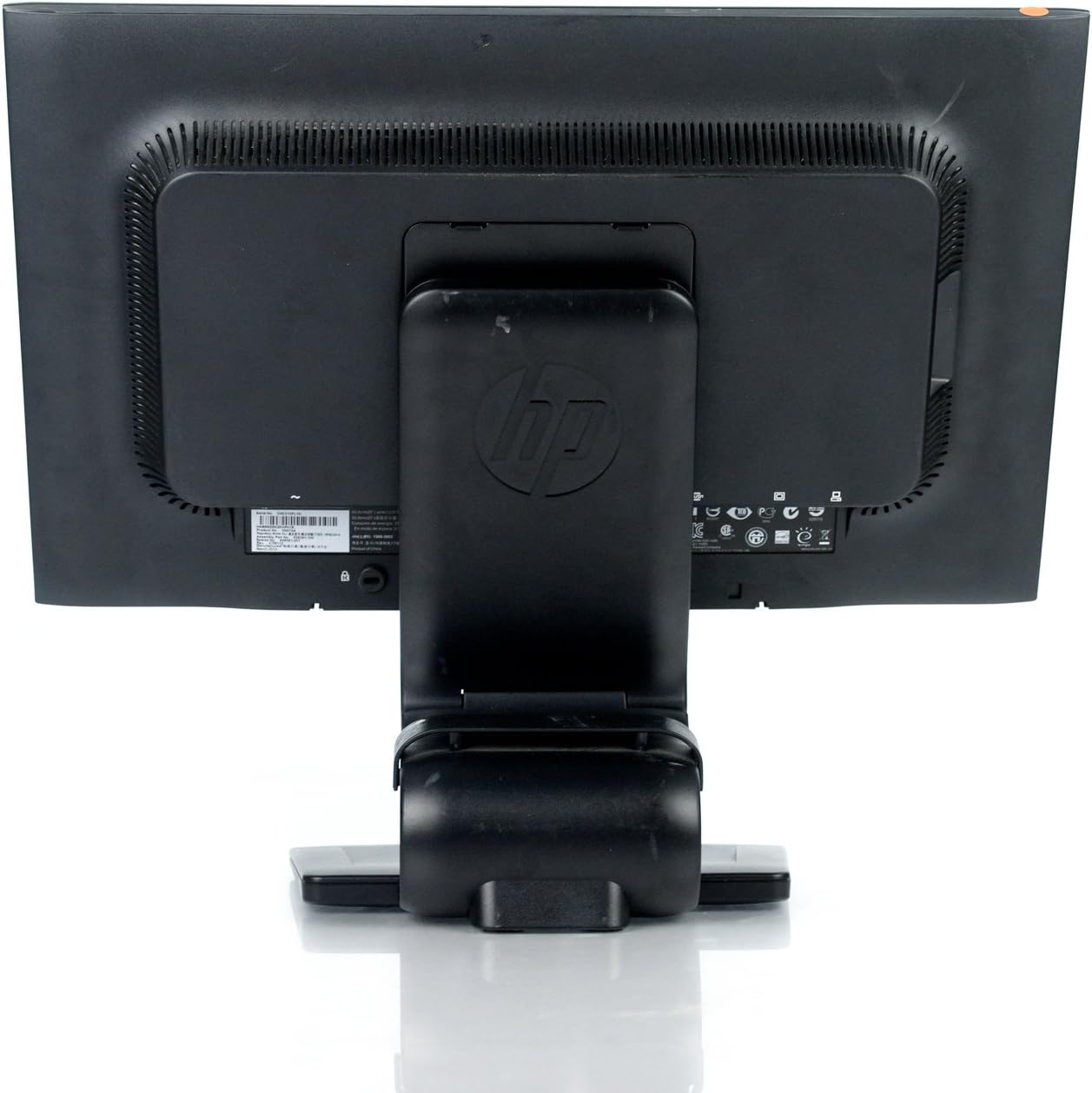
Слика 2: Позади view of the monitor showing the attached stand, ready for cable connections.
3. Повезивање каблова
Connect the necessary cables to the monitor and your computer. Ensure all connections are firm.
- Кабл за напајање: Connect one end to the monitor's power input and the other to a grounded electrical outlet.
- Видео кабл: Connect a DVI, DisplayPort, or VGA cable from your computer's video output to the corresponding input on the monitor. The monitor supports 1920x1080 resolution.
- USB кабл (опционо): Connect a USB upstream cable from your computer to the monitor's USB upstream port to enable the monitor's integrated USB 2.0 ports.

Слика 3: Детаљно view of the monitor's rear panel, highlighting the power input, DisplayPort, DVI, VGA, and USB ports.
Руковање монитором
1. Укључивање/искључивање
Press the power button located on the front right side of the monitor to turn it on or off. The power indicator light will illuminate when the monitor is active.
2. Навигација кроз мени на екрану (OSD)
The monitor features an On-Screen Display (OSD) menu for adjusting various settings. Use the control buttons located on the front bezel to navigate and select options.

Слика 4: Close-up of the monitor's control buttons, including power, menu navigation, and input selection.
- Дугме менија: Отвара ОСД мени.
- Дугмад „+“ / „-“: Крећите се кроз опције менија или подешавајте вредности.
- Дугме ОК: Потврђује избор или улази у подмени.
- Дугме извора: Quickly switches between available video inputs (DVI, DisplayPort, VGA).
- Auto dugme: Automatically adjusts the screen image for optimal display, particularly useful for analog (VGA) connections.
3. Adjusting Monitor Settings
Through the OSD menu, you can adjust settings such as:
- Осветљеност и контраст: Подесите укупну осветљеност и разлику између светлих и тамних подручја.
- Контрола боје: Select color temperature or customize RGB values.
- Контрола слике: Fine-tune sharpness, clock, and phase for optimal image clarity.
- Контрола улаза: Manually select the video input source.
- Управљање струјом: Конфигуришите тајмере за спавање и режиме уштеде енергије.
Одржавање
1. Чишћење монитора
- Увек искључите монитор и извуците га из електричне утичнице пре чишћења.
- Лагано користите меку крпу која не оставља длачице дampиспрати водом или неабразивним средством за чишћење екрана.
- Do not spray cleaners directly onto the screen or casing.
- Avoid using benzene, thinners, or any volatile solvents, as these may damage the monitor's surface.
2. Мере предострожности
- Не блокирајте вентилационе отворе на монитору.
- Држите монитор даље од директне сунчеве светлости, извора топлоте и прекомерне влаге.
- Избегавајте стављање тешких предмета на монитор или његове каблове.
- If the monitor is damaged or malfunctions, do not attempt to repair it yourself. Contact qualified service personnel.
Решавање проблема
This section addresses common issues you might encounter with your HP Compaq LA2206x monitor.
Но Повер
- Уверите се да је кабл за напајање безбедно повезан и са монитором и са исправном електричном утичницом.
- Проверите да ли је утичница функционална тако што ћете укључити други уређај.
- Check if the monitor's power button is pressed.
Нема сигнала / Празан екран
- Confirm that the video cable is securely connected to both the monitor and the computer's video output port.
- Ensure the correct input source is selected on the monitor using the 'Source' button.
- Поново покрените рачунар.
- Test the monitor with another computer or a different video cable if possible.
Distorted or Unclear Image
- For analog (VGA) connections, press the 'Auto' button on the monitor to automatically adjust the image.
- Adjust the brightness, contrast, sharpness, clock, and phase settings through the OSD menu.
- Ensure your computer's display resolution is set to the monitor's native resolution of 1920x1080.
Спецификације
Below are the key technical specifications for the HP Compaq LA2206x monitor (Model: XN376AA):
| Феатуре | Спецификација |
|---|---|
| Величина екрана | 21.5 инча |
| Максимална резолуција екрана | 1920 x 1080 (FHD 1080p) |
| Аспецт Ратио | 16:9 |
| Време одговора | 5 мс |
| Дисплаи Тецхнологи | ЛЕД ЛЦД |
| Повезивање | DisplayPort, DVI, VGA, 2x USB 2.0 Ports |
| Боја | Црно |
| Тежина артикла | 13.45 фунти |
| Димензије производа (ДкШкВ) | 8.95 к 20.39 к 13.12 инча |
| Број модела | XN376AA |
Информације о гаранцији
This HP Compaq LA2206x monitor is covered by a standard manufacturer's warranty. Please refer to the warranty card included with your product or visit the official HP support website for detailed terms and conditions, including warranty duration and service procedures. Keep your proof of purchase for warranty claims.
Подршка
For technical assistance, driver downloads, or further information regarding your HP Compaq LA2206x monitor, please visit the official HP support website. You may need your monitor's serial number for support inquiries.

Слика 5: Location of the serial number label on the back of the monitor. The serial number for this unit is CNC210PLYN.
When contacting support, please have your model number (XN376AA) and serial number ready to expedite service.