
Karlsson KA5364OR
Karlsson Mini Flip Wall Clock KA5364OR User Manual
Model: KA5364OR
Увод
The Karlsson Mini Flip Wall Clock KA5364OR is a distinctive timepiece designed to provide a clear, at-a-glance display of the time, day, date, and year. Featuring an automatic flip mechanism for calendar changes and a precise quartz movement, this clock combines functionality with a unique aesthetic. Its design ensures accurate timekeeping and effortless date progression, including automatic adjustment for leap years.
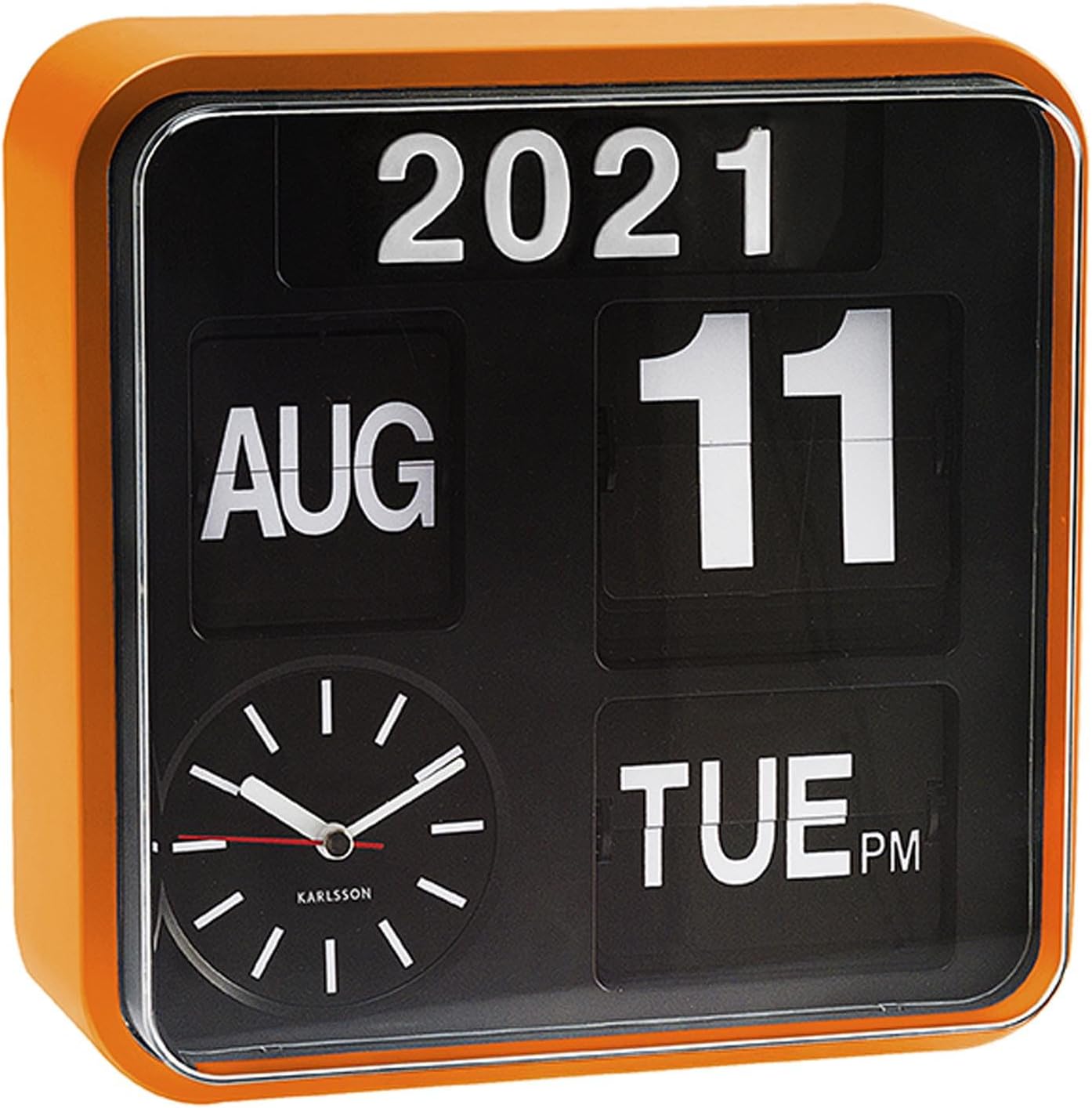
Figure 1: Karlsson Mini Flip Wall Clock KA5364OR (Front View)
Безбедносне информације
- Keep the clock away from direct sunlight and extreme temperatures to prevent damage to the internal components and casing.
- Avoid exposing the clock to excessive moisture or liquids. This product is not waterproof.
- Do not attempt to disassemble or repair the clock yourself. Refer to qualified personnel for servicing.
- Ensure batteries are inserted with correct polarity (+/-) as indicated in the battery compartment. Incorrect insertion can cause damage.
- Remove batteries if the clock will not be used for an extended period to prevent battery leakage.
- Држите батерије ван домашаја деце. Ако се прогута, одмах потражите медицинску помоћ.
Садржај пакета
Пажљиво проверите садржај пакета. Ако неке ставке недостају или су оштећене, обратите се продавцу.
- 1 x Karlsson Mini Flip Wall Clock KA5364OR
- 1 x Упутство за употребу (овај документ)
- Напомена: Батерије нису укључене и морају се купити засебно.
Сетуп
- Инсталација батерије:
The Karlsson Mini Flip Wall Clock requires a total of 5 АА батерија for full functionality (timekeeping and flip calendar mechanism). It is crucial to install all batteries correctly in their designated compartments.
- Locate the primary battery compartment, typically on the back of the clock. Insert the required AA batteries (usually 1 or 2), ensuring correct polarity (+/-). This compartment powers the main timekeeping mechanism.
- Locate the secondary battery compartment, which often powers the flip calendar display. This compartment may be found behind a small removable cover or panel, sometimes on the side or within the main casing. Insert the remaining AA batteries (usually 3 or 4) into this compartment, observing correct polarity.
Important: Ensure all 5 AA batteries are installed correctly across both compartments for both the analog clock and the automatic flip calendar to function properly. Failure to install all batteries, or incorrect placement, may result in the date, month, or year not flipping automatically.
- Монтажа (опционо):
The clock can be placed on a flat surface or mounted on a wall. If wall mounting, use appropriate hardware (not included) for your wall type and ensure the clock is securely fastened.
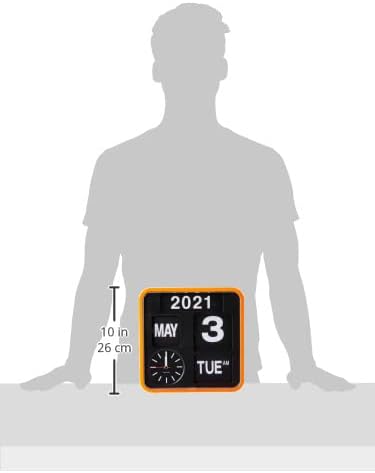
Figure 2: Approximate Dimensions of the Clock
Упутство за употребу
- Подешавање времена:
Locate the time setting knob, usually on the back or side of the clock. Rotate the knob clockwise to advance the minute and hour hands until the correct time is displayed. Ensure you set the correct AM/PM if applicable to the flip mechanism (though the clock itself is analog, the date flip might be tied to a 24-hour cycle).
- Setting the Date, Month, and Year:
The flip calendar mechanism operates automatically. However, for initial setup or after battery replacement, you may need to manually advance the date, month, and year to the current settings.
- Look for small adjustment wheels or buttons near the respective flip displays (Year, Month, Date, Day).
- Carefully turn the wheels or press the buttons to advance each display until the current year, month, date, and day are shown.
- The clock is designed to automatically advance the date at midnight and adjust for month-end and leap years.
Caution: Do not force the flip mechanism. If it feels stuck, recheck battery installation or consult the troubleshooting section.
Одржавање
- Чишћење: Обришите ц сатаasing and display with a soft, dry, lint-free cloth. Do not use abrasive cleaners, solvents, or spray directly onto the clock.
- Замена батерије: Replace all 5 AA batteries approximately once a year, or when the clock's timekeeping becomes inaccurate or the flip mechanism stops advancing. Always replace all batteries at the same time with new ones.
- Складиштење: If storing the clock for an extended period, remove all batteries to prevent potential leakage and damage. Store in a cool, dry place.
Решавање проблема
| Проблем | Могући узрок | Решење |
|---|---|---|
| Сат не ради или је време нетачно. |
|
|
| Date/Month/Year is not flipping automatically. |
|
|
| Flip display is skipping days or months. |
|
|
Спецификације
| Број модела | КА5364ОР |
| Бранд | Карлсон |
| Димензије производа (Д к Ш к В) | КСНУМКС к КСНУМКС к КСНУМКС цм (КСНУМКС к КСНУМКС к КСНУМКС инча) |
| Тежина производа | 1.18 килограма (2.6 лбс) |
| Боја | Orange Casing with Black Dial |
| Дисплаи Типе | Analog (Time), Flip (Calendar) |
| Посебна карактеристика | Calendar Display (Year, Month, Date, Day) |
| Извор напајања | Баттери Поверед |
| Батерије су потребне | Yes, 5 x AA batteries (not included) |
Гаранција и подршка
For warranty information and support, please refer to the documentation provided at the time of purchase or contact your retailer. Keep your proof of purchase for warranty claims.
For further assistance or inquiries, please visit the official Karlsson webсајту или се обратите њиховом одељењу за корисничку подршку.
Ask a question about this manual
Ask about setup, troubleshooting, compatibility, parts, safety, or missing instructions. Manuals+ will review the question and use this page’s manual context to help answer it.