
1. Увод
The TP-Link TL-R470T+ Load Balance Broadband Router is designed for small businesses requiring robust and flexible network connectivity. This device offers advanced features to ensure consistent network uptime and reliable Ethernet connectivity, optimizing internet access through multiple WAN connections.
2. Карактеристике производа
- Вишеструки WAN портови: Features three changeable WAN/LAN ports, allowing configuration for up to four WAN ports to meet diverse internet access requirements.
- Smart Load Balancing: Automatically distributes network traffic across multiple WAN connections based on load and bandwidth, ensuring optimal performance and reliability.
- Напредна безбедност: Includes Denial of Service (DoS) attack detection and blocking (TCP/UDP/ICMP flooding, Ping of Death), along with IP/MAC/URL/Web filtering functions to protect against intruders and viruses.
- Efficient Access Management: Supports PPPoE server functionality for user authentication and IP-based bandwidth control to manage bandwidth usage. The e-bulletin feature allows for periodic web-page notifications to user groups.
- Заштита од грома: Incorporates professional lightning protection technology designed to prevent electrical surges up to 4KV, safeguarding networking infrastructure.
- DDNS Support: Facilitates easy remote management using a domain name.
- IP and MAC Binding: Prevents ARP virus attacks by binding IP addresses to MAC addresses.
3. Садржај пакета
Проверите да ли ваш пакет садржи следеће ставке:
- ТП-Линк ТЛ-Р470Т+ широкопојасни рутер са равнотежом оптерећења
- Повер Цорд
- Етхернет кабл РЈ-45
- Водич за брзу инсталацију
4. Подешавање
Follow these steps to set up your TL-R470T+ router:
- Физичка веза:
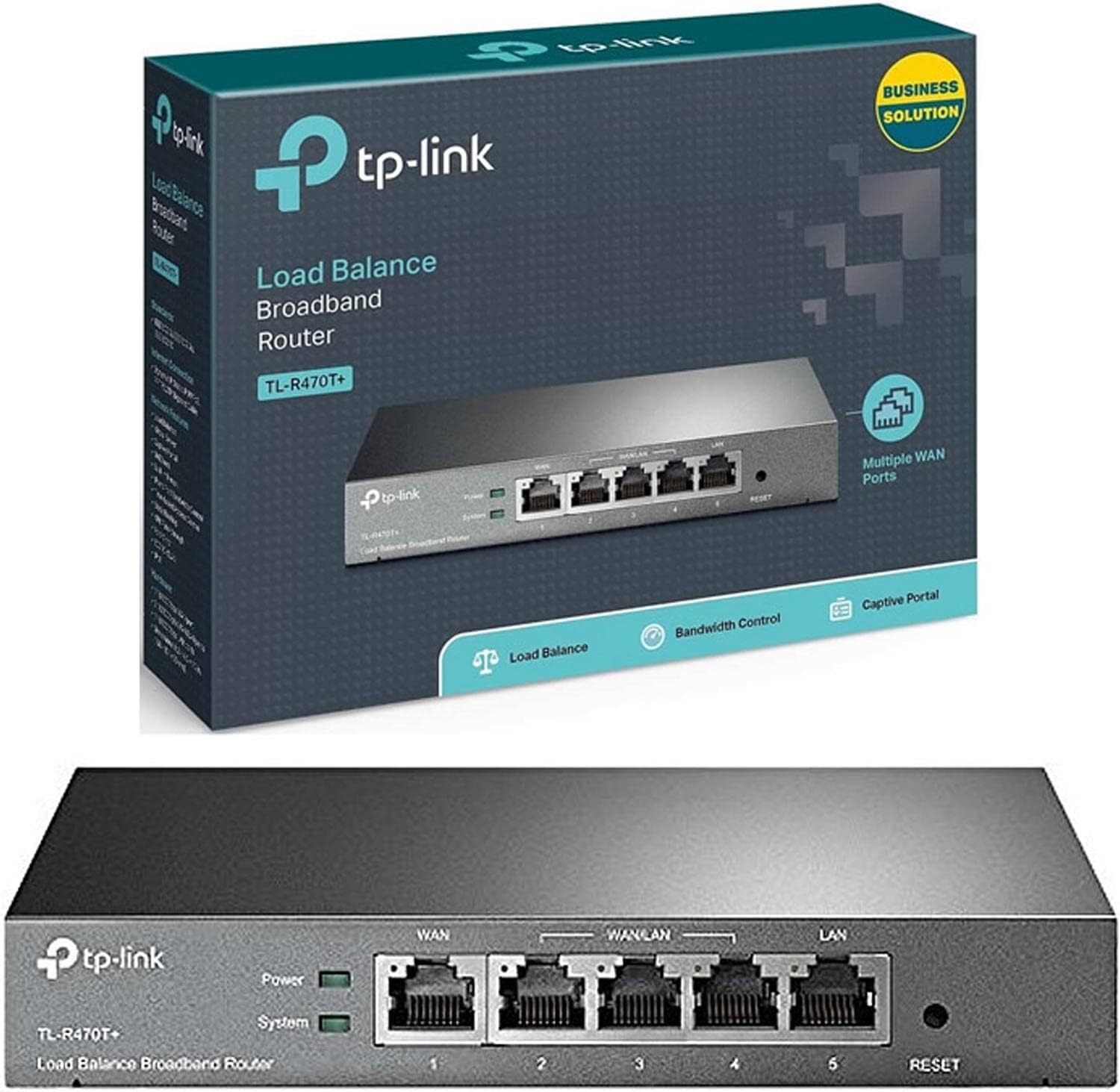
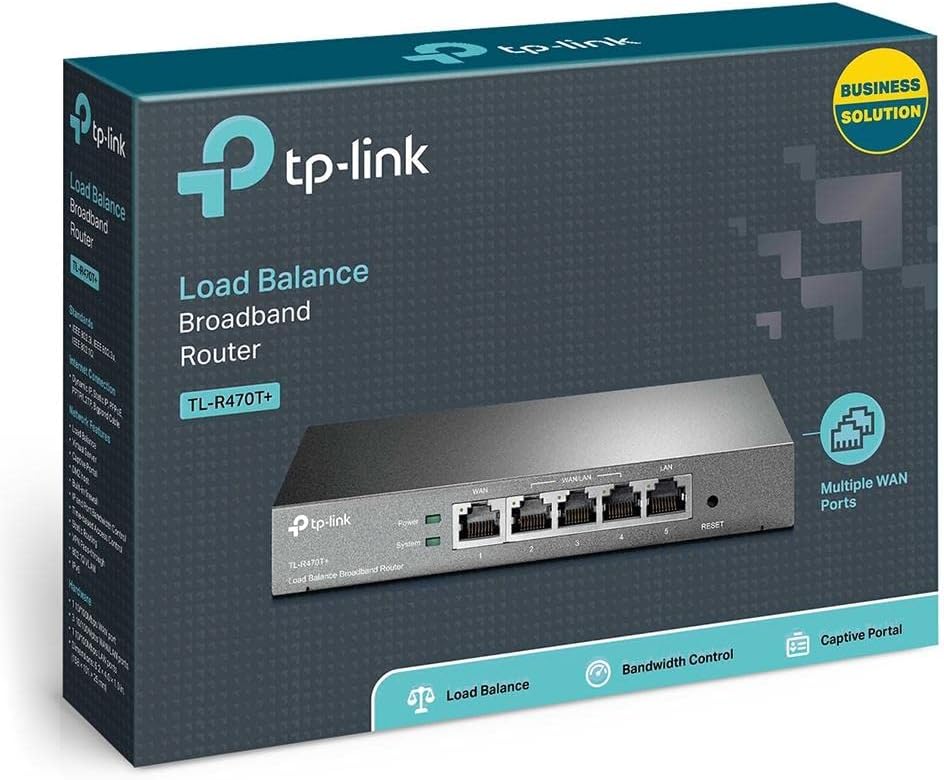
Слика: Фронт view of the TL-R470T+ router, displaying the WAN port, three configurable WAN/LAN ports, and one dedicated LAN port, along with power and system LED indicators.
- Connect your modem's Ethernet cable to the router's dedicated WAN port (Port 1).
- If using additional WAN connections, connect them to the configurable WAN/LAN ports (Ports 2-4).
- Connect your local network devices (computers, switches) to the LAN port (Port 5) or other configurable ports set as LAN.
- Прикључите адаптер за напајање на улаз за напајање рутера и укључите га у електричну утичницу.
Слика: Леђа view of the TL-R470T+ router, highlighting the power input (9V=0.6A) and a Kensington lock slot for physical security.
- Почетна конфигурација:
- Отвори а web browser on a computer connected to the router's LAN port.
- Enter the default IP address (usually 192.168.0.1) у траку за адресу.
- Пријавите се користећи подразумевано корисничко име и лозинку (за детаље погледајте Водич за брзу инсталацију).
- Follow the on-screen wizard to configure your WAN connections and basic network settings.
5. Упутство за употребу
Once set up, the TL-R470T+ operates to manage your network traffic efficiently.
- Балансирање оптерећења: The router intelligently distributes internet traffic across active WAN connections. You can configure load balancing policies via the web interface to prioritize certain connections or applications.
- Firewall and Filtering: Access the security settings in the web interface to configure IP/MAC/URL filtering rules and enable DoS attack protection. This helps secure your network from external threats.
- Контрола пропусног опсега: Utilize the IP-based bandwidth control feature to allocate specific bandwidth limits to different users or devices on your network, ensuring fair usage and preventing congestion.
- Port Forwarding (Virtual Servers): For applications requiring external access to internal network resources (e.g., FTP servers, gaming servers), configure Virtual Servers (Port Forwarding) in the router's settings.
- Динамички DNS (DDNS): If you have a dynamic public IP address, configure DDNS to associate a fixed domain name with your router, enabling consistent remote access.
6. Одржавање
Редовно одржавање осигурава оптималне перформансе и дуготрајност вашег рутера.
- Ажурирања фирмвера: Периодично проверавајте званичне информације компаније ТП-Линк. webсајт за ажурирања фирмвера. Ажурирање фирмвера може побољшати перформансе, додати нове функције и поправити безбедносне рањивости.
- Резервна копија конфигурације: Редовно правите резервне копије подешавања конфигурације рутера путем web interface. This allows for quick restoration in case of accidental changes or a factory reset.
- Физичко окружење: Ensure the router is placed in a well-ventilated area, away from direct sunlight, heat sources, and moisture. Keep the device clean and free from dust accumulation.
- Заштита од грома: While the device has built-in lightning protection, ensure proper grounding of your electrical system to maximize its effectiveness.
КСНУМКС. Решавање проблема
Овај одељак се бави уобичајеним проблемима на које можете наићи.
- Нема приступа интернету:
- Verify that your modem is working correctly and providing an internet connection.
- Check the WAN port LED indicators on the router; they should be lit.
- Ensure WAN settings (IP address, DNS) are correctly configured in the router's web интерфејс.
- Поново покрените и модем и рутер.
- Мала брзина интернета:
- Проверите брзину вашег интернет провајдера.
- Review load balancing settings to ensure optimal distribution across WANs.
- Check for any active bandwidth control rules that might be limiting speed for your device.
- Не могу приступити Web Страница управљања:
- Уверите се да је ваш рачунар повезан са ЛАН портом рутера.
- Проверите да ли је ИП адреса вашег рачунара у истој подмрежи као и рутер (нпр. 192.168.0.x).
- Покушајте да обришете кеш меморију прегледача или да користите други прегледач.
- If the issue persists, perform a factory reset by pressing and holding the reset button for approximately 5-10 seconds while the router is powered on. Note: This will erase all custom configurations.
8. Спецификације
| Број модела ставке | ТЛ-Р470Т+ |
| Бранд | ТП-Линк |
| Тип интерфејса | 1 Fixed Ethernet WAN Port, 1 Fixed Ethernet LAN Port, 3 Changeable Ethernet WAN/LAN Ports |
| Број портова | 5 |
| Брзина преноса података | 100 мегабита у секунди |
| Волtage | 240 Волтс |
| Тежина артикла | 0.46 килограма (1.02 фунте) |
| Димензије производа | 8.3 к 1.1 к 5 инча |
| Компатибилност оперативног система | Microsoft Windows 8, 7, Vista, XP or MAC OS, NetWare, UNIX or Linux |
| Вирелесс Типе | 802.11ac (Note: This device is a wired router, 802.11ac refers to internal component compatibility, not wireless functionality) |
| Величина флеш меморије | 4 МБ |
9. Гаранција и подршка
For warranty information, technical support, and further assistance, please refer to the official TP-Link website or contact TP-Link customer service directly. The Quick Installation Guide included with your product may also contain specific warranty details for your region.