
1. Увод
This manual provides detailed instructions for the safe and effective use of the PeakTech P 4980 Dual Laser Pointer IR Thermometer. This device is designed for non-contact temperature measurements across a wide range, from -50 to +800 °C. It features dual laser pointers for precise targeting of the measurement area. Please read this manual thoroughly before operating the device and keep it for future reference.
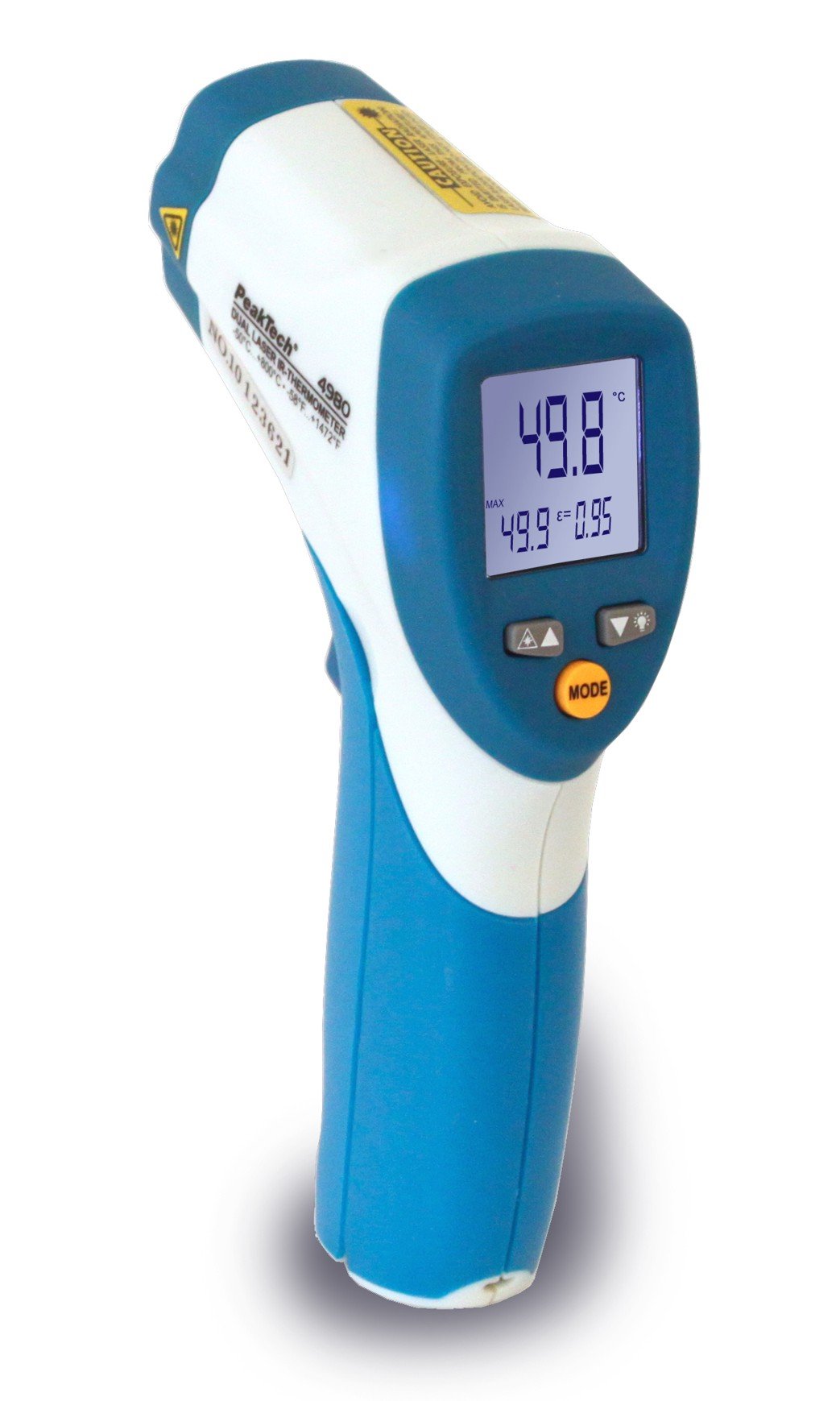
Image 1.1: The PeakTech P 4980 Dual Laser Pointer IR Thermometer, showing its ergonomic design and display.
2. Безбедносне информације
Always observe the following safety precautions to prevent injury and avoid damage to the device:
- Ласерска безбедност: This device uses Class 2 lasers. Do not stare directly into the laser beam or direct it at people or animals. Avoid direct eye exposure.
- Радно окружење: Do not use the thermometer in environments with explosive gases, vapor, or dust.
- Температурне границе: Do not expose the device to extreme temperatures outside its specified operating range.
- Одржавање: Only qualified personnel should perform repairs. Do not attempt to modify the device.
- Чишћење: За чишћење користите меку, суву крпу. Немојте користити абразивна средства за чишћење или раствараче.
- Руковање батеријом: Ensure correct battery polarity. Remove batteries if the device will not be used for an extended period. Dispose of batteries according to local regulations.
3. Карактеристике производа
The PeakTech P 4980 offers advanced features for accurate and convenient temperature measurement:
- Двоструки ласерски показивачи: Provides precise targeting, indicating the exact measurement spot.
- Широк температурни опсег: Measures temperatures from -50 °C to +800 °C (-58 °F to +1472 °F).
- Бесконтактно мерење: Safely measure hot, hazardous, or hard-to-reach surfaces.
- ЛЦД екран: Clear digital display for easy reading of temperature values.
- Подесива емисивност: Allows for accurate measurements on various surface types (refer to operating instructions for details).
- Функција задржавања података: Замрзава приказано очитавање ради лакшег снимања.
- Позадинско осветљење: Improves visibility in dimly lit conditions.
- Аутоматско искључивање: Штеди трајање батерије.
4. Подешавање
4.1 Инсталација батерије
- Пронађите поклопац одељка за батерију на дршци уређаја.
- Отворите поклопац померањем или откључавањем.
- Insert the included battery, ensuring correct polarity (+ and - terminals).
- Добро затворите поклопац одељка за батерије.
4.2 Укључивање/искључивање
- To power on the device, press the trigger. The display will illuminate.
- Уређај ће се аутоматски искључити након одређеног периода неактивности како би се уштедео век трајања батерије.
5. Упутство за употребу
5.1 Мерење
- Усмерите термометар ка циљаној површини.
- Press and hold the trigger. The dual laser pointers will activate, indicating the measurement area.
- The measured temperature will be displayed on the LCD.
- Release the trigger to hold the reading on the display (Data Hold function).
5.2 Distance-to-Spot Ratio
The accuracy of the measurement depends on the distance-to-spot ratio. Ensure the target area is larger than the measurement spot size at your chosen distance. The dual lasers help define this spot.
5.3 Подешавање емисивности
Different materials emit infrared energy differently. For accurate readings, adjust the emissivity setting to match the surface being measured. Consult a standard emissivity table for common materials. The P 4980 allows adjustment via dedicated buttons (refer to device interface for specific controls).
5.4 Избор јединице (°C/°F)
To switch between Celsius (°C) and Fahrenheit (°F), locate the unit selection button (usually labeled '°C/°F' or similar) and press it. The display will change accordingly.
6. Одржавање
6.1 Чишћење уређаја
- Wipe the device casinг са меким, дamp тканина. Немојте користити абразивне материјале или раствараче.
- For the lens, use a soft cloth or cotton swab with a small amount of isopropyl alcohol.
6.2 Замена батерије
When the low battery indicator appears on the display, replace the battery as described in Section 4.1. Always use the specified battery type.
6.3 Складиштење
Термометар чувајте на хладном и сувом месту, даље од директне сунчеве светлости и екстремних температура. Извадите батерије ако га чувате дуже време.
КСНУМКС. Решавање проблема
| Проблем | Могући узрок | Решење |
|---|---|---|
| Уређај се не укључује. | Мртва или неправилно инсталирана батерија. | Проверите поларитет батерија или их замените новим батеријама. |
| Нетачна очитавања. | Incorrect emissivity setting; distance too far; lens dirty. | Adjust emissivity; move closer to target; clean lens. |
| Laser pointers not visible. | Laser function disabled (if applicable); bright ambient light. | Check laser activation button; use in less bright conditions. |
| Display shows 'ERR' or similar. | Measurement outside range; internal error. | Ensure target temperature is within -50 to +800 °C. If error persists, contact support. |
8. Спецификације
| Феатуре | Спецификација |
|---|---|
| Модел | П 4980 |
| Температурни опсег | -50 ° Ц до +800 ° Ц (-58 ° Ф до +1472 ° Ф) |
| Резолуција | 0.1 °Ц / 0.1 °Ф |
| Дисплаи Типе | ЛЦД |
| Посебна карактеристика | Non-contact, Dual Laser Pointer |
| Извор напајања | На батерије |
| Укључене компоненте | Батерија |
| Спољашњи материјал | Пластика |
| Боја | Бело/плаво |
9. Гаранција и подршка
9.1 Информације о гаранцији
This PeakTech product is backed by a 3-year manufacturer's warranty, ensuring quality and reliability. Please retain your proof of purchase for warranty claims.
9.2 Корисничка подршка
For technical assistance, troubleshooting, or warranty inquiries, please contact PeakTech customer support. Refer to the official PeakTech webсајт или паковање производа за најновије контакт информације.