
Увод
This manual provides essential information for the safe and efficient operation of your Samsung HT-E6500W 5.1 Channel 3D Blu-Ray Home Theater System. Please read this manual thoroughly before using the product and retain it for future reference. This system integrates a 3D Blu-ray player with a 5.1 channel audio system, offering a comprehensive home entertainment solution.
Важне информације о безбедности
Always follow basic safety precautions when using this product to reduce the risk of fire, electric shock, and injury to persons. Keep this manual in a safe place for future reference.
- Не излажите овај апарат киши или влази.
- Не блокирајте отворе за вентилацију. Инсталирајте у складу са упутствима произвођача.
- Не постављајте у близини извора топлоте као што су радијатори, грејни регистри, пећи или други уређаји (укључујући ampлифиерс) који производе топлоту.
- Заштитите кабл за напајање од гажења или прикљештења, посебно на утикачима, утичницама и на месту где излазе из уређаја.
- Користите само додатке/прибор које је навео произвођач.
- Упућивање свих сервиса квалификованом сервисном особљу. Сервисирање је потребно ако је апарат на било који начин оштећен.
Садржај пакета
Проверите да ли су све компоненте присутне у пакету:
- Main Unit (Blu-Ray Player/Receiver)
- Субвоофер
- Централ Спеакер
- Предњи звучници (2)
- Surround Speakers (2)
- Даљински управљач са батеријама
- iPod Cradle
- Спеакер Цаблес
- ФМ антена
- Кориснички приручник (овај документ)
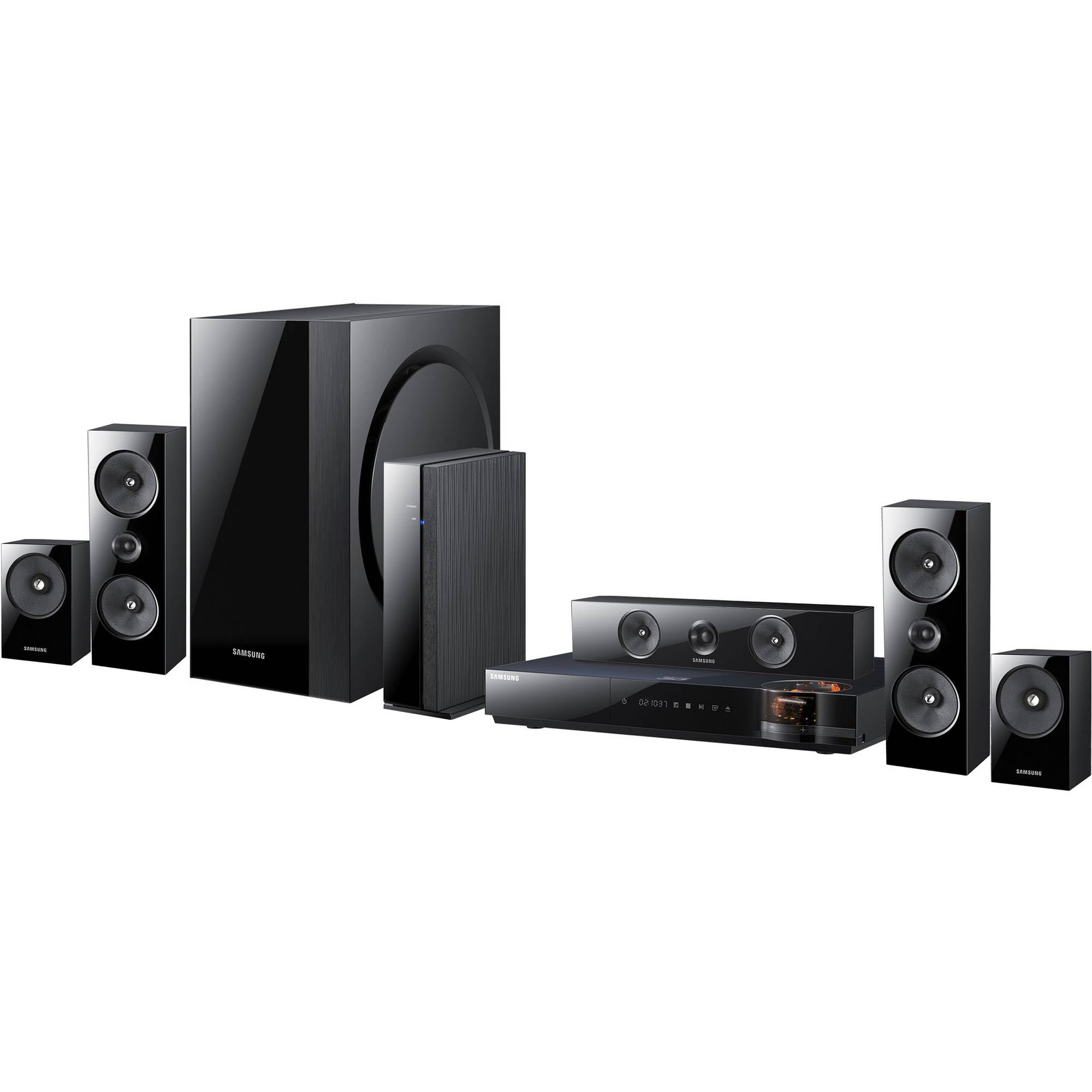
Слика: Прекоview of the Samsung HT-E6500W 5.1 Channel Home Theater System components.
Сетуп
1. Постављање звучника
Proper speaker placement is crucial for optimal surround sound experience. Position speakers as follows:
- Предњи звучници: Place to the left and right of your television, equidistant from the viewинг положај.
- Централни звучник: Position directly above or below the center of your television.
- Сурроунд звучници: Place to the sides or slightly behind the main listening area, at ear level when seated. The HT-E6500W features wireless rear speakers for easier setup.
- Субвоофер: Can be placed anywhere in the room, preferably near a wall or corner for enhanced bass response.
2. Повезивање звучника
Connect the speaker cables from each speaker to the corresponding terminals on the main unit. Ensure correct polarity (positive to positive, negative to negative) for each connection. The wireless rear speakers connect to a separate wireless receiver module, which then communicates with the main unit.
3. Connecting to TV and Other Devices
Use an HDMI cable to connect the HDMI OUT port on the home theater system to an HDMI IN port on your television. For other devices like gaming consoles or set-top boxes, connect them to the HDMI IN ports on the home theater system.
4. Прикључак за напајање
Plug the power cord into the main unit and then into a wall outlet. Ensure all connections are secure before powering on the system.
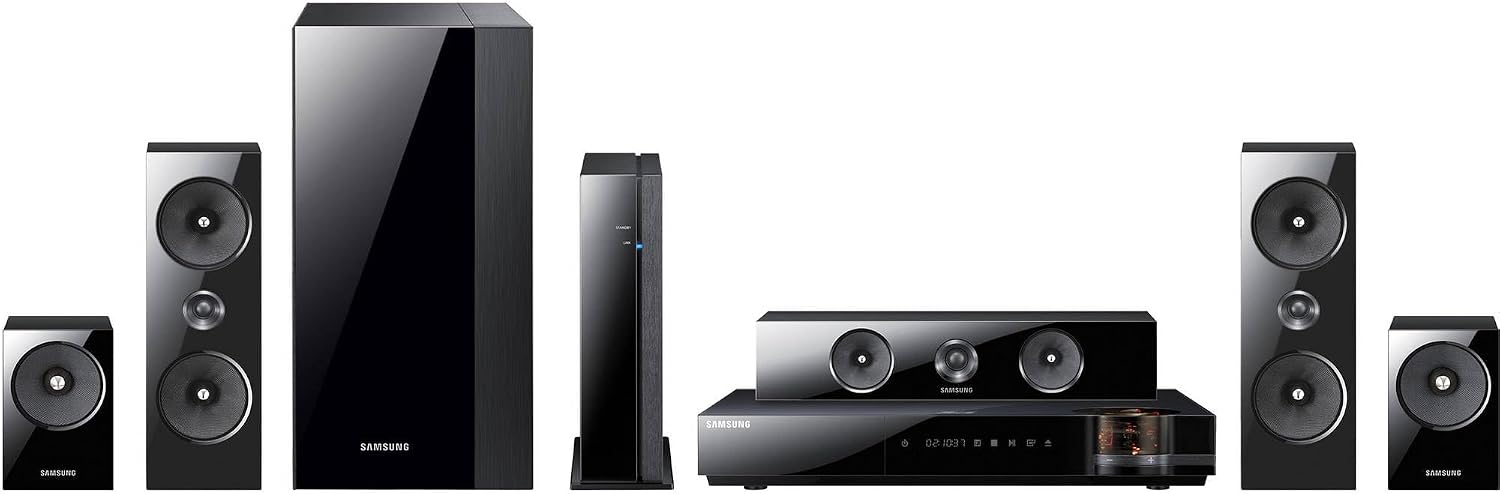
Слика: Детаљна view of the main unit and center speaker, illustrating connectivity points.
Упутство за употребу
1. Основне функције
- Укључивање/искључивање: Press the Power button on the remote control or the main unit.
- Контрола јачине звука: Користите дугмад за појачавање/стишавање јачине звука на даљинском управљачу.
- Избор улаза: Press the Function button on the remote to cycle through available inputs (e.g., Blu-ray, HDMI 1, HDMI 2, AUX, Digital In).
2. Репродукција 3Д Блу-реј дискова
Insert a 3D Blu-ray disc into the disc tray. The system will automatically detect the disc and begin playback. Ensure your television is 3D compatible and 3D glasses are worn for the 3D effect.
3. Smart Hub and Network Features
The system features built-in Wi-Fi for network connectivity. Connect to your home network to access Smart Hub, which provides various online services and applications. Navigate Smart Hub using the remote control.
4. iPod Cradle Usage
Connect your iPod to the provided iPod cradle. The system will detect the device, allowing you to play audio through the home theater speakers. Control playback using the system's remote or the iPod itself.
5. Режими звука
Select various sound modes (e.g., Stereo, Surround Sound, Dolby Digital) to optimize audio for different content types. Refer to the remote control for specific sound mode buttons or menu options.
Одржавање
- Чишћење: Use a soft, dry cloth to clean the exterior surfaces of the main unit and speakers. Do not use liquid cleaners or abrasive materials.
- вентилација: Ensure that the ventilation openings on the main unit are not blocked to prevent overheating.
- Одржавање дискова: Handle Blu-ray discs by their edges. Store discs in their cases to prevent scratches and dust accumulation.
Решавање проблема
| Проблем | Могуће решење |
|---|---|
| Нема струје | Check if the power cord is securely connected to the unit and the wall outlet. Ensure the outlet is functional. |
| Нема звука | Verify speaker connections. Check the volume level and mute status. Ensure the correct input source is selected. |
| No picture from Blu-ray | Check the HDMI cable connection between the system and the TV. Ensure the TV is set to the correct HDMI input. Try a different disc. |
| Даљински управљач не ради | Replace the batteries in the remote control. Ensure there are no obstructions between the remote and the main unit's sensor. |
| Wireless rear speakers not connecting | Ensure the wireless receiver module is powered on and within range of the main unit. Refer to the wireless module's specific pairing instructions. |
Спецификације
- Назив модела: HT-E6500W
- Аудио канали: 5.1 Цханнел
- Укупна излазна снага: 1000 Ваттс
- Компатибилност дискова: 3D Blu-ray, Blu-ray, DVD, CD
- Повезивање: HDMI (Input/Output), Built-in Wi-Fi, USB, Optical Digital Audio In
- Посебне карактеристике: Smart Hub, iPod Cradle, Wireless Rear Speakers
- Боја: Црно
- Тежина артикла: Приближно 8.5 фунте (главна јединица)
Информације о гаранцији
This product is covered by a limited warranty. For specific terms and conditions, please refer to the warranty card included with your product or visit the official Samsung webсајт. Сачувајте рачун као доказ о куповини за потребе гаранције.
Корисничка подршка
For technical assistance, service, or product inquiries, please contact Samsung Customer Service. Contact information can be found on the official Samsung webсајту или у документацији која се испоручује уз ваш производ.
Подршка на мрежи: ввв.самсунг.цом/ус/суппорт/