
PWR+ PWR-TAH12020N
PWR+ 12V AC Power Adapter User Manual
Model: PWR-TAH12020N
Увод
This manual provides essential instructions for the PWR+ 12V AC Power Adapter, designed to supply power to compatible Bmax MaxMini Mini PCs. Please read this manual carefully before use to ensure proper installation and safe operation.

Image: The PWR+ 12V AC Power Adapter shown in its retail box, highlighting the product and its packaging.
Безбедносне информације
The PWR+ 12V AC Power Adapter is designed with multiple safety features to protect your devices and ensure reliable operation. Adhere to the following safety guidelines:
- УЛ на листи: This product has been tested, approved, and certified by UL, an authorized US Federal Agency (OSHA) for safety standards.
- Уграђене безбедносне заштите: The adapter incorporates Short Circuit Protection (SCP), Over Current Protection (OCP), Over Voltage Protection (OVP), and Over Temperature Protection (OPT) to prevent damage from electrical irregularities.
- Не излажите адаптер води, влази или екстремним температурама.
- Избегавајте испуштање или излагање адаптера јаким ударцима.
- Обезбедите одговарајућу вентилацију око адаптера током употребе како бисте спречили прегревање.
- Не покушавајте да растављате или модификујете адаптер.
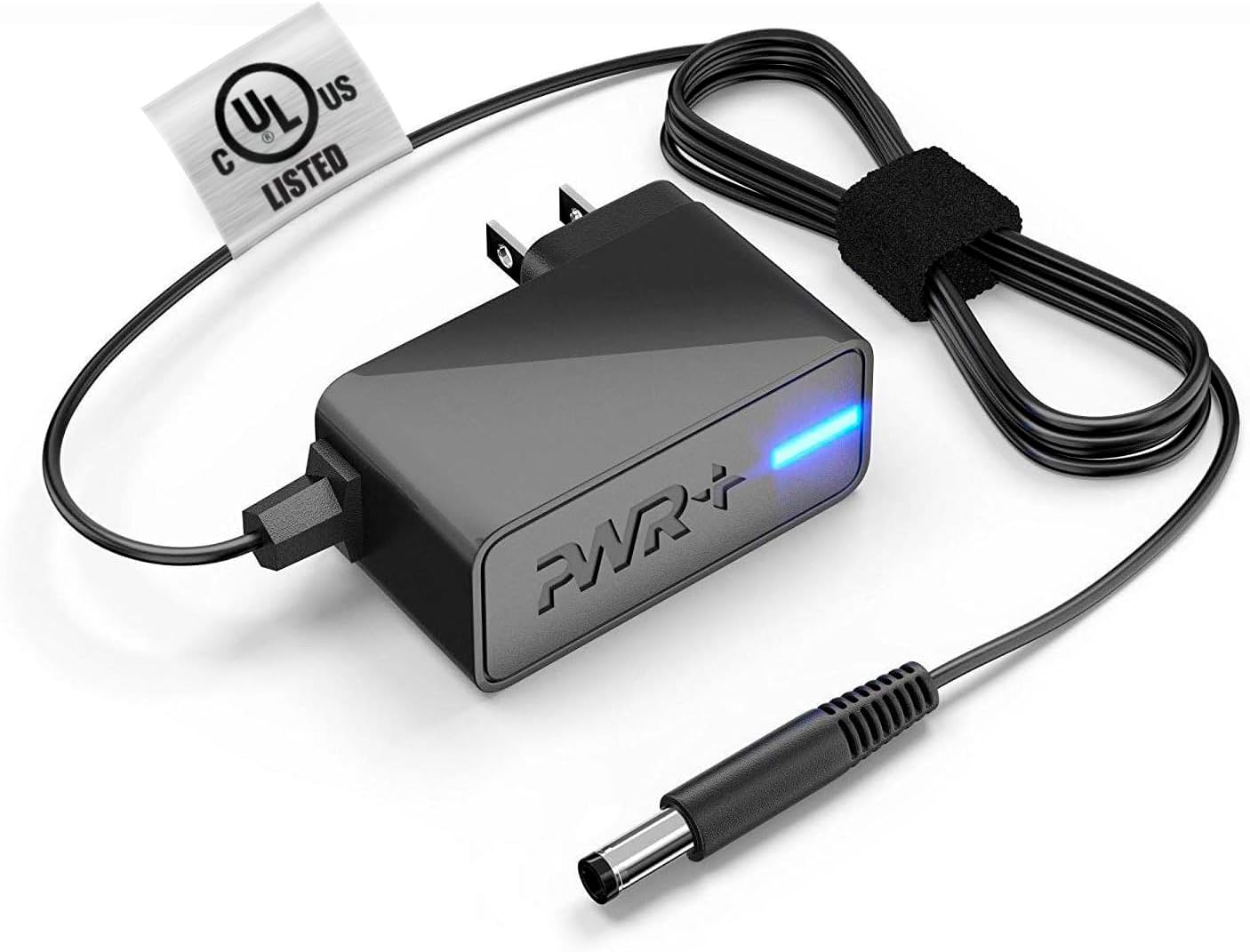
Image: The PWR+ 12V AC Power Adapter, featuring its main unit, power cord, and the attached UL safety certification tag.

Слика: Детаљан дијаграм приказујеasing the internal construction of the PWR+ power cord, highlighting high-grade copper, aluminum foil shield, and protective tinned copper braid. It also illustrates reinforced stress points and lists built-in safety protections: Short Circuit Protection (SCP), Over Current Protection (OCP), Over Voltage Protection (OVP), and Over Temperature Protection (OPT).
Сетуп
Follow these steps to correctly set up your PWR+ 12V AC Power Adapter:
- Идентификујте компоненте: Unpack the PWR+ 12V AC Power Adapter. It includes the main adapter unit, an integrated 6.5 ft AC/DC cord, and a barrel connector.
- Повежите се са уређајем: Locate the power input port on your compatible Bmax MaxMini Mini PC. Gently insert the barrel connector of the PWR+ adapter into this port. Ensure a snug and secure fit.
- Повежите се са утичницом: Plug the AC power cord into a standard 100-240V electrical wall outlet.
- Проверите снагу: The adapter features an indicator light (typically blue) that illuminates when power is being supplied. Confirm this light is on.
Оперативни
Once properly connected as described in the Setup section, the PWR+ AC Power Adapter will automatically supply the necessary 12V 2A 24W power to your Bmax MaxMini Mini PC, allowing it to function. No further operational steps are required for the adapter itself.
- Ensure the adapter is placed in a location with adequate airflow to prevent heat buildup.
- Avoid covering the adapter with cloths or other materials during operation.
Одржавање
Proper maintenance helps extend the lifespan of your PWR+ AC Power Adapter:
- Чишћење: Keep the adapter and its cables clean and free from dust. Use a dry, soft cloth for cleaning. Do not use liquid cleaners.
- Нега каблова: Avoid sharp bends, kinks, or excessive pulling on the power cord, especially at the connection points. The cord features reinforced stress points, but proper handling is still recommended.
- Складиштење: Када се не користи, адаптер чувајте на хладном и сувом месту, даље од директне сунчеве светлости и екстремних температура.
- инспекција: Периодично проверавајте адаптер и кабл да ли постоје знаци оштећења, као што су истрошене жице или напукли кабл.asinг. Ако се открије оштећење, одмах прекините употребу.
Решавање проблема
If you encounter issues with your PWR+ AC Power Adapter, refer to the following troubleshooting steps:
- Нема напајања уређаја:
- Ensure the adapter's barrel connector is fully inserted into your Mini PC's power port.
- Verify that the AC power cord is securely plugged into a functional wall outlet. Test the outlet with another device if unsure.
- Check if the adapter's indicator light is illuminated. If not, try a different wall outlet.
- Повремено напајање:
- Проверите све везе да ли имају лабавости.
- Уверите се да кабл за напајање није оштећен или излизан.
- Прегревање адаптера:
- Уверите се да је адаптер у добро проветреном простору и да није покривен.
- Ако се прегревање настави, прекините употребу и контактирајте подршку.
- Провера компатибилности: Confirm that your specific Bmax MaxMini Mini PC model is listed as compatible with this adapter (B1 Pro, B2 Pro, B4 Turbo, B4 Plus, B6 Power, B5 Mini PC).
If the issue persists after following these steps, please contact PWR+ customer support for further assistance.
Спецификације
| Феатуре | Спецификација |
|---|---|
| Број модела | PWR-TAH12020N |
| Улазни волtage | 100-240В |
| Оутпут Волtage | 12В |
| Излазна струја | 2A |
| Оутпут Ватtage | 24В |
| Дужина кабла | 6.5 стопа (приближно 1.98 метра) |
| Тип конектора | Баррел Цоннецтор |
| Сертификат о безбедности | УЛ Листед |
| Посебне карактеристике | Заштита од кратког споја, прекострујна заштита, преко Волtage Protection, Over Temperature Protection, Extra Long Cord |
| Компатибилни уређаји | Bmax MaxMini B1 Pro Mini PC, Bmax MaxMini B2 Pro Mini PC, Bmax MaxMini B4 Turbo Mini PC, Bmax MaxMini B4 Plus Mini PC, Bmax MaxMini B6 Power Mini PC, Bmax MaxMini B5 Mini PC |
Гаранција и подршка
PWR+ stands behind the quality of its products. This power adapter comes with the following:
- гаранција: A 24-month exchange warranty from the date of purchase.
- Политика рефундирања: A 30-day refund policy is available.
For technical assistance, warranty claims, or any product-related inquiries, please contact PWR+ customer support. Refer to your purchase documentation or the PWR+ official webсајт за актуелне контакт информације.
Ask a question about this manual
Ask about setup, troubleshooting, compatibility, parts, safety, or missing instructions. Manuals+ will review the question and use this page’s manual context to help answer it.