
1. Увод
Thank you for choosing the Coby LEDTV3216 32-Inch 720p 60Hz Slim-Bezel LED HDTV. This manual provides essential information for the safe and efficient operation of your television. Please read these instructions thoroughly before use and retain them for future reference.
The Coby LEDTV3216 offers a 32-inch widescreen display, a built-in digital TV tuner (ATSC/NTSC/QAM), and multiple connectivity options including HDMI and VGA. It features energy-efficient technology, digital noise reduction, and V-chip parental control.
2. Безбедносне информације
Да бисте осигурали безбедан рад и спречили оштећења, придржавајте се следећих мера предострожности:
- Извор напајања: Повежите телевизор само на напајање наизменичне струје од 100-240V, 50/60Hz.
- вентилација: Не блокирајте вентилационе отворе. Обезбедите довољно простора око телевизора за правилан проток ваздуха.
- Вода и влага: Do not expose the TV to rain, moisture, or place objects filled with liquids on or near it.
- Извори топлоте: Држите телевизор даље од радијатора, грејних тела, шпорета или других уређаја који производе топлоту.
- Чишћење: Искључите телевизор из зидне утичнице пре чишћења. Користите меку, суву крпу. Не користите течна или аеросолна средства за чишћење.
- Сервисирање: Не покушавајте сами да сервисирате овај производ. Све сервисирање препустите квалификованом сервисном особљу.
- Монтажа на зид: If wall-mounting, ensure the mount is VESA 200mm x 200mm compatible and installed by qualified personnel.
3. Садржај пакета
Проверите да ли су све ставке присутне у пакету:
- Coby LEDTV3216 32-Inch LED HDTV
- ТВ комода
- Даљински управљач (потребне су 2 ААА батерије, укључене)
- Повер Цорд
- Кориснички приручник (овај документ)
4. Подешавање
4.1 Причвршћивање постоља
To attach the included stand:
- Поставите телевизор лицем надоле на меку, чисту површину да бисте спречили оштећење екрана.
- Поравнајте основу постоља са отворима за монтажу на дну телевизора.
- Причврстите постоље помоћу приложених шрафова. Уверите се да су сви шрафови чврсто затегнути.
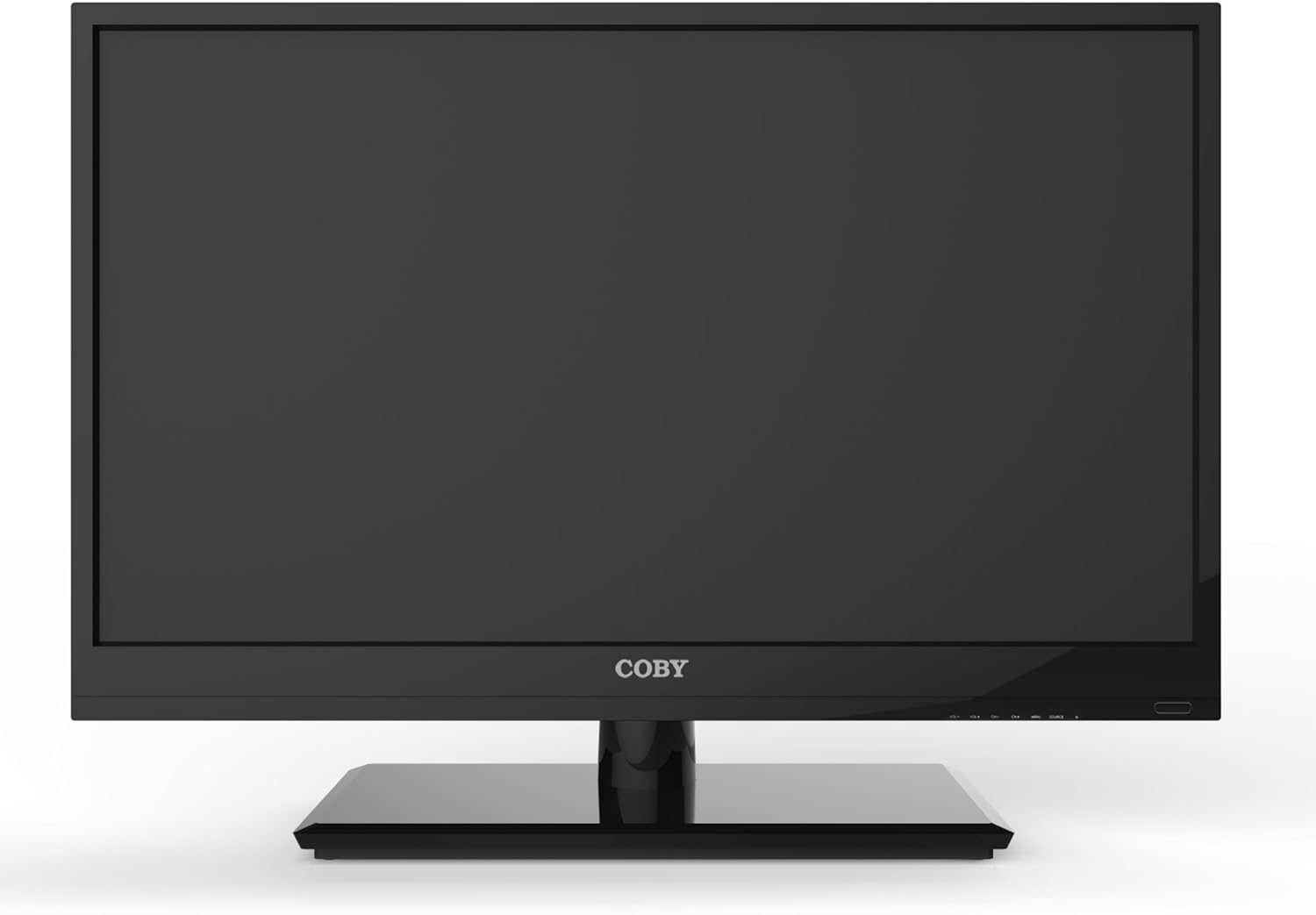
Слика 4.1: Предња страна view of the Coby LEDTV3216 with stand.
4.2 Монтажа на зид (опционо)
The TV supports VESA 200mm x 200mm wall mounts. Wall mount hardware is not included. For safe installation, it is recommended to have the TV wall-mounted by a professional.
4.3 Повезивање уређаја
The Coby LEDTV3216 offers various input ports on the rear panel for connecting external devices.
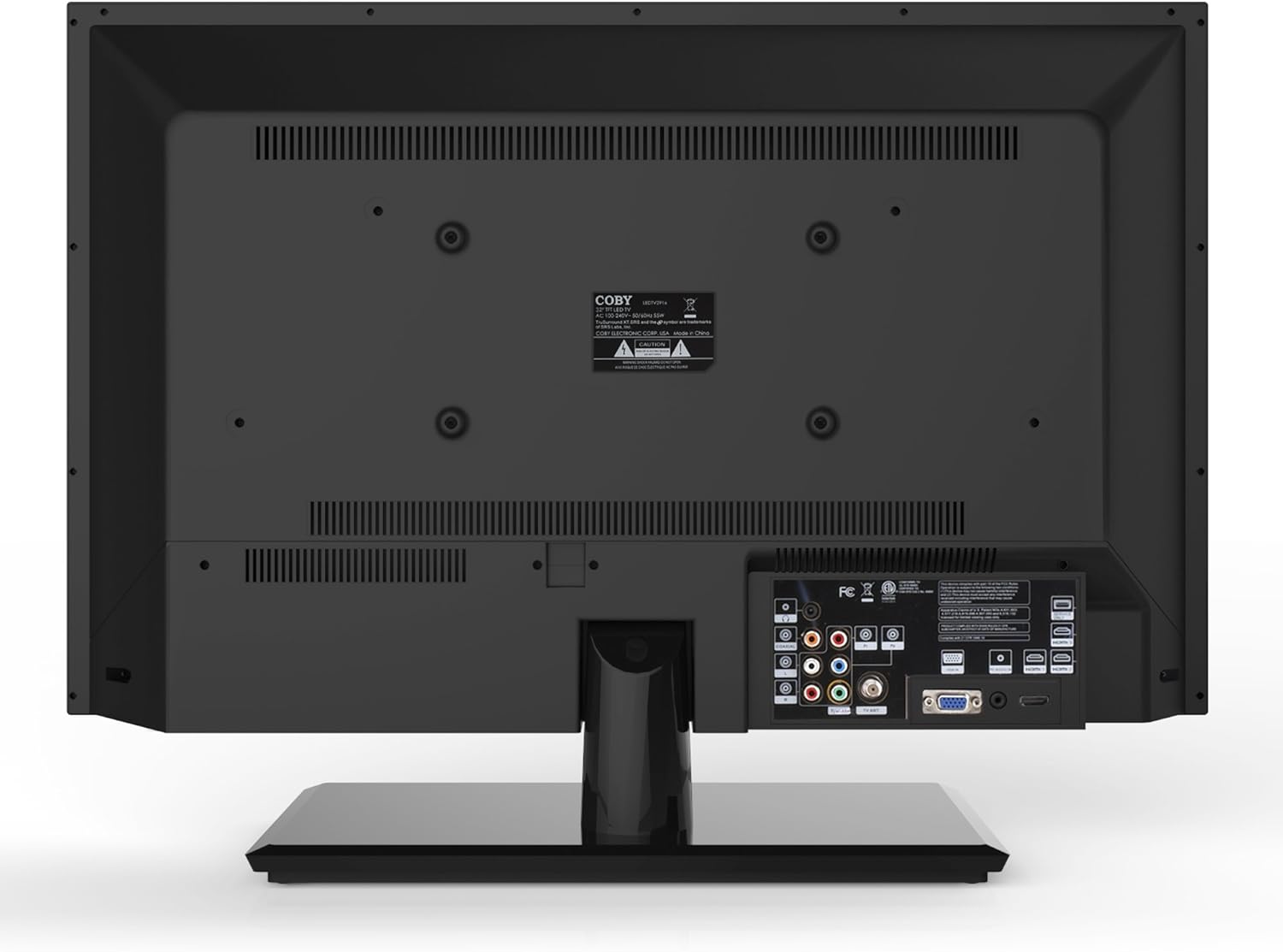
Слика 4.2: Задња страна view with input ports.
- ДВИ: Connect high-definition devices such as Blu-ray players, game consoles, or cable/satellite boxes using an HDMI cable. The TV has 1 HDMI port.
- VGA (PC Input): Connect a computer to use the TV as a monitor. Use a VGA cable for video and a 3.5mm audio cable for audio input.
- Антена/кабл: Connect an antenna or cable TV feed to the RF input for receiving broadcast channels.
- Component Video (YPbPr): Connect devices using component video cables (red, green, blue) and corresponding audio cables (red, white).
- Composite Video (AV): Connect older devices using composite video (yellow) and stereo audio (red, white) cables.
4.4 Почетно укључивање
After connecting all desired devices and the power cord, press the Power button on the TV or remote control. Follow the on-screen prompts for initial setup, including language selection and channel scanning.
5. Управљање телевизором
5.1 Функције даљинског управљача
The remote control allows you to access all TV functions. Insert the two included AAA batteries into the remote control, observing polarity.
- Снага: Укључује или искључује ТВ.
- Улаз/извор: Selects the input source (HDMI, VGA, TV, AV, Component).
- Јачина звука (+/-): Подешава ниво јачине звука.
- Канал (CH +/-): Мења ТВ канале.
- Мени: Opens the on-screen display (OSD) menu.
- Навигациона дугмад (горе/доле/лево/десно): Крећите се кроз опције менија.
- ОК/Ентер: Потврђује изборе.
- Излаз: Затвара мени.
- Искључи звук: Искључује или укључује звук.
- Инфо: Displays channel or program information.
5.2 Навигација кроз мени
Притисните тастер Мени button on the remote to access the main menu. Use the navigation buttons to select categories such as Picture, Sound, Channel, Time, and Setup. Press OK to enter a sub-menu and adjust settings. Press Изађи да напусти мени.
5.3 Подешавања слике
Adjust settings like Brightness, Contrast, Color, Tint, and Sharpness to optimize your viewing experience. Picture modes (e.g., Standard, Dynamic, Movie, User) are available for quick adjustments.

Figure 5.1: Coby LEDTV3216 displaying an image.
5.4 Подешавања звука
Adjust Bass, Treble, and Balance. Sound modes (e.g., Standard, Music, Movie, User) are available. The TV features premium sound powered by SRS Labs.
5.5 Подешавања канала
Perform auto-scan or manual scan to find available channels. The built-in digital TV tuner supports ATSC, NTSC, and QAM standards.
5.6 Parental Control (V-Chip)
The V-chip parental control feature allows you to block programs based on their rating. Access this setting through the menu and follow the on-screen instructions to set up a password and content restrictions.
6. Карактеристике
Key features of the Coby LEDTV3216 include:
- Energy efficient technology (standby power less than 0.5W).
- Extended backlight life expectancy (30,000 hours).
- Built-in digital TV tuner (ATSC/NTSC/QAM).
- HDMI digital connection for perfect signal transmission.
- PC VGA connection for use as a computer monitor.
- Premium sound powered by SRS Labs.
- Дигитално смањење шума.
- V-chip parental control, Closed-Caption, and Electronic Program Guide support.
- Energy Star 5.3 compliant.
- Multi-language on-screen display.
- Wall-Mountable design (200mm x 200mm VESA Mount).
7. Спецификације
| Феатуре | Спецификација |
|---|---|
| Назив модела | LEDTV3216 |
| Величина екрана | 32 инча |
| Дисплаи Тецхнологи | ЛЕД |
| Резолуција | 720п |
| Рефресх Рате | 60 Хз |
| Однос контраста | 3,000:1 |
| Време одговора | 6 милисекунди |
| Технологија повезивања | ХДМИ, ВГА |
| Total Number of HDMI Ports | 1 |
| Тип тјунера | АТСЦ, НТСЦ, КАМ |
| Родитељска контрола | В-Цхип |
| VESA стандард за монтирање | 200 к 200 мм |
| Тежина артикла | 18.08 фунти |
| Боја | Црно |

Figure 7.1: Estimated Yearly Energy Cost for LEDTV3216.
8. Одржавање
8.1 Чишћење екрана
Нежно обришите екран меком крпом која не оставља влакна. За тврдокорне мрље, лагано дampОбришите крпу водом или специјализованим средством за чишћење екрана. Никада не прскајте средство за чишћење директно на екран.
8.2 Чишћење кабинета
Wipe the TV cabinet with a soft, dry cloth. Avoid using abrasive cleaners or solvents that may damage the finish.
КСНУМКС. Решавање проблема
Ако наиђете на проблеме са телевизором, погледајте следеће уобичајене проблеме и решења:
| Проблем | Могући узрок / решење |
|---|---|
| Нема струје | Ensure the power cord is securely plugged into the TV and a working electrical outlet. Check the power indicator light. |
| Нема слике, али је звук присутан | Проверите да ли је изабран исправан улазни извор. Проверите кабловске везе са спољним уређајима. |
| Нема звука, али је слика присутна | Проверите ниво јачине звука и уверите се да телевизор није искључен. Проверите везе аудио каблова за екстерне уређаје. |
| Лош квалитет слике | Adjust picture settings (brightness, contrast, sharpness). Ensure the antenna or cable connection is secure. For digital channels, perform a channel scan. |
| Даљински управљач не ради | Check and replace batteries if necessary. Ensure there are no obstructions between the remote and the TV's IR sensor. |
10. Гаранција и подршка
The Coby LEDTV3216 comes with a limited warranty. Please refer to the warranty card included with your product for specific terms and conditions. For technical support or service inquiries, please contact Coby customer service through their official webсајт или контакт информације наведене у вашој гарантној документацији.