
Увод
This manual provides detailed instructions for the installation, operation, and maintenance of your Akasa AK-CC7108EP01 CPU Cooler. Please read this manual thoroughly before installation and use to ensure proper function and longevity of the product. This CPU cooler is designed to efficiently dissipate heat from your computer's central processing unit (CPU), maintaining optimal operating temperatures.
Безбедносне информације
- Увек искључите напајање из рачунара пре инсталирања или уклањања било којих компоненти.
- Handle the CPU cooler and CPU with care to avoid damage to pins or components.
- Wear an anti-static wrist strap or frequently touch a grounded metal object to prevent electrostatic discharge (ESD) damage to sensitive electronic components.
- Чувати ван домашаја деце.
- Ensure proper ventilation inside your computer case.
Садржај пакета
Проверите да ли су све ставке присутне у пакету:
- Akasa AK-CC7108EP01 CPU Cooler (Heatsink with pre-attached fan)
- Integrated push-pin mounting mechanism
- Pre-applied thermal interface material (TIM) on the heatsink base
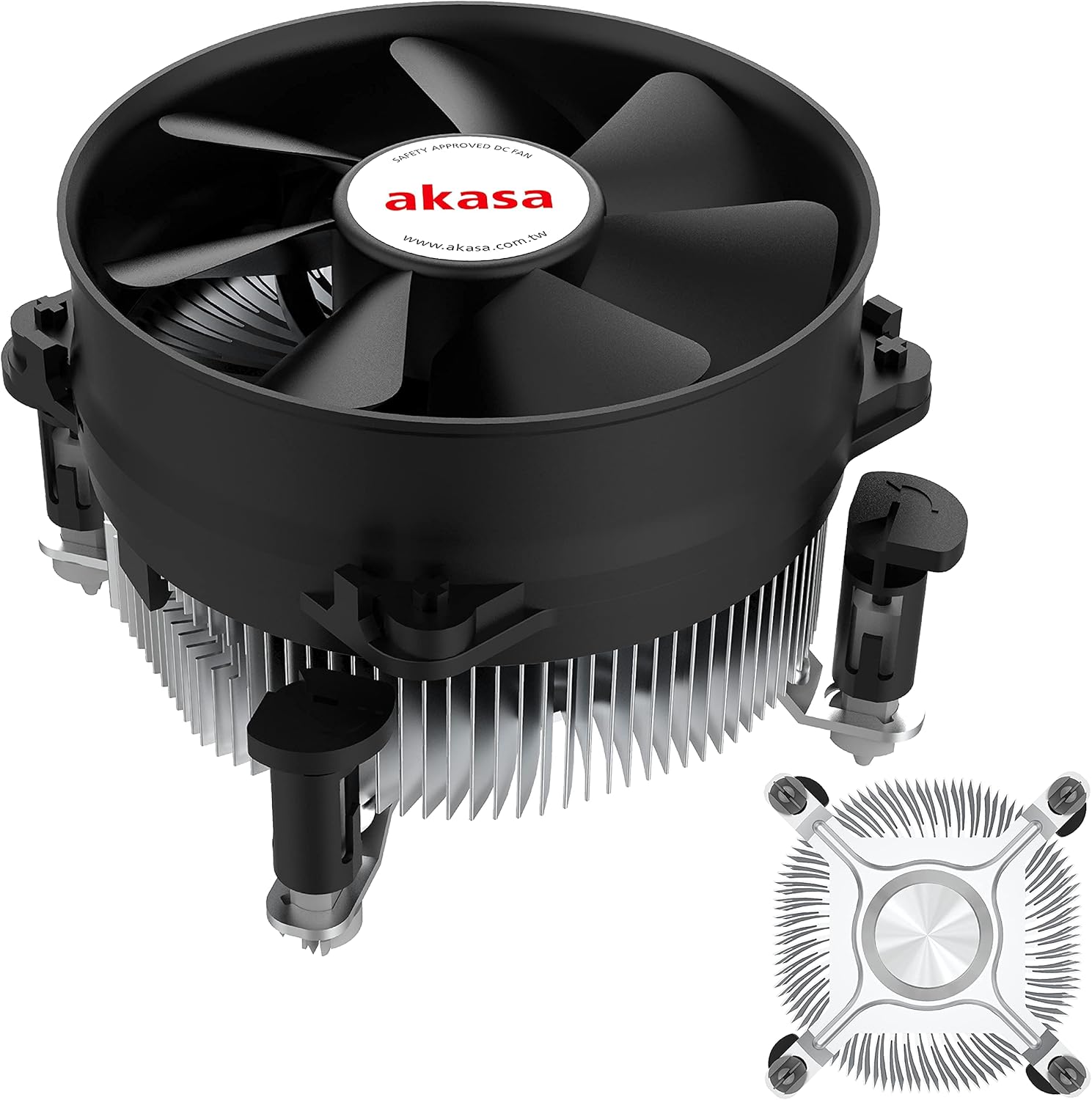
Слика 1: The Akasa AK-CC7108EP01 CPU Cooler, showing the fan, heatsink, and push-pin mounting system.
Подешавање и инсталација
This section details the steps required to install the Akasa AK-CC7108EP01 CPU cooler onto your motherboard. This cooler utilizes a push-pin mounting system compatible with specific Intel sockets (e.g., LGA775, LGA115x).
1. Припрема
- Искључивање: Уверите се да је рачунар потпуно искључен из напајања и да је кабл искључен из зидне утичнице.
- Матична плоча за приступ: Open your computer case to gain access to the motherboard and CPU socket.
- Уклоните стари хладњак (ако је применљиво): If replacing an existing cooler, carefully remove it. Clean any old thermal paste from the CPU surface using isopropyl alcohol and a lint-free cloth.
- Inspect CPU: Ensure the CPU is correctly seated in its socket and the retention arm is locked.
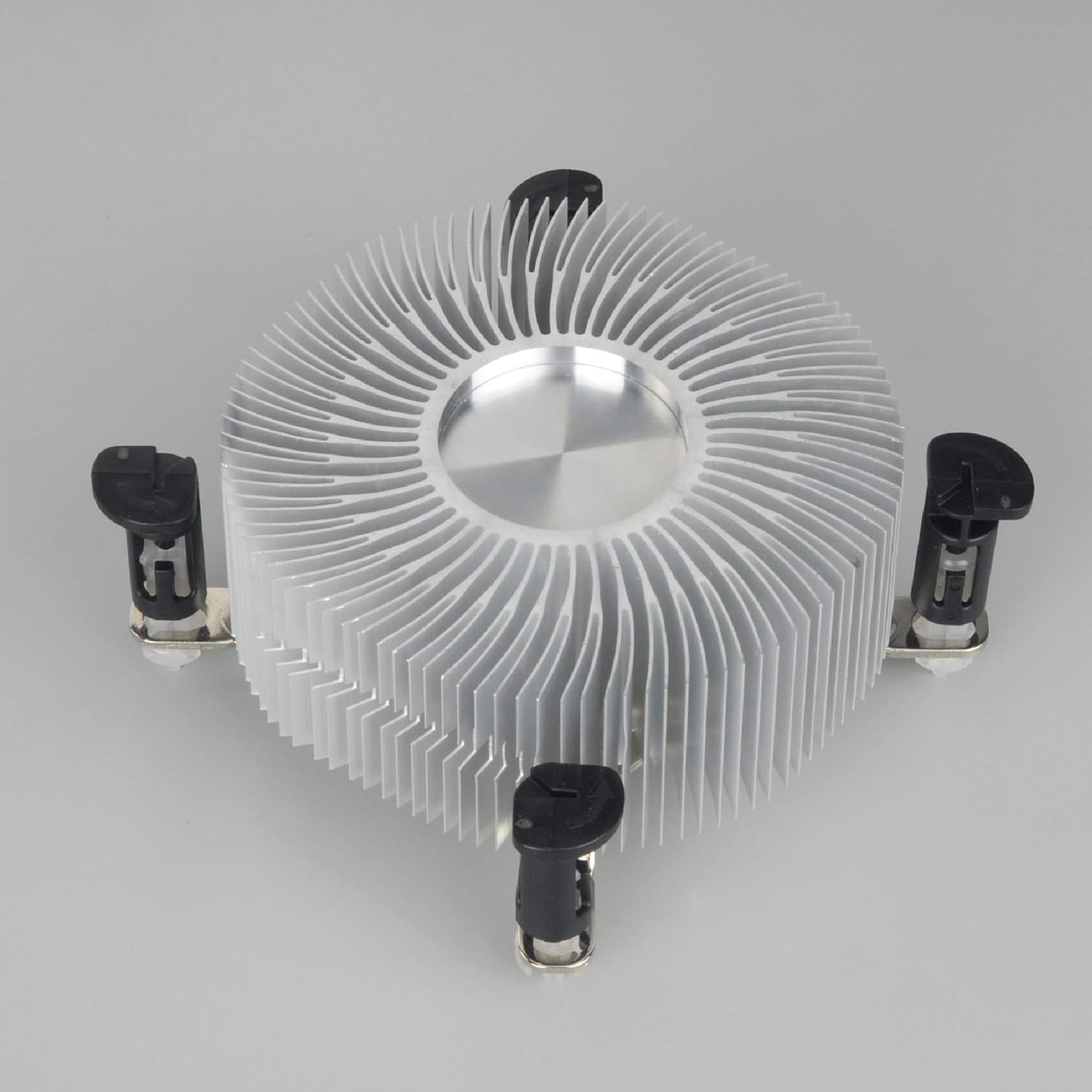
Слика 2: Доња страна view of the heatsink, showing the pre-applied thermal paste and the four push-pin mounting posts.
2. Монтирање хладњака
- Align Cooler: Carefully align the four push-pins on the cooler with the four mounting holes around the CPU socket on the motherboard.
- Push Pins Down: Press down firmly and evenly on each of the four push-pins until they click into place. You should hear a distinct click for each pin, indicating it has secured properly. Ensure all four pins are fully engaged.
- Потврдите безбедно уклапање: Gently tug on the cooler to ensure it is securely attached to the motherboard and does not wobble. If it feels loose, re-engage the push-pins.
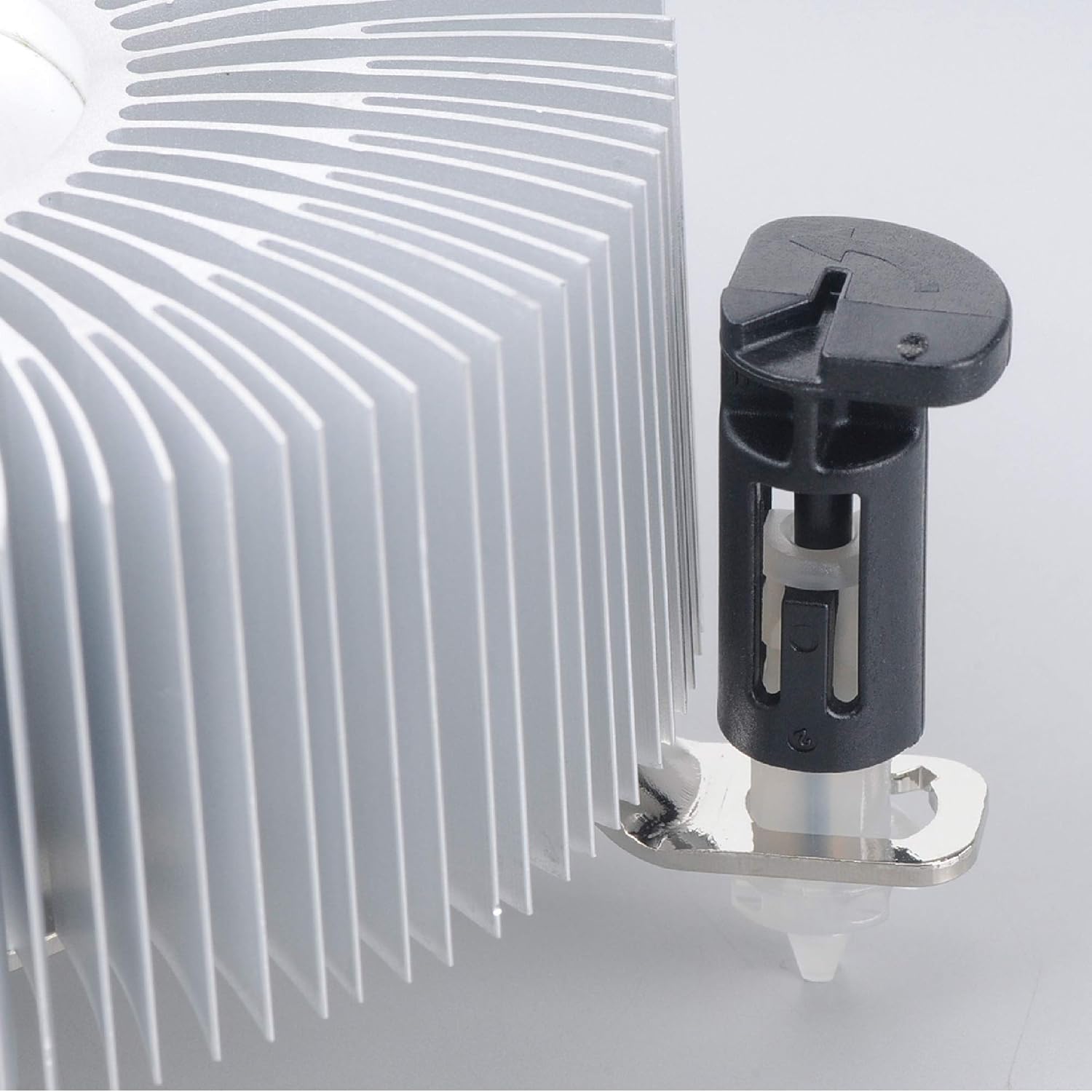
Слика 3: Detail of the push-pin mechanism. Ensure the black pin is pushed down through the white anchor to secure the cooler.
3. Connecting the Fan
- Locate CPU_FAN Header: Find the 4-pin CPU_FAN header on your motherboard. Refer to your motherboard manual if you are unsure of its location.
- Повежите кабл вентилатора: Connect the 4-pin fan cable from the Akasa cooler to the CPU_FAN header on the motherboard. Ensure the connector is oriented correctly.

Слика 4: Сиде view of the Akasa CPU cooler, highlighting the 4-pin fan power cable for connection to the motherboard.
4. Завршни кораци
- Затвори случај: Once the cooler is securely installed and the fan connected, close your computer case.
- Укључено: Поново повежите кабл за напајање и укључите рачунар.
- Провера BIOS-а/UEFI-ја: Enter your system's BIOS/UEFI settings to verify that the CPU fan is detected and operating at appropriate speeds. Monitor CPU temperatures during initial use to ensure proper cooling.
Упутство за употребу
The Akasa AK-CC7108EP01 CPU cooler operates automatically once installed and connected to the motherboard's CPU_FAN header. The 4-pin connector allows the motherboard to control the fan speed (PWM - Pulse Width Modulation) based on CPU temperature, optimizing cooling performance and noise levels.
- Аутоматска контрола брзине: The fan speed will adjust dynamically according to the CPU's thermal load.
- Надгледање: You can monitor CPU temperatures and fan speeds using motherboard monitoring software or within the BIOS/UEFI settings.
- Оптималне перформансе: Ensure adequate airflow within your computer case to support the cooler's performance.
Одржавање
Regular maintenance helps ensure optimal performance and extends the lifespan of your CPU cooler.
- Уклањање прашине: Periodically (e.g., every 3-6 months), power off and unplug your computer. Open the case and use compressed air to gently blow dust out of the heatsink fins and fan blades. Hold the fan blades to prevent them from spinning rapidly during cleaning, which can damage the fan motor.
- инспекција: Check the fan for any signs of damage or excessive noise. Ensure the cooler remains securely mounted to the motherboard.
- Термална паста: The pre-applied thermal paste is designed for long-term use. If you ever need to remove and re-install the cooler, it is recommended to clean off the old thermal paste from both the CPU and heatsink and apply a fresh layer of high-quality thermal paste.
Решавање проблема
If you encounter issues with your Akasa AK-CC7108EP01 CPU cooler, refer to the following common problems and solutions:
- проблем: Температуре процесора су високе.
решење:
- Ensure the cooler is securely mounted and all four push-pins are fully engaged.
- Verify the fan cable is correctly connected to the CPU_FAN header on the motherboard.
- Check for excessive dust buildup on the heatsink fins and fan blades, and clean if necessary.
- Confirm that the thermal paste application is adequate. If the cooler was removed and reinstalled without fresh thermal paste, reapply it.
- Ensure proper airflow within the computer case.
- проблем: Вентилатор се не окреће.
решење:
- Check the fan cable connection to the CPU_FAN header.
- Verify that the CPU_FAN header is enabled in the BIOS/UEFI settings.
- Ensure no cables or obstructions are preventing the fan blades from spinning.
- проблем: Вентилатор је претерано бучан.
решење:
- Очистите прашину са лопатица вентилатора.
- Check if the fan is rubbing against any cables or components.
- In BIOS/UEFI, adjust fan speed curves if available, to reduce fan speed at lower temperatures.
- If the noise persists and is a grinding or rattling sound, the fan bearing may be failing, and replacement might be necessary.
Спецификације
The following table outlines the technical specifications for the Akasa AK-CC7108EP01 CPU Cooler:
| Феатуре | Спецификација |
|---|---|
| Бранд | Акаса |
| Модел | AK-CC7108EP01 |
| Компатибилни уређаји | Desktop (Intel LGA775, LGA115x) |
| Метод хлађења | Ваздух |
| Материјал | Алуминијум |
| Максимална брзина ротације | 1800 РПМ |
| Ниво буке | 92 децибела (максимално) |
| Волtage | 12 Волтс |
| Ватtage | 77 watts (TDP) |
| Тип конектора за напајање | 4-пински ПВМ |
| Димензије производа | 9.5 к 9.5 к 5.85 цм |
| Тежина артикла | 290.3 г |
Гаранција и подршка
For warranty information and technical support, please refer to the official Akasa webсајт или контактирајте продавца. Сачувајте доказ о куповини за потребе гаранције.