
Увод
This manual provides detailed instructions for the setup, operation, and maintenance of your iLive ISB212B Bluetooth Speaker. This compact speaker delivers audio wirelessly from compatible Bluetooth devices and also supports wired connections. Please read this manual thoroughly before using your speaker.
Садржај пакета
- iLive ISB212B Bluetooth Speaker
- Mini-USB to USB Charging Cable
Карактеристике производа
- Wireless audio streaming via Bluetooth
- LED pairing indicator for connection status
- Compact, cylindrical design
- Rechargeable battery with approximately 2 hours of playback
- Mini-USB port for battery recharging
- 3.5mm Audio Input for wired connections
Контроле и индикатори
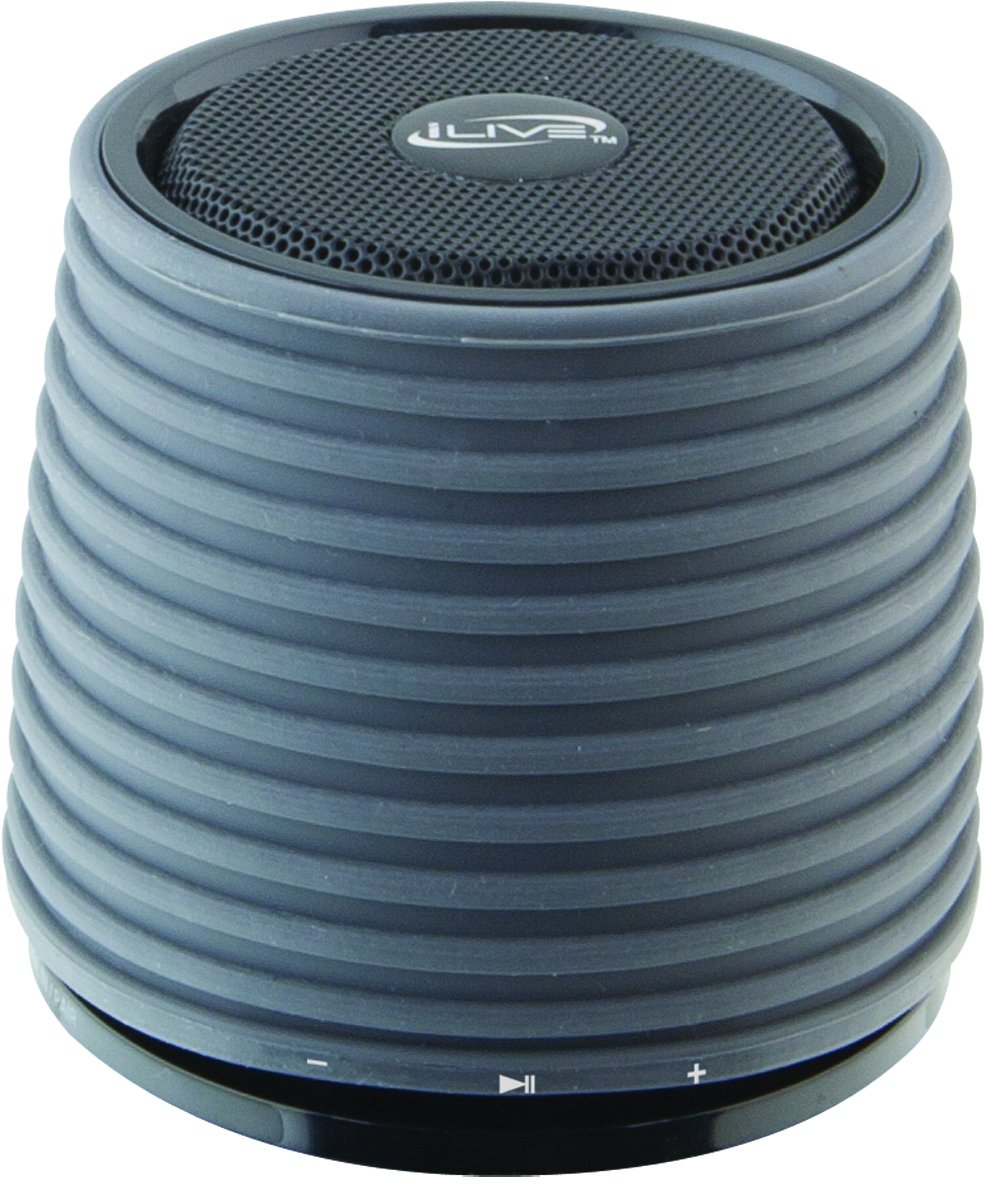
This image displays the iLive ISB212B Bluetooth Speaker. It features a cylindrical shape with a textured grey body and a black speaker grille on top. A band around the middle shows control buttons for play/pause, volume up/next track, and volume down/previous track.
- Дугме за напајање: Притисните и држите за укључивање/искључивање.
- Дугме за репродукцију/паузу: Контролише репродукцију звука.
- Дугме за појачавање јачине звука / следећу нумеру: Кратак притисак за појачавање јачине звука, дуг притисак за следећу нумеру.
- Дугме за смањивање јачине звука / претходну нумеру: Кратак притисак за смањивање јачине звука, дуг притисак за претходну нумеру.
- LED Pairing Indicator: Приказује статус Bluetooth везе.
- Мини-УСБ порт: За пуњење унутрашње батерије.
- 3.5 мм аудио улаз: For connecting external audio devices via an auxiliary cable (not included).
Сетуп
1. Пуњење батерије
- Connect the small end of the included Mini-USB to USB charging cable to the Mini-USB port on the speaker.
- Повежите већи крај УСБ кабла за пуњење са напајаним УСБ портом (нпр. рачунаром, УСБ адаптером за зид).
- The LED indicator will illuminate during charging and turn off or change color when fully charged.
- A full charge provides approximately 2 hours of playback time.
2. Укључивање/искључивање
- To power on, press and hold the Power button until the LED indicator illuminates.
- To power off, press and hold the Power button again until the LED indicator turns off.
Упутство за употребу
1. Блуетоотх упаривање
- Ensure the speaker is powered on and within 30 feet of your Bluetooth device.
- The LED pairing indicator will flash, indicating it is in pairing mode.
- On your Bluetooth device (smartphone, tablet, etc.), enable Bluetooth and search for new devices.
- Select "iLive ISB212B" from the list of available devices.
- Once paired, the LED pairing indicator will become solid, and you may hear an audible confirmation.
- Ако упаривање не успе, искључите звучник и уређај, а затим поновите кораке.
2. Репродукција звука
- Након успешног упаривања путем Bluetooth-а, почните да репродукујете звук на повезаном уређају.
- Use the Play/Pause button on the speaker to control playback.
- Use the Volume Up/Down buttons for volume adjustment. Long press for track navigation.
3. Using the 3.5mm Audio Input
- Connect one end of a 3.5mm audio cable (not included) to the 3.5mm Audio Input port on the speaker.
- Повежите други крај кабла са прикључком за слушалице или аудио излазом вашег екстерног аудио уређаја.
- Звучник ће се аутоматски пребацити у режим помоћног улаза.
- Adjust volume using your external device and the speaker's volume controls.
Одржавање
- Очистите звучник меком, сувом крпом. Не користите абразивна средства за чишћење или раствараче.
- Држите звучник даље од воде, влаге и екстремних температура. Овај производ није водоотпоран.
- Чувајте звучник на хладном и сувом месту када га не користите дуже време.
- Не покушавајте да растављате или модификујете звучник. То ће поништити гаранцију.
Решавање проблема
| Проблем | Решење |
|---|---|
| Звучник се не укључује. | Ensure the battery is charged. Connect the speaker to a power source using the Mini-USB cable. |
| Није могуће упарити са Блуетоотх уређајем. |
|
| Нема звука или је јачина звука ниска. |
|
| Кратко трајање батерије. | Уверите се да је звучник потпуно напуњен пре употребе. Трајање батерије може да варира у зависности од нивоа јачине звука и коришћења. |
Спецификације
| Феатуре | Детаљ |
|---|---|
| Број модела | ИСБ212Б |
| Повезивање | Bluetooth, 3.5mm Auxiliary, Mini-USB (charging) |
| Излазна снага звучника | 3 Ваттс |
| Тип батерије | 1 литијум јон (укључено) |
| Трајање батерије (приближно) | 2 сата |
| Димензије производа | 7.8 к 7.8 к 7.01 цм |
| Тежина артикла | 295 г |
| Земља порекла | Кина |
| Водоотпоран | бр |
Гаранција и подршка
This iLive ISB212B Bluetooth Speaker comes with a 90-дневна гаранција from the date of purchase. This warranty covers manufacturing defects. For technical support or warranty claims, please refer to the contact information provided with your product packaging or visit the official iLive webсајту.