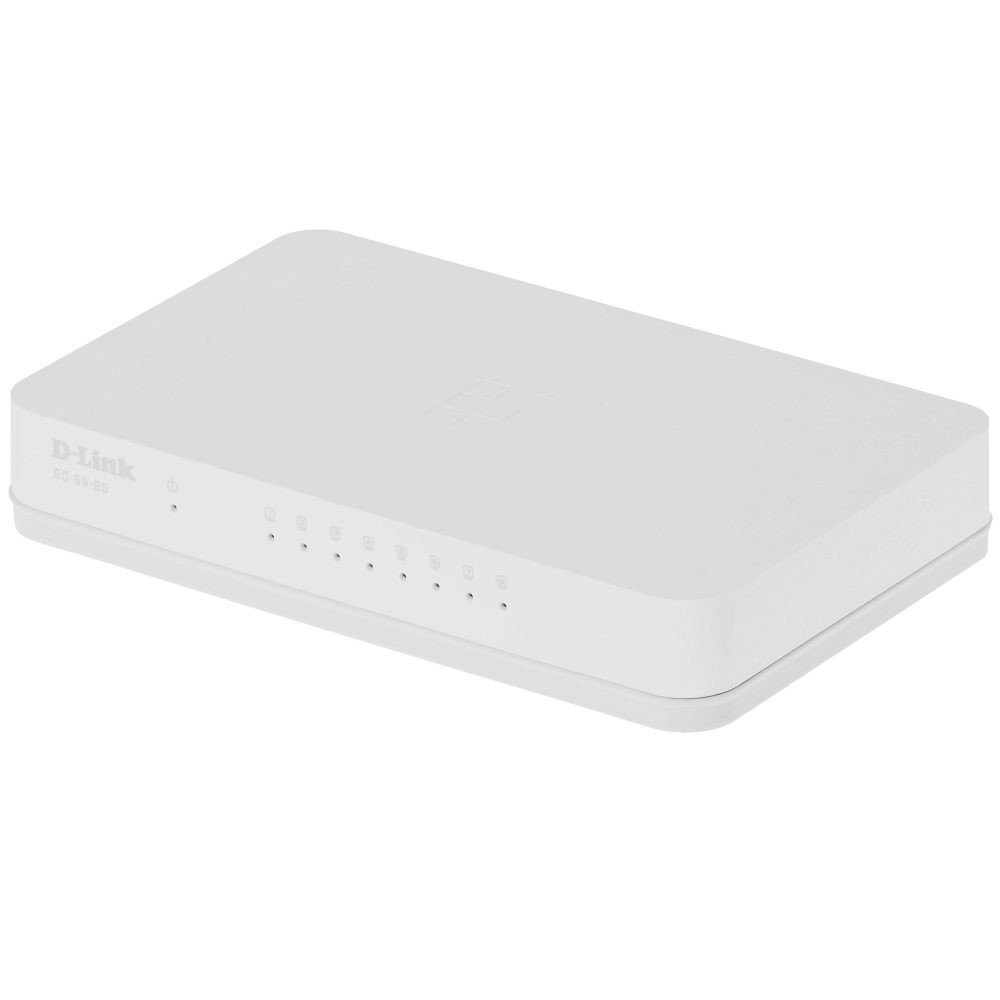
The D-Link GO-SW-8G is an 8-port unmanaged Gigabit desktop switch designed for small office and home office (SOHO) environments. This device facilitates network expansion by providing eight 10/100/1000 Mbps Ethernet ports, enabling high-speed data transfer for connected devices. It incorporates D-Link's Green Technology for energy efficiency, reduced heat generation, and extended product lifespan.
Сетуп
Садржај пакета
Проверите да ли ваш пакет садржи следеће ставке:
GO-SW-8G device
Повер Адаптер
Повезивање прекидача
The GO-SW-8G is a plug-and-play device, requiring no software configuration for basic operation. Follow these steps to set up your switch:
Прикључак за напајање: Connect the provided power adapter to the power input port on the rear panel of the GO-SW-8G switch and then plug the adapter into a standard electrical outlet.
Веза са мрежним уређајем: Connect Ethernet cables from your network devices (e.g., computers, network-attached storage, routers) to any of the eight available RJ45 ports on the GO-SW-8G switch. The switch supports auto MDI/MDIX, so you can use either straight-through or crossover Ethernet cables.
Верификација: Once connected, the corresponding LED indicator for each active port will illuminate, indicating a successful link.
Image: D-Link GO-SW-8G 8-Port Unmanaged Gigabit Desktop Switch. This image displays the compact white design of the switch with its multiple Ethernet ports and power input.
Оперативни
The D-Link GO-SW-8G operates as an unmanaged switch, meaning it requires no user configuration for its core functions. It automatically detects network speed and duplex mode for each connected device, providing optimal performance. The Gigabit Ethernet ports support data transfer rates of up to 1000 Mbps, facilitating fast communication within your local network.
ЛЕД индикатори
The switch features LED indicators for each port and for power. These indicators provide visual feedback on the status of the switch and its connections:
ЛЕД за напајање: Светли када је прекидач укључен.
ЛЕД индикатори за везу/активност (по порту):
Стално зелено: Indicates a successful network link at Gigabit speed (1000 Mbps).
Чврсти ћилибар: Indicates a successful network link at Fast Ethernet speed (10/100 Mbps).
Трепери: Indicates network activity (data transmission or reception) on that port.
Искључено: No link detected or device is not powered on/connected.
Одржавање
To ensure optimal performance and longevity of your D-Link GO-SW-8G switch, follow these general maintenance guidelines:
Пласман: Place the switch in a well-ventilated area to prevent overheating. Avoid direct sunlight and heat sources.
Чишћење: Користите меку, суву крпу за чишћење спољашњости прекидача. Не користите течна или аеросолна средства за чишћење.
Управљање кабловима: Уверите се да су мрежни каблови уредно организовани и да нису претерано савијени или затегнути.
Напајање: Користите само адаптер за напајање који сте добили уз уређај.
Решавање проблема
If you encounter issues with your D-Link GO-SW-8G switch, refer to the following common troubleshooting steps:
Нема напајања:
Уверите се да је адаптер за напајање безбедно повезан са прекидачем и исправном електричном утичницом.
Проверите да ли је утичница функционална тако што ћете укључити други уређај.
Без светла везе:
Verify that the Ethernet cable is securely plugged into both the switch port and the network device.
Уверите се да је повезани мрежни уређај укључен и да исправно функционише.
Try a different Ethernet cable to rule out cable failure.
Тестирајте са другим портом на прекидачу.
Мала брзина мреже:
Confirm that all connected devices and cables support Gigabit Ethernet (1000 Mbps) for optimal performance.
Check for excessive network traffic or bandwidth-intensive applications running on connected devices.
Ensure the switch is placed in an area with adequate ventilation to prevent performance degradation due to overheating.
Спецификације
Бранд
Д-Линк
Број модела
GO-SW-8G/B
Број портова
8
Брзина преноса података
1000 Megabytes Per Second (Gigabit)
Тип прекидача
Унманагед
Интерфејс
РЈ45
Компатибилни уређаји
ПЦ, Мац
Волtage
5 Волтс
Тип материјала кућишта
Пластика
Тежина артикла
0.3 фунти
Информације о гаранцији
The D-Link GO-SW-8G switch comes with a 3-годишња ограничена гаранција. For detailed terms and conditions, please refer to the warranty card included with your product or visit the official D-Link webсајту.
Подршка
For technical support, product registration, or to download the latest firmware and documentation, please visit the official D-Link support website. You can typically find support resources by searching for your product model (GO-SW-8G) on their site.
Ask about setup, troubleshooting, compatibility, parts, safety, or missing instructions. Manuals+ will review the question and use this page’s manual context to help answer it.