
1. Увод
This manual provides essential information for the safe and effective use of your ProForm Power 995c Treadmill. Please read all instructions carefully before assembly and operation. Retain this manual for future reference.

Image 1.1: The ProForm Power 995c Treadmill, ready for use.
2. Безбедносне информације
To reduce the risk of serious injury, read all important precautions and instructions in this manual before using the treadmill. ProForm assumes no responsibility for personal injury or property damage sustained by or through the use of this product.
- Увек се консултујте са својим лекаром пре него што започнете било који програм вежбања.
- Држите децу и кућне љубимце даље од траке за трчање.
- Place the treadmill on a level surface with at least 6 feet of clear space behind it and 2 feet on each side.
- Носите одговарајућу одећу за вежбање и спортске ципеле.
- Не користите траку за трчање ако је оштећена или неисправна.
- Always use the safety key. Attach the clip to your clothing before starting the treadmill.
- Не прекорачујте максималну тежину корисника од 159 кг (350 фунти).

Image 2.1: User preparing to use the treadmill.
3. Упутство за монтажу
The ProForm Power 995c Treadmill requires assembly. Due to its weight and size, it is recommended that two or more people assist with the assembly process. Ensure all parts are present before beginning. Refer to the included assembly guide for detailed, step-by-step instructions and diagrams.
3.1 Space Saver Design
This treadmill features a Space Saver design, allowing the walking platform to be folded vertically for storage. To fold, lift the walking platform until the latch pin locks it in the upright position. To unfold, push the latch pin and slowly lower the platform to the floor.

Image 3.1: Folding the treadmill for compact storage.
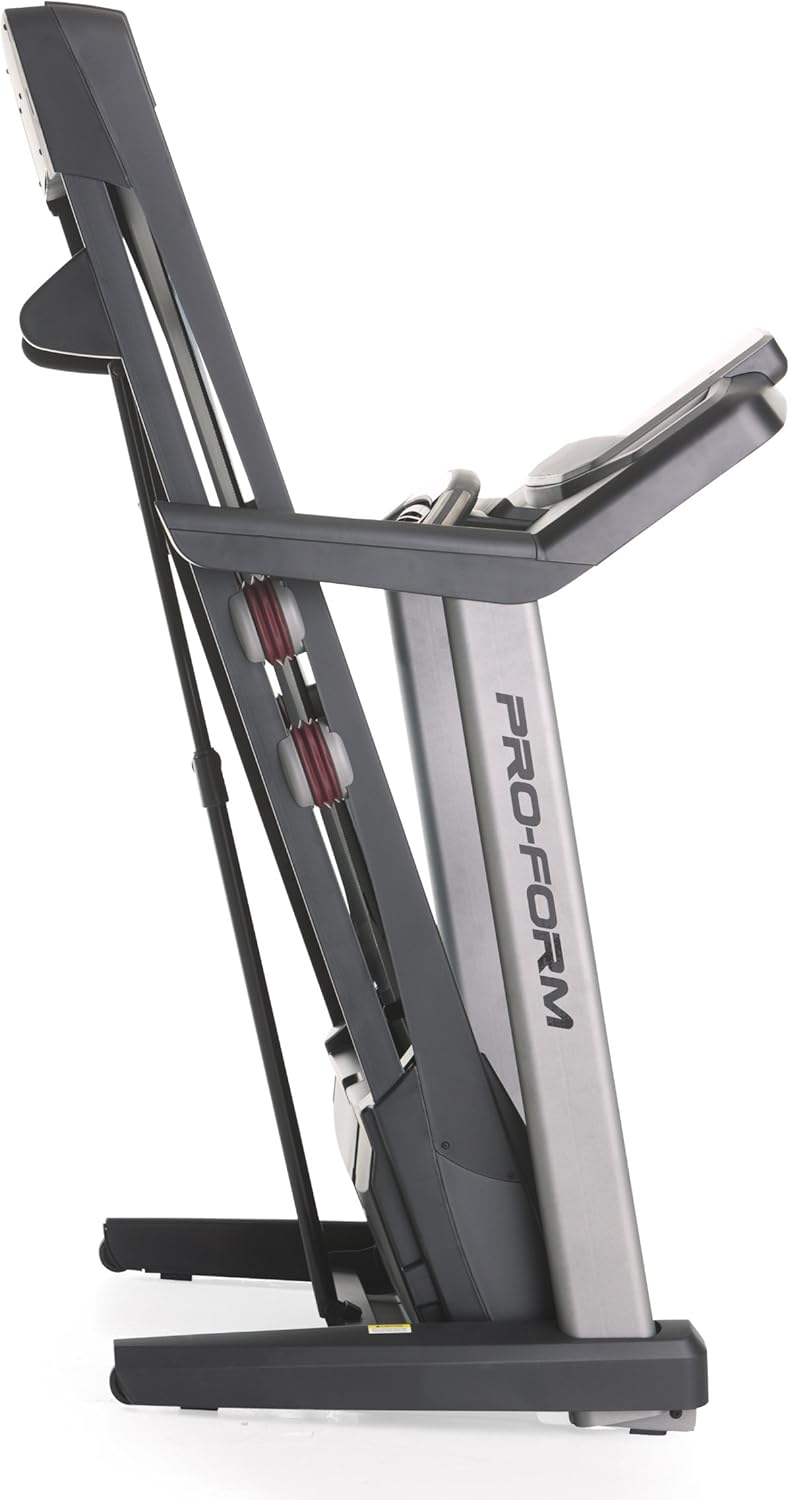
Image 3.2: The treadmill in its folded position.
4. Упутство за употребу
Familiarize yourself with the console and its functions before starting your workout.
4.1 Конзола прекоview
The treadmill features a 7-inch oversized backlit display that shows your workout metrics. The console includes QuickSpeed and Quick Incline controls for easy adjustments during your exercise.

Image 4.1: Treadmill console with display and control buttons.
4.2 Starting a Manual Workout
- Станите на траку за трчање.
- Причврстите сигурносни кључ на своју одећу.
- Притисните тастер СТАРТ button. The belt will begin to move at a low speed.
- Подесите брзину помоћу QuickSpeed дугмад или + и - дугмад.
- Adjust the incline using the Quick Incline дугмад или ^ и v дугмад.
- Да бисте зауставили, притисните СТОП дугме или повуците сигурносни кључ.

Image 4.2: Interacting with the console controls.
4.3 Built-in Workout Apps
The treadmill includes 30 pre-programmed workout apps. Select a workout by pressing the corresponding number button on the console. The treadmill will automatically adjust speed and incline according to the program.
4.4 iFit Compatibility
The ProForm Power 995c Treadmill is iFit Compatible. With an iFit wireless module (sold separately), you can access a library of interactive workouts, track your progress, and simulate real-world routes using Google Maps. The console also features a media tray for your personal devices.

Image 4.3: iFit Compatible feature on the console.

Image 4.4: Media tray for personal devices.
4.5 Праћење откуцаја срца
The treadmill is equipped with a heart rate monitor. Grip the metal sensors on the handlebars to display your heart rate on the console. This feature helps you stay within your target heart rate zone.
5. Одржавање
Редовно одржавање осигурава дуготрајност и оптималне перформансе ваше траке за трчање.
- Чишћење: Обришите површине траке за трчање огласомamp крпом након сваке употребе. Избегавајте абразивна средства за чишћење.
- Подмазивање каиша: Periodically check and lubricate the walking belt as instructed in the detailed assembly guide. Proper lubrication prevents friction and wear.
- Поравнање и затезање каиша: Ensure the walking belt remains centered and properly tensioned. Adjustments may be necessary over time. Refer to the assembly guide for specific instructions.
- Поклопац мотора: Keep the motor cover clean and free of dust to ensure proper ventilation.
КСНУМКС. Решавање проблема
If you encounter issues with your treadmill, refer to the following common solutions. For problems not listed here, contact customer support.
| Проблем | Могући узрок | Решење |
|---|---|---|
| Трака за трчање се не укључује. | Power cord not plugged in; circuit breaker tripped; safety key not inserted. | Ensure power cord is securely plugged into a grounded outlet. Check household circuit breaker. Insert safety key fully into the console. |
| Walking belt slows down or stops during use. | Belt too loose; motor overheating; user weight exceeds capacity. | Adjust belt tension as per manual. Allow treadmill to cool down. Ensure user weight is within specifications. |
| Console display is erratic or not working. | Loose cable connection; console malfunction. | Check all cable connections to the console. If problem persists, contact customer support. |
| Unusual noise from the treadmill. | Loose parts; belt friction; motor issue. | Inspect for loose bolts or screws and tighten. Lubricate walking belt if needed. If noise persists, contact customer support. |
7. Спецификације
Detailed technical specifications for the ProForm Power 995c Treadmill.
- Број модела: ПФТЛ99912
- Мотор: 3.0 CHP Mach Z Commercial Plus Motor
- Максимална брзина: 12 миља на сат (19.3 км/х)
- Максимални нагиб: 15% Quick Incline Control
- Трака за газење: 20 inches x 60 inches (50.8 cm x 152.4 cm) Non-Stretch, Commercial Tread belt
- Јастучење: ProShox Cushioning
- Максимална тежина корисника: 350 фунти (159 кг)
- Димензије производа (ДкШкВ): 81" x 37" x 60" (205.7 цм x 94 цм x 152.4 цм)
- Склопљене димензије (приближно): 33"W x 14"H (Depth varies)
- Тип приказа: 7-inch Oversized Backlit LCD
- Апликације за вежбање: 30 Built-in Workout Apps
- Повезивање: иФит компатибилан
- Измерене метрике: Distance, Heart Rate, Incline, Time, Calories Burned, Speed
- Материјал оквира: Метал, Пластика

Image 7.1: ProShox Cushioning system.

Image 7.2: ProForm branding on the treadmill deck.
8. Гаранција и подршка
Your ProForm Power 995c Treadmill is covered by the following warranty:
- Frame and Motor: Доживотна гаранција
- делови: 3-годишња гаранција
- рад: 1-годишња гаранција
For warranty claims, technical assistance, or to order replacement parts, please contact ProForm Customer Service. Have your model number (PFTL99912) and serial number ready when contacting support.