
Vivitek D519
Vivitek D519 3000 Lumen XGA HDMI Portable DLP Projector User Manual
Модел: ДКСНУМКС
1. Увод
The Vivitek D519 is a versatile and portable digital projector designed to deliver high-quality presentations and media experiences. Featuring 3000 lumens of brightness, XGA (1024x768) native resolution, and a 15,000:1 contrast ratio, it ensures clear and vibrant images. This manual will guide you through the setup, operation, and maintenance of your D519 projector.
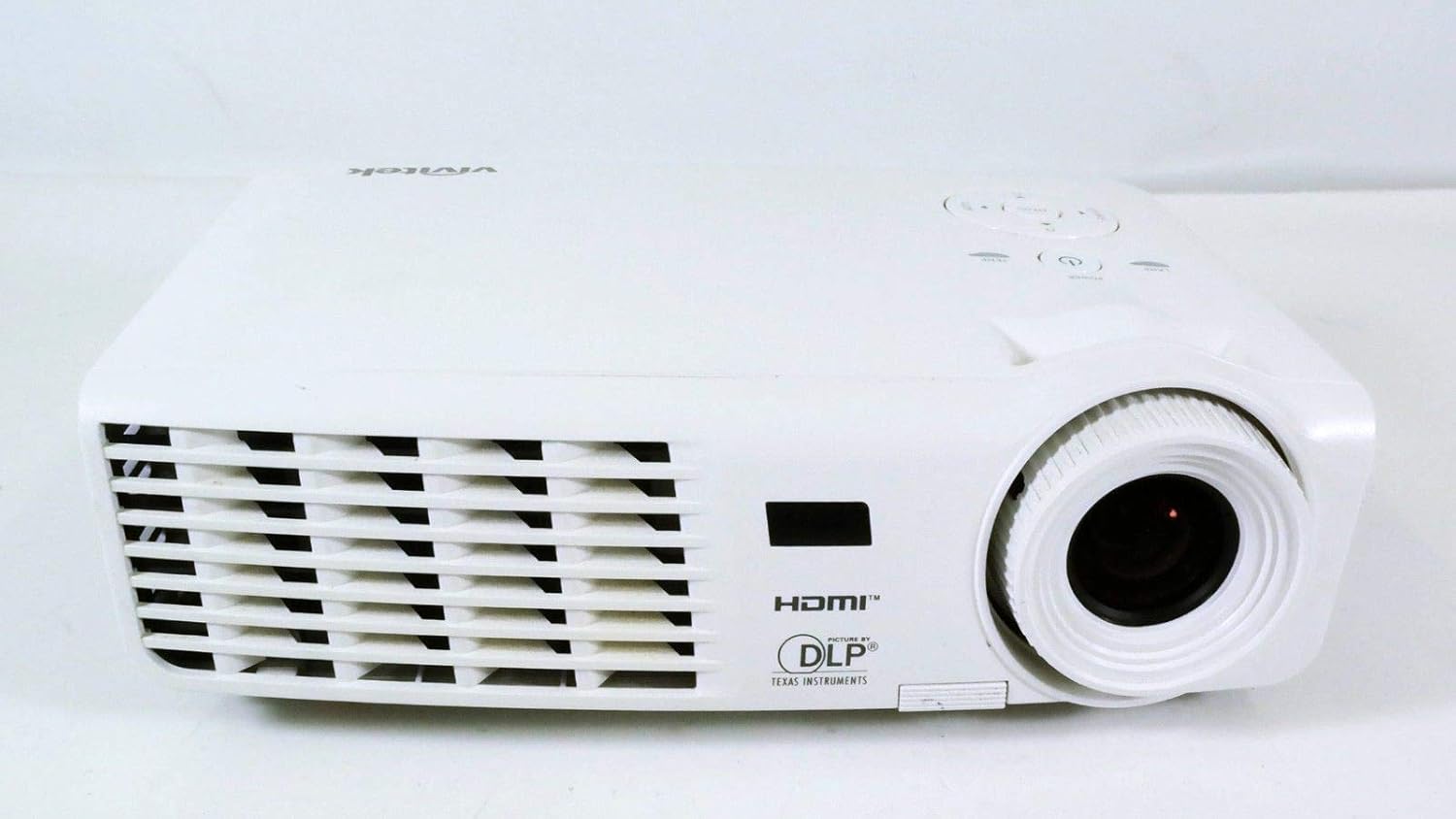
Слика 1.1: Предња страна view of the Vivitek D519 Projector, showing the lens and ventilation.
2. Подешавање
2.1 Unpacking the Projector
Пажљиво извадите све компоненте из паковања. Уверите се да су присутне све ставке наведене у наставку:
- Vivitek D519 Projector
- Кабл за напајање наизменичном струјом
- ВГА кабел
- Даљински управљач (са батеријама)
- Торбица за ношење
- User's Manual (CD)
- Поклопац објектива
- Гарантни лист
2.2 Физичко постављање
Place the projector on a stable, flat surface or mount it securely. Ensure adequate ventilation around the projector to prevent overheating. Avoid placing it near heat sources or in direct sunlight.
2.3 Повезивање уређаја
The D519 offers various connectivity options. Connect your source device (e.g., laptop, DVD player) to the appropriate input port on the projector.

Слика 2.1: Задња страна view of the Vivitek D519 Projector, highlighting the HDMI, VGA, S-Video, and audio input ports.
- ДВИ: For high-definition digital video and audio. Connect an HDMI cable from your source to the projector's HDMI port.
- ВГА: For analog computer video. Connect a VGA cable from your computer to the projector's VGA port.
- Аудио улаз: For analog audio input. Connect audio cables to the L-AUDIO-R or AUDIO IN ports as needed.
- С-Видео: За видео стандардне дефиниције.
- РС-232: За управљање пројектором преко рачунара или система за управљање.
2.4 Укључивање
Connect the AC power cord to the projector's power inlet and then to a power outlet. Press the Повер button on the projector's control panel or the remote control to turn on the projector. The power indicator light will illuminate.
3. Руковање пројектором
3.1 Контролна табла прекоview
Контролна табла на врху пројектора омогућава основно руковање без даљинског управљача.

Слика 3.1: Врх view of the Vivitek D519 Projector, showing the control panel with power, menu, source, and navigation buttons.
- Дугме за напајање: Укључује или искључује пројектор.
- Дугме извора: Cycles through available input sources (HDMI, VGA, S-Video, etc.).
- Дугме менија: Accesses the on-screen display (OSD) menu for advanced settings.
- Навигациона дугмад (горе/доле/лево/десно): Користи се за навигацију кроз опције менија и подешавање подешавања.
- Auto dugme: Automatically adjusts the image for optimal display.
3.2 Подешавање слике
Once the projector is powered on and an input source is selected, you may need to adjust the image for clarity and size.
- Прстен за фокусирање: Окрените прстен за фокусирање око објектива да бисте изоштрили слику.
- Прстен за зумирање: Rotate the zoom ring to adjust the image size without moving the projector. The D519 has a 1.1:1 zoom ratio.
- Кеистоне Цоррецтион: If the image appears trapezoidal, use the keystone correction feature (accessible via the OSD menu) to square the image.
3.3 Using the On-Screen Display (OSD) Menu
Притисните тастер Мени button on the projector or remote to access the OSD. Use the navigation buttons to browse categories such as Picture, Display, Setup, and Information. Press Ентер (or the center button on the navigation pad) to select an option and adjust settings.
4. Одржавање
4.1 Лamp Живот и замена
Пројектор лamp has a rated life of 4000 hours in Standard mode and up to 6000 hours in Economy mode. When the lamp достиже крај свог живота, лamp indicator light will illuminate, and a message may appear on screen. Refer to the detailed user manual (on CD) for lamp упутства за замену.
4.2 Чишћење пројектора
- Објектив: Користите меку крпу без влакана, посебно дизајнирану за оптичка сочива. Не користите абразивна средства за чишћење.
- Casing: Обришите пројектор casinг са меким, дamp тканина. Избегавајте употребу јаких хемикалија или растварача.
- Вентилациони отвори: Regularly check and clean the air vents to ensure proper airflow and prevent dust buildup, which can lead to overheating. Use a soft brush or compressed air.
КСНУМКС. Решавање проблема
This section addresses common issues you might encounter with your Vivitek D519 projector.
| Проблем | Могући узрок | Решење |
|---|---|---|
| Нема слике на екрану | Power cable disconnected; Incorrect input source; Source device off. | Check power connection; Press 'Source' button to select correct input; Ensure source device is on. |
| Слика је мутна | Објектив је ван фокуса; пројектор је преблизу/предалеко од платна. | Adjust the focus ring; Adjust projector distance or use zoom ring. |
| Слика је трапезоидног облика | Пројектор није нормалан у односу на платно. | Adjust keystone correction via OSD menu. |
| Projector shuts down unexpectedly | Overheating; Lamp приближавајући се крају живота. | Ensure vents are clear; Allow projector to cool; Consider lamp replacement if indicator light is on. |
| Distorted image on startup | Software glitch; Connection issue. | Restart the projector; Check all cable connections; If persistent, consult Vivitek support. |
6. Спецификације
Key technical specifications for the Vivitek D519 Projector:
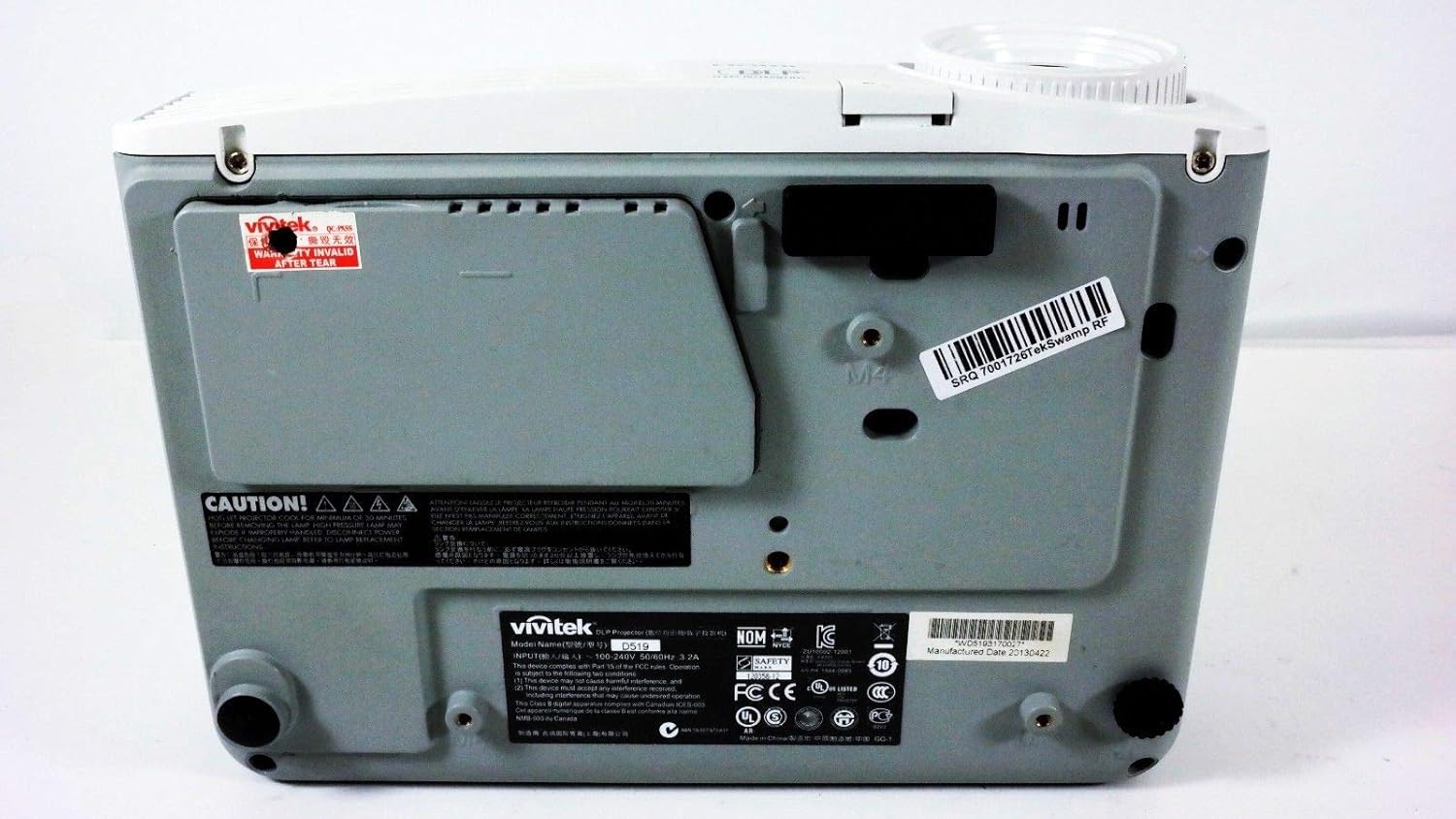
Слика 6.1: Дно view of the Vivitek D519 Projector, showing the product label with model and serial information.
| Феатуре | Детаљ |
|---|---|
| Број модела | DPU35-262VVUA |
| Дисплаи Тецхнологи | Single 0.55” DLP Display Technology by Texas Instruments |
| Нативе Ресолутион | КСГА (1024 к 768) |
| Осветљеност | 3000 лумена |
| Однос контраста | 15,000:1 |
| Lamp Живот | 4000 hours (Standard) / 6000 hours (Economy) |
| Зоом Ратио | 1.1:1 (Manual Zoom and Focus) |
| Повезивање | HDMI v1.3, VGA, S-Video, L-Audio-R, Audio In, RS-232 |
| Посебне карактеристике | HD Compatible, 3D-Ready, Screen Size compatibility: 40 - 300 inches |
| Димензије производа | 7.5 к 10.3 к 3.1 инча |
| Тежина артикла | 4.35 фунти |
7. Гаранција и подршка
Your Vivitek D519 projector comes with a limited warranty. Please refer to the Warranty Card included in your product packaging for detailed terms and conditions. For technical support, service, or warranty claims, please contact Vivitek customer service through their official webсајт или контакт информације наведене у вашој гарантној документацији.
It is recommended to register your product online to receive updates and support.