
Увод
Хвала вам на куповиниasing the iCES IBT-1 Portable Bluetooth Speaker. This manual provides essential information for setting up, operating, and maintaining your device. Please read it carefully before use to ensure optimal performance and longevity.
Садржај пакета
Уверите се да су све ставке присутне у пакету:
- iCES IBT-1 Portable Bluetooth Speaker
- Mini USB Charging Cable
- Кориснички приручник (овај документ)
Производ је завршенview
The iCES IBT-1 is a compact and versatile portable speaker designed for wireless audio playback via Bluetooth. It also supports audio playback from Micro SD cards and external devices via its AUX input.

Image: Two iCES IBT-1 speakers, one red and one silver, highlighting the product's design and portability.
Идентификација компоненте
Familiarize yourself with the speaker's various ports and controls:
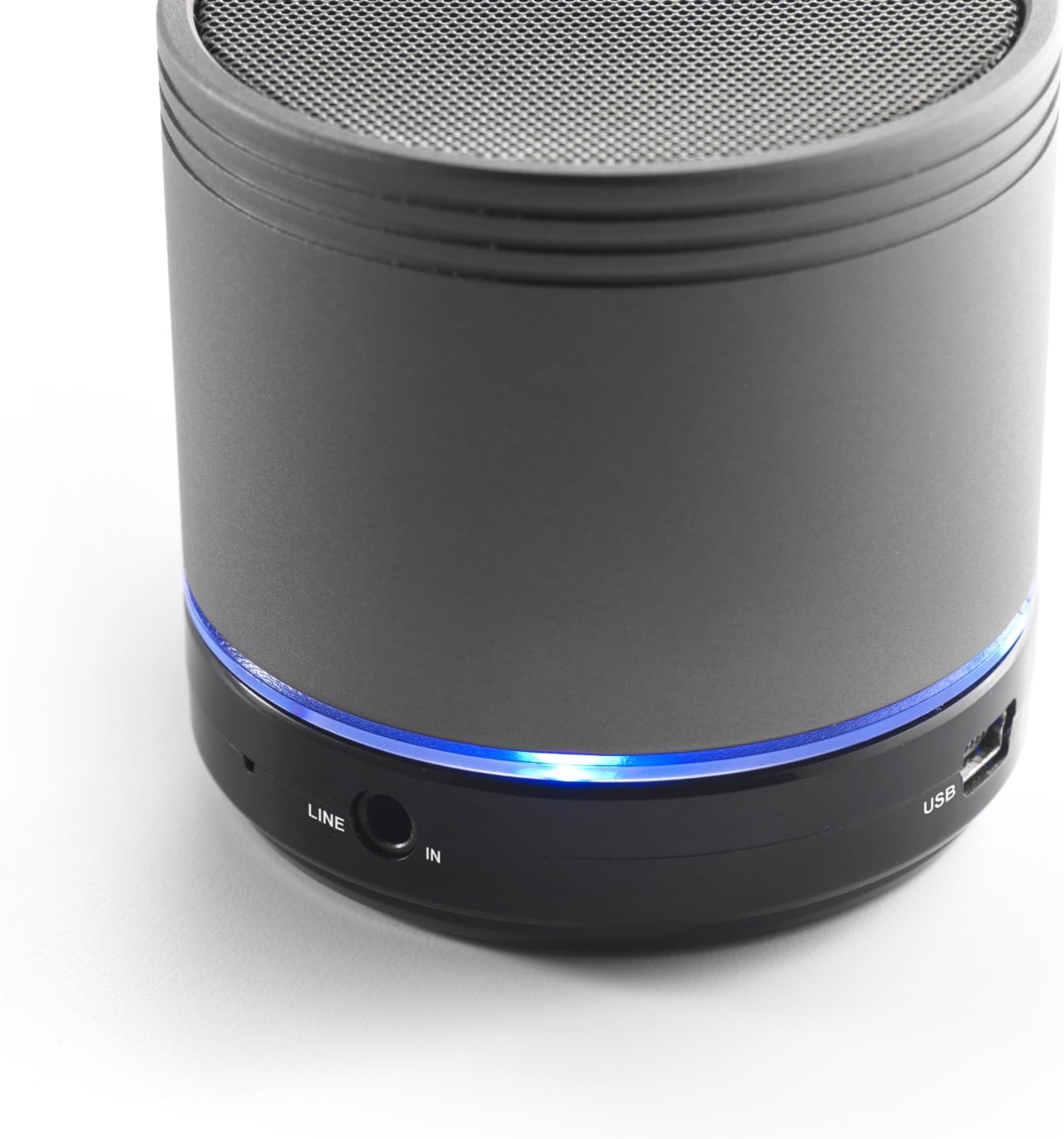
Image: Bottom section of the iCES IBT-1 speaker, displaying the LINE IN and USB ports, along with a glowing blue LED indicator.
- УСБ порт: За пуњење унутрашње батерије.
- ЛИНИЈСКИ УЛАЗ (AUX): For connecting external audio devices using a 3.5mm audio cable.
- Утор за микро СД картицу: За репродукцију звука files directly from a Micro SD card.
- Прекидач: ON/OFF control for the speaker.
- Контролна дугмад: Play/Pause, Volume Up/Next Track, Volume Down/Previous Track.
- ЛЕД индикатор: Приказује статус напајања, статус пуњења и статус Bluetooth упаривања.
Сетуп
Пуњење батерије
Before first use, fully charge the speaker's internal battery. Use the provided Mini USB cable.
- Connect the Mini USB end of the cable to the USB port on the speaker.
- Connect the standard USB end of the cable to a USB power adapter (not included) or a computer's USB port.
- The LED indicator will illuminate to show charging status. It will change or turn off once fully charged.
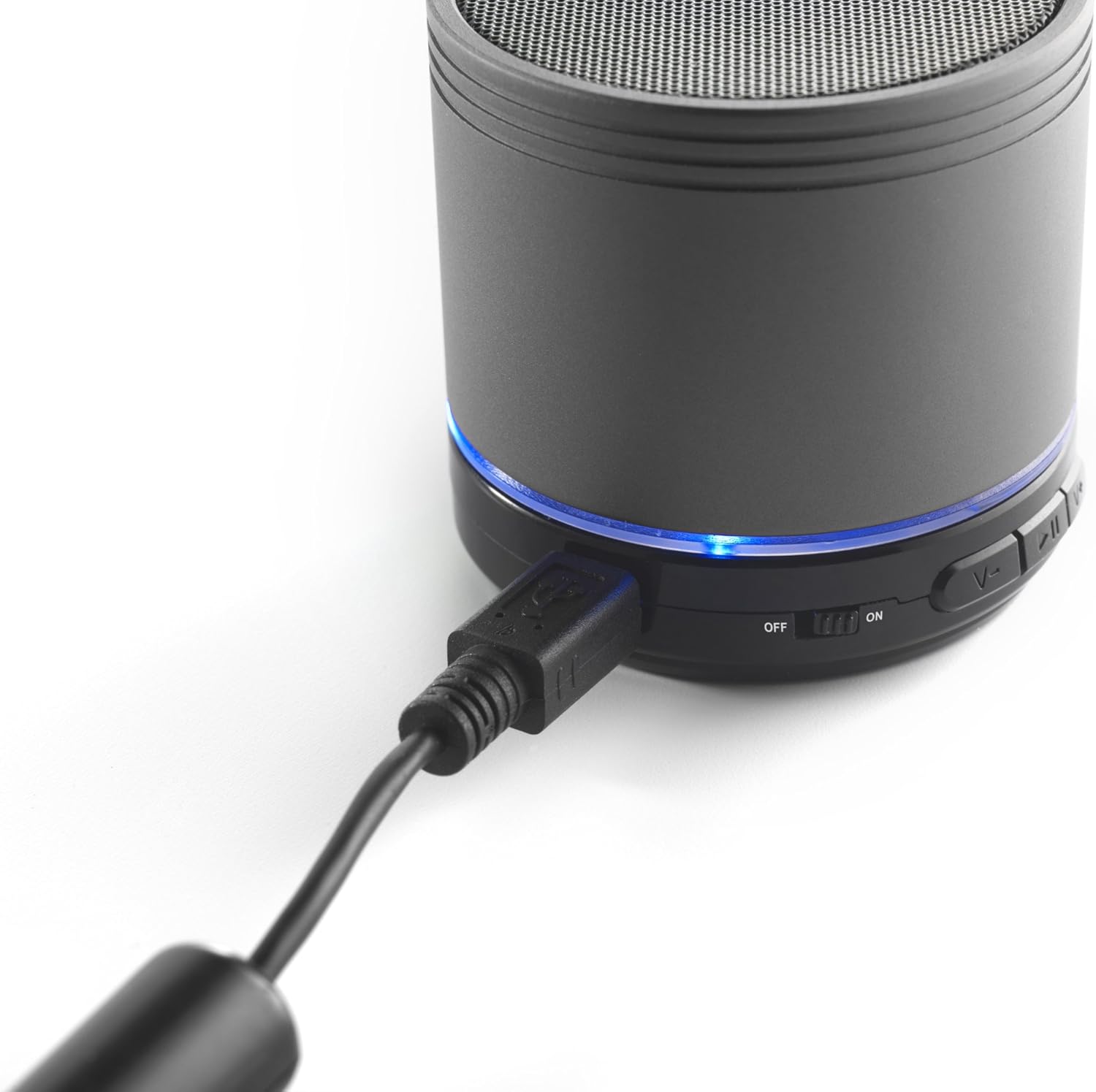
Image: The iCES IBT-1 speaker with the mini USB charging cable connected, illustrating the charging process.
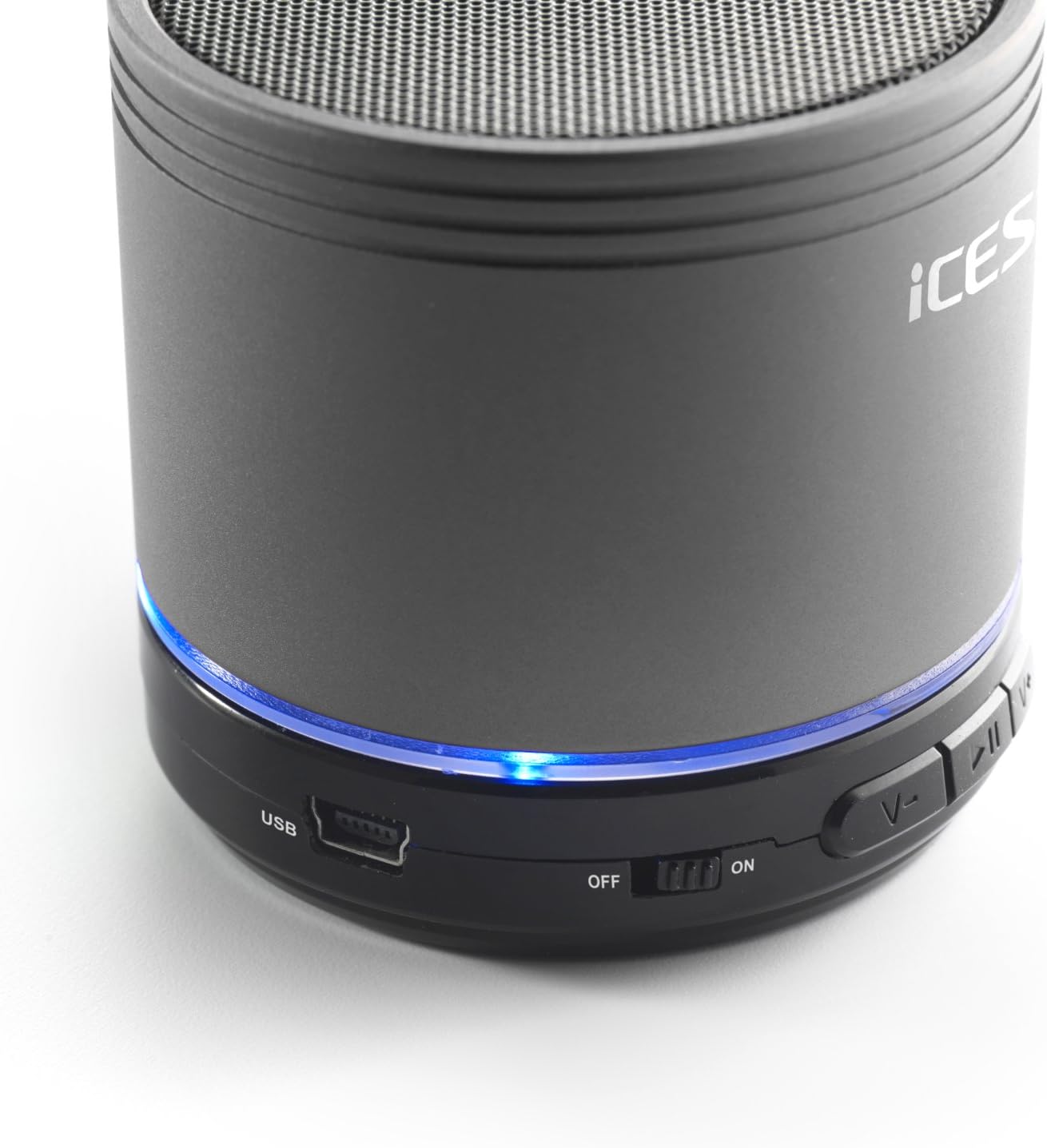
Image: The iCES IBT-1 speaker's base, highlighting the USB port and the power switch in the 'ON' position.
Упутство за употребу
Укључивање/искључивање
- To power on, slide the power switch to the "ON" position. The LED indicator will light up.
- To power off, slide the power switch to the "OFF" position. The LED indicator will turn off.
Блуетоотх веза
- Ensure the speaker is powered on. The LED indicator will flash, indicating it's in pairing mode.
- На уређају који подржава Bluetooth (паметни телефон, таблет итд.) идите на подешавања Bluetooth-а.
- Тражи available devices. You should see "IBT-1" in the list.
- Select "IBT-1" to pair. Once connected, the LED indicator will stop flashing and remain solid.
- You can now play audio from your device through the iCES IBT-1 speaker.
Репродукција микро СД картице
The speaker supports Micro SD cards up to 32 GB.
- Insert a Micro SD card (with audio files) into the Micro SD card slot on the speaker.
- The speaker will automatically switch to Micro SD card mode and begin playing audio.
- Use the control buttons on the speaker to play/pause, skip tracks, or adjust volume.

Image: The iCES IBT-1 speaker's base, illustrating the Micro SD card slot and the LINE IN port.
Репродукција са AUX улаза
Connect external audio devices without Bluetooth capability.
- Повежите један крај аудио кабла од 3.5 мм (није укључен) са LINE IN портом на звучнику.
- Connect the other end of the 3.5mm audio cable to the headphone jack or audio output of your external device (e.g., MP3 player).
- Звучник ће се аутоматски пребацити у AUX режим.
- Контролишите репродукцију и јачину звука са свог екстерног уређаја.
Контролна дугмад
- Дугме за репродукцију/паузу: Притисните једном да репродукујете или паузирате звук.
- Дугме за појачавање јачине звука / следећу нумеру:
- Кратак притисак: Повећајте јачину звука.
- Long press: Skip to the next track.
- Дугме за смањивање јачине звука / претходну нумеру:
- Кратак притисак: Смањивање јачине звука.
- Long press: Go to the previous track.
Одржавање
- Држите звучник сувим. Не излажите га води или прекомерној влази.
- Очистите звучник меком, сувом крпом. Не користите абразивна средства за чишћење или раствараче.
- Избегавајте екстремне температуре. Чувајте звучник на хладном и сувом месту.
- Не покушавајте сами да растављате или поправљате звучник. То ће поништити гаранцију.
- Редовно пуните батерију, чак и ако је не користите, како бисте је одржали у добром стању.
Решавање проблема
| Проблем | Решење |
|---|---|
| Звучник се не укључује. | Уверите се да је батерија напуњена. Повежите звучник са извором напајања помоћу USB кабла. |
| Није могуће упаривање преко Bluetooth-а. |
|
| Нема звука из звучника. |
|
| Лош квалитет звука. |
|
Спецификације
| Модел | ИБТ-1 |
| Повезивање | Bluetooth, Micro SD Card, AUX Input (3.5mm) |
| Излазна снага | 3 вати (РМС) |
| Тип батерије | Integrated Lithium-Polymer |
| Капацитет батерије | 500 мАх |
| Повер Суппли | 5V / 1A (via Mini USB) |
| Димензије (Д к Ш к В) | 60 к 60 к 58 мм |
| Тежина | 180 г |
| Supported Micro SD Card Size | До 32 ГБ |
Гаранција и подршка
For warranty information and technical support, please refer to the documentation provided at the time of purchase or visit the official iCES webсајт. Не покушавајте сами да поправите уређај, јер то може поништити вашу гаранцију.