
1. Увод
This manual provides essential information for the safe and efficient operation of your Sharp KC-A50EU-W Air Purifier. This device is designed to improve indoor air quality by filtering dust, pollen, mold spores, and odors, while also offering humidification using Plasmacluster ion technology. Please read these instructions thoroughly before use and retain them for future reference.
Важне информације о безбедности
- Увек се уверите да је уређај постављен на стабилну, равну површину.
- Не блокирајте отворе за усис или издув ваздуха.
- Држите уређај даље од воде и влаге.
- Искључите уређај из струје пре чишћења или било каквог одржавања.
- Не покушавајте сами да поправите уређај. Обратите се квалификованом сервисеру.
2. Производ је готовview
The Sharp KC-A50EU-W is an advanced air purifier and humidifier designed for rooms up to 38 m². It features Plasmacluster ion technology to neutralize airborne pollutants and a multi-stage sistem filtracije.

Слика 2.1: Фронт view of the Sharp KC-A50EU-W Air Purifier, showing the main body and air outlet.
Кључне карактеристике:
- Plasmacluster Ion Technology: Releases positive and negative ions to clean the air.
- Humidification Function: Adds moisture to the air for improved comfort.
- High Air Circulation: Efficiently processes air in rooms up to 38 m².
- Мулти-сtagе Филтрација: Includes a HEPA filter for fine particles and an odor filter.
- Тих рад: Designed for minimal noise output.
3. Подешавање
3.1 Распакивање
- Пажљиво извадите пречистач ваздуха из паковања.
- Уклоните све заштитне материјале и пластичне кесе.
- Проверите да ли је дошло до оштећења током транспорта. У случају оштећења, немојте користити уређај и контактирајте продавца.
3.2 Постављање
For optimal performance, place the air purifier in a location where air can circulate freely. Avoid placing it directly against walls or furniture. Ensure it is on a flat, stable surface. The unit is suitable for floor areas up to 24 square meters (as per specifications, though product description states 38m², use the more conservative spec for placement advice).

Слика 3.1: Сиде view of the air purifier, showing the air intake grille. Ensure this area is unobstructed.
3.3 Инсталација филтера
Before first use, ensure all filters are correctly installed and any protective plastic packaging has been removed from them. Refer to the maintenance section for detailed filter handling.
4. Упутство за употребу
The control panel allows you to manage the various functions of your air purifier.

Слика 4.1: Close-up of the control panel, showing buttons for power, fan speed, Plasmacluster, and humidification.
4.1 Укључивање/искључивање
- Укључите кабл за напајање у одговарајућу електричну утичницу (220 V).
- Притисните тастер ОН/ОФФ button to turn the unit on. The unit will start in a default mode.
- Притисните тастер ОН/ОФФ дугме поново да искључите јединицу.
4.2 Подешавање брзине вентилатора
Користите БРЗИНА ВЕНТИЛАТОРА button to cycle through different fan settings (e.g., Low, Medium, High, Auto). The current setting will be indicated on the display or by indicator lights.
4.3 Plasmacluster Ion Operation
Притисните тастер CLEAN ION SHOWER ON button to activate the Plasmacluster ion generator. This function helps to remove airborne viruses, bacteria, and odors. An indicator light will confirm activation.
4.4 Humidification Function
- Уверите се да је резервоар за воду напуњен чистом водом.
- Притисните тастер CLEAN AIR & HUMIDIFY ON button to activate the humidification function.
- The unit will automatically maintain a comfortable humidity level.
- The humidity level may be displayed on the control panel.
4.5 Брава за децу
Да бисте спречили случајно покретање, притисните и држите БРАВА ЗА ДЕЦУ button for 3 seconds to activate or deactivate the child lock function.
5. Одржавање
Regular maintenance ensures optimal performance and extends the life of your air purifier. Always unplug the unit before cleaning or performing maintenance.
5.1 Чишћење и замена филтера
The Sharp KC-A50EU-W uses multiple filters that require periodic cleaning or replacement.
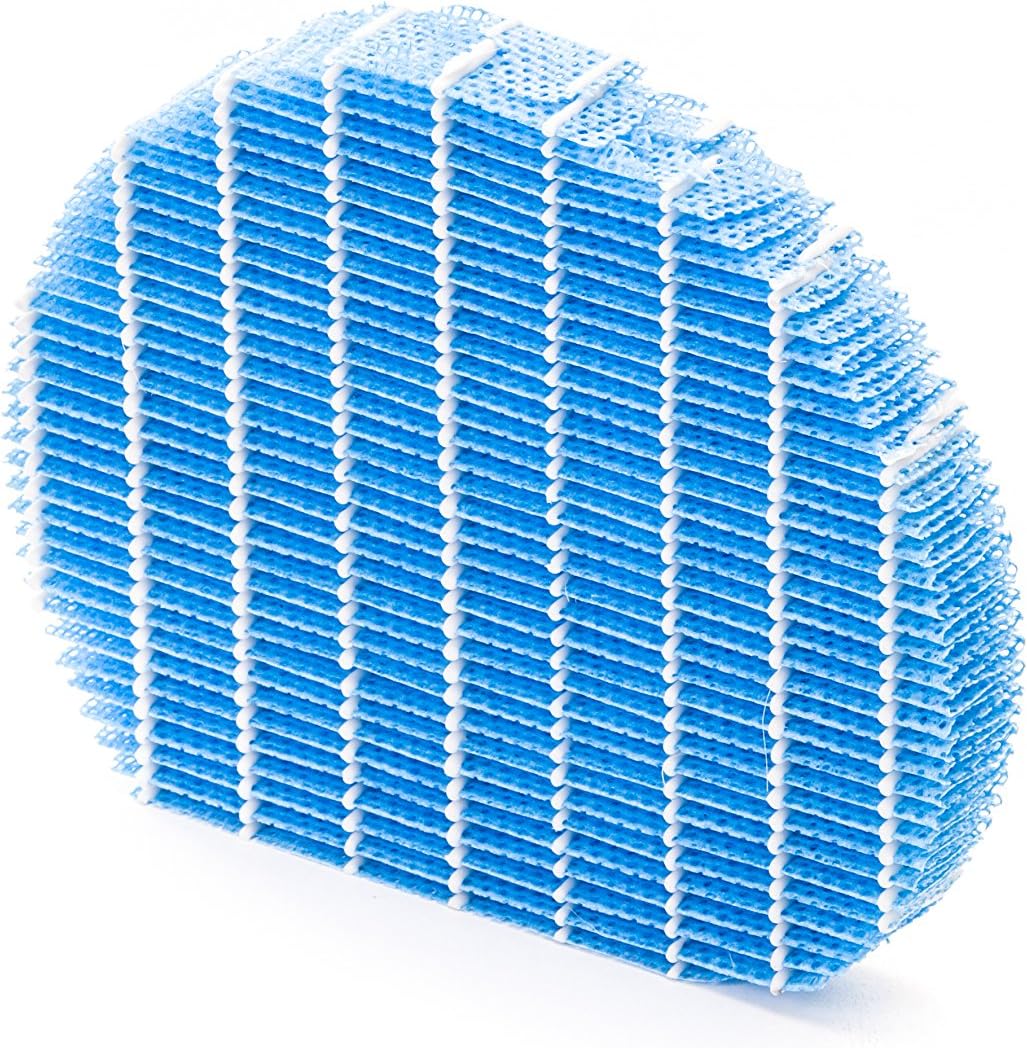
Слика 5.1: Example of a humidifying filter component, which requires regular cleaning.
- Предфилтер: Clean regularly (e.g., monthly) by vacuuming or washing with water. Allow to dry completely before reinstallation.
- ХЕПА филтер: This filter captures fine dust and allergens. It cannot be washed and must be replaced. The replacement interval can vary, but typically ranges from 2 to 5 years depending on usage and air quality. Monitor the filter's condition; if it appears significantly discolored (e.g., black instead of white), replace it immediately.
- Deodorizing Filter (Activated Carbon): This filter removes odors. It can often be washed periodically (e.g., every few months) to refresh its effectiveness. Allow to dry completely. Replace when odors persist after cleaning.
- Humidifying Filter: If using the humidification function, clean the humidifying filter and its tray at least every 4 weeks to prevent mold and bacteria growth. Use a mild detergent and rinse thoroughly.
5.2 Чишћење резервоара за воду
For units with humidification, clean the water tank regularly (e.g., weekly) to prevent mineral buildup and bacterial growth. Use a soft brush and mild detergent, then rinse thoroughly with clean water.
5.3 Спољашње чишћење
Обришите спољашњост јединице меком крпом, дamp тканина. Немојте користити абразивна средства за чишћење или раствараче.
КСНУМКС. Решавање проблема
If you encounter issues with your Sharp KC-A50EU-W, refer to the following common problems and solutions.
| Проблем | Могући узрок | Решење |
|---|---|---|
| Јединица се не укључује. | Кабл за напајање није правилно повезан; нема струје у утичници. | Уверите се да је кабл за напајање добро прикључен. Проверите утичницу помоћу другог уређаја. |
| Слабе перформансе пречишћавања ваздуха. | Филтери су прљави или зачепљени; филтери су неправилно инсталирани. | Clean or replace filters as per maintenance instructions. Ensure filters are installed correctly. |
| Humidification not working or low output. | Water tank is empty; humidifying filter is dirty or clogged. | Refill the water tank. Clean the humidifying filter and tray. |
| Необична бука из јединице. | Obstruction in fan; unit not on a level surface. | Check for any foreign objects near the fan. Place the unit on a stable, level surface. |
| Упорни мириси. | Deodorizing filter is saturated or needs cleaning/replacement. | Clean or replace the deodorizing filter. |
Ако проблем и даље постоји након што сте испробали ова решења, обратите се корисничкој подршци.
7. Спецификације
- Број модела: KC-A50EU-W
- Произвођач: Схарп
- Боја: Бела
- Димензије производа (Д к Ш к В): 24 к 69 к 2.5 цм
- Тежина артикла: 9.2 кг (9200 грама)
- Извор напајања: 220В
- Тип филтера: ХЕПА
- Препоручена површина: 24 квадратних метара
- Ниво буке: 49 децибела
- Материјал: Пластика
- Земља порекла: Јапан
8. Гаранција и подршка
For warranty information and customer support, please refer to the warranty card included with your product or visit the official Sharp webсајт за ваш регион. Сачувајте рачун као доказ о куповини.