
Keystone KSTAD70B
Keystone KSTAD70B 70-Pint Dehumidifier User Manual
1. Увод
This manual provides essential information for the safe and efficient operation of your Keystone KSTAD70B 70-Pint Dehumidifier. This unit is designed to remove up to 70 pints of moisture from the air daily, suitable for rooms up to 4500 square feet. Key features include electronic controls with an LED display, a 24-hour timer, a transparent water level indicator, and a full bucket alert with automatic shutoff. It also offers a continuous draining option and a removable, easy-to-clean dust filter with a clean-filter alert. The auto-restart function preserves your settings after a power outage, and rolling casters facilitate easy movement.
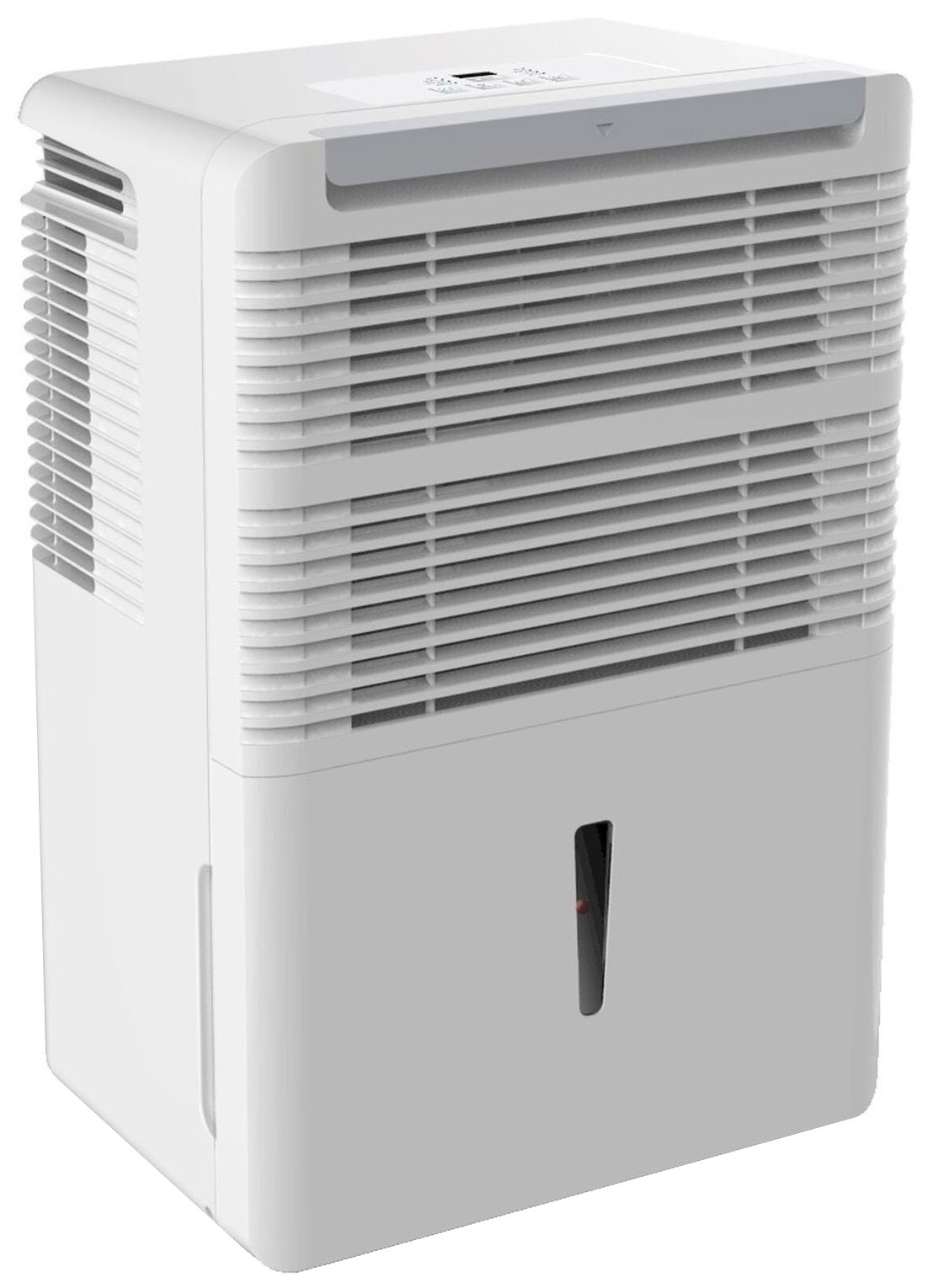
Слика 1: Предња страна view of the Keystone KSTAD70B Dehumidifier.
2. Безбедносне информације
Please read all safety instructions before operating the dehumidifier to prevent injury or damage. Keep this manual for future reference.
- Always connect the unit to a properly grounded electrical outlet of the correct voltage.
- Немојте користити јединицу са оштећеним каблом за напајање или утикачем.
- Ensure adequate clearance (at least 12-18 inches) around the air intake and outlet to prevent overheating and ensure efficient operation.
- Не блокирајте отворе за ваздух.
- Do not use the dehumidifier near water or in excessively wet environments.
- Искључите уређај из струје пре чишћења или било каквог одржавања.
- Овај уређај није намењен за употребу од стране особа (укључујући децу) са смањеним физичким, чулним или менталним способностима, или недостатком искуства и знања, осим ако им је дат надзор или упутства о употреби уређаја од стране особе одговорне за њихову безбедност.
- Do not use chemical solvents or abrasive cleaners on the unit.
3. Постављање и постављање
3.1 Распакивање
Пажљиво извадите одвлаживач ваздуха из амбалаже. Сачувајте материјал за паковање за будуће складиштење или транспорт. Прегледајте уређај да ли има оштећења током транспорта.
3.2 Постављање
For optimal performance, place the dehumidifier in a location where air can circulate freely around it. The unit circulates air from the sides, not the top. Therefore, avoid placing it directly in a corner or against walls. Maintain a minimum clearance of 12-18 inches (30-45 cm) on all sides to ensure proper airflow.
3.3 Почетно укључивање
Plug the power cord into a grounded electrical outlet. The unit is now ready for operation.
4. Упутство за употребу
4.1 Контролна табла прекоview

Figure 2: Control panel of the Keystone KSTAD70B Dehumidifier.
The control panel features an LED display and various buttons for setting the dehumidifier's functions:
- Дугме за напајање: Укључује или искључује јединицу.
- Дугме вентилатора: Adjusts fan speed (typically Low, Medium, High).
- Дугме тајмера: Подешава 24-часовни тајмер за укључивање/искључивање.
- Стрелице горе/доле: Adjust humidity level settings or timer duration.
- Индикатор филтера: Светли када је потребно очистити ваздушни филтер.
- Потпуни индикатор: Illuminates when the water bucket is full and needs emptying.
- Cont. (Continuous) Indicator: Illuminates when the unit is set for continuous operation.
- Турбо режим: Activates maximum dehumidification.
- нормалан режим: Standard dehumidification operation.
- Аутоматско одмрзавање: Automatically defrosts the coils if ice builds up.
4.2 Подешавање жељеног нивоа влажности
Press the Up or Down arrow buttons to set your desired humidity level. The unit will operate until the set humidity is reached, then cycle on and off to maintain it. The recommended humidity range for comfort is typically between 45% and 55%.
4.3 Непрекидни рад
To run the dehumidifier continuously, select the 'Cont.' setting. In this mode, the unit will operate regardless of the ambient humidity level. Note that when continuous operation is selected, the humidity setpoint buttons will not respond.
4.4 Функција тајмера
Use the Timer button to program the unit to turn on or off automatically after a set number of hours (up to 24 hours).
4.5 Auto-Restart
The unit features an auto-restart function that saves your settings. In the event of a power outagе, одвлаживач ће аутоматски наставити рад са последњим подешавањима када се напајање врати.
5. Одржавање
Редовно одржавање осигурава оптималне перформансе и дуготрајност вашег одвлаживача ваздуха.
5.1 Пражњење канте за воду
When the water bucket is full, the 'Full' indicator light will illuminate, and the unit will automatically shut off. Carefully remove the bucket and empty the collected water. Reinsert the bucket firmly until it clicks into place to resume operation.

Figure 3: Removing the water collection bucket.

Figure 4: Transparent water level indicator.
5.2 Continuous Draining Option
For continuous operation without emptying the bucket, you can connect a standard garden hose (not included) to the unit's low-level drain. The unit includes an adapter with a clear hose that pushes onto a smooth plastic fitting inside the unit. This adapter has male hose threads for attaching a garden hose. Ensure the hose is routed downwards to a suitable drain to allow gravity to remove the water.
5.3 Чишћење ваздушног филтера
The 'Filter' indicator light will remind you when it's time to clean the air filter. A clean filter ensures efficient operation and better air quality. To clean, lift the filter straight up from the top at the front corner of the unit and slide it out. Wash the filter with warm, soapy water, rinse thoroughly, and allow it to air dry completely before reinserting.

Слика 5: Уклањање ваздушног филтера ради чишћења.
КСНУМКС. Решавање проблема
Before contacting support, try these common troubleshooting steps:
| Проблем | Могући узрок | Решење |
|---|---|---|
| Одвлаживач се не укључује. | No power; power cord loose; 'Full' indicator on. | Check power supply; ensure cord is plugged in; empty water bucket. |
| Уређај ради, али не одвлажује ваздух. | Air filter clogged; room temperature too low; unit size too small for area. | Clean air filter; ensure room temperature is above 41°F (5°C); consider unit placement. |
| Јединица је бучна. | Уређај није нивелисан; зачепљење вентилатора. | Place on a flat, stable surface; check for obstructions in fan area. |
| Вода цури из јединице. | Water bucket not properly seated; continuous drain hose loose or clogged. | Ensure bucket is fully inserted; check continuous drain hose connection and clear any blockages. |
7. Спецификације
| Феатуре | Детаљ |
|---|---|
| Бранд | Кеистоне |
| Назив модела | KSTAD70B |
| Капацитет одвлаживања | 70 пинти дневно |
| Препоручена величина собе | До 4500 квадратних стопа |
| Боја | Бела |
| Посебне карактеристике | Automatic Restart, Automatic Shutoff |
| Број брзина | 3 |
| Оперативни режим | Normal, Turbo, Auto-Defrost |
| Ватtage | 720 вати |
| Тежина артикла | 40 фунти |
| Димензије производа (Д к Ш к В) | 11.25 к 15.5 к 23.25 инча |
| Препоручена употреба | Стамбени |
8. Информације о гаранцији
The Keystone KSTAD70B Dehumidifier comes with a 1 година гаранције on parts and labor, and a ограничена 5-годишња гаранција on the sealed system. Please refer to the physical warranty card included with your product for full terms and conditions.
9. Корисничка подршка
For product registration, warranty claims, or technical assistance, please refer to the contact information provided in the physical instruction manual that came with your dehumidifier. Online registration or direct manufacturer contact information may not be readily available; therefore, retaining your original manual is important for support inquiries.
Ask a question about this manual
Ask about setup, troubleshooting, compatibility, parts, safety, or missing instructions. Manuals+ will review the question and use this page’s manual context to help answer it.