
1. Увод
Thank you for choosing the Chieftec Libra Series LG-01B Mid-Tower ATX PC Case. This manual provides essential information for the proper installation, operation, and maintenance of your new computer chassis. Please read this manual thoroughly before beginning installation to ensure optimal performance and safety.
2. Безбедносне информације
Увек се придржавајте следећих мера предострожности:
- Ensure the power supply is disconnected from the mains before opening the case or installing components.
- Handle components with care to avoid damage from electrostatic discharge (ESD). Consider using an anti-static wrist strap.
- Држите мале делове и алате даље од деце.
- Do not operate the case in environments with excessive dust, moisture, or extreme temperatures.
- Refer to the manuals of your individual components (motherboard, power supply, etc.) for specific installation instructions.
3. Садржај пакета
Проверите да ли су све ставке присутне у пакету:
- Chieftec Libra Series LG-01B PC Case
- Accessory kit (screws, motherboard standoffs, thumb screws)
Note: Power supply unit (PSU) is not included and must be purchased separately.
4. Кључне карактеристике
- Modern and ergonomic design
- Support for mATX and ATX motherboards
- Front panel connectivity: 1x USB 3.0, 2x USB 2.0, Mic-in, Audio-out (HD Audio)
- Tool-less installation for 5.25" optical drives and 3.5" hard drives
- Drive Bays: 2x 5.25" external, 1x 3.5" external, 2x 3.5" internal, 1x 2.5" internal
- Fan preparations: 1x 80/90/120mm (front), 2x 80mm (rear), 2x 120mm (left side panel)
- Максимална висина хладњака процесора: 140 мм
- Maximum VGA card length: 380mm
5. Подешавање и инсталација
5.1. Отварање случаја
To access the interior, remove the side panel. Typically, this involves unscrewing two thumb screws at the rear of the case and sliding the panel backward.
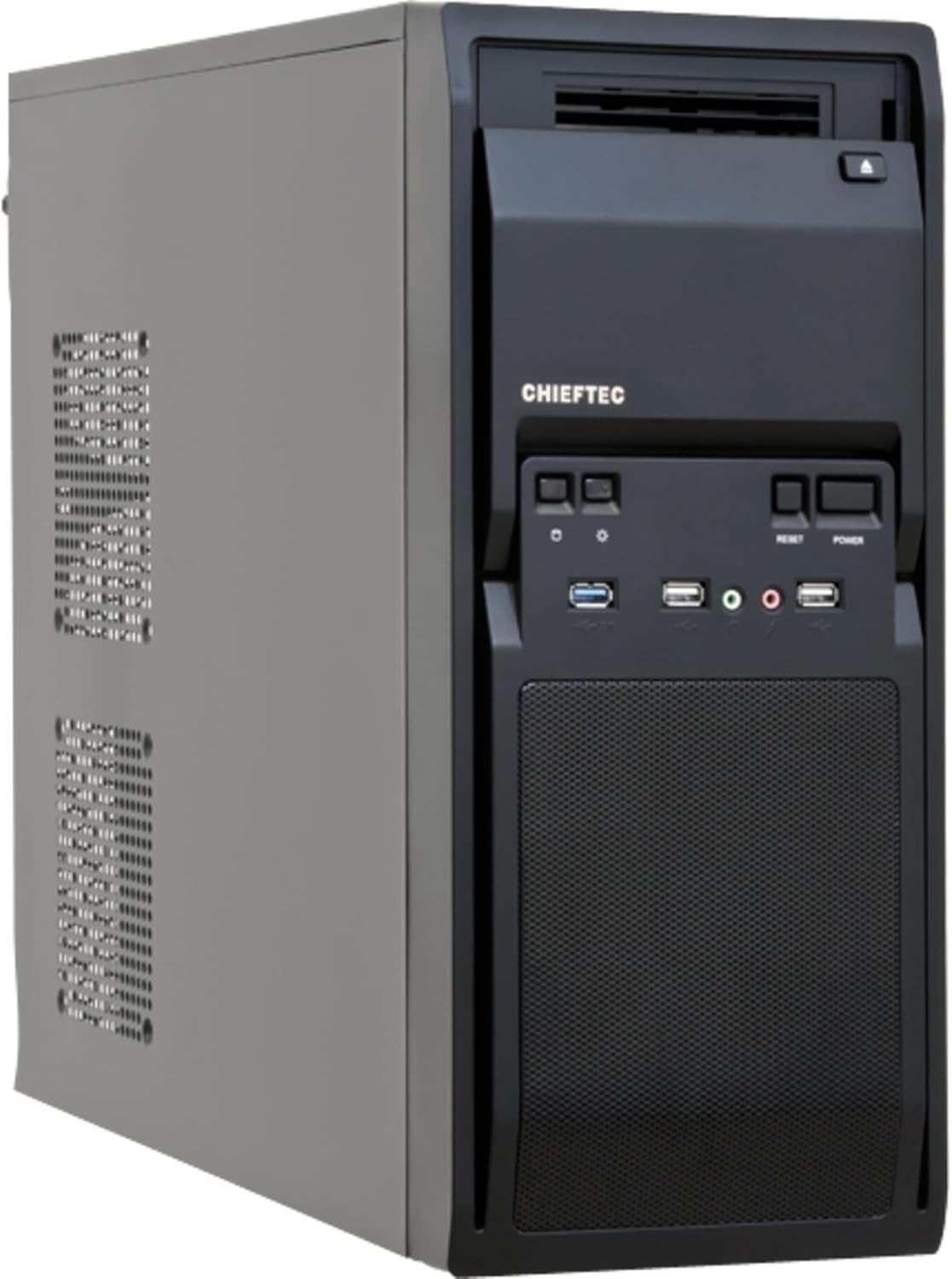
Слика 1: Напред лево view of the Chieftec LG-01B PC case, showing the main chassis and front panel design. The side panel is secured by screws at the rear.
5.2. Инсталација матичне плоче
- Install the necessary motherboard standoffs into the motherboard tray according to your motherboard's form factor (ATX or mATX).
- Place the I/O shield into the opening at the rear of the case.
- Carefully align your motherboard with the standoffs and I/O shield, then secure it with screws.

Слика 2: Унутрашњост view of the Chieftec LG-01B PC case, showing the motherboard tray, drive bays with tool-less clips, and cable management cutouts. The rear I/O shield opening is visible.
5.3. Инсталација јединице за напајање (PSU)
Install your ATX power supply into the designated bay at the top rear of the case and secure it with screws from the exterior.

Слика 3: Задња страна view of the Chieftec LG-01B PC case, highlighting the power supply mounting area at the top, expansion slots, and fan mounting points.
5.4. Drive Installation (ODD/HDD/SSD)
- 5.25" Optical Drives: Remove the front panel bay cover, slide the optical drive into the bay, and secure it using the tool-less clips.
- 3.5" Hard Drives: Slide the 3.5" HDD into an internal bay and secure it with the tool-less clips.
- 2.5" SSD дискови: Install 2.5" SSDs into the dedicated internal 2.5" bay, typically requiring screws.

Слика 4: Предња страна view of the Chieftec LG-01B PC case with the front panel cover for the I/O ports opened, revealing the 5.25" and 3.5" external drive bays. The USB and audio ports are also visible.
5.5. Прикључци на предњој плочи
Connect the front panel cables (USB 3.0, USB 2.0, HD Audio, Power, Reset, HDD LED, Power LED) to the corresponding headers on your motherboard. Refer to your motherboard manual for header locations.
5.6. Expansion Cards (GPU, etc.)
Remove the necessary expansion slot covers at the rear of the case. Insert your expansion card into the PCIe slot on the motherboard and secure it with a screw.
5.7. Менаџмент каблова
Utilize the cable routing cutouts and tie-down points behind the motherboard tray to manage cables for improved airflow and aesthetics.
6. Упутство за употребу
Once all components are installed and connected, close the side panel. Connect your monitor, keyboard, mouse, and power cable to the system. Press the power button on the front panel to start your computer.
6.1. Front Panel Ports
- УСБ 3.0 порт: За брзи пренос података са компатибилним уређајима.
- УСБ 2.0 портови: За повезивање стандардних УСБ уређаја.
- Mic-in Jack: За повезивање микрофона.
- Audio-out Jack: За повезивање слушалица или звучника.
- Дугме за напајање: Да бисте укључили/искључили систем.
- Дугме за ресетовање: Да поново покренете систем.
7. Одржавање
Regular maintenance helps ensure the longevity and optimal performance of your PC components.
- Чишћење прашине: Periodically clean dust from inside the case, especially from fan filters and heatsinks, using compressed air or a soft brush. Ensure the system is powered off and unplugged before cleaning.
- Управљање кабловима: Ensure cables are neatly routed to prevent obstruction of airflow.
- вентилација: Ensure the case has adequate clearance around its ventilation openings for proper airflow.
КСНУМКС. Решавање проблема
Ако наиђете на проблеме, размотрите следеће уобичајене кораке за решавање проблема:
- Систем се не укључује:
- Check if the power cable is securely connected to the PSU and the wall outlet.
- Уверите се да је прекидач напајања у положају „УКЉУЧЕНО“.
- Verify that the front panel power button cable is correctly connected to the motherboard header.
- Нема излаза на екран:
- Ensure the monitor cable is securely connected to the graphics card or motherboard (if using integrated graphics).
- Поново инсталирајте графичку картицу и РАМ модуле.
- USB портови не раде:
- Check if the front panel USB cables are correctly connected to the motherboard headers.
- Ensure necessary drivers are installed for your motherboard.
За сложеније проблеме, погледајте упутства за компоненте или потражите стручну помоћ.
9. Спецификације
| Модел | LG-01B |
| Форм Фацтор | Мид Товер |
| Компатибилност матичне плоче | ATX, mATX |
| Димензије (ДкШкВ) | 484mm x 180mm x 404mm (with feet +3mm) / 19.06 x 7.09 x 15.91 inches |
| Тежина | 4.5 kg / 9.9 lbs (without PSU) |
| Спољни одељци за дискове | 2x 5.25", 1x 3.5" |
| Унутрашња лежишта за погон | 2x 3.5", 1x 2.5" |
| Портови на предњој плочи | 1x USB 3.0, 2x USB 2.0, Mic-in, Audio-out (HD Audio) |
| Fan Preparations | Front: 1x 80/90/120mm; Rear: 2x 80mm; Left Side: 2x 120mm |
| Максимална висина ЦПУ хладњака | 140мм |
| Максимална дужина ВГА картице | 380мм |
| Материал Тхицкнесс | 0.6мм |
10. Гаранција и подршка
The Chieftec Libra Series LG-01B PC case comes with a 24-month warranty from the date of purchase. This warranty covers manufacturing defects. It does not cover damage caused by improper installation, misuse, accidents, modifications, or unauthorized repairs.
For technical support or warranty claims, please contact your retailer or visit the official Chieftec webсајт за контакт информације.