
Timex T121B
Timex T121B Digital Alarm Clock User Manual
Модел: Т121Б
1. Производ је готовview
The Timex T121B Digital Alarm Clock is designed for simplicity and reliability, featuring a large, easy-to-read LED display. It includes a 24-hour "set and forget" alarm with auto-repeat and auto-shutoff functions. The alarm offers a graduated wake-up sound, starting softly and increasing in volume. For convenience during power interruptions, the clock is equipped with a battery backup system (requires 2 AAA batteries, not included) to maintain time and alarm settings. LED indicators show PM, alarm set status, and low battery warnings.

Слика: Фронт view of the Timex T121B Digital Alarm Clock, displaying the time 10:09 PM.
2. Шта је у кутији
- Timex T121B Alarm Clock with 0.7-inch Red Display (Black)
- 120V Universal Power Adapter (Corded Electric)
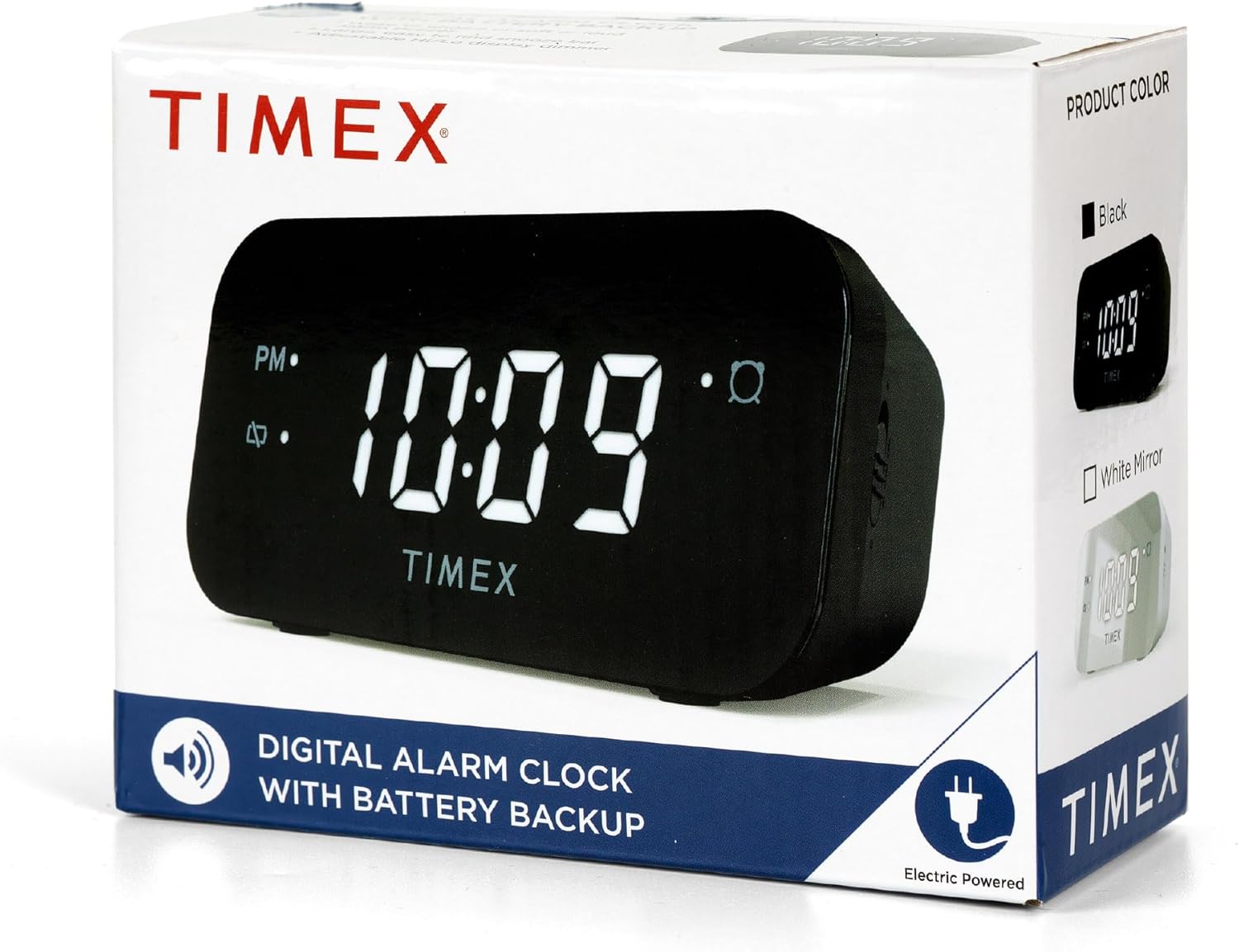
Image: The Timex T121B Digital Alarm Clock shown inside its retail packaging, highlighting its electric power source.
3. Подешавање
3.1 Прикључак за напајање
- Unpack the Timex T121B alarm clock and its power adapter.
- Insert the small end of the 120V universal power adapter into the DC input jack located on the back of the alarm clock.
- Plug the larger end of the power adapter into a standard 120V AC wall outlet. The clock display will illuminate.
3.2 Инсталација резервне батерије
The battery backup feature ensures that time and alarm settings are retained during power outages. This clock requires two "AAA" batteries (not included).
- Пронађите одељак за батерије на дну будилника.
- Отворите поклопац одељка за батерије.
- Insert two fresh "AAA" batteries, observing the correct polarity (+ and -) as indicated inside the compartment.
- Добро затворите поклопац одељка за батерије.
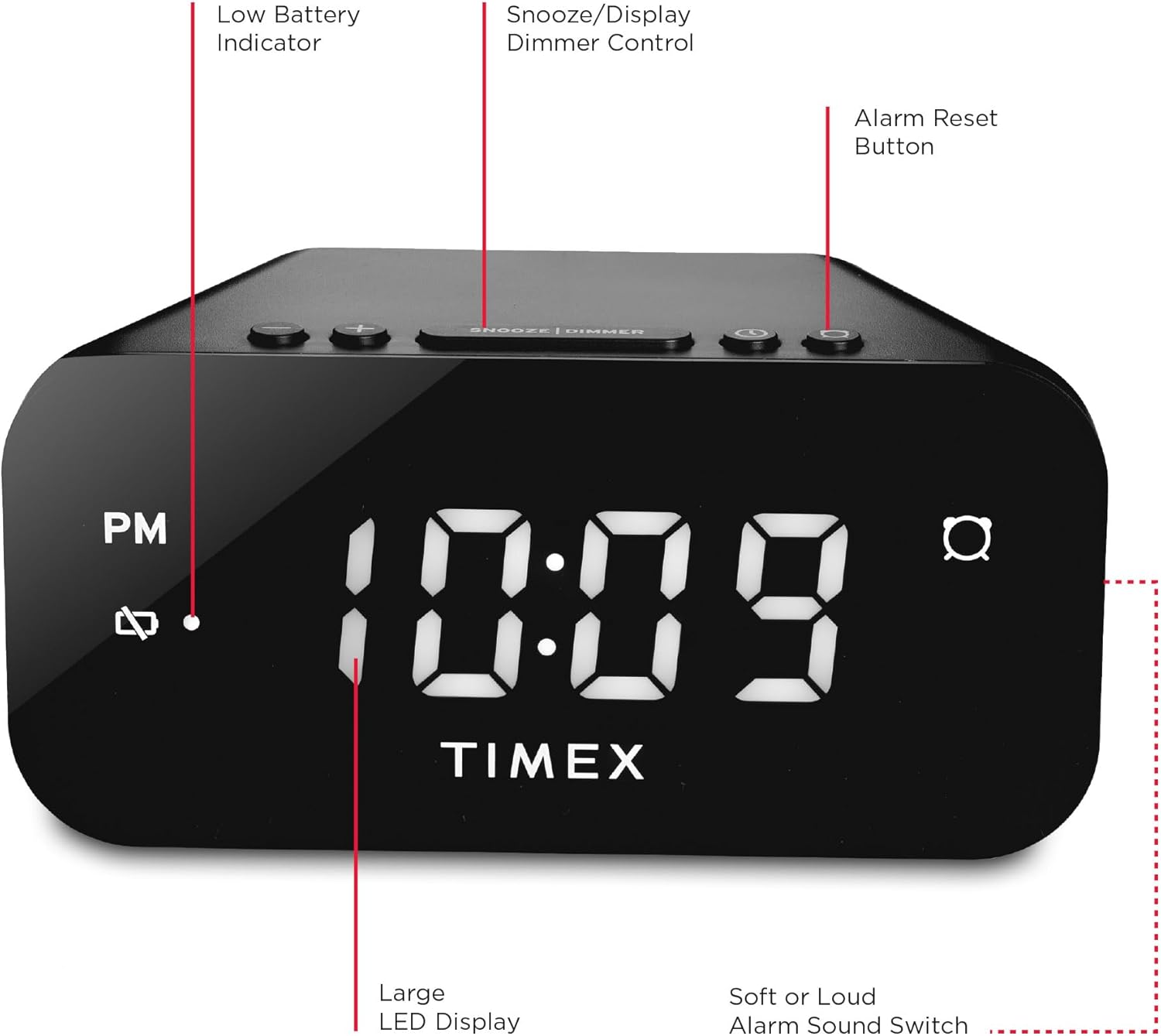
Слика: Позади view of the Timex T121B Digital Alarm Clock, illustrating the location of the battery compartment and power input.
4. Упутство за употребу
4.1 Подешавање времена
- Притисните и држите ВРЕМЕНСКИ СКЛОП button (usually located on the top or back) until the hour digits begin to flash.
- Притисните тастер ХОУР Више пута притисните дугме да бисте подесили сат. Обратите пажњу на индикатор PM ако подешавате PM време.
- Притисните тастер МИНУТЕ више пута притисните дугме да бисте подесили минуте.
- Притисните тастер ВРЕМЕНСКИ СКЛОП поново притисните дугме да бисте потврдили и сачували време.
4.2 Подешавање аларма
- Притисните и држите АЛАРМ СЕТ дугме док цифре сата аларма не почну да трепћу.
- Притисните тастер ХОУР dugme za podešavanje sata alarma.
- Притисните тастер МИНУТЕ дугме за подешавање минута аларма.
- Притисните тастер АЛАРМ СЕТ поново притисните дугме да бисте потврдили време аларма.
- Да бисте активирали или деактивирали аларм, притисните дугме АЛАРМ УКЉУЧЕН / ИСКЉУЧЕН button. An alarm indicator light will appear on the display when the alarm is active.
4.3 Функција одлагања
Када се огласи аларм, притисните велико СНООЗЕ / ДИММЕР bar located on the top of the clock. This will temporarily silence the alarm for approximately 9 minutes. The alarm will sound again after the snooze period ends.
4.4 Alarm Reset (Set and Forget)
To turn off the alarm for the current day and automatically reset it for the next day at the same time, press the ПОНАШТАВАЊЕ АЛАРМА button (often labeled with a bell icon). This feature is part of the 24-hour "set and forget" functionality.
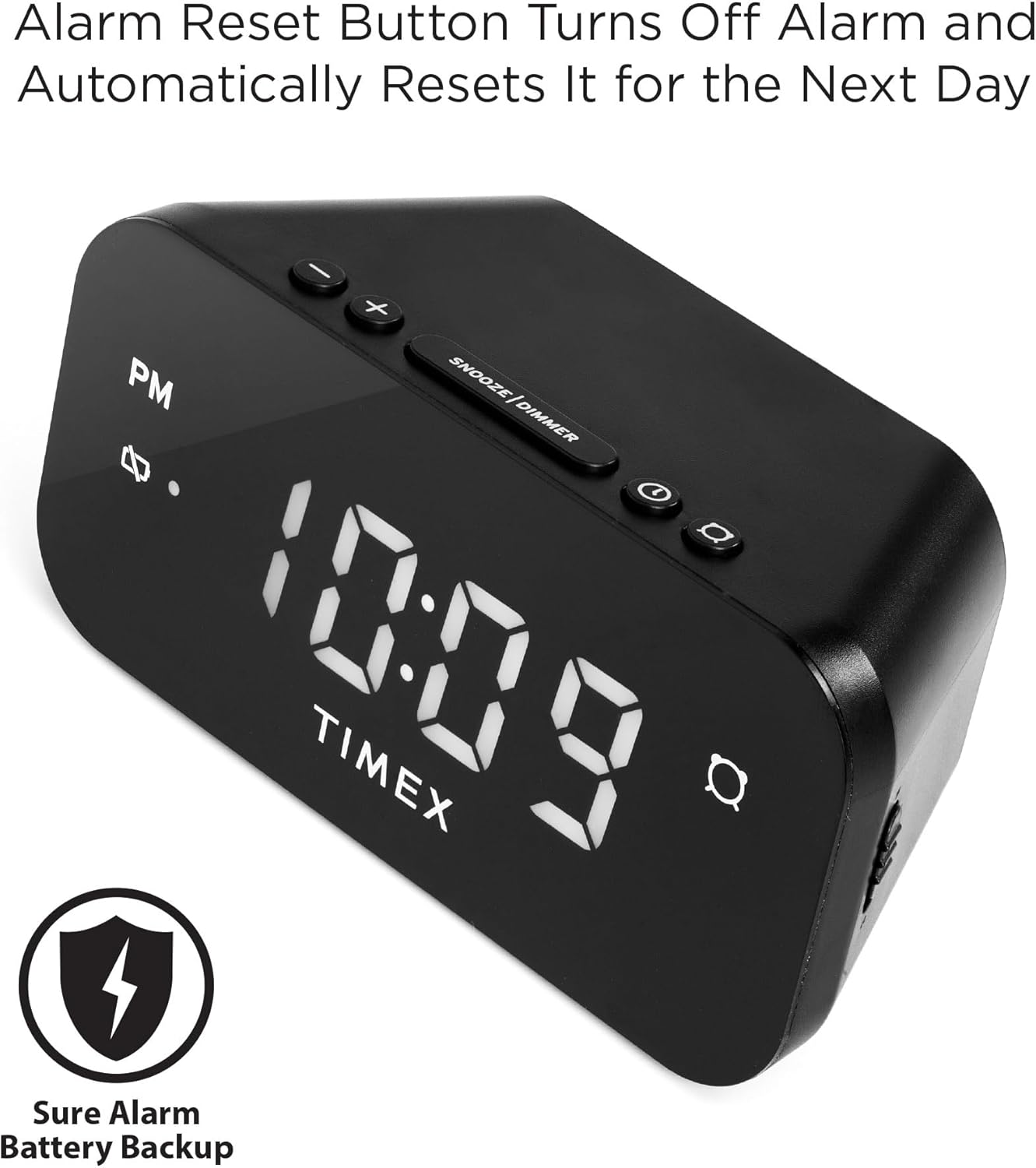
Image: The Timex T121B Digital Alarm Clock highlighting the Alarm Reset Button, which silences the alarm and prepares it for the next day.
4.5 Display Dimmer Control
To adjust the brightness of the LED display, repeatedly press the СНООЗЕ / ДИММЕР bar (when the alarm is not sounding). This will cycle through different brightness levels to suit your preference.
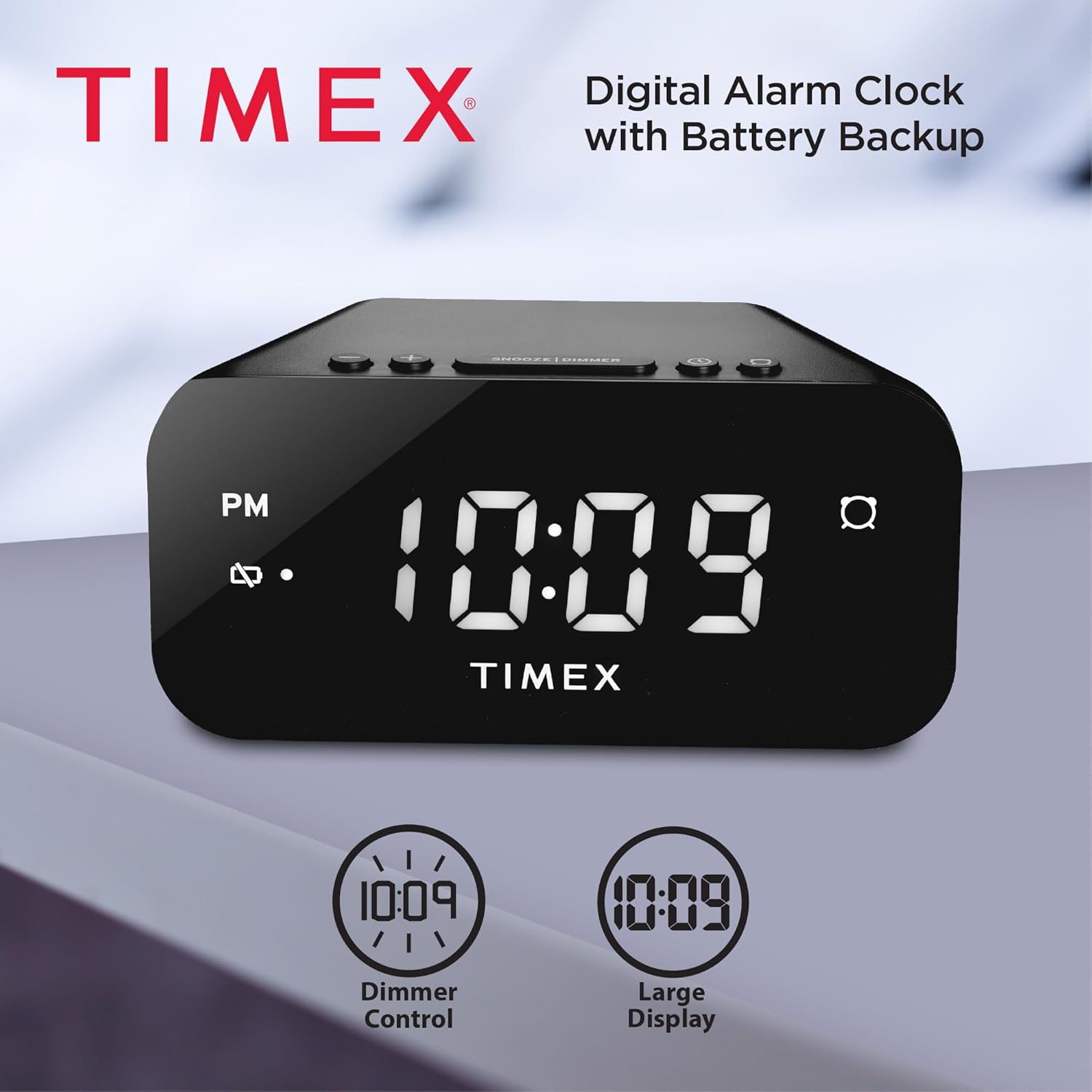
Image: The Timex T121B Digital Alarm Clock illustrating its dimmer control and large display features.
4.6 Alarm Sound Adjustment
The alarm features a graduated wake-up sound. It starts softly and gradually increases in volume to ensure you wake up. There is also a switch to select between soft or loud alarm buzzer settings, typically located on the side or back of the unit.

Image: The Timex T121B Digital Alarm Clock positioned on a nightstand next to a sleeping person, emphasizing its loud alarm capability.
5. Одржавање
5.1 Чишћење
To clean the alarm clock, gently wipe the exterior surfaces with a soft, dry cloth. Do not use abrasive cleaners, waxes, or solvents as they may damage the finish. Avoid spraying liquids directly onto the unit.
5.2 Замена батерије
If the "BATT LOW" indicator appears on the display, it is time to replace the AAA backup batteries. Follow the instructions in Section 3.2 to replace them. Ensure the clock remains plugged into AC power during battery replacement to avoid losing time and alarm settings.
КСНУМКС. Решавање проблема
| Проблем | Могући узрок | Решење |
|---|---|---|
| Приказ сата је празан. | Нема напајања наизменичном струјом. | Ensure the power adapter is securely plugged into both the clock and a working wall outlet. Check the outlet with another device. |
| Аларм се не оглашава. | Alarm not set or deactivated. | Verify the alarm indicator light is on. Re-set the alarm time following Section 4.2. |
| Подешавања времена/аларма су изгубљена након нестанка струјеtage. | Резервне батерије су празне или нису инсталиране. | Install or replace two fresh AAA batteries as per Section 3.2. |
| Екран је превише светао/таман. | Dimmer setting needs adjustment. | Press the SNOOZE/DIMMER bar repeatedly to cycle through brightness levels (Section 4.5). |
7. Спецификације
- Бренд: Тимек
- Број модела: Т121Б
- Тип приказа: Digital LED (0.7-inch Red Display)
- Боја: Црно
- Извор напајања: Corded Electric (120V Universal Power Adapter)
- Резервна батерија: Потребне су 2 к ААА батерије (нису укључене)
- Димензије производа: 5.52" Ш x 2.36" В
- Тежина артикла: 6.7 унци
- Карактеристике: 24-hour Set and Forget Alarm, Auto-Repeat, Auto-Shutoff, Graduated Wake-up Alarm Sound, Snooze Function, Display Dimmer Control, PM Indicator, Alarm Set Indicator, Low Battery Warning.
8. Гаранција и подршка
This Timex T121B Digital Alarm Clock comes with a Ограничена гаранција. For specific details regarding warranty coverage, duration, and claims, please refer to the warranty information provided with your purchase or contact Timex customer support.
For additional support, you may refer to the official User Manual PDF: Timex T121B User Manual (PDF).
Видео: Званична видео презентација производаasing the features and design of the Timex T121B Digital Alarm Clock.
Ask a question about this manual
Ask about setup, troubleshooting, compatibility, parts, safety, or missing instructions. Manuals+ will review the question and use this page’s manual context to help answer it.