
1. Увод
This manual provides instructions for the setup, operation, and maintenance of your La Crosse Technology WT140 Weather Station. This device is designed to monitor indoor and outdoor temperatures, as well as indoor humidity, to help you stay informed about your environment.
Кључне карактеристике
- Приказ унутрашње и спољашње температуре
- Индоор Хумидити Дисплаи
- Min/Max Temperature and Humidity Recording
- 1.5m Wired Outdoor Temperature Probe
- Comfort Level Indicator (Happy/Sad Face)
- Индикатор слабе батерије
- Свестрано постављање: Монтирање на сто или на зид
2. Садржај пакета
Молимо вас да проверите да ли су сви предмети присутни и у добром стању:
- 1 x La Crosse Technology WT140 Weather Station Unit
- 1 x Wired Outdoor Temperature Probe (1.5m cable)
- Батерије (укључене)
- Кориснички приручник (овај документ)
3. Подешавање
3.1 Инсталација батерије
- Locate the battery compartment on the back of the weather station unit.
- Отворите поклопац одељка за батерије.
- Insert the included batteries, observing the correct polarity (+ and - markings).
- Добро затворите поклопац одељка за батерије.
Note: The device uses a small battery type, which may require replacement annually. Refer to the specifications for battery type.
3.2 Постављање сензора
- Главна јединица: Place the main weather station unit indoors on a flat surface or mount it on a wall using the integrated hanging hole. Ensure it is not in direct sunlight or near heat sources, which could affect indoor temperature readings. Avoid placing it directly against a wall if possible, as this can affect internal temperature readings.
- Outdoor Probe: Extend the 1.5-meter wired probe outdoors. Position the probe in a shaded area, protected from direct rain and sunlight, for accurate outdoor temperature measurements. Ensure the cable is not pinched or damaged.
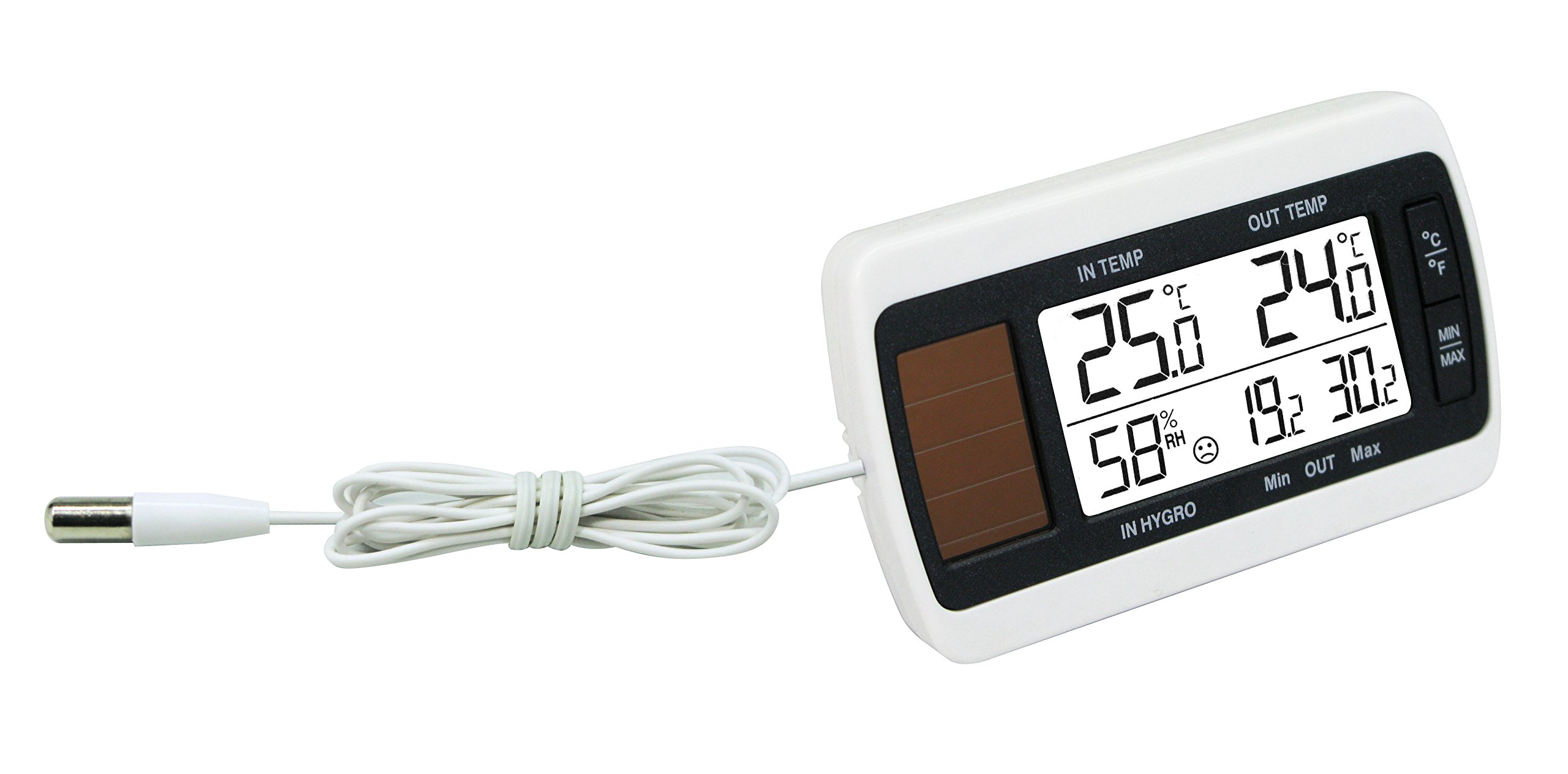
Image: La Crosse Technology WT140 Weather Station showing the main unit and the wired outdoor temperature probe.
4. Упутство за употребу
4.1 Приказ прекоview
На екрану се приказују следеће информације:
- Indoor Temperature (°C)
- Outdoor Temperature (°C)
- Indoor Humidity (% RH)
- Min/Max recorded values for temperature and humidity
- Comfort Indicator (Happy/Sad Face)
- Индикатор слабе батерије
4.2 ViewМин/Макс вредности
The weather station automatically records the minimum and maximum indoor/outdoor temperatures and indoor humidity. To view ове вредности:
- Press the "MIN/MAX" button (if available on your model).
- Subsequent presses will cycle through minimum, maximum, and current readings.
- To reset the Min/Max values, press and hold the "MIN/MAX" button for a few seconds.
4.3 Индикатор удобности
The comfort indicator displays a happy or sad face to visually represent the indoor comfort level based on temperature and humidity.
- Happy Face: Indicates comfortable indoor conditions.
- Sad Face: Indicates uncomfortable indoor conditions (e.g., too dry, too humid, too hot, or too cold).
5. Одржавање
5.1 Чишћење
Clean the weather station and probe with a soft, damp cloth. Do not use abrasive cleaners or solvents, as these may damage the unit.
5.2 Замена батерије
When the low battery indicator appears on the display, replace the batteries promptly. Refer to the "Battery Installation" section for instructions. Dispose of old batteries responsibly according to local regulations.
5.3 Нега сонде
Periodically check the outdoor probe and its cable for any signs of damage or wear. Ensure the probe remains in a protected location to prolong its lifespan and accuracy.
КСНУМКС. Решавање проблема
- Нема приказа / Празан екран
- Проверите поларитет батерије.
- Замените батерије новим.
- Inaccurate Indoor Temperature
- Ensure the main unit is not in direct sunlight, near heat sources, or directly against a wall.
- Allow the unit to stabilize for 15-30 minutes after placement.
- Inaccurate Outdoor Temperature
- Verify the outdoor probe is correctly positioned in a shaded, protected area.
- Check the probe cable for damage or kinks.
- Display Freezes or Malfunctions
- Remove batteries, wait 1 minute, then reinsert them to perform a soft reset.
- If a reset button is available (often a small hole requiring a paperclip), press it briefly.
7. Спецификације
| Феатуре | Детаљ |
|---|---|
| Модел | ВТ140 |
| Распон температуре у затвореном | 0°Ц до +50°Ц (32°Ф до 122°Ф) |
| Опсег спољне температуре | -29°Ц до +59.9°Ц (-20.2°Ф до 139.8°Ф) |
| Температурна резолуција | Ночьу 0.1°Ц |
| Опсег влажности у затвореном простору | 19% до 96% РХ |
| Дужина кабла сонде | 1.5 метара |
| Димензије (главна јединица) | КСНУМКС к КСНУМКС к КСНУМКС цм (КСНУМКС к КСНУМКС к КСНУМКС инча) |
| Тежина | 600 грама (приближно) |
| Извор напајања | Batteries (type not specified, typically AAA or similar small battery) |
8. Гаранција и подршка
For warranty information or technical support, please refer to the documentation included with your purchase or visit the official La Crosse Technology webсајт. Сачувајте рачун као доказ о куповини.