
1. Производ је готовview
The TP-Link TL-WA750RE is a 150Mbps Universal Wireless Range Extender designed to expand the coverage of an existing wireless network. It eliminates Wi-Fi dead zones by boosting the wireless signal to previously unreachable or hard-to-wire areas. Its compact, wall-mounted design allows for flexible deployment and easy relocation within your home or office.
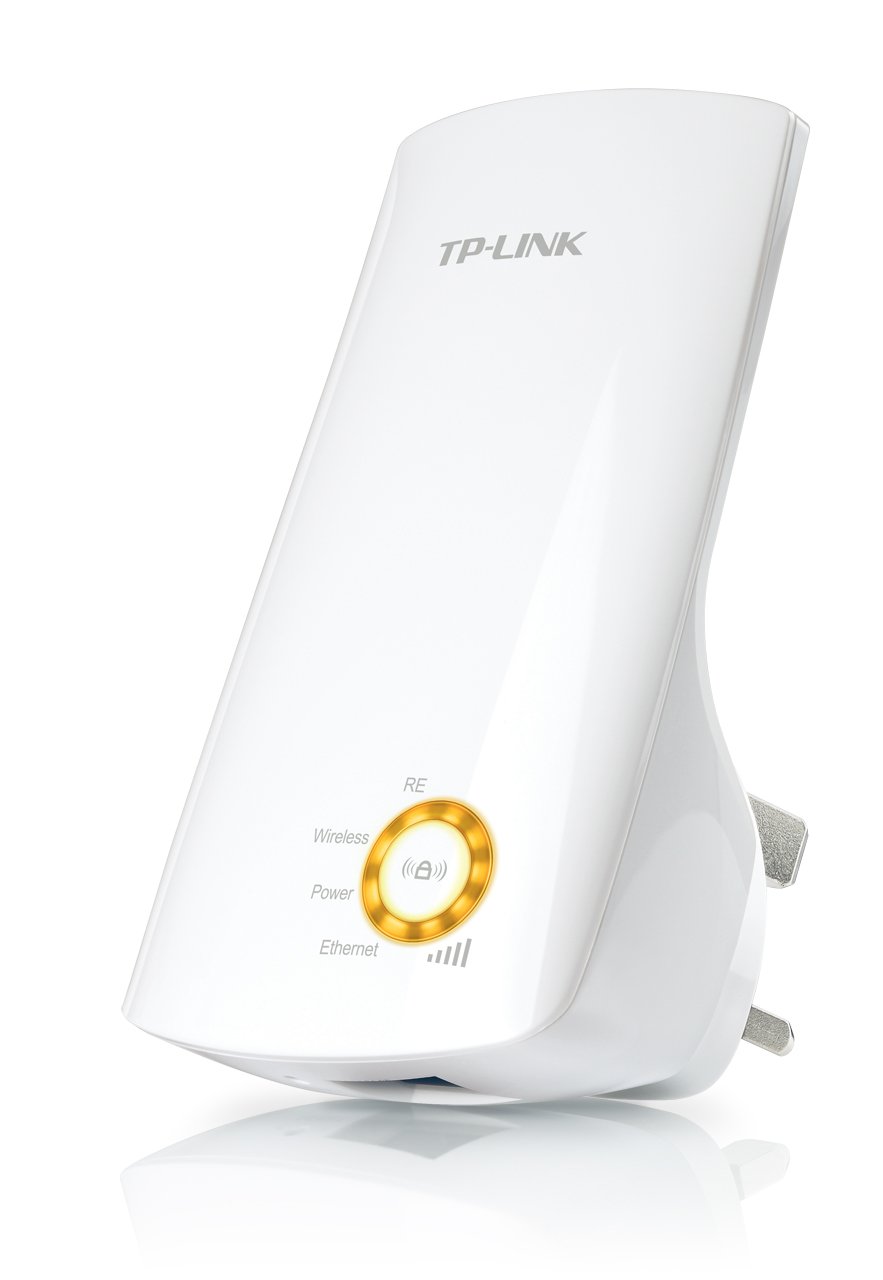
Слика 1: TP-Link TL-WA750RE Universal Wireless Range Extender. This image shows the device in its retail packaging, highlighting its compact design and wall-plug form factor.
2. Кључне карактеристике
- Режим проширења домета: Boosts wireless signal to eliminate Wi-Fi dead zones and extend network coverage.
- Компактан дизајн: Small size and wall-mounted design for easy deployment and flexible movement.
- ВПС дугме: Allows for instant setup and secure connection with compatible routers.
- Индикатор паметног сигнала: Helps users find the optimal location for placing the range extender for best performance.
- Универзална компатибилност: Works seamlessly with all 802.11n/g/b wireless devices.
3. Садржај пакета
Пакет производа обично садржи следеће ставке:
- TP-Link TL-WA750RE 150Mbps Universal Wireless Range Extender
- Упутство за употребу
4. Водич за подешавање
4.1. Quick Setup using WPS Button
- Прикључак: Укључите TL-WA750RE у електричну утичницу близу вашег бежичног рутера.
- Активирајте WPS на рутеру: Press the WPS button on your main wireless router. Refer to your router's manual for the exact location and procedure.
- Активирајте WPS на екстендеру: Within two minutes, press the WPS button on the TL-WA750RE. The Signal LED on the extender should begin to flash.
- Чекање на везу: The Signal LED will turn solid blue or green when a successful connection is established.
- Премести екстендер: Unplug the extender and move it to a location between your router and the Wi-Fi dead zone. Ensure the Signal LED indicates a strong connection (e.g., solid blue or green) in the new location.
4.2. Manual Setup via Web Бровсер
- Прикључак: Plug the TL-WA750RE into an electrical outlet near your computer.
- Повежите се са екстендером: Connect your computer to the extender's Wi-Fi network (e.g., "TP-LINK_Extender_XXXXXX"). No password is required initially.
- Приступ Web Интерфејс: Отвори а web претраживач и тип http://tplinkrepeater.net or the extender's default IP address (usually 192.168.0.254) into the address bar.
- Пријавите се: Enter "admin" for both the username and password when prompted.
- Пратите упутства на екрану: Use the Quick Setup wizard to select your main Wi-Fi network and enter its password.
- Премести екстендер: Once configured, unplug the extender and move it to an optimal location between your router and the desired coverage area.
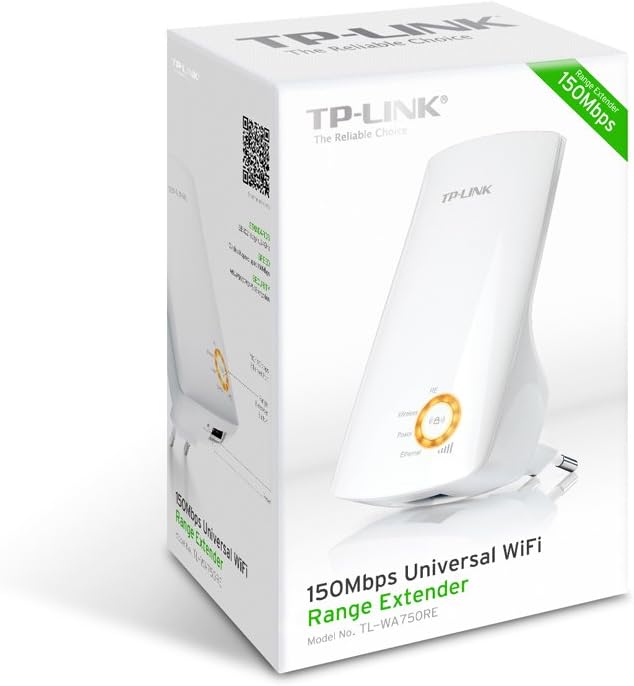
Слика 2: Сиде view of the TL-WA750RE. This image illustrates the physical layout of the device, including the WPS button and Ethernet port, which are crucial for setup and operation.
5. Руковање проширивача домета
Once the TL-WA750RE is successfully set up, it will automatically extend your existing Wi-Fi network. Devices within the extended range can connect to the network name created by the extender (e.g., "YourNetworkName_EXT").
5.1. Smart Signal Indicator
The Smart Signal Indicator LEDs on the front of the device provide real-time feedback on the signal strength received from your main router. This helps you determine the best placement for the extender:
- Пуно плава/зелена: Excellent signal strength.
- Пуно црвено: Weak signal strength. Consider relocating the extender closer to your router.
- Искључено: No connection to the main router.
5.2. Ethernet Port Usage
The TL-WA750RE includes an Ethernet port. This port can be used to connect a wired device, such as a desktop computer, gaming console, or smart TV, to your wireless network, providing a stable wired connection in the extended Wi-Fi area.
6. Одржавање
- Чишћење: Користите меку, суву крпу за чишћење уређаја. Не користите течна или аеросолна средства за чишћење.
- Пласман: Избегавајте постављање екстендера на директну сунчеву светлост, близу извора топлоте или на места са високом влажношћу.
- Ажурирања фирмвера: Периодично проверавајте званичне информације компаније ТП-Линк. webсајт за ажурирања фирмвера како би се осигурале оптималне перформансе и безбедност.
- Циклус напајања: If the device experiences issues, try unplugging it from the power outlet for 10 seconds and then plugging it back in.
КСНУМКС. Решавање проблема
- Q1: What should I do if I cannot access the extender's web страница за управљање?
- A1: Ensure your computer is connected to the extender's network. Verify that http://tplinkrepeater.net is correctly typed in the browser. If issues persist, try using the extender's IP address (e.g., 192.168.0.254) or reset the extender to factory defaults.
- Q2: My extended network has poor signal or frequent disconnections.
- A2: Check the Smart Signal Indicator on the extender. If it's red or off, the extender is too far from your main router. Relocate the extender to a position where the indicator shows a strong signal (solid blue/green). Ensure there are no major obstructions between the router and the extender.
- Q3: How do I reset the extender to factory default settings?
- A3: With the extender powered on, use a pin to press and hold the Reset button (usually a small hole) for approximately 5-10 seconds until all LEDs flash briefly. The extender will then restart with factory default settings.
8. Спецификације
| Бранд | ТП-Линк |
| Број модела | ТЛ-ВА750РЕ |
| вирелесс стандард | 802.11б/г/н |
| Брзина преноса података | 150 Мбпс |
| Фреквенција | 2.4 ГХз |
| Посебне карактеристике | Smart Signal Indicator, WPS Button |
| Тип конектора | RJ45 (Етернет порт) |
| Тежина артикла | 0.4 фунти |
| Боја | Бела |
9. Гаранција и подршка
9.1. Информације о гаранцији
This TP-Link TL-WA750RE device comes with a 2 година гаранције од датума куповине. Молимо вас да сачувате доказ о куповини за потребе гаранције. Гаранција покрива недостатке у материјалу и изради при нормалној употреби.
9.2. Техничка подршка
За техничку помоћ, решавање проблема или додатна питања, посетите званичну TP-Link подршку website or contact their customer service. You can find detailed support resources, FAQs, and contact information at ввв.тп-линк.цом/суппорт.