
1. Увод
This manual provides essential instructions for the safe and efficient operation of your ICOM BC-152 charger. Please read this manual thoroughly before using the charger to ensure proper setup, operation, and maintenance. Keep this manual for future reference.
2. Безбедносне информације
Always observe the following safety precautions to prevent injury, damage to the charger, or damage to the device being charged.
- Use only with compatible ICOM battery packs. Using incompatible batteries may cause fire, explosion, or injury.
- Не излажите пуњач киши, влази или екстремним температурама.
- Не растављајте нити модификујте пуњач. Сво сервисирање препустите квалификованом особљу.
- Уверите се да је јачина звука у утичнициtage matches the charger's specifications.
- Држите пуњач даље од извора топлоте и директне сунчеве светлости.
- Искључите пуњач из утичнице када га не користите или пре чишћења.
3. Подешавање
3.1 Распакивање
Carefully remove the ICOM BC-152 charger from its packaging. Verify that all components are present:
- ICOM BC-152 Charger Unit
- AC Adapter (if included)
- Упутство за употребу (овај документ)
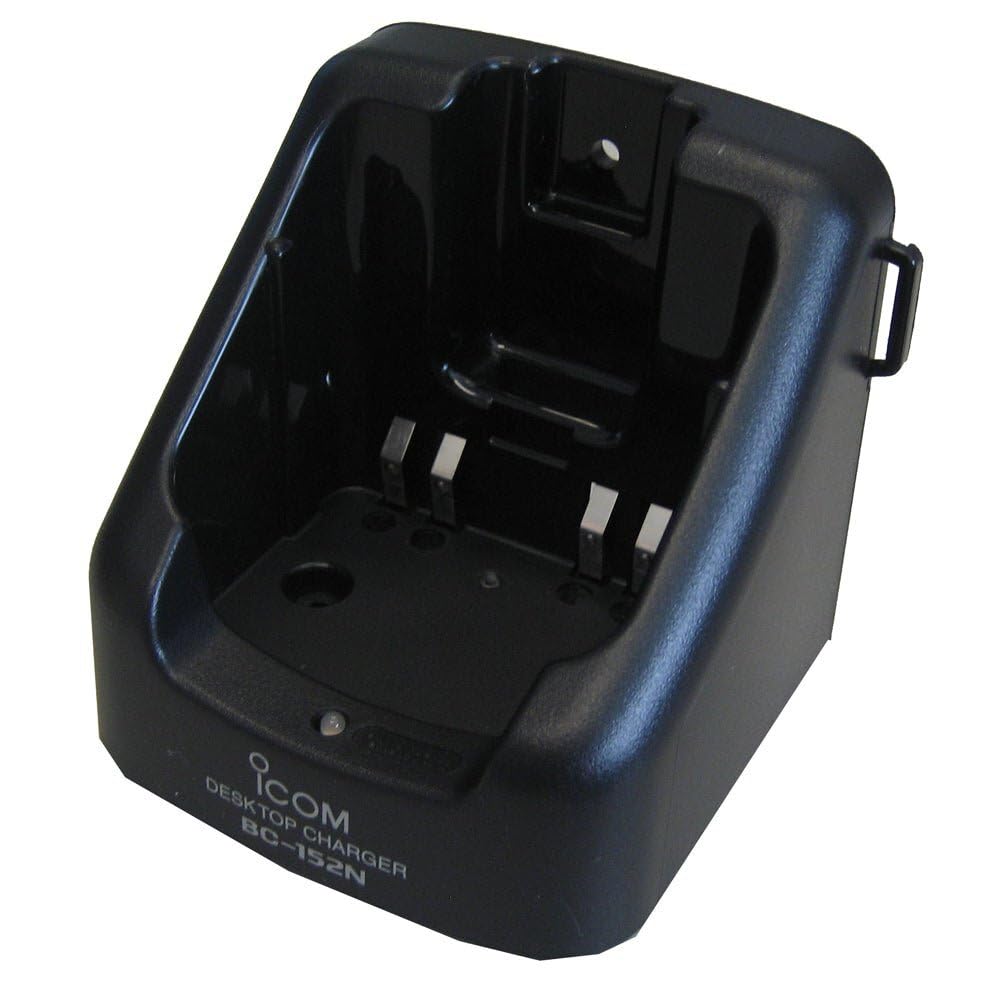
Figure 1: The ICOM BC-152 charger unit. This image shows the compact black charger with a single slot for a battery pack.
3.2 Повезивање напајања
- Connect the AC adapter cable to the DC input jack on the rear of the BC-152 charger unit.
- Укључите АЦ адаптер у стандардну зидну утичницу.
- Пуњач је сада спреман за употребу.
4. Упутство за употребу
4.1 Charging a Battery Pack
Follow these steps to charge a compatible ICOM battery pack:
- Ensure the charger is connected to a power source as described in Section 3.2.
- Carefully insert the battery pack into the charging slot of the BC-152 charger. Ensure it is seated firmly.
- Observe the charging indicator light.
4.2 Индикаторска светла
The BC-152 charger features an LED indicator to show the charging status:
- Црвена (чврста): Батерија се тренутно пуни.
- Зелена (чврста): Charging is complete. The battery pack is fully charged.
- Трепери црвено: Charging error or battery fault. Remove the battery and re-insert. If the error persists, consult the troubleshooting section.
- Без светла: Charger is not connected to power, or no battery is inserted.
Charging time may vary depending on the battery's capacity and its current charge level. Typically, a fully depleted battery will take approximately 2-4 hours to charge.
5. Одржавање
5.1 Чишћење
Да бисте одржали оптималне перформансе и изглед:
- Увек искључите пуњач из утичнице пре чишћења.
- Use a soft, dry cloth to wipe the exterior of the charger.
- Не користите абразивна средства за чишћење, раствараче или јаке хемикалије.
- Ensure no moisture enters the charging slot or power input.
5.2 Складиштење
When not in use for extended periods, store the charger in a cool, dry place, away from direct sunlight and extreme temperatures. Disconnect it from the power supply.
КСНУМКС. Решавање проблема
If you encounter issues with your BC-152 charger, refer to the table below for common problems and solutions.
| Проблем | Могући узрок | Решење |
|---|---|---|
| Charger indicator light is off. | No power supply or battery not inserted. | Check AC adapter connection. Ensure battery is correctly inserted. |
| Indicator light flashes red. | Battery fault or charging error. | Remove and re-insert the battery. Try a different compatible battery if available. |
| Батерија се не пуни. | Faulty battery, charger, or power supply. | Verify power connection. Test with a known good battery. If problem persists, contact support. |
7. Спецификације
| Бранд | ИЦОМ |
| Модел | КК-КСНУМКС |
| Улазни волtage | 12-16V DC (via AC adapter) |
| Оутпут Волtage | 8.4В ДЦ |
| Цхаргинг Цуррент | Прибл. 450мА |
| Димензије (Ш×В×Д) | Approx. 80 × 50 × 90 mm (3.1 × 2.0 × 3.5 inches) |
| Тежина | 0.18 фунте (приближно 82 г) |
| Боја | Црно |
Напомена: Спецификације се могу променити без претходне најаве ради побољшања.
8. Информације о гаранцији
ICOM products are manufactured with high-quality components and are subject to rigorous quality control. This product is covered by a limited warranty against defects in materials and workmanship. The specific terms and duration of the warranty may vary by region. Please refer to the warranty card included with your purchase or visit the official ICOM webза детаљне информације о гаранцији.
This warranty does not cover damage caused by misuse, accident, unauthorized modification, or improper installation.
9. Корисничка подршка
If you have any questions, require technical assistance, or need to report a problem that cannot be resolved using the troubleshooting guide, please contact ICOM customer support.
ICOM America Inc.
Visit ICOM America's Contact Page
Please have your product model (BC-152) and serial number ready when contacting support.