
1. Увод
Thank you for choosing the Pro-Ject Debut Carbon DC Turntable. This manual provides essential information for the proper setup, operation, and maintenance of your turntable. Please read these instructions carefully before using the device to ensure optimal performance and longevity.
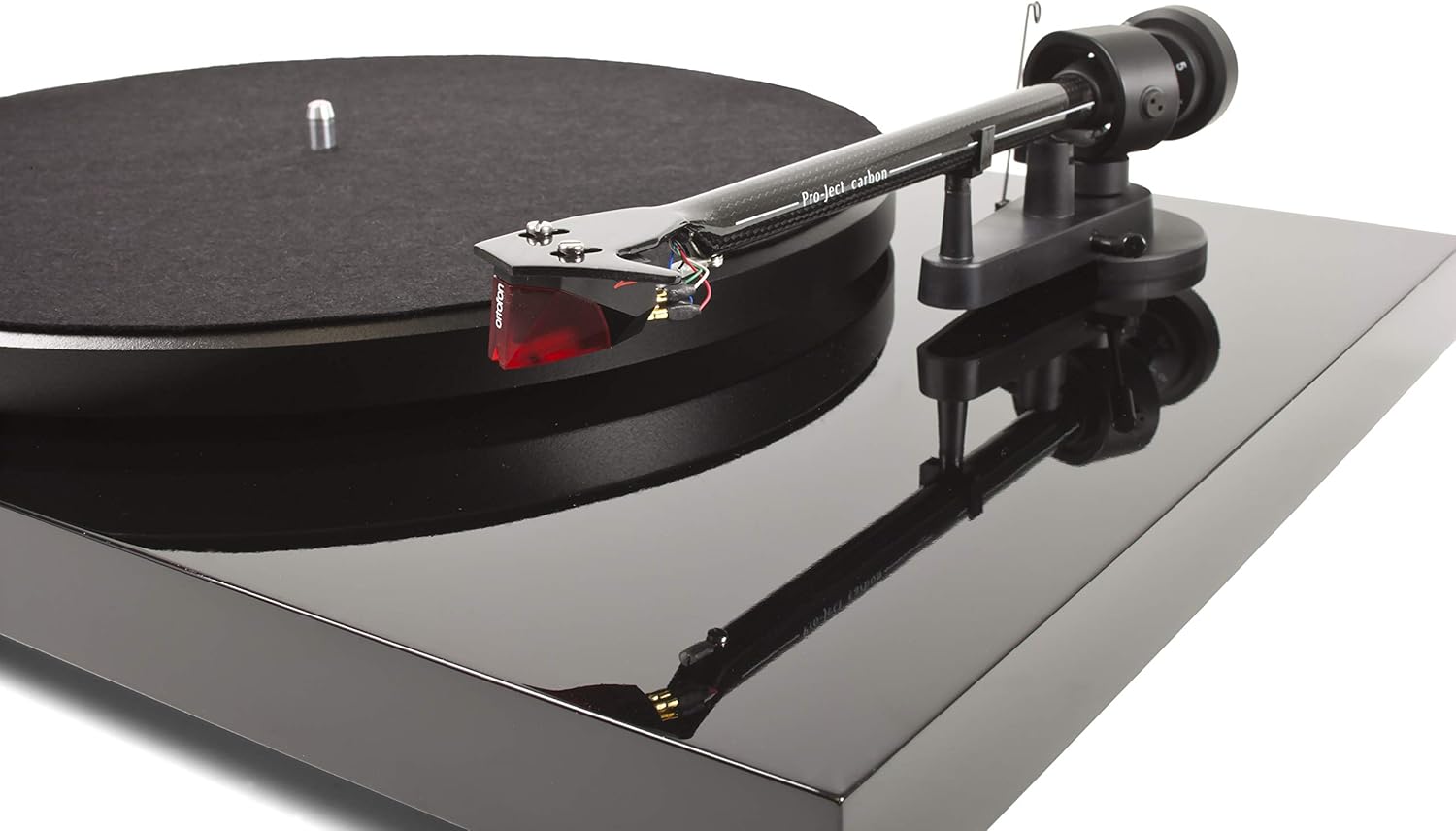
The Pro-Ject Debut Carbon DC is a high-fidelity turntable designed for exceptional audio reproduction, featuring an 8.6-inch carbon fiber tonearm and a pre-mounted Ortofon 2M Red cartridge.
2. Безбедносна упутства
- Always disconnect the turntable from the power supply before cleaning or performing any maintenance.
- Држите грамофон даље од воде, влаге и директне сунчеве светлости.
- Place the turntable on a stable, level surface to prevent vibrations and ensure proper operation.
- Не покушавајте сами да поправите уређај. Све сервисирање препустите квалификованом особљу.
- Avoid touching the stylus with your fingers to prevent damage.
3. Садржај пакета
Проверите да ли се у вашем пакету налазе све ставке наведене у наставку:
- Pro-Ject Debut Carbon DC Turntable with pre-mounted Ortofon 2M Red Cartridge
- Connect-It E RCA Cable
- Removable Power Supply
- Felt Platter Mat
- Дуст Цовер
- Противтежа
- Анти-скате тежина
4. Подешавање
4.1 Распакивање и постављање
Пажљиво извадите све компоненте из паковања. Поставите грамофон на чврсту, равну површину, даље од директних извора топлоте или јаких вибрација. Обезбедите одговарајућу вентилацију око уређаја.
4.2 Инсталација плоче и каиша
- Place the main platter onto the turntable spindle.
- Locate the drive belt. Carefully stretch the belt around the inner rim of the platter and around the motor pulley. Ensure the belt is not twisted.
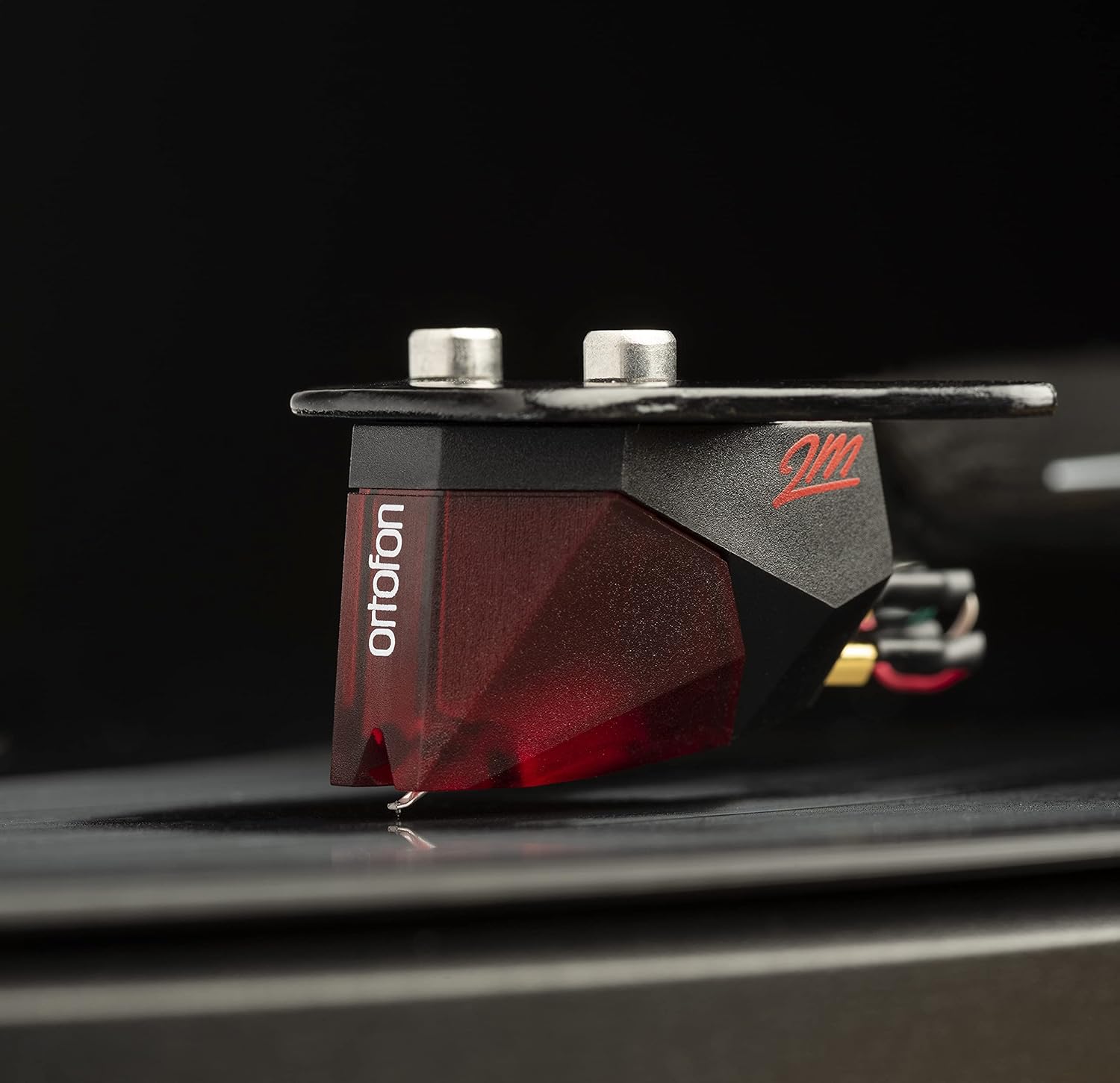
Image: The Pro-Ject Debut Carbon DC Turntable fully assembled, showing the platter, tonearm, and Ortofon 2M Red cartridge. This image illustrates the overall appearance of the turntable after initial setup.
4.3 Баланс ручице и сила праћења
The Ortofon 2M Red cartridge is pre-mounted. However, proper tonearm balance and tracking force adjustment are crucial for optimal sound and record preservation.
- With the anti-skate weight removed, carefully unclip the tonearm and move it away from the tonearm rest.
- Rotate the counterweight on the rear of the tonearm until the tonearm floats freely and is perfectly balanced horizontally.
- Once balanced, return the tonearm to its rest. Hold the counterweight steady and rotate the numbered ring until '0' aligns with the line on the tonearm.
- Rotate the entire counterweight counter-clockwise until the desired tracking force is set. For the Ortofon 2M Red, the recommended tracking force is typically 1.8 grams.
Слика: Крупни план view of the Ortofon 2M Red cartridge mounted on the carbon fiber tonearm of the Pro-Ject Debut Carbon DC turntable. This highlights the stylus and cartridge assembly.
4.4 Anti-Skate Adjustment
The anti-skate mechanism prevents the tonearm from being pulled inwards towards the center of the record. Attach the small loop of the anti-skate weight's thread to the second groove of the anti-skate stub on the tonearm support.
4.5 Повезивање са Ampлифиер
Connect the supplied RCA cable from the turntable's output jacks to the 'Phono' input on your ampзвучник или наменски фоно пре-ampлифиер. Ако је ваш amplifier does not have a 'Phono' input, you will need an external phono pre-amplifier. Connect the ground wire from the turntable to the ground terminal on your amplifier or phono pre-ampублаживач за минимизирање зујања.

Слика: Страна А view of the Pro-Ject Debut Carbon DC Turntable, illustrating the rear panel with RCA output jacks and the power input. This shows where to connect audio cables and the power supply.
4.6 Прикључак за напајање
Connect the power supply to the turntable's power input and then plug it into a suitable wall outlet.
4.7 Поклопац за прашину
Carefully attach the dust cover to the hinges on the rear of the turntable. The dust cover protects the turntable from dust when not in use.
5. Упутство за употребу
5.1 Укључивање/искључивање
The power switch is located on the underside of the turntable, near the front left corner. Flip the switch to the 'ON' position to start the platter rotation. Flip it to 'OFF' to stop.
5.2 Пуштање плоче
- Поставите плочу на тањир, водећи рачуна да буде центрирана.
- Укључите грамофон помоћу прекидача за напајање.
- Пажљиво подигните ручицу грамофона помоћу полуге за подешавање звука.
- Поставите ручицу грамофона преко жељеног почетног жлеба плоче.
- Пажљиво спустите ручицу грамофона помоћу полуге за подешавање звука. Оловка ће доћи у контакт са плочом и репродукција ће почети.
- At the end of the record, lift the tonearm using the cueing lever and return it to the tonearm rest.
5.3 Changing Playback Speed (33/45 RPM)
The Pro-Ject Debut Carbon DC requires manual adjustment to change playback speed between 33 and 45 RPM.
- Искључите грамофон.
- Carefully remove the felt mat and lift the platter off the spindle.
- Locate the motor pulley. It has two different diameter steps.
- For 33 RPM, place the drive belt around the smaller diameter step of the motor pulley.
- For 45 RPM, place the drive belt around the larger diameter step of the motor pulley.
- Replace the platter and felt mat.
6. Одржавање
6.1 Чишћење грамофона
Use a soft, lint-free cloth to gently wipe the turntable chassis and dust cover. Avoid using abrasive cleaners or solvents. For the platter, use a slightly damp cloth if necessary, ensuring it is dry before use.
6.2 Нега оловке
The stylus is delicate. Use a soft stylus brush, brushing gently from back to front, to remove dust and debris. Never use your fingers to clean the stylus. A dirty stylus can damage your records and degrade sound quality.
6.3 Drive Belt Inspection
Periodically inspect the drive belt for signs of wear or stretching. A worn belt can lead to inconsistent playback speed. Replace the belt if it appears damaged or loose.
КСНУМКС. Решавање проблема
| Проблем | Могући узрок | Решење |
|---|---|---|
| Нема струје | Power cable not connected; power outlet faulty; power switch off. | Check power connections; try a different outlet; ensure power switch is ON. |
| Нема звука са једног или оба канала | RCA cables not connected correctly; phono input not selected; damaged stylus; ampпитања лифиера. | Check RCA connections; select correct input on amplifier; inspect stylus; test amplifier with another source. |
| Зујање | Ground wire not connected; proximity to other electronic devices; faulty cables. | Connect ground wire; move turntable away from other electronics; try different RCA cables. |
| Нетачна брзина репродукције | Drive belt incorrectly positioned; worn drive belt. | Adjust drive belt to correct motor pulley step; replace drive belt if worn. |
| Изобличен звук | Dirty or damaged stylus; incorrect tracking force; worn record. | Clean or replace stylus; re-adjust tracking force; try a different record. |
If you encounter problems not listed here or if the suggested solutions do not resolve the issue, please contact your dealer or Pro-Ject customer support for assistance.
8. Спецификације
| Феатуре | Детаљ |
|---|---|
| Назив модела | Debut Carbon DC |
| Број модела ставке | 9120050435933 |
| Димензије производа | 12.6 к 16.34 к 4.65 инча |
| Тежина артикла | 12.35 фунти (5600 грама) |
| Бранд | Про-Јецт |
| Максимална брзина ротације | 45 RPM (also supports 33 RPM) |
| Укључене компоненте | Turntable with pre-mounted Ortofon 2M Red Cartridge, Connect-It E RCA Cable, removable Power Supply, felt platter mat, and dust cover |
| Посебне карактеристике | Carbon Tube Tone-Arm, Balanced Steel Platter, Decoupled Motor, Pre-Mounted Ortofon 2M Red Cartridge |
| Материјал | Инжењерско дрво, пластика |
| Боја | Пиано Блацк |
| Компатибилни уређаји | Speaker, Personal Computer, Desktop, Smartphone, Tablet, Laptop (via appropriate audio interfaces/pre-amps) |
9. Гаранција и подршка
Specific warranty information for the Pro-Ject Debut Carbon DC Turntable is typically provided with the product packaging or available from your authorized dealer. Please retain your proof of purchase for warranty claims.
For technical support, service, or further inquiries, please contact your local Pro-Ject dealer or visit the official Pro-Ject Audio Systems webсајту.