
1. Увод
The Cooler Master CM Storm QuickFire Rapid-i is a mechanical gaming keyboard designed for performance and durability. It features full LED backlighting with ActivLite Technology, allowing for dynamic lighting effects and per-key customization. This keyboard is equipped with a 32-bit ARM processor for advanced lighting control without the need for software. Its tenkeyless form factor provides a compact design, ideal for gaming setups and travel.
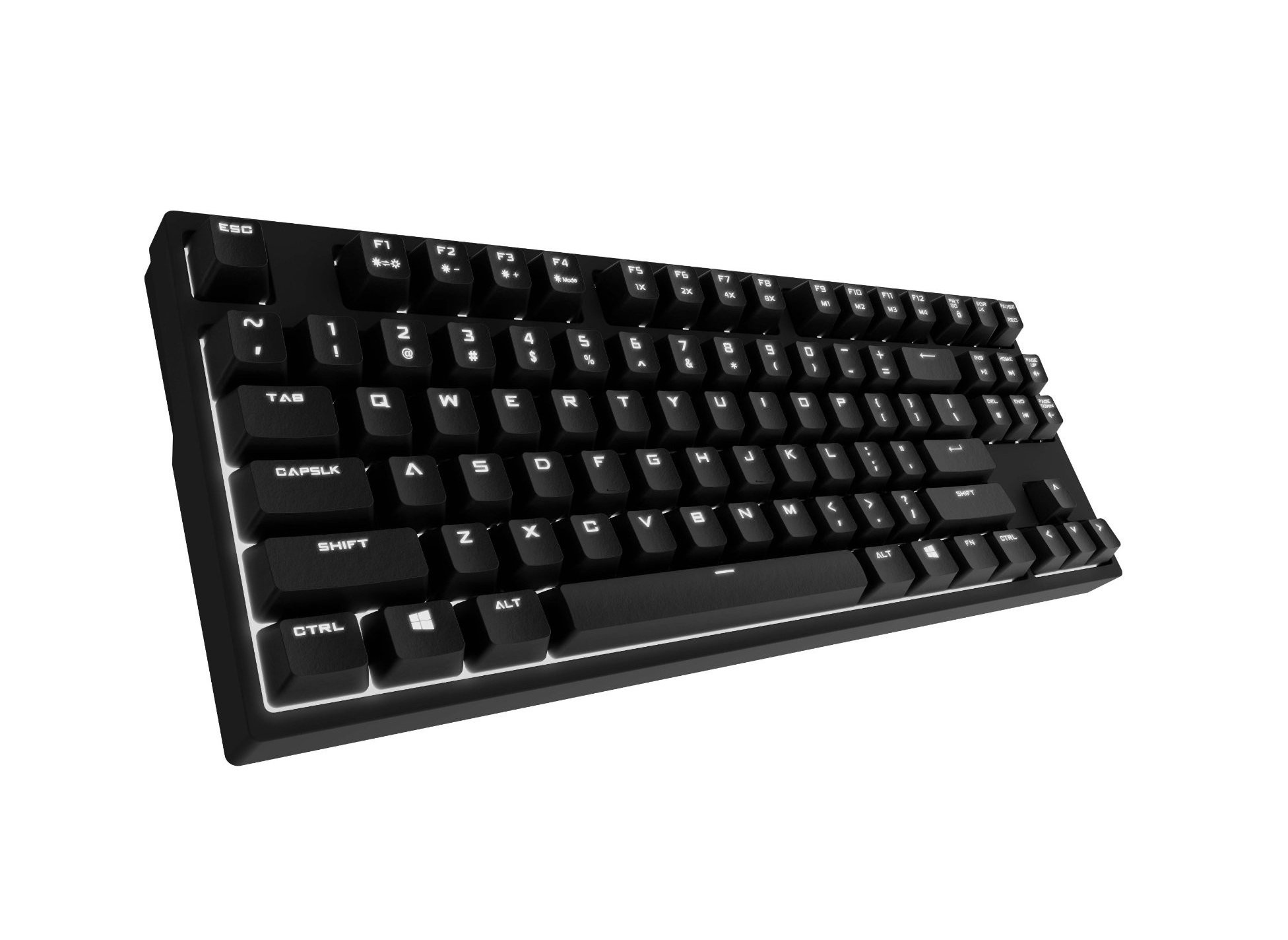
Image 1.1: Cooler Master CM Storm QuickFire Rapid-i Mechanical Gaming Keyboard.
2. Садржај пакета
Проверите да ли су све ставке присутне у вашем пакету:
- Cooler Master CM Storm QuickFire Rapid-i Keyboard
- 1.8m Detachable Braided USB Cable
- Кориснички приручник (овај документ)
3. Карактеристике производа
- Fully Mechanical CHERRY MX Brown Keyswitches: Provides tactile feedback with low noise, optimized for gaming.
- Форм фактор без кључа: Compact and ergonomic design for portability and improved mouse positioning.
- Fully White LED Backlit: Ensures visibility in low-light environments.
- ActivLite Technology: Features instant response and trailing light effects, powered by a 32-bit ARM processor.
- Individual Key Lighting: Allows saving up to 4 different lighting profileза разне апликације или игре.
- 1.8m Detachable Braided Cable: Durable and convenient for transport.
- Н-Кеи Ролловер: Registers an unlimited number of simultaneous keypresses, preventing ghosting.
4. Подешавање
4.1 Повезивање тастатуре
- Locate the detachable 1.8m braided USB cable.
- Connect the micro-USB end of the cable to the port on the back of the QuickFire Rapid-i keyboard.
- Повежите стандардни USB-A крај кабла са доступним USB портом на рачунару.
- The keyboard is plug-and-play compatible with Windows operating systems and should be recognized automatically.

Image 4.1: Connecting the detachable USB cable to the keyboard.
5. Упутство за употребу
5.1 Основне функције тастатуре
The QuickFire Rapid-i functions as a standard QWERTY keyboard. All keys perform their labeled actions. Special functions are typically accessed via the Function (Fn) key combined with other keys.
5.2 ActivLite Technology and LED Backlighting
The keyboard features fully white LED backlighting with ActivLite Technology, offering various lighting modes and effects. These effects are controlled directly from the keyboard using key combinations, without requiring software.
- Тренутни одговор: Keys light up immediately upon press.
- Trailing Effect: Keys remain lit for a short duration after being pressed, creating a trailing light effect.
- Подешавање осветљености: Користите Фн + Ф1 (decrease brightness) and Фн + Ф2 (increase brightness) to adjust the LED intensity.
- Режими осветљења: Cycle through various pre-programmed lighting modes using Фн + Ф3 да Фн + Ф8. Refer to the keyboard's keycap legends for specific mode indicators.

Слика 5.1: Примерample of LED backlighting on the QuickFire Rapid-i.
5.3 Per-Key Lighting and Profiles
The QuickFire Rapid-i allows users to customize individual key lighting and save up to 4 different profiles directly on the keyboard's onboard memory.
- Entering Customization Mode: Притисните Фн + Ф9 to enter the per-key lighting customization mode. The keyboard LEDs may flash to indicate this mode.
- Selecting Keys: Press any key you wish to toggle its LED on or off.
- Saving a Profile: Once your desired lighting pattern is set, press Фн + Ф10, Фн + Ф11, Фн + Ф12, или Fn + Print Screen to save the current lighting pattern to one of the four available profiles. The keyboard will confirm the save.
- Учитавање Проfile: To load a saved profile, једноставно притисните Фн + Ф10, Фн + Ф11, Фн + Ф12, или Fn + Print Screen corresponding to the desired profile.
- Exiting Customization Mode: Притисните Фн + Ф9 again to exit customization mode.

Image 5.2: Customizing individual key lighting for a personalized profile.
5.4 Прелазак преко N тастера (NKRO)
The QuickFire Rapid-i supports N-Key Rollover, meaning every single keypress is registered accurately, regardless of how many keys are pressed simultaneously. This feature is crucial for fast-paced gaming where multiple commands might be executed at once.
6. Одржавање
6.1 Чишћење тастатуре
- Искључите тастатуру из рачунара пре чишћења.
- Користите меку крпу која не оставља длачицеampводом или благим раствором за чишћење да бисте обрисали капице тастера и кућиште.
- Избегавајте прскање течности директно на тастатуру.
- За прашину и остатке између тастера користите компримовани ваздух.
- Do not use harsh chemicals, abrasives, or solvents as they may damage the keyboard's finish or keycap legends.
6.2 Одржавање каблова
- Avoid sharp bends or kinks in the detachable braided cable.
- When disconnecting, pull from the connector head, not the cable itself.
КСНУМКС. Решавање проблема
7.1 Тастатура не реагује
- Уверите се да је USB кабл безбедно повезан и са тастатуром и са рачунаром.
- Покушајте да повежете тастатуру са другим УСБ портом на рачунару.
- Тестирајте тастатуру на другом рачунару да бисте искључили проблем специфичан за систем.
- Поново покрените рачунар.
7.2 LED Backlighting Not Working or Flickering
- Check if the brightness is set to minimum using Фн + Ф1. Increase brightness with Фн + Ф2.
- Прелазите кроз режиме осветљења користећи Фн + Ф3 да Фн + Ф8 to see if other modes function.
- Ensure you are not in a custom profile with all LEDs turned off. Try loading a different profile or resetting the lighting.
- Искључите и поново повежите тастатуру.
7.3 Keys Not Registering Correctly (Ghosting)
- The QuickFire Rapid-i features N-Key Rollover, which should prevent ghosting. If you experience this, ensure the keyboard is connected directly to a USB port on your computer, not through a hub.
- Clean the affected keys as described in the Maintenance section.
- If the issue persists, contact Cooler Master support.
8. Спецификације
| Бранд | Цоолер Мастер |
| Назив модела | SGK-4040-GKCB1 (CHERRY MX Brown switch) |
| Број модела | SGK-4040-GKCM1-US |
| Тип прекидача | CHERRY MX Brown (Tactile) |
| Технологија повезивања | Wired (Detachable USB Cable) |
| Распоред тастатуре | QWERTY, Tenkeyless Form Factor |
| Позадинско осветљење | Fully White LED, ActivLite Technology, Per-Key Lighting |
| Процесор | 32-bit ARM Processor |
| Н-Кеи Ролловер | Подржано |
| Цабле Ленгтх | 1.8 meters (Braided, Detachable) |
| Компатибилан оперативни систем | Виндовс |
| Димензије производа (Д к Ш к В) | 14.13" x 5.43" x 1.54" (35.89 цм x 13.79 цм x 3.91 цм) |
| Тежина артикла | 2.05 фунти (0.93 кг) |
| Материјал кућишта | Пластика |
9. Гаранција и подршка
9.1 Информације о гаранцији
The Cooler Master CM Storm QuickFire Rapid-i Mechanical Gaming Keyboard comes with a 12-месечна гаранција од датума куповине. Ова гаранција покрива производне недостатке и проблеме који настају нормалном употребом. Не покрива штету насталу услед злоупотребе, незгода, неовлашћених модификација или неправилног одржавања.
Сачувајте доказ о куповини за гаранцијске захтеве.
9.2 Техничка подршка
For technical assistance, troubleshooting beyond this manual, or warranty inquiries, please visit the official Cooler Master support website or contact their customer service department. Contact information can typically be found on the Cooler Master official webсајту.
Note: Product specifications and warranty terms are subject to change without prior notice.