
Важне информације о безбедности
Please read these instructions carefully before using the shredder. Keep this manual for future reference.
- Држите децу и кућне љубимце даље од сецкалице.
- Држите широку одећу, накит, косу и друге стране предмете даље од отвора сецкалице.
- Do not insert fingers or hands into the shredder opening.
- Искључите сецкалицу из струје када је не користите или пре чишћења.
- Do not shred metal objects, large paper clips, or hard plastic (except credit cards as specified).
- Do not use aerosol products, petroleum-based lubricants, or other flammable products on or near the shredder.
- Не користите сецкалицу ако је кабл за напајање оштећен.
- The shredder is equipped with overheat protection. If it overheats, it will automatically shut off. Allow it to cool down before resuming operation.
Садржај пакета
Уверите се да су сви предмети присутни:
- Amazon Basics AS665C Paper Shredder Unit
- Отпадна канта
- Упутство за употребу (овај документ)
Сетуп
- Распакујте шредер: Пажљиво уклоните све компоненте из паковања.
-
Position the Waste Bin: Place the shredder head securely on top of the provided waste bin. Ensure it is properly seated.
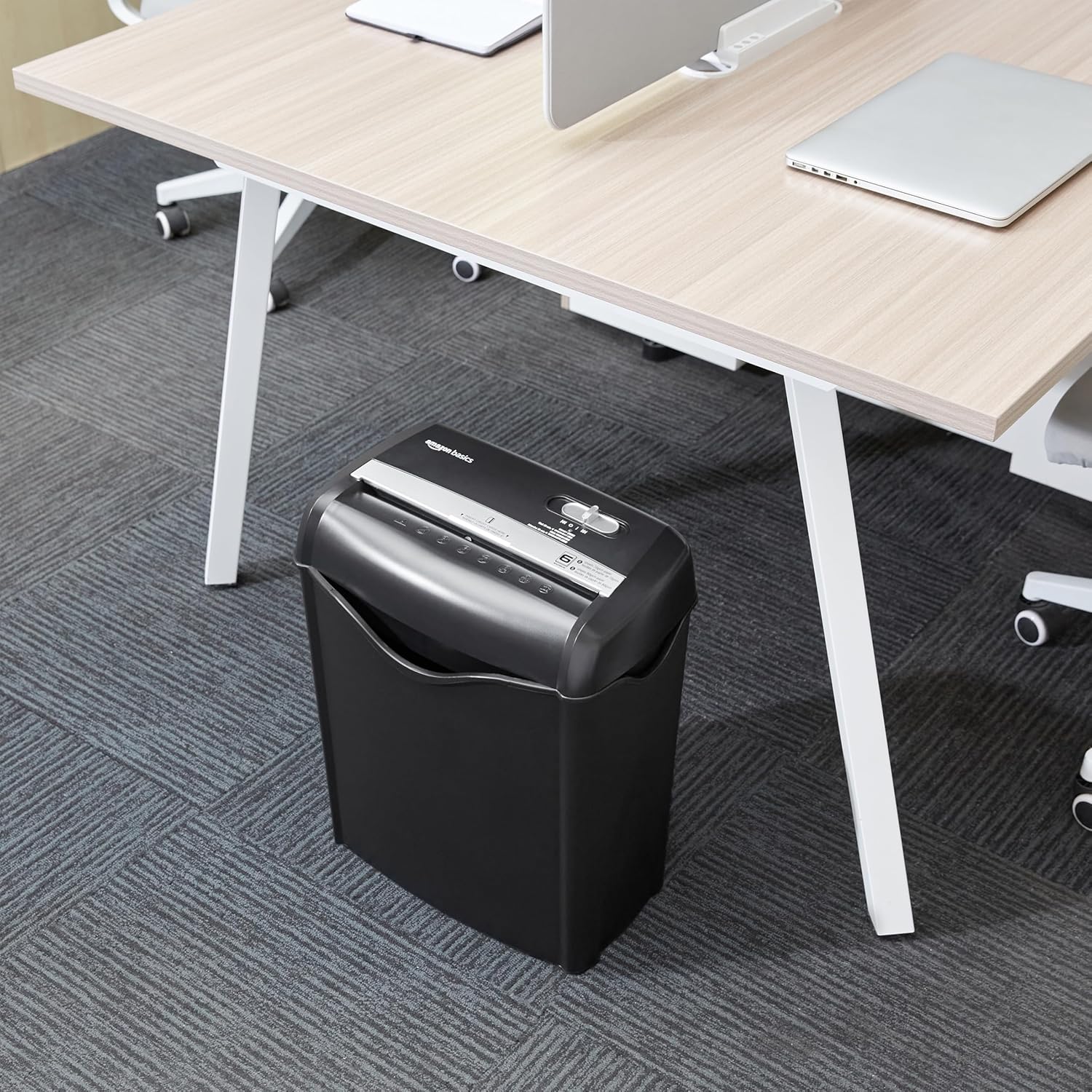
Image: The Amazon Basics AS665C Paper Shredder positioned under a desk, demonstrating its compact size and ease of placement in an office or home environment.
- Прикључите напајање: Укључите кабл за напајање у стандардну електричну утичницу.
Упутство за употребу
Контролни прекидач
The shredder features a slide switch with three positions:
- AUTO (I): Шредер ће се аутоматски покренути када се убаци папир и зауставити када се сецкање заврши.
- OFF (O): The shredder is powered off.
- REV (<<): Activates the reverse function to clear paper jams.

Слика: Детаљна view of the shredder's control switch, showing the "AUTO", "OFF", and "REV" settings, along with the "READY" (green) and "OVERHEAT" (red) indicator lights.
Уништавање докумената
- Изаберите режим: Поставите контролни прекидач на AUTO (I) position. The "READY" indicator light (green) will illuminate.
-
Уметните папир: Insert up to 6 sheets of 70gsm paper (or 5 sheets of 80gsm paper) straight into the paper entry slot. The shredder will automatically start and stop.
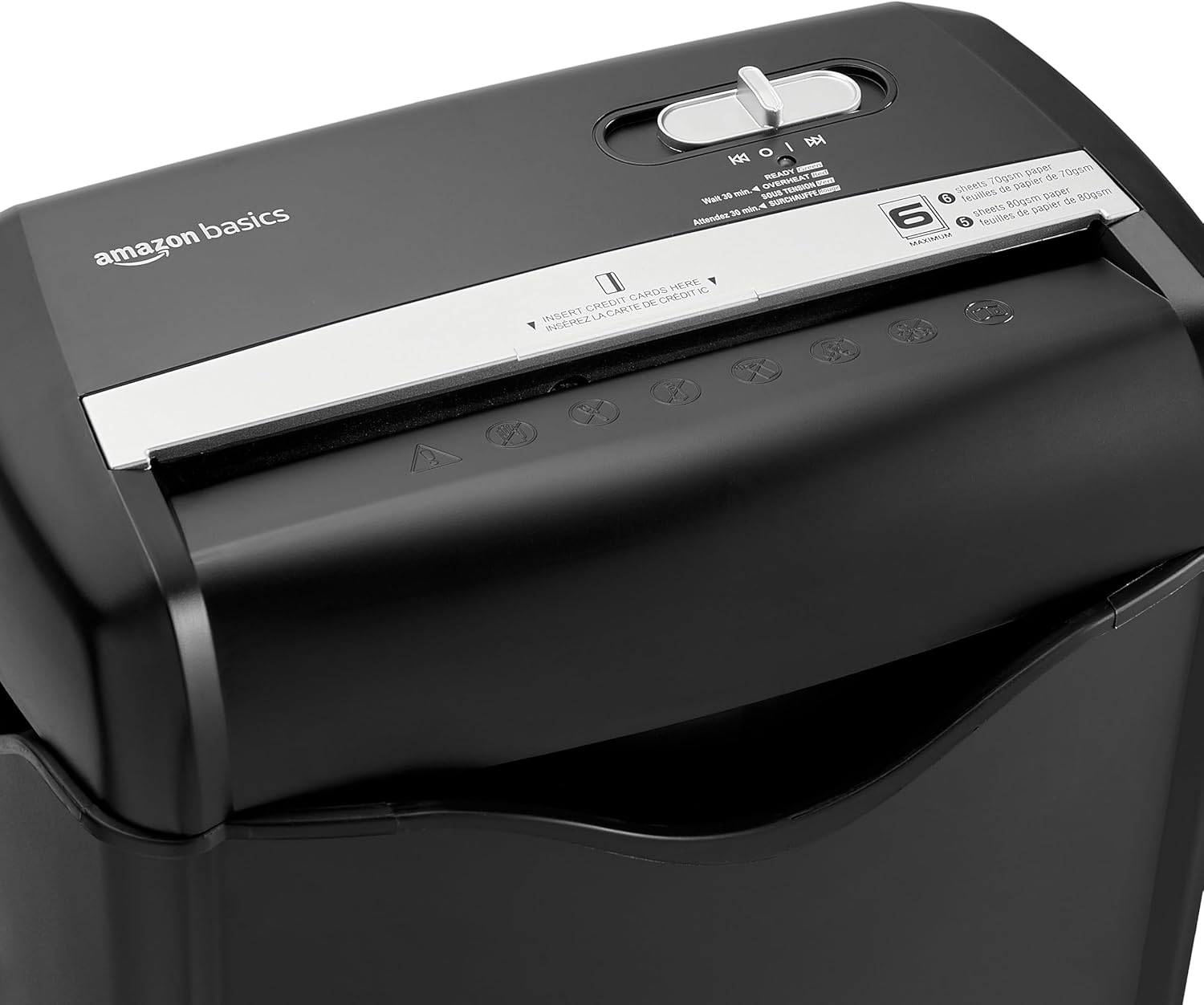
Слика: Врх view of the shredder, highlighting the paper entry slot, the control switch, and the "MAXIMUM" sheet capacity label.

Image: A close-up of the shredder's label indicating the maximum sheet capacity: 6 sheets of 70gsm paper or 5 sheets of 80gsm paper.
-
Уништавање кредитних картица: Убаците једну кредитну картицу истовремено у наменски отвор за кредитне картице.

Слика: Крупни план view of the shredder's dedicated slot for inserting credit cards, clearly labeled "INSERT CREDIT CARDS HERE".
- Заштита од прегревања: The shredder will automatically shut off if it runs continuously for too long or if the motor overheats. The "OVERHEAT" indicator light (red) will illuminate. Allow the shredder to cool down for approximately 30 minutes before resuming operation.

Image: A pile of cross-cut shredded paper, demonstrating the small particle size for enhanced security. A quarter coin is placed next to it for scale.
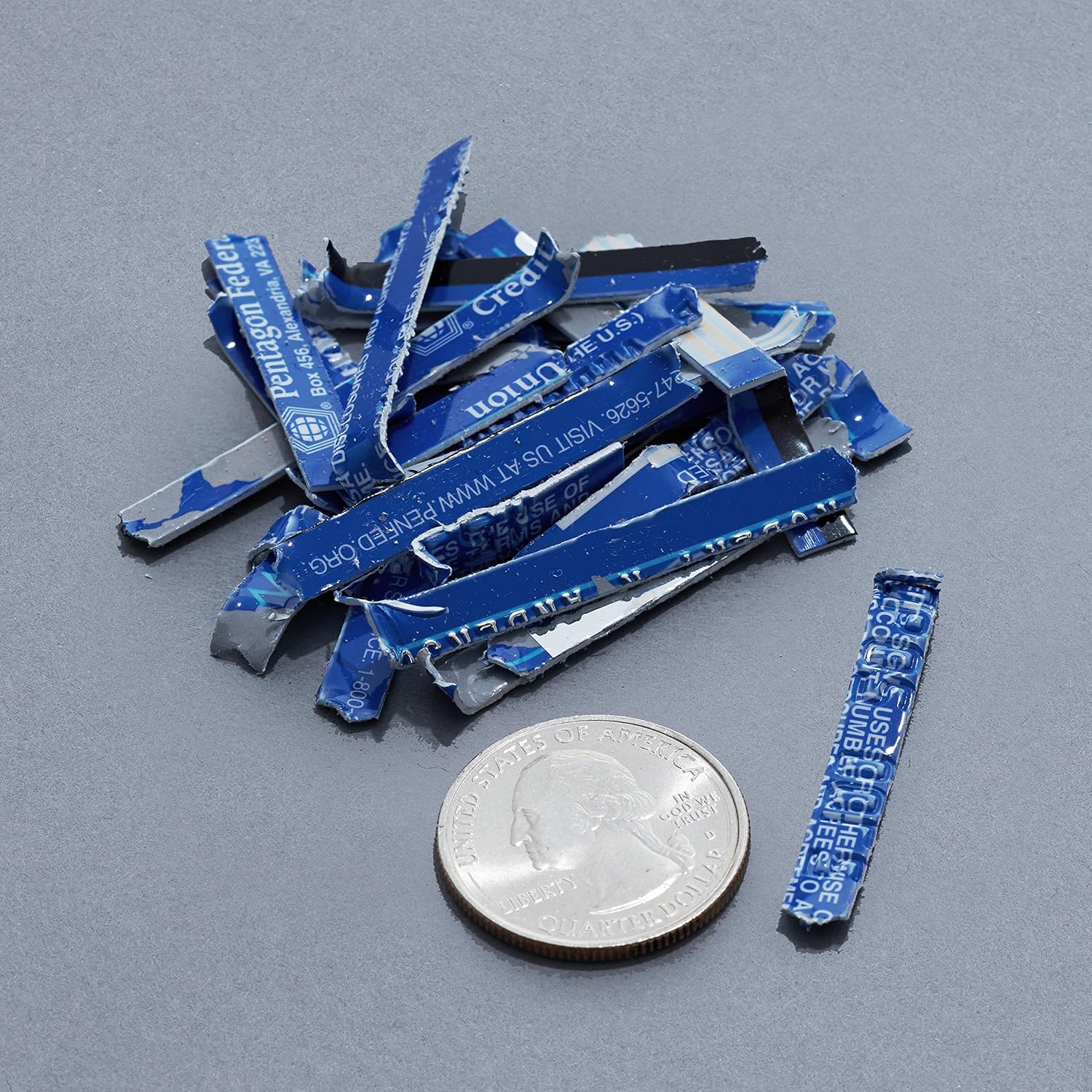
Image: A collection of shredded credit card pieces, illustrating the secure destruction of plastic cards. A quarter coin is included for size reference.
Одржавање
Пражњење канте за отпад
Regularly empty the waste bin to prevent paper jams and ensure optimal performance. Unplug the shredder before removing the head to empty the bin.
Чишћење
- Unplug the shredder before cleaning.
- Обришите спољашњост дробилице меком, сувом крпом.
- Немојте користити абразивна средства за чишћење или раствараче.
- For optimal performance, periodically oil the shredder blades with shredder oil sheets or liquid shredder oil. Follow the oil product's instructions.
Решавање проблема
| Проблем | Могући узрок | Решење |
|---|---|---|
| Шредер се не покреће. |
|
|
| Застој папира. |
|
|
| Шредер се зауставља током рада. |
|
|
Спецификације
| Феатуре | Детаљ |
|---|---|
| Бранд | Амазон Басицс |
| Број модела | AS665C (Manufacturer Model: AS662C-EU) |
| Схред Типе | Цросс-цут |
| Капацитет листа | 6 sheets (70gsm paper) / 5 sheets (80gsm paper) |
| Схредс | Папир, кредитне картице |
| Извор напајања | Цордед Елецтриц |
| Посебне карактеристике | Portable, Overheat Protection, Manual Reverse |
| Димензије производа (Д к Ш к В) | КСНУМКС к КСНУМКС к КСНУМКС цм (КСНУМКС к КСНУМКС к КСНУМКС инча) |
| Тежина производа | 3.72 кг (8.2 лбс) |
| Материјал | Пластика и метал |
Гаранција и подршка
For warranty information and customer support, please refer to the Amazon Basics website or contact Amazon customer service directly. Keep your purchase receipt for warranty claims.