
1. Увод
Thank you for choosing the Xanlite PR10WR Rechargeable Outdoor LED Floodlight. This manual provides essential information for the safe and efficient use of your device. The PR10WR is a versatile and durable LED floodlight designed for outdoor use, featuring IP54 water resistance, USB charging capability, 1000 lumens output, 9W power consumption, and 6000 Kelvin cool white light.
Please read this manual thoroughly before operating the floodlight and retain it for future reference.
2. Безбедносна упутства
- Не гледајте директно у ЛЕД светло када је упаљено, јер то може изазвати оштећење ока.
- Држите уређај даље од екстремних температура, директне сунчеве светлости и корозивних течности.
- Ensure the USB charging port cover is securely closed when not charging to maintain IP54 water resistance.
- Do not attempt to disassemble or modify the floodlight. This will void the warranty and may cause damage or injury.
- Use only the specified charging method (USB) and appropriate power sources.
- Одложите производ и његову батерију одговорно у складу са локалним прописима.
3. Производ је готовview
The Xanlite PR10WR is designed for portability and durability, featuring a robust metal and plastic construction with a convenient handle and adjustable stand.

Image 3.1: Xanlite PR10WR LED Floodlight showcasing its key features: IP54 water resistance, 6 hours of battery life, 1000 lumens of powerful illumination, and USB rechargeability.

Слика 3.2: Предња страна view of the floodlight, illustrating its design optimized for easy storage and transport.
Компоненте:
- ЛЕД светлосна плоча
- Adjustable Stand/Handle
- Дугме за напајање
- УСБ прикључак за пуњење
- Индикаторска светла батерије
4. Подешавање
4.1 Почетно пуњење
Before first use, fully charge the floodlight. The device is equipped with a Lithium-polymer battery.
- Locate the USB charging port on the back of the floodlight.
- Open the protective cover of the USB port.
- Connect a standard USB charging cable (not always included) to the floodlight's USB port and to a suitable USB power adapter (e.g., 5V/1A) or computer USB port.
- The battery indicator lights will illuminate to show charging progress. Once all indicators are solid, the floodlight is fully charged.
- After charging, securely close the protective cover of the USB port to maintain water resistance.

Слика 4.1: Позади view of the floodlight's control panel, featuring the USB charging port, power button, and battery level indicators.
5. Упутство за употребу
5.1 Укључивање/искључивање
Press the power button located on the back panel to turn the floodlight on or off. Multiple presses may cycle through different brightness modes if available (refer to product packaging for specific mode details).
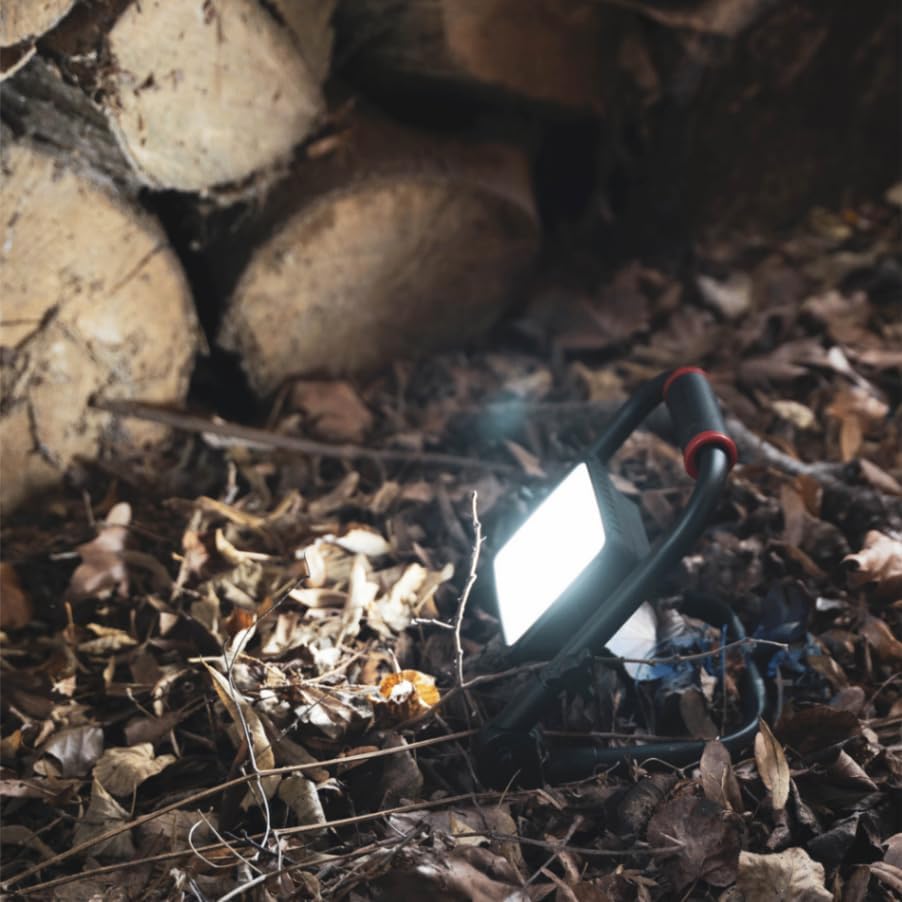
Image 5.1: The floodlight in operation, providing illumination in a natural environment.
5.2 Подешавање угла светлости
The floodlight features a rotatable head that can be adjusted 180 degrees. Loosen the adjustment knobs on either side of the light panel, position the light to your desired angle, and then tighten the knobs to secure it.

Image 5.2: Detail of the floodlight's adjustable pivot, allowing for 180-degree rotation of the light head.
5.3 Индикатор батерије
The battery indicator lights on the back panel show the remaining charge. Recharge the floodlight when the battery level is low to ensure continuous operation.
6. Одржавање
6.1 Чишћење
Wipe the floodlight with a soft, damp cloth. Do not use abrasive cleaners or solvents, as these may damage the finish or electronic components. Ensure the USB port cover is closed during cleaning.
6.2 Складиштење
Store the floodlight in a cool, dry place when not in use. For long-term storage, it is recommended to charge the battery every 3-6 months to maintain battery health.
КСНУМКС. Решавање проблема
- Светло се не укључује: Ensure the battery is charged. If fully charged, try pressing the power button firmly.
- Light dim or flickering: The battery may be low. Recharge the floodlight.
- Проблем са пуњењем: Check the USB cable and power adapter. Ensure the cable is securely connected to both the floodlight and the power source.
- Продирање воде: If water enters the device despite its IP54 rating, ensure the USB port cover was properly sealed. Discontinue use and contact support.
8. Спецификације
| Број модела | PR10WR |
| Бранд | Xanlite |
| Тип извора светлости | ЛЕД (диода која емитује светлост) |
| Ватtage | 10 Ватт |
| Maximum Light Output | 1000 лумена |
| Температура боје | 6000 Келвина (хладно бело) |
| Ниво отпорности на воду | IP54 (Water-resistant) |
| Извор напајања | Rechargeable Lithium-polymer Battery |
| Трајање батерије (приближно) | 6 сата |
| Пуњење | УСБ |
| Материјал | Метал, Пластика |
| Боја | Црвена/Црна |
| Димензије производа | 20 к 18 к 19.5 цм |
| Тежина артикла | 600 г |
| Тип монтаже | Freestanding / Floor |
| ГТИН | 03700619406503 |

Image 8.1: Dimensional drawing of the Xanlite PR10WR floodlight.
9. Гаранција и подршка
9.1 Информације о гаранцији
This Xanlite PR10WR LED Floodlight is covered by a manufacturer's warranty. Please refer to the warranty card included with your purchase or contact Xanlite customer service for specific terms and conditions.
9.2 Корисничка подршка
For technical assistance, troubleshooting, or warranty claims, please contact Xanlite customer support through their official webсајт или контакт информације које сте добили уз паковање производа.