
1. Увод
Thank you for choosing the iBeam TE-CSC Chrome Push-in Camera. This manual provides detailed instructions for the proper installation, operation, and maintenance of your new vehicle backup camera. Please read this manual thoroughly before installation and use to ensure optimal performance and safety.
The iBeam TE-CSC is designed to enhance parking accuracy and help avoid obstacles when reversing, offering a wide 170-degree view. Its durable, water-resistant chrome housing ensures longevity and a sleek appearance.
2. Безбедносне информације
- Увек искључите акумулатор возила пре него што извршите било какве електричне радове како бисте спречили кратке спојеве и струјни удар.
- Ensure all wiring is properly insulated and secured to prevent damage from vibration, heat, or moisture.
- Не ометајте возачу view or interfere with the operation of any vehicle controls or safety features during installation.
- This camera is an aid for reversing and parking; it does not replace the need for careful driving and direct observation of surroundings.
- Консултујте професионалног инсталатера ако нисте сигурни у вези са било којим делом процеса инсталације.
3. Садржај пакета
Молимо вас да проверите пакет за следеће ставке:
- iBeam TE-CSC Chrome Push-in Camera
- 22.5 мм тестера за рупе
- Повер Цорд
- 20-foot Video Cable (RCA type)
- Упутство за употребу
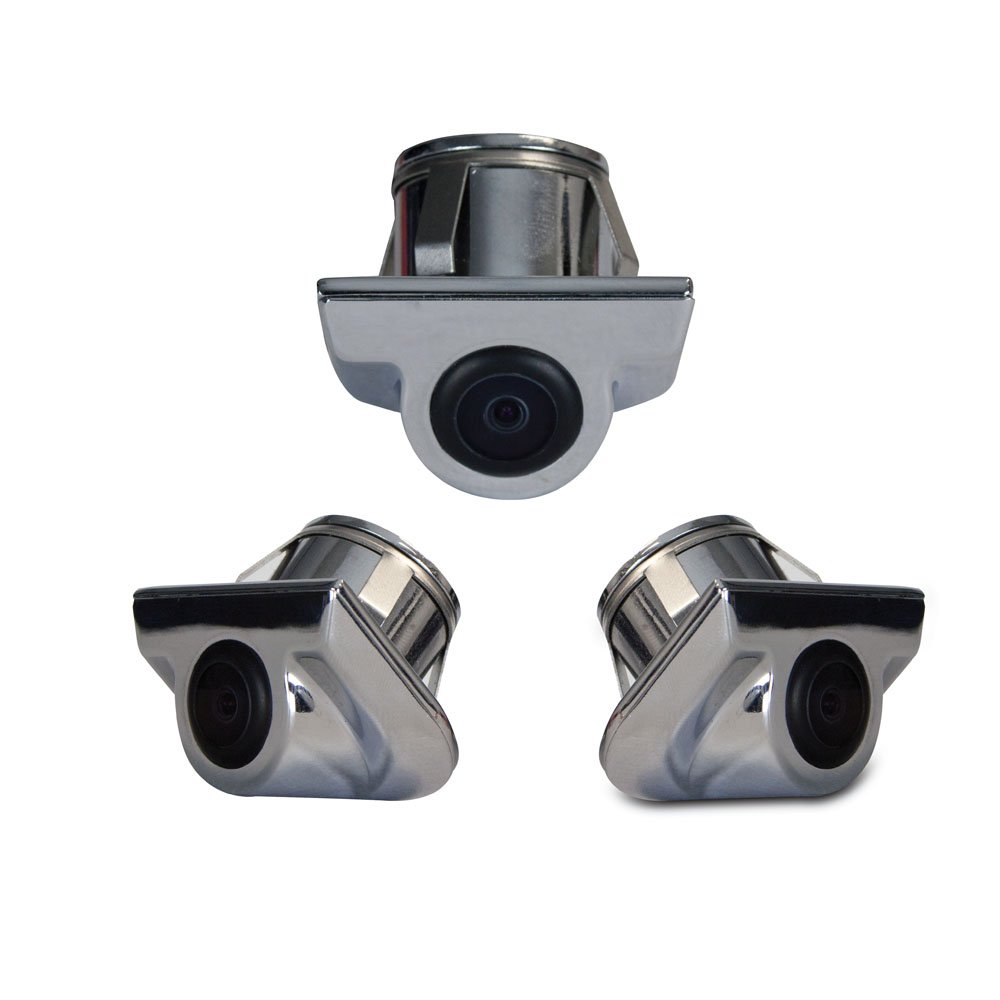
Image 1: iBeam TE-CSC Chrome Push-in Camera with its main components, including the camera unit, power cable, video cable, and hole saw.
4. Подешавање и инсталација
The iBeam TE-CSC camera is designed for a push-in installation, typically above the rear license plate, mimicking an OEM camera setup. The camera is pre-set at a 45-degree angle for optimal viewинг.
- Изаберите локацију за монтажу: Identify a suitable flat surface above the rear license plate where the camera can be flush-mounted. Ensure there is enough space behind the mounting surface for the camera body and wiring.
- Избушена рупа: Use the included 22.5mm hole saw to drill a precise hole at the chosen mounting location. Ensure the hole is clean and free of burrs.
- Уметни камеру: Carefully push the camera into the drilled hole until it sits flush with the mounting surface. Ensure the camera's lens is oriented correctly (facing downwards and outwards).
- Прикључите напајање: Connect the camera's power cord to the vehicle's reverse light circuit. This will ensure the camera activates automatically when the vehicle is put into reverse. Connect the red wire to the positive (+) lead of the reverse light and the black wire to a chassis ground (-).
- Повежите видео кабл: Route the 20-foot RCA video cable from the camera to your compatible monitor or head unit. Ensure the cable is securely routed away from moving parts, heat sources, and sharp edges. Connect the yellow RCA connector from the camera to the video input of your monitor.
- Тест систем: Reconnect the vehicle's battery. Turn on the vehicle and engage reverse gear to test the camera's functionality. Adjust the camera's position slightly if needed (though it's fixed at 45 degrees, ensure the housing is seated correctly).
Напомена: For vehicles with complex wiring or if you are uncomfortable with electrical connections, professional installation is recommended.
5. Упутство за употребу
The iBeam TE-CSC camera operates automatically in conjunction with your vehicle's reverse gear and compatible monitor.
- Аутоматско активирање: When the vehicle's transmission is shifted into reverse, the camera will automatically power on and transmit video to the connected monitor.
- Viewугао угла: The camera provides a wide 170-degree field of view, offering a comprehensive perspective of the area behind your vehicle.
- Помоћ при паркирању: Use the displayed image on your monitor to assist with parking maneuvers and to identify obstacles that may not be visible in your mirrors.
- Деактивација: When the vehicle is shifted out of reverse, the camera will automatically power off, and your monitor will return to its previous display mode.
6. Одржавање
To ensure the longevity and clear performance of your iBeam TE-CSC camera, follow these simple maintenance guidelines:
- Чишћење сочива: Периодично чистите сочиво камере меком крпомamp cloth to remove dirt, dust, or water spots. Avoid abrasive cleaners or materials that could scratch the lens.
- стамбена инспекција: Regularly inspect the camera housing for any signs of damage or loose connections. The chrome finish is designed to withstand elements, but extreme conditions may require more frequent checks.
- Провера кабла: Ensure all cables remain securely connected and are not exposed to excessive tension or abrasion.
КСНУМКС. Решавање проблема
| Проблем | Могући узрок | Решење |
|---|---|---|
| No image on monitor when in reverse. |
|
|
| Image is distorted or flickering. |
|
|
| Camera lens is foggy or blurry. |
|
|
8. Спецификације
| Број модела | TE-CSC |
| Бранд | iBeam |
| Произвођач | iBeam USA |
| Димензије производа | 40.5 x 17 x 8.5 инча (димензије паковања/испоруке) |
| Тежина артикла | 3.76 pounds (packaging/shipping weight) |
| Технологија оптичког сензора | ЦМОС |
| Величина оптичког сензора | 1/4 инча |
| Ленс Типе | Fixed, Wide Angle |
| Реал Англе оф View | 170 степени |
| Поље View | 170 степени |
| Врста инсталације | Surface Mount (Push-in) |
| Тип конектора | РЦА |
| Компатибилни уређаји | Монитор |
| Друге функције екрана | Wireless (Note: This might refer to compatibility with wireless video transmitters, but the product includes a 20ft video cable, implying wired connection for this specific model. Clarification needed if "Wireless" refers to a feature of the camera itself or a compatible accessory.) |
9. Гаранција и подршка
For warranty information and technical support, please contact iBeam USA directly. Details are typically provided with your product packaging or can be found on the official iBeam USA webсајту.
When contacting support, please have your product model number (TE-CSC) and purchase date available.