
Увод
The Ozeri WeightMaster II Digital Body Weight Scale is designed to provide a comprehensive and simple solution for measuring and tracking your weight. This scale features BMI measurement, automatic user recognition, and advanced weight change detection technology to help you monitor your progress effectively. It supports a maximum weight capacity of 440 lbs (200 kg).
Please read this manual thoroughly before using your new scale to ensure proper operation and to maximize its features.
Безбедносне информације
- Do not use this scale on wet or slippery surfaces. Ensure the scale is placed on a firm, flat, and dry surface before use.
- Avoid dropping the scale or subjecting it to strong impacts, as this may damage the device.
- Do not immerse the scale in water or use abrasive cleaning agents. Clean with a damp тканина.
- This scale is intended for household use only and not for medical or commercial purposes.
- Држите батерије ван домашаја деце. Ако се прогута, одмах потражите медицинску помоћ.
Садржај пакета
- Ozeri WeightMaster II 440 lbs Digital Bath Scale
- Упутство за употребу
- 2 АА батерије
Сетуп
1. Инсталација батерије
- Отворите поклопац одељка за батерије на доњој страни ваге.
- Уметните две приложене АА батерије, водећи рачуна о исправном поларитету (+/-).
- Добро затворите поклопац одељка за батерије.
2. Почетно смештање
Поставите вагу на тврду, равну и стабилну површину. Избегавајте тепихе или неравне подове, јер то може утицати на тачност.
3. Unit Selection (lbs/kg)
On the underside of the scale, locate the unit switch. Toggle the switch to select your preferred unit of measurement: pounds (lb) or kilograms (kg).
4. Усер Проfile Setup (for BMI and Auto-Recognition)
The scale can store data for up to 8 unique users. To set up a user profile and enable BMI calculation:
- Press the 'SET' button on the scale. The display will show a user number (P1-P8). Use the arrow buttons to select your desired user number.
- Press 'SET' again. The display will prompt for height. Use the arrow buttons to adjust your height.
- Press 'SET' to confirm. Your profile is now set.
- The scale will automatically recognize you based on your weight when you step on it, provided your weight is within a reasonable range of your last recorded weight for that profile.
Упутство за употребу
1. Мерење
- Уверите се да је вага на тврдој, равној површини.
- Пажљиво станите на вагу босих ногу. Вага ће се аутоматски укључити.
- Stand still until your weight is displayed and stabilizes.
- The scale will then display your Body Mass Index (BMI).
- Following the BMI, the scale will show your weight change detection data (L1, L3, L7, L30) with color alerts.
- Step off the scale. It will automatically power off after a few seconds.

Image: The Ozeri WeightMaster II scale display showing initial zero reading.
2. Weight Change Detection and Color Alert Technology
The WeightMaster II provides immediate feedback on your weight trends using its unique Weight Change Detection and Color Alert Technology:
- Л1: Displays your net weight change from your last weigh-in.
- Л3: Displays your net weight change from the average of your last 3 weigh-ins.
- Л7: Displays your net weight change from the average of your last 7 weigh-ins.
- Л30: Displays your net weight change from the average of your last 30 weigh-ins.
The display illuminates in different colors to indicate your trend:
- GREEN Illumination: Indicates weight loss.
- RED Illumination: Indicates weight gain.
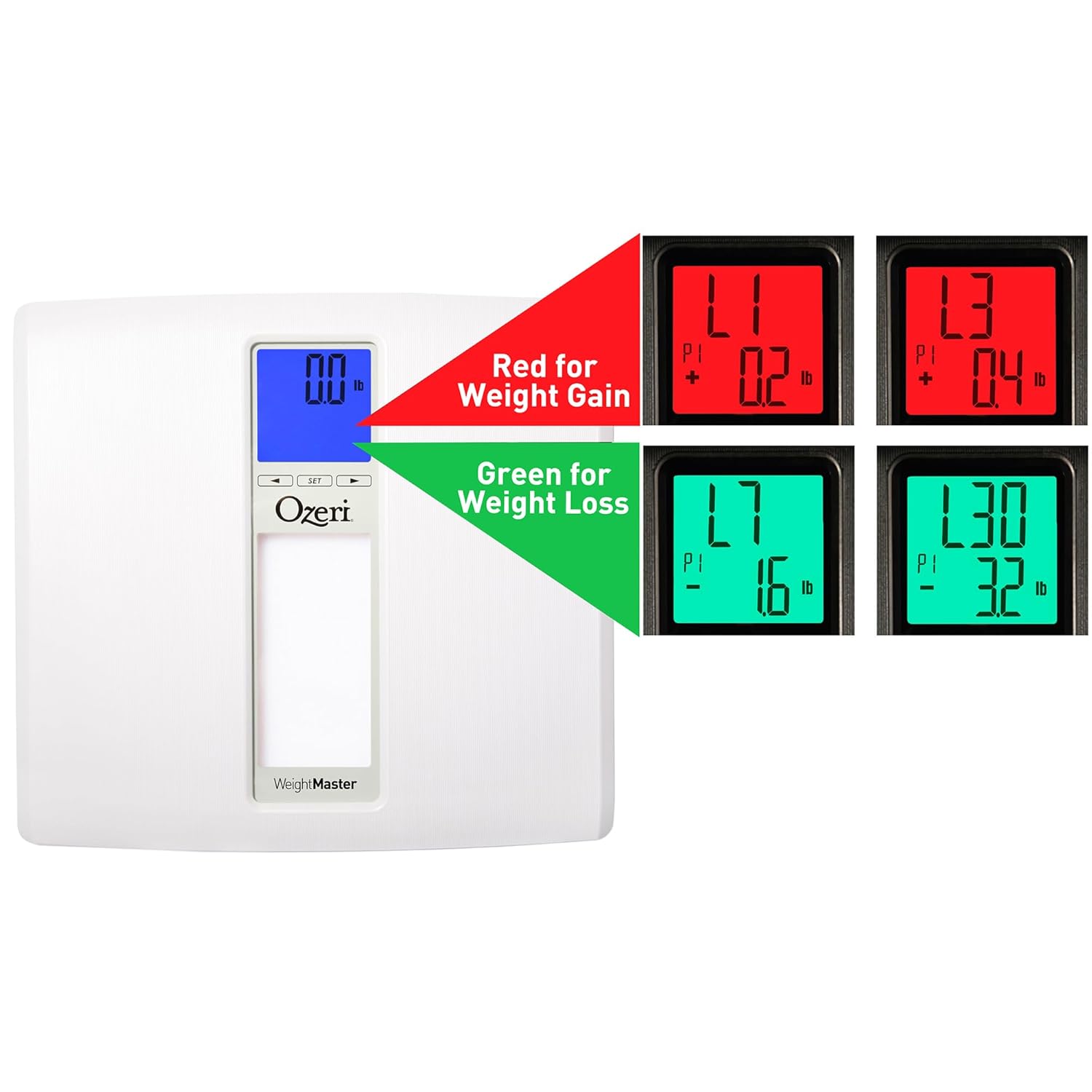
Image: The scale display illustrating red for weight gain and green for weight loss.

Image: Close-up of the display showing 'L1' in red, indicating a net weight gain from the previous recorded weight.
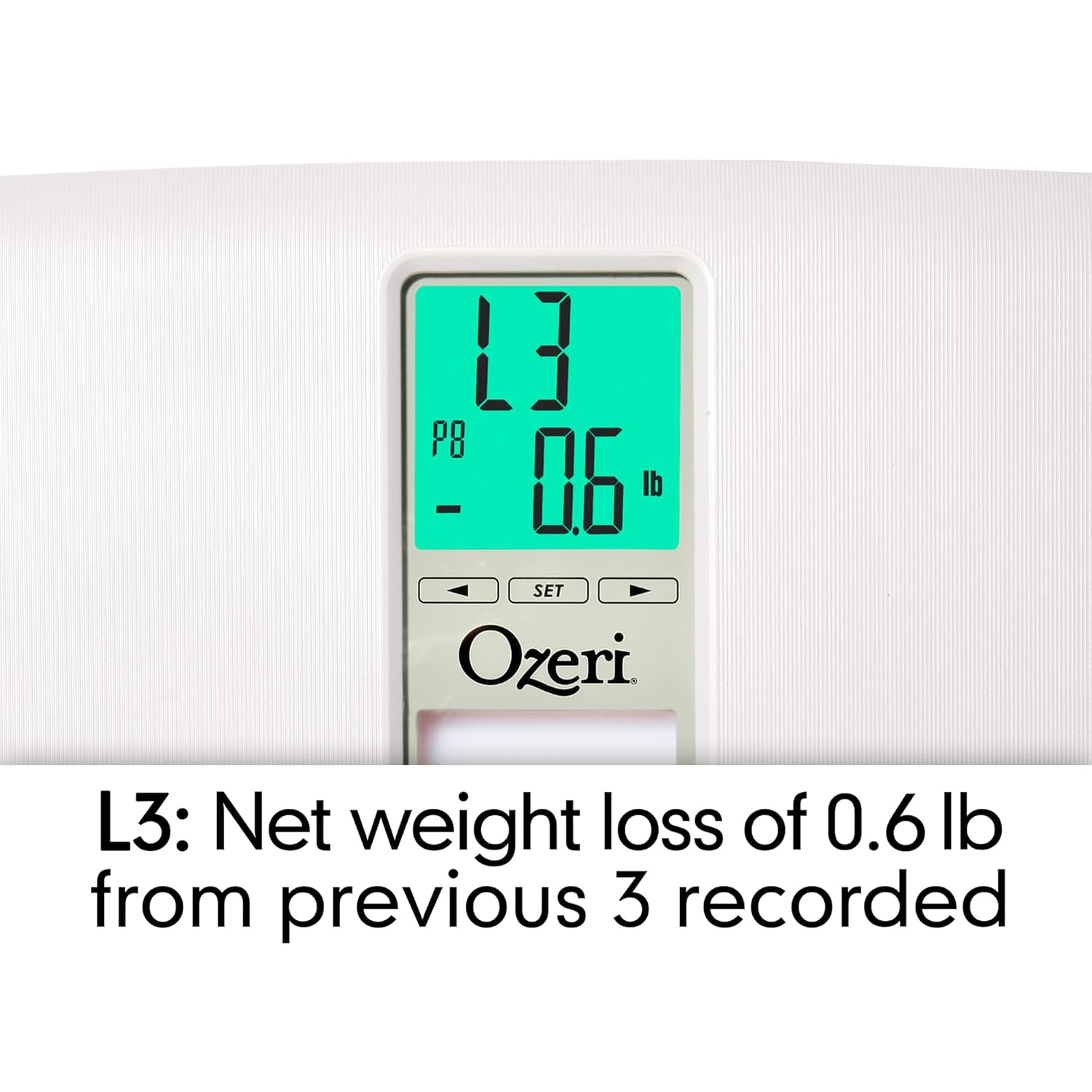
Image: Close-up of the display showing 'L3' in green, indicating a net weight loss from the average of the last 3 recorded weights.
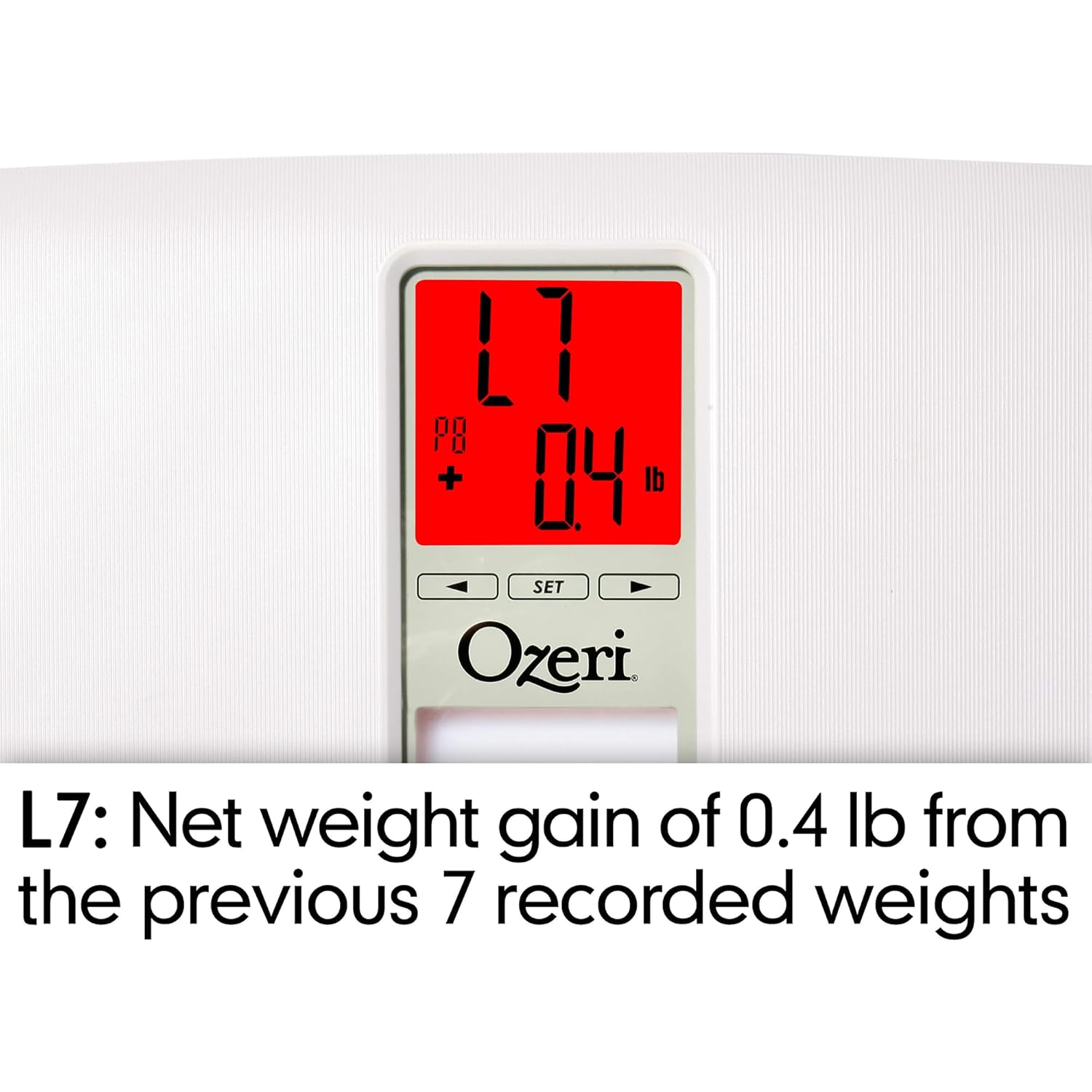
Image: Close-up of the display showing 'L7' in red, indicating a net weight gain from the average of the last 7 recorded weights.

Image: Close-up of the display showing 'L30' in green, indicating a net weight loss from the average of the last 30 recorded weights.
Одржавање
Чишћење
- Обришите површину ваге меком крпомamp тканина.
- Do not use abrasive cleaners or chemical solvents, as these can damage the finish and electronic components.
- Уверите се да је вага сува пре складиштења или следеће употребе.
Замена батерије
If the display becomes dim or shows a 'Lo' indicator, it is time to replace the batteries. Follow the battery installation steps in the 'Setup' section.
Складиштење
Store the scale in a cool, dry place away from direct sunlight and extreme temperatures. Do not place heavy objects on the scale when not in use.
Решавање проблема
| Проблем | Могући узрок | Решење |
|---|---|---|
| Вага се не укључује. | Батерије су истрошене или неправилно постављене. | Проверите поларитет батерија или их замените новим АА батеријама. |
| Нетачна или недоследна очитавања. | Scale is on an uneven surface; scale needs re-calibration; user is moving during measurement. | Place scale on a hard, flat surface. Step off and then back on to allow auto-calibration. Stand still during measurement. |
| На дисплеју се приказује „Err“ или „O-Ld“. | Weight exceeds maximum capacity (440 lbs / 200 kg). | Смањите тежину на ваги. |
| Scale shows 440 lbs (or max weight) for all users. | Internal error or severe calibration issue. | Remove batteries for 10 seconds, then reinsert. If problem persists, contact customer support. |
| На дисплеју се приказује „Lo“. | Ниска снага батерије. | Замените батерије. |
| Scale does not recognize user. | Усер проfile not set or significant weight change from last recorded weight. | Ensure your user profile is set. If your weight has changed significantly, the scale may not recognize you immediately; it will assign the reading to the closest profile or a new one. |
Спецификације
- Модел: ЗБ20-В
- Бренд: Озери
- Капацитет тежине: 440 фунти (200 кг)
- Тачност очитавања: 0.1 лб (0.05 кг)
- Тип приказа: LCD with Color Alert Technology
- Материјал: ABS exterior with tempered glass interior
- Димензије: 11.75 к 12.5 к 1 инча (29.8 к 31.75 к 2.54 цм)
- Тежина артикла: 3.75 фунте (1.7 кг)
- Извор напајања: 2 к АА батерије (укључене)
- Посебне карактеристике: Body Mass Index (BMI) measurement, Weight Change Detection (L1, L3, L7, L30), Auto-recognition for up to 8 users, Step-on technology, Auto-power off.
Гаранција и подршка
Ozeri products are manufactured to high-quality standards. For specific warranty information regarding your Ozeri WeightMaster II scale, please refer to the warranty card included with your purchase or visit the official Ozeri webсајту.
If you encounter any issues or have questions not covered in this manual, please contact Ozeri customer support for assistance. Contact details can typically be found on the product packaging or the official Ozeri webсајту.