
1. Увод и крајview
The CAD Audio D90 is a premium supercardioid dynamic handheld microphone designed for live vocal performance. It features a Trueflex diaphragm and PowerGap high-gauss neodymium magnets, delivering a strong and articulate signal. Its durable, all-metal construction ensures reliability for stagе употреба.
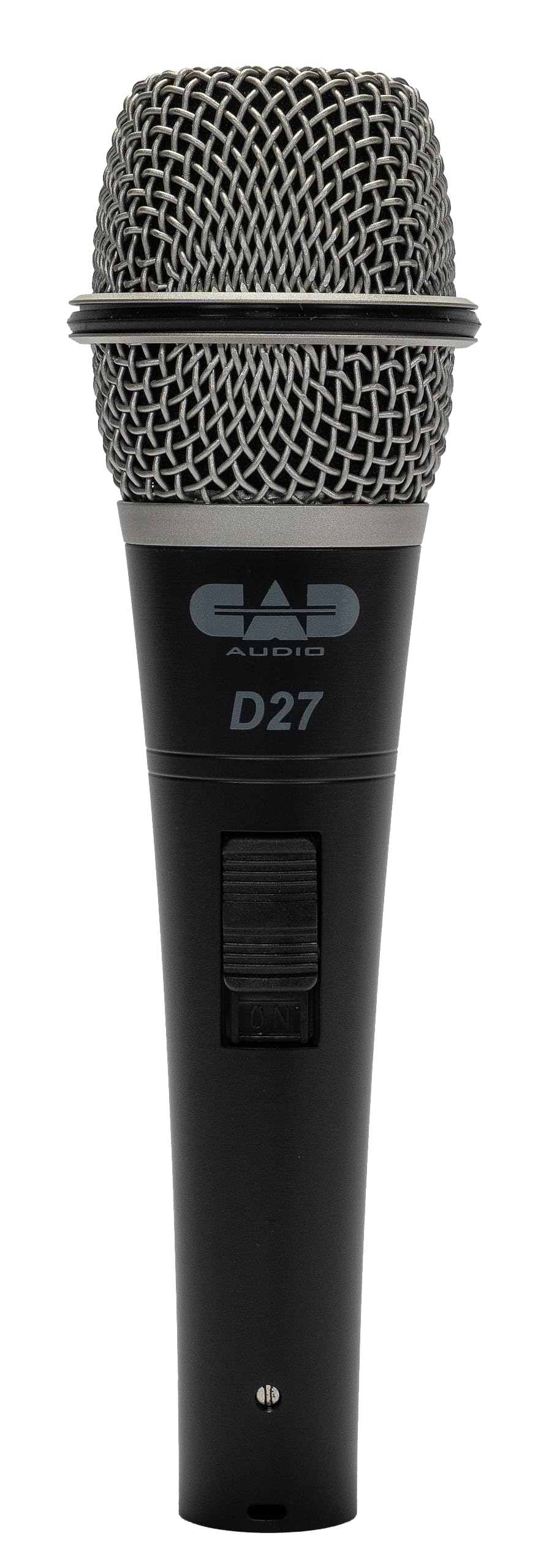
Image 1.1: The CAD Audio D90 Handheld Dynamic Microphone.
Кључне карактеристике:
- Trueflex Diaphragm: Provides articulate response for clear vocal reproduction.
- Powerful Neodymium Magnet: Ensures a hot signal output.
- Supercardioid Polar Pattern: Offers excellent off-axis rejection, reducing feedback and isolating the sound source.
- Издржљива конструкција од целог метала: Built to withstand the rigors of live performance.
- Smooth and Articulate Lead Vocal Performance: Engineered for optimal vocal clarity.

Image 1.2: Illustrates the professional sound features of the CAD Audio D90 microphone, highlighting articulate clarity and a powerful signal.
Видео 1.1: Званично завршеноview of the CAD Audio D90 Premium Supercardioid Dynamic Handheld Microphone, showcasinг његов дизајн и карактеристике.
2. Шта је у кутији
Upon opening your CAD Audio D90 package, you should find the following items:
- ЦАД Аудио Д90 Ручни динамички микрофон
- Hard-sided road case (for protection and transport)
- Microphone clip (for mounting on a stand)

Image 2.1: Contents of the CAD Audio D90 package, including the microphone, mic clip, and carrying pouch.
3. Подешавање
Follow these steps to set up your CAD Audio D90 microphone for use:
- Причврстите клип за микрофон: Secure the included microphone clip to a standard microphone stand. Ensure it is tightened sufficiently to hold the microphone firmly.
- Insert Microphone: Gently insert the CAD Audio D90 microphone into the microphone clip. Adjust the angle as needed for optimal positioning.
- Повежите XLR кабл: Connect a standard 3-pin XLR cable to the microphone's output connector at the base. The D90 is a passive dynamic microphone and does not require phantom power.
- Повежите се са аудио системом: Connect the other end of the XLR cable to an input on your mixer, audio interface, or amplifier. Ensure the input gain is set to a low level before powering on your audio system.

Image 3.1: The CAD Audio D90 microphone securely mounted on a stand, ready for connection.
4. Упутство за употребу
To achieve the best performance from your CAD Audio D90 microphone, consider the following operational guidelines:
Microphone Technique:
- Ефекат близине: The D90 exhibits a proximity effect, meaning bass response increases as the microphone is moved closer to the sound source. Experiment with distance to achieve desired tonal characteristics.
- On-Axis Placement: For optimal clarity and frequency response, position the microphone directly in front of the sound source (on-axis).
- Off-Axis Rejection: As a supercardioid microphone, the D90 is highly directional. Point the microphone away from unwanted sound sources (e.g., stage monitors, instruments) to minimize bleed and feedback.
Гаин Сtagинг:
- Start with the input gain on your mixer or interface at its lowest setting.
- Gradually increase the gain while speaking or singing into the microphone at your typical performance volume.
- Adjust the gain until the signal is strong without clipping or distortion. Aim for a healthy signal level that allows for headroom.

Image 4.1: A performer utilizing the CAD Audio D90 microphone on stage, demonstrating typical usage.
5. Одржавање
Proper maintenance will extend the life and performance of your CAD Audio D90 microphone:
- Чишћење: Regularly wipe the microphone body with a soft, dry cloth. For the grille, use a soft brush to remove any debris. Avoid using liquid cleaners directly on the microphone.
- Складиштење: When not in use, store the microphone in its included hard-sided road case or a protective pouch to prevent dust accumulation and physical damage.
- Избегавајте влагу: Keep the microphone away from moisture and extreme temperatures.
- Пажљиво рукујте: While durable, avoid dropping or subjecting the microphone to harsh impacts.
КСНУМКС. Решавање проблема
If you encounter issues with your CAD Audio D90 microphone, refer to the following common problems and solutions:
| Проблем | Могући узрок | Решење |
|---|---|---|
| Нема излаза звука |
|
|
| Дистортед Соунд |
|
|
| Прекомерна повратна информација |
|
|
| Слаб сигнал |
|
|
7. Спецификације
Detailed technical specifications for the CAD Audio D90 Handheld Dynamic Microphone:

Image 7.1: Visual representation of key specifications for the CAD Audio D90 microphone.
| Спецификација | Валуе |
|---|---|
| Број модела | Д90 |
| Фактор форме микрофона | Само микрофон |
| Аудио Осетљивост | 51 Decibels (-51 dBV @ 1pa) |
| Импеданса | 500 Охмс |
| Фреквенцијски одзив | 50Hz - 16kHz |
| Однос сигнала и шума | 80 дБ |
| Материјал | Метал |
| Тежина артикла | 1 фунти (454 грама) |
| Димензије производа (Д к Ш к В) | 10 к 3 к 6.5 инча |
| Извор напајања | Corded Electric (passive, no external power required) |
| Хардверска платформа | Karaoke Machine (compatible with various audio systems) |
| УПЦ | 631922107289 |
8. Гаранција и подршка
For warranty information, technical support, or service inquiries regarding your CAD Audio D90 microphone, please refer to the official CAD Audio webсајту или се обратите њиховом одељењу за корисничку подршку.
Подршка на мрежи: Посетите CAD Audio Store on Amazon or the official CAD Audio website for FAQs, product registration, and contact details.
Молимо вас да сачувате доказ о куповини за евентуалне рекламације у вези са гаранцијом.