
Coby CD191
Coby Portable CD Player User Manual
Модел: ЦД191
Марка: Коби
Увод
Thank you for choosing the Coby Portable CD Player CD191. This device is designed to provide a versatile and enjoyable audio experience, combining classic CD playback with modern features like FM radio and MP3 compatibility. Its compact and shockproof design makes it ideal for both home use and on-the-go listening. Please read this manual thoroughly to understand the proper operation and maintenance of your new CD player.

А фронт view of the Coby Portable CD Player, showcasing its compact design, LCD display, control buttons, and the included wired earbuds and Micro USB charging cable.
Безбедносне информације
Да бисте осигурали безбедан рад и спречили оштећења, молимо вас да се придржавате следећих мера предострожности:
- Не излажите уређај киши, влази или екстремним температурама.
- Avoid dropping or subjecting the unit to strong impacts, as this may damage internal components.
- Не растављајте уређај. Сва сервисирања препустите квалификованом особљу.
- Use only the specified battery type (2 AA batteries) and ensure correct polarity.
- Избегавајте слушање музике на претерано високим нивоима јачине звука током дужег периода како бисте спречили оштећење слуха.
- Keep the CD compartment clean and free of dust or debris.
Садржај пакета
Проверите да ли су све ставке присутне у пакету:
- Coby Portable CD Player CD191
- Стерео слушалице
- Мицро УСБ кабл

The high-fidelity wired stereo earbuds that come with the CD player, providing a personal listening experience.
Производ је завршенview
Компоненте и контроле
Familiarize yourself with the main components and controls of your CD player:
- ЛЦД екран: Shows track number, time, mode, and battery status.
- Преграда за CD-ове: Where the CD is inserted.
- Дугме за репродукцију/паузу: Покреће или паузира репродукцију.
- Стоп дугме: Зауставља репродукцију.
- Дугмад за прескакање/претрагу (◀◀ / ▶▶): Прескаче нумере или премотава унапред/уназад.
- Дугме за режим: Switches between CD, FM, and MP3 modes.
- Дугме програма: Користи се за програмирање редоследа нумера.
- Дугмад за јачину звука +/-: Подешава ниво аудио излаза.
- Утичница за слушалице (3.5 мм): За повезивање слушалица или екстерних аудио уређаја.
- Микро УСБ порт: За спољно напајање.
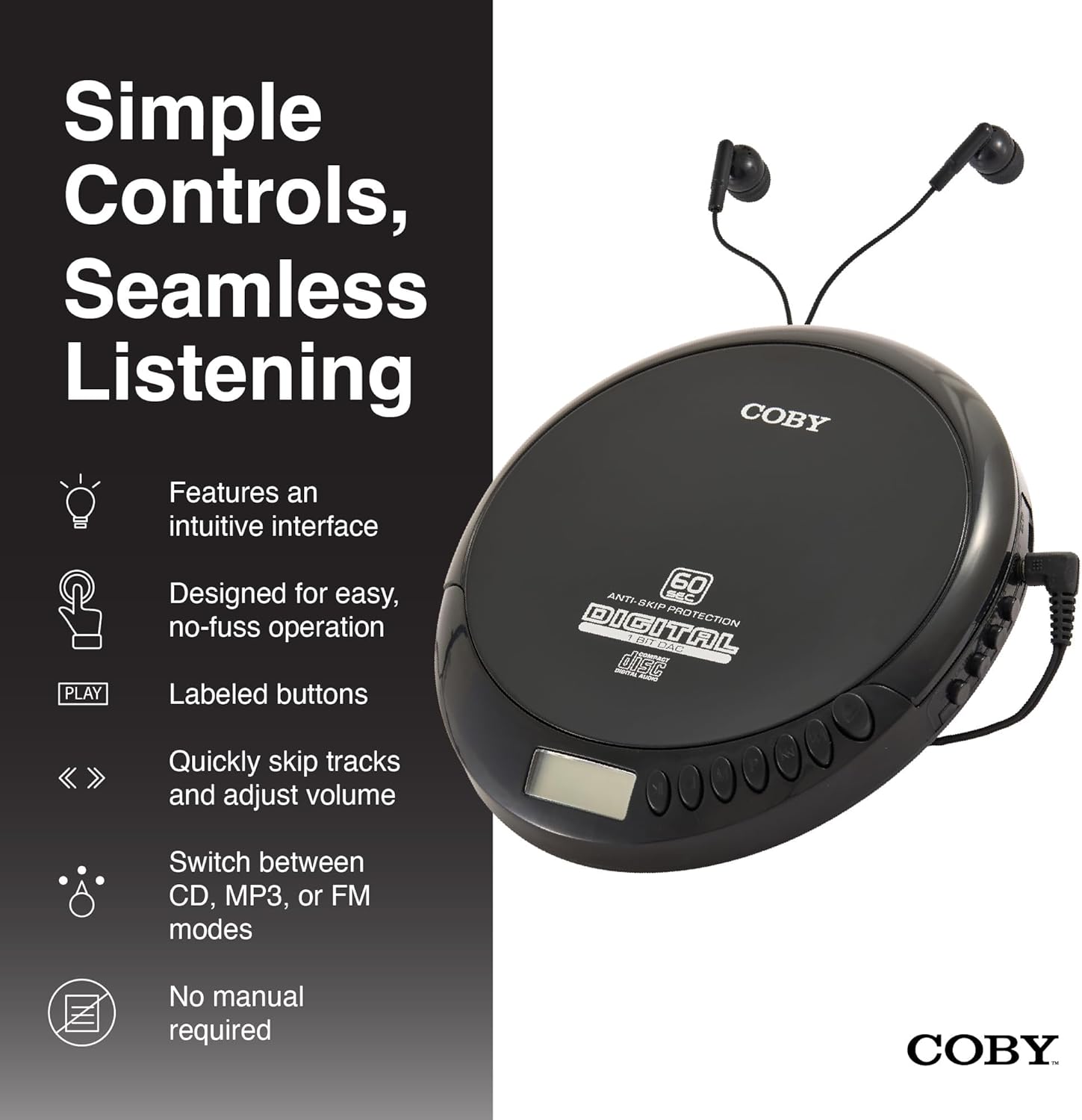
An illustration of the Coby CD Player highlighting its simple controls and intuitive interface.

Детаљно view of the player's LCD screen, which displays the current track number, elapsed time, and battery status.

A close-up of the player's intuitive control buttons, including Play/Pause, Stop, Skip/Search, Mode, and Program functions, designed for easy operation.
Сетуп
Напајање уређаја
The Coby CD Player can be powered by 2 AA batteries (not included) or via the included Micro USB cable.
- Инсталација батерије: Open the battery compartment cover on the back of the unit. Insert 2 AA batteries, ensuring correct polarity (+/-). Close the cover securely.
- УСБ Снага: Connect the Micro USB cable to the Micro USB port on the CD player and the other end to a USB power source (e.g., USB wall adapter, computer USB port).

An image showing a user enjoying music with the Coby CD player, highlighting its versatility with both battery and USB power options.

The included Micro USB cable, used for powering the CD player when not using batteries.
Повезивање слушалица
Insert the 3.5mm plug of your headphones into the headphone jack on the side of the CD player.
Уметање ЦД -а
- Притисните дугме OPEN да бисте отворили поклопац одељка за CD.
- Carefully place the CD onto the center spindle with the label side facing up.
- Пажљиво притисните CD надоле док не кликне на своје место.
- Чврсто затворите поклопац одељка за ЦД док се не закључа.
Упутство за употребу
ЦД репродукција
- Insert a CD (CD, CD-R, CD-RW, or CD-MP3).
- Притисните тастер ПЛАИ/ПАУСЕ button to begin playback. The LCD display will show the track number and elapsed time.
- Да бисте паузирали репродукцију, притисните ПЛАИ/ПАУСЕ поново. Притисните га још једном да бисте наставили.
- Да бисте зауставили репродукцију, притисните СТОП дугме.
The player features 60-second anti-skip protection to ensure continuous audio during movement.
Трацк Навигатион
- Притисните ▶▶ да бисте прешли на следећу нумеру.
- Притисните ◀◀ to return to the beginning of the current track. Press it twice quickly to go to the previous track.
- Притисните и држите ▶▶ to fast-forward through the current track.
- Притисните и држите ◀◀ to rewind through the current track.
Контрола јачине звука
Користите ВОЛУМЕ + и ЗАПРЕМИНА - buttons to adjust the listening volume to a comfortable level.
Операција ФМ радија
- Притисните тастер МОДЕ button until 'FM' appears on the LCD display.
- The player will automatically scan and tune to available FM stations.
- Користите ◀◀ и ▶▶ buttons to manually tune to specific frequencies or to scan for the next/previous strong station.

This image illustrates the built-in FM radio feature of the Coby CD player, allowing users to tune into their favorite radio stations.
МП3 репродукција
The Coby CD Player supports MP3 files burned onto CD-R or CD-RW discs. When an MP3 CD is inserted, the player will automatically detect the format and begin playback.
Connecting to External Audio Systems
You can connect your Coby CD Player to external speakers or a car audio system using a 3.5mm AUX cable (not included).
- Connect one end of the 3.5mm AUX cable to the headphone jack on the CD player.
- Connect the other end to the AUX input of your external speaker or car audio system.
- Уверите се да је екстерни уређај подешен на AUX улазни режим.

The CD player connected to an external speaker, demonstrating its ability to deliver enhanced sound with features like Super Bass and Crystal Clear Sound when connected to compatible audio systems.

The portable CD player integrated into a car's audio system via an AUX connection, allowing for on-the-go music playback through car speakers.
Одржавање
Чишћење јединице
- Обришите спољашњост уређаја меком, сувом крпом. Не користите абразивна средства за чишћење или раствараче.
- To clean the CD lens, use a specialized CD lens cleaning disc (not included).
Чување и складиштење батерија
- Извадите батерије ако уређај неће бити коришћен дуже време како бисте спречили цурење.
- Чувајте уређај на хладном и сувом месту, даље од директне сунчеве светлости и екстремних температура.
Решавање проблема
| Проблем | Могући узрок | Решење |
|---|---|---|
| Јединица се не укључује. | Batteries are dead or incorrectly inserted. USB cable not connected properly. | Replace batteries with new ones, ensuring correct polarity. Check USB cable connection. |
| Disc skipping or distorted sound. | Disc is dirty, scratched, or damaged. Unit is subjected to excessive vibration. | Clean the disc with a soft, lint-free cloth. Try a different disc. Ensure the anti-skip protection is active. Avoid strong impacts. |
| Нема звука из слушалица. | Headphones not fully plugged in. Volume is too low. Headphones are faulty. | Ensure headphones are fully inserted into the jack. Increase the volume. Try a different pair of headphones. |
| Статични звук на ФМ радију или лош пријем. | Weak signal. Interference. | Adjust the position of the unit. Try moving to a different location. |
| MP3 CD not recognized. | Disc format not supported or disc is corrupted. | Обезбедите МП3 files are properly encoded and the disc is finalized. Try a different MP3 CD. |
Спецификације
| Феатуре | Детаљ |
|---|---|
| Димензије производа | 5.5 к 1 к 5 инча |
| Тежина артикла | 7 унци |
| Број модела | ЦД-191-БЛК |
| Извор напајања | 2 AA batteries (not included), Micro USB |
| Технологија повезивања | Помоћни, УСБ |
| Посебна карактеристика | Portable, FM Radio, MP3 Compatible |
| Заштита од прескакања | 60 секунди |
| Компатибилни формати дискова | CD, CD-R, CD-RW, CD-MP3 |
Званични видео производа
Званична видео презентација производаasing the features and benefits of the Coby Portable CD Player with Stereo Earbuds.
Гаранција и подршка
For warranty information and customer support, please refer to the documentation included with your purchase or visit the official Coby website. Contact details for support are typically found on the manufacturer's product page or in the warranty card.
Coby Official Webсајт: Visit the Coby Store on Amazon
Ask a question about this manual
Ask about setup, troubleshooting, compatibility, parts, safety, or missing instructions. Manuals+ will review the question and use this page’s manual context to help answer it.