
Увод
This manual provides essential instructions for the safe and effective use of your Toorx AHF-064 Pedometer. Please read this manual thoroughly before using the device and retain it for future reference.
Безбедносне информације
- Не излажите уређај екстремним температурама или директној сунчевој светлости током дужег периода.
- Држите уређај даље од воде и влаге.
- Не покушавајте сами да растављате или поправљате уређај. Обратите се квалификованом сервисеру.
- Батерије одложите у складу са локалним прописима.
Садржај пакета
Проверите да ли су све ставке присутне у пакету:
- Toorx AHF-064 Pedometer
- Кориснички приручник (овај документ)
Производ је завршенview
The Toorx AHF-064 is a compact pedometer designed to track your steps. It features a clear display for easy reading of your activity data.
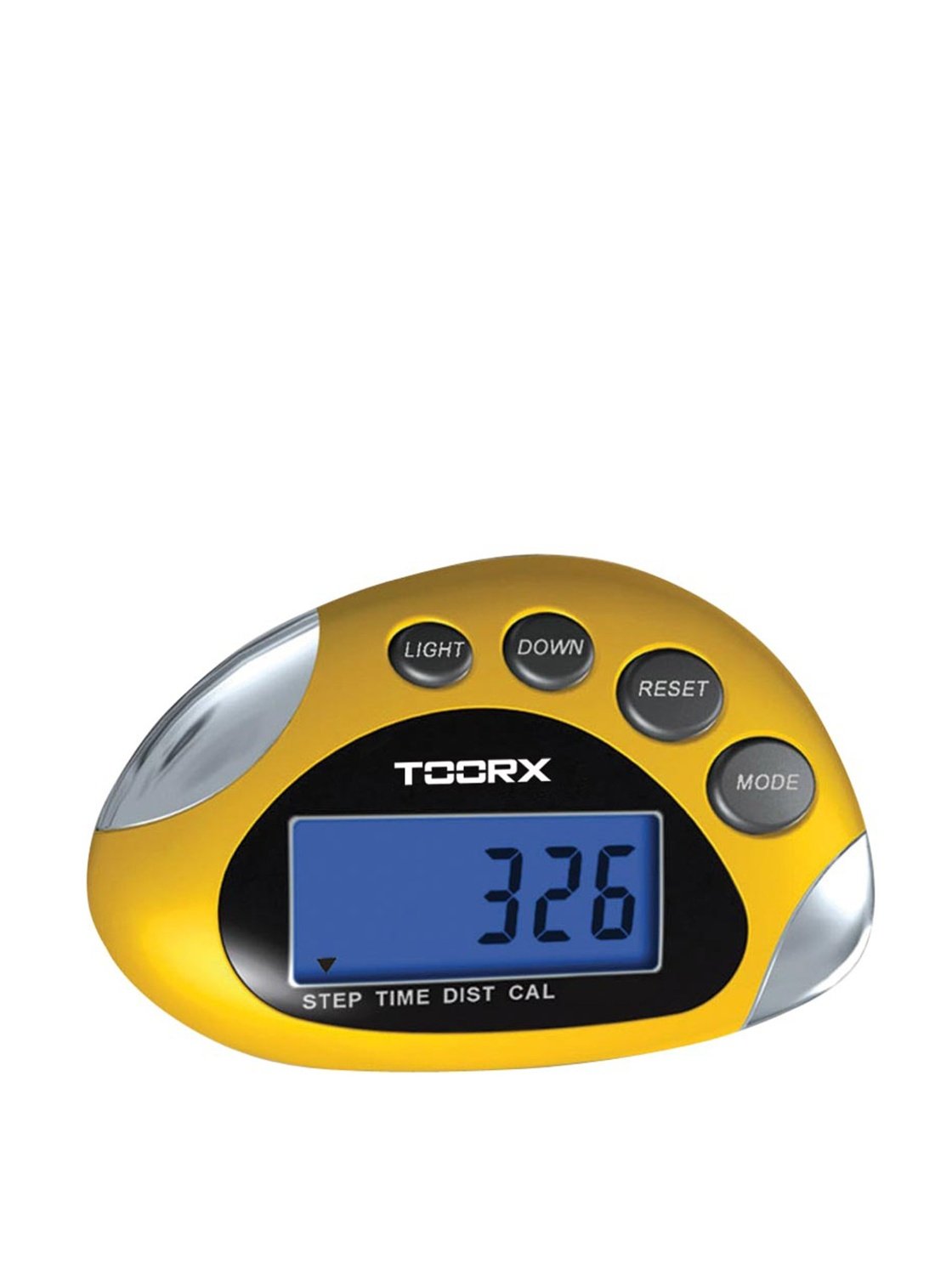
Слика: Фронт view of the Toorx AHF-064 Pedometer, showing the display and control buttons.
Сетуп
Инсталација батерије
The Toorx AHF-064 Pedometer requires batteries for operation. Batteries are not included in the package.
- Locate the battery compartment cover on the back of the pedometer.
- Пажљиво померите или откопчајте поклопац да бисте га отворили.
- Insert the required batteries (e.g., 1x CR2032 coin cell) ensuring correct polarity (+ and -).
- Вратите поклопац одељка за батерију док не кликне чврсто на своје место.
Почетна подешавања
Before first use, configure the following settings for accurate tracking:
- Јединица мере: Select between metric (cm/kg) or imperial (inches/lbs) units.
- Дужина корака: Measure your average stride length and input the value. This is crucial for accurate distance calculation.
- Тежина: Enter your body weight.
- време: Подесите тренутно време.
Refer to the on-screen prompts and device buttons to navigate through the settings menu.
Упутство за употребу
Wearing the Pedometer
For optimal accuracy, wear the Toorx AHF-064 Pedometer securely on your waistband or belt, close to your hip. Ensure it is positioned vertically.
Viewинг Дата
Press the mode button to cycle through different display modes:
- Кораци: Displays the total number of steps taken.
- Удаљеност: Shows the estimated distance walked.
- Калорије: Indicates the estimated calories burned.
- време: Приказује тренутно време.
Ресетовање података
To clear your daily activity data and start a new tracking session, press and hold the reset button for approximately 3 seconds. The display will show "0" for all activity metrics.
Одржавање
Чишћење
Wipe the pedometer with a soft, dry cloth. Do not use abrasive cleaners or solvents, as these may damage the device.
Складиштење
When not in use for extended periods, remove the batteries to prevent leakage. Store the device in a cool, dry place, away from direct sunlight.
Решавање проблема
| Проблем | Могући узрок | Решење |
|---|---|---|
| Уређај се не укључује. | Батерије су истрошене или неправилно постављене. | Замените батерије или проверите поларитет. |
| Нетачан број корака. | Incorrect stride length setting or improper wearing position. | Verify stride length in settings. Ensure pedometer is worn securely and vertically on the hip. |
| Екран је празан или трепери. | Ниска снага батерије. | Замените батерије. |
Спецификације
| Феатуре | Детаљ |
|---|---|
| Број модела | АХФ-064 |
| Димензије (производ) | 8 к 10 к 4 цм |
| Тежина (артикал) | 80 г |
| Боја | Сребрна / црна |
| Тип сензора | Педометер |
| Батерије укључене | бр |
Гаранција и подршка
For warranty information and customer support, please refer to the documentation provided at the point of purchase or contact Toorx customer service. Keep your proof of purchase for warranty claims.