
Увод
Thank you for choosing the Altec Lansing iMW475 Mini Life Jacket Bluetooth Speaker. This speaker is designed for portability and durability, featuring a rugged, compact, waterproof, dustproof, and shockproof design. It also floats, making it ideal for outdoor and water-related activities. This manual provides essential information for setting up, operating, and maintaining your speaker.
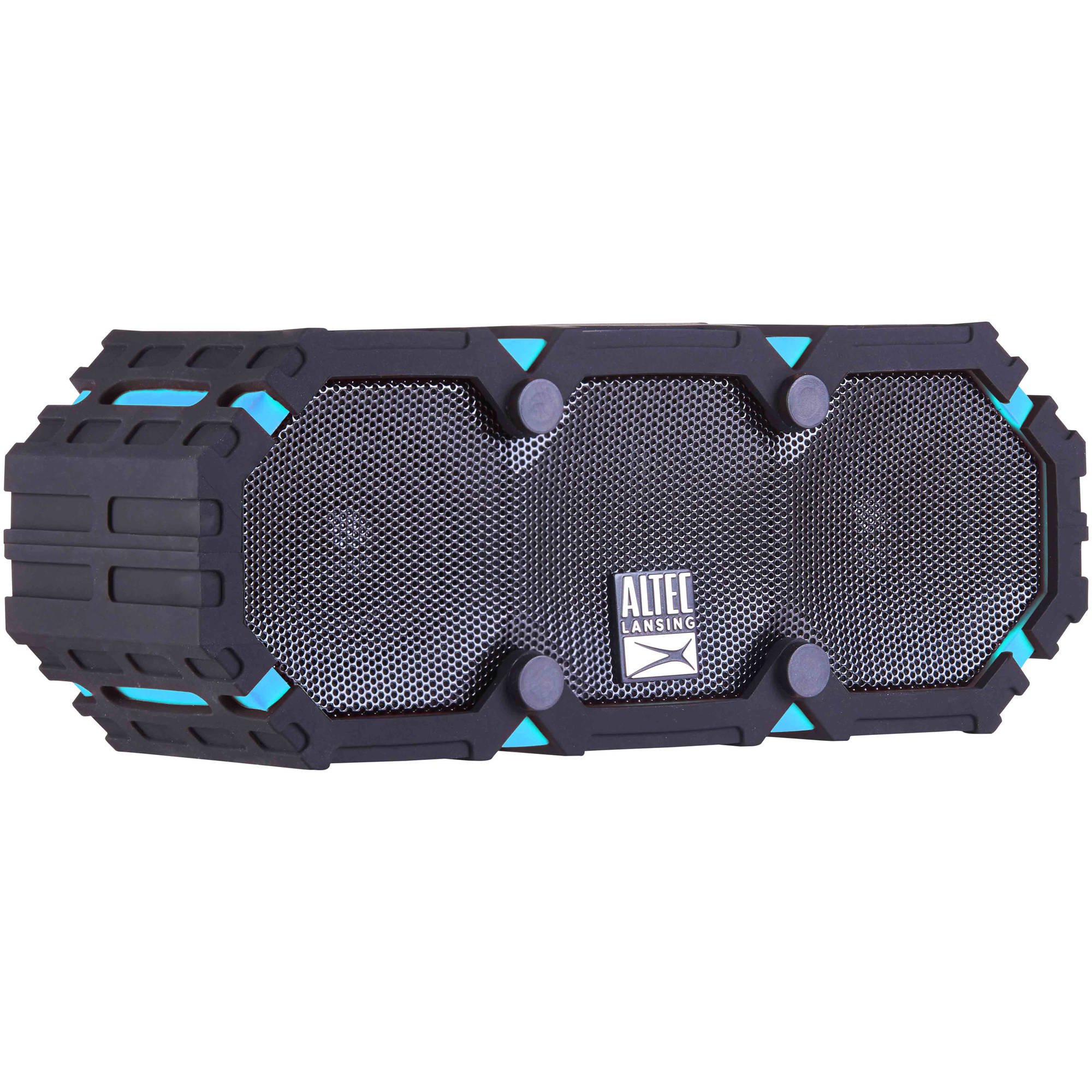
Image: The Altec Lansing iMW475 Mini Life Jacket Bluetooth Speaker, showcasing its compact, rugged design in black and blue.
Садржај пакета
- Altec Lansing iMW475 Mini Life Jacket Bluetooth Speaker
- Носач
- USB Charging Cable (Note: Specific cable type not detailed in product data, typically Micro-USB or USB-C)
- Auxiliary Cable (Note: Not explicitly listed but common for such speakers)
- Водич за брзи почетак (Not explicitly listed but common)
Молимо вас да се уверите да су сви елементи присутни пре него што наставите са подешавањем.
Контроле и индикатори
The speaker features intuitive controls for power, volume, and Bluetooth pairing. Specific button layouts may vary slightly, but common functions include:
- Дугме за напајање: Притисните и држите да бисте укључили или искључили звучник.
- Дугме за појачавање јачине звука/следећу нумеру: Press to increase volume. Hold to skip to the next track.
- Дугме за смањивање јачине звука/претходну нумеру: Press to decrease volume. Hold to go to the previous track.
- Дугме за репродукцију/паузирање/позивање: Press to play or pause audio. Press to answer or end a phone call. Hold to activate voice assistant (if supported by your device).
- Дугме за Блуетоотх упаривање: Притисните и држите да уђете у режим Блуетоотх упаривања.
- ЛЕД индикатор: Displays power status, charging status, and Bluetooth connection status.
Refer to the quick start guide included with your product for a detailed diagram of button placement.
Сетуп
1. Пуњење звучника
Before first use, fully charge your Altec Lansing iMW475 speaker. A full charge provides approximately 10 hours of battery life.
- Locate the charging port, usually protected by a waterproof flap.
- Повежите приложени УСБ кабл за пуњење са портом за пуњење звучника.
- Повежите други крај USB кабла са USB адаптером за напајање (није укључен) или USB портом рачунара.
- The LED indicator will show the charging status (e.g., solid red while charging, off or green when fully charged).
- Once fully charged, disconnect the cable and ensure the waterproof flap is securely closed.
2. Блуетоотх упаривање
Да бисте повезали звучник са уређајем који подржава Bluetooth:
- Уверите се да је звучник напуњен и искључен.
- Press and hold the Power button to turn on the speaker. The LED indicator will flash, indicating it's in pairing mode.
- On your mobile device (smartphone, tablet, laptop), go to the Bluetooth settings.
- Тражи available devices. You should see "iMW475" or a similar name in the list.
- Select "iMW475" to connect. The LED indicator will turn solid when successfully paired.
- A voice prompt may confirm "You are now connected."
- Once paired, the speaker will automatically connect to the last paired device when turned on, if the device is within range (up to 30 feet or 9.14 meters).
Упутство за употребу
Репродукција звука
- After successful Bluetooth pairing, open your preferred music application on your connected device.
- Start playing audio. The sound will be routed through your Altec Lansing iMW475 speaker.
- Use the Volume Up/Down buttons on the speaker or your connected device to adjust the audio level.
- Притисните дугме Репродукција/Пауза да бисте паузирали или наставили репродукцију.
- Hold the Volume Up/Down buttons to skip tracks forward or backward.
Хандс-фрее позивање
The speaker features an onboard microphone for hands-free communication.
- When a call comes in, the music will pause, and you will hear a ringtone through the speaker.
- Press the Play/Pause/Call button once to answer the incoming call.
- Speak clearly into the speaker's microphone.
- To end the call, press the Play/Pause/Call button once again.
- To reject an incoming call, press and hold the Play/Pause/Call button.
Коришћење помоћног улаза
For devices without Bluetooth, you can connect via the auxiliary input.
- Locate the auxiliary input port, usually protected by a waterproof flap.
- Connect one end of a 3.5mm auxiliary cable (not included) to the speaker's AUX port.
- Други крај повежите са прикључком за слушалице на аудио уређају.
- The speaker will automatically switch to AUX mode, or you may need to press the Mode button (if available).
- Контролишите репродукцију и јачину звука са повезаног аудио уређаја.
Одржавање
- Чишћење: Обришите звучник меком, дamp тканина. Немојте користити абразивна средства за чишћење или раствараче.
- Водоотпорна њега: Ensure all port covers are securely closed before exposing the speaker to water to maintain its waterproof integrity. After exposure to saltwater or chlorinated water, rinse the speaker with fresh water and allow it to air dry completely.
- Складиштење: Чувајте звучник на хладном и сувом месту, даље од директне сунчеве светлости и екстремних температура.
- Одржавање батерије: Да бисте продужили век трајања батерије, избегавајте често потпуно пражњење батерије. Редовно пуните звучник, чак и ако га не користите дуже време.
Решавање проблема
| Проблем | Решење |
|---|---|
| Звучник се не укључује. | Ensure the battery is charged. Connect the speaker to a power source using the USB charging cable. |
| Нема звука из звучника. |
|
| Блуетоотх упаривање није успело. |
|
| Poor audio quality or distortion. |
|
Спецификације
- Назив модела: iMW475 Mini Life Jacket
- Тип звучника: Оутдоор
- Посебне карактеристике: Waterproof, Dustproof, Shockproof, Floats
- Повезивање: Блуетоотх
- Блуетоотх опсег: До 30 стопе (9.14 метара)
- Трајање батерије: До 10 сати
- Извор напајања: Battery and AC (via USB charging)
- Режим аудио излаза: Стерео
- Максимална излазна снага звучника: 10 Ваттс
- Метод контроле: Глас, дугмад
- Укључене компоненте: Носач
- Димензије производа: 7 к 3 к 4.5 инча
- Тежина артикла: 1 фунта (16 унци)
- Ниво водоотпорности: Водоотпоран
- УПЦ: 021331205841
Гаранција и подршка
Altec Lansing products are designed for reliability and performance. For specific warranty information regarding your iMW475 Mini Life Jacket Bluetooth Speaker, please refer to the warranty card included with your purchase or visit the official Altec Lansing webсајту.
For technical support, frequently asked questions, or to register your product, please visit the Altec Lansing support page or contact their customer service directly. Contact details are typically available on the manufacturer's webсајту.
Note: Warranty terms and conditions may vary by region and retailer. Keep your proof of purchase for warranty claims.