
Увод
Хвала вам на куповиниasing the Madison FREESOUND-VR40R Vintage Portable Radio. This device combines a classic retro design with modern audio technology, offering versatile listening options. This manual provides detailed instructions on how to set up, operate, and maintain your radio to ensure optimal performance and longevity.
The FREESOUND-VR40R is a portable, USB-rechargeable radio designed for those who appreciate a vintage aesthetic combined with modern audio technologies. It features an analog dial tuner, Bluetooth, USB, AUX, and FM connectivity, bass enhancement, and a convenient dual metal handle for portability.
Безбедносна упутства
Please read these safety instructions carefully before using the device and keep them for future reference. Incorrect use may result in electric shock, fire, or other hazards.
- Не излажите уређај киши или влази како бисте спречили пожар или струјни удар.
- Не излажите уређај директној сунчевој светлости или екстремним температурама.
- Не отварајте цasinг. Унутра нема делова које корисник може сам да поправи. Сво сервисирање препустите квалификованом особљу.
- Use only the specified power adapter/charging cable.
- Држите уређај даље од јаких магнетних поља.
- Clean the device only with a dry, soft cloth. Do not use liquid cleaners.
- Ensure proper ventilation around the device. Do not block any ventilation openings.
Производ је завршенview
Familiarize yourself with the components and features of your Madison FREESOUND-VR40R radio.

Слика 1: Предња страна View. Shows the analog dial tuner, speaker grille, Madison logo, and control knobs for volume and source selection.
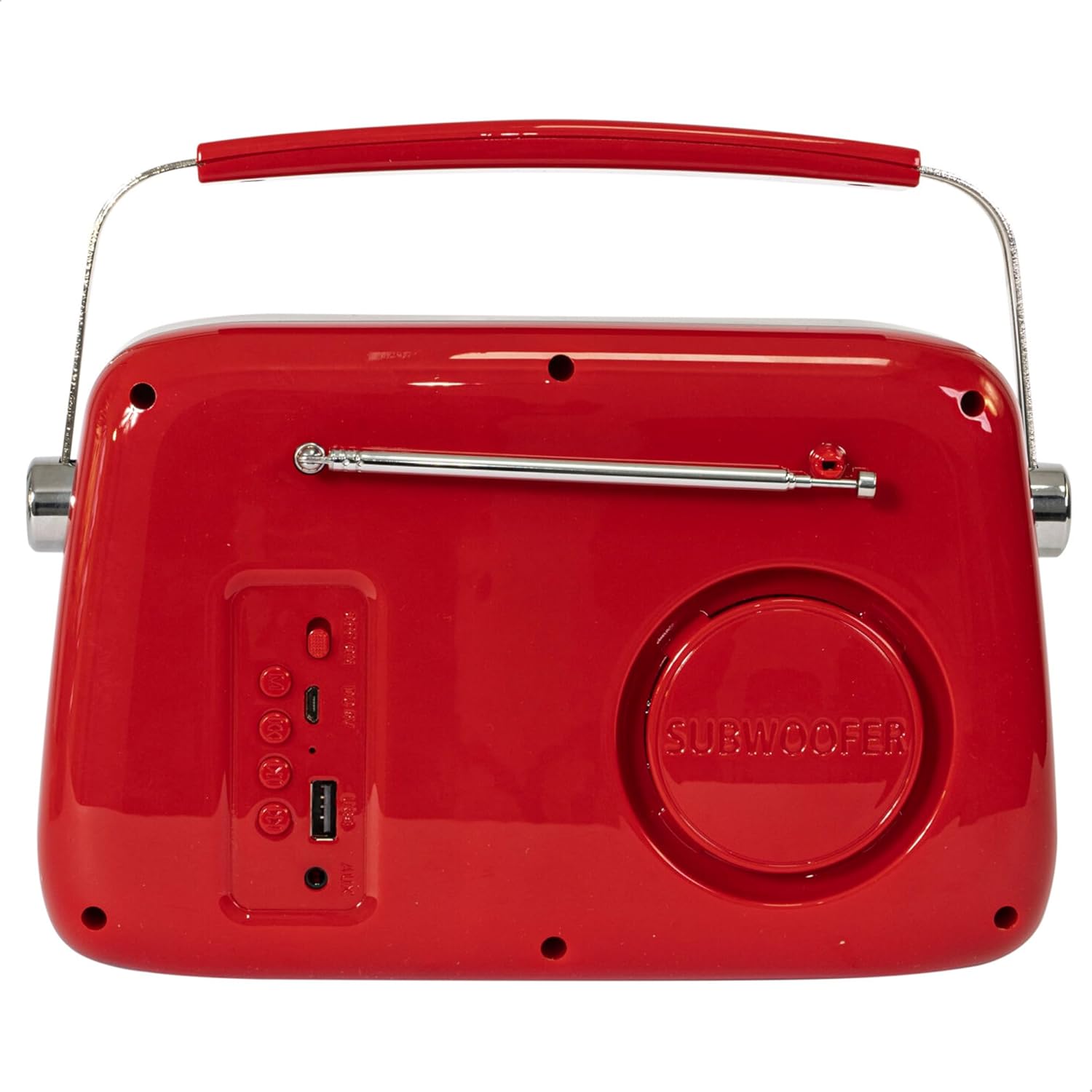
Слика 2: Задња страна View. Displays the subwoofer, USB port, AUX input, and power/mode buttons.
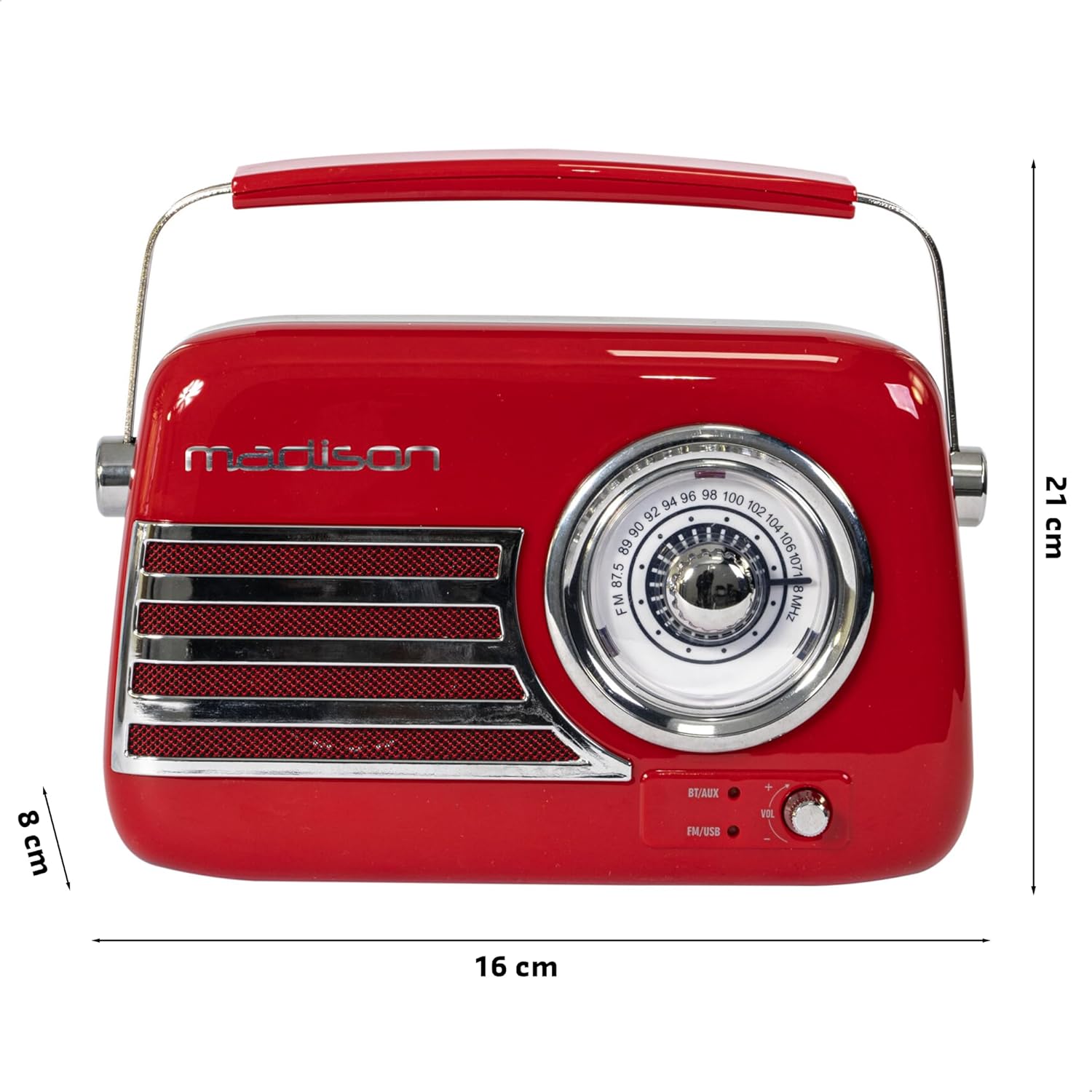
Слика 3: Димензије производа. Illustrates the radio's approximate dimensions: 21 cm length, 8 cm width, and 16 cm height.

Слика 4: Задња страна View са извученом антеном. Shows the telescopic antenna fully extended for improved FM reception.
Кључне карактеристике:
- Analog Dial Tuner: For classic FM radio tuning.
- Блуетоотх повезивање: Stream audio wirelessly from your smartphone or tablet.
- УСБ репродукција: Play music directly from a USB drive.
- АУКС улаз: Повежите екстерне аудио уређаје помоћу 3.5 мм аудио кабла.
- ФМ радио: Enjoy your favorite FM stations with the retractable antenna.
- Побољшање баса: Integrated subwoofer for richer bass sound.
- Пуњива батерија: Built-in long-lasting battery for portable use.
- Преносиви дизајн: Lightweight with a dual metal handle for easy carrying.
Сетуп
Пуњење батерије:
- Locate the USB charging port on the rear of the radio.
- Connect the provided USB charging cable to the radio's USB port.
- Повежите други крај USB кабла са компатибилним USB адаптером за напајање (није укључен) или USB портом рачунара.
- Индикаторска лампица пуњења ће се упалити. Када се потпуно напуни, лампица може променити боју или се искључити, у зависности од модела.
- Потпуно пуњење обично траје неколико сати.
Почетно укључивање:
- Ensure the radio is sufficiently charged.
- Press and hold the Power/Mode button (usually located on the rear or front panel) to turn on the radio.
- The front indicator lights will show the currently selected source.
Упутство за употребу
Контрола јачине звука:
Ротирајте Волуме knob (VOL) on the front panel to adjust the sound level. Turn clockwise to increase volume, counter-clockwise to decrease.
Selecting a Source:
Притисните тастер Извор/режим button (often labeled BT/AUX or FM/USB) repeatedly to cycle through the available input modes: Bluetooth, AUX, FM Radio, and USB.
- Блуетоотх режим:
- Switch the radio to Bluetooth mode. The Bluetooth indicator light will blink, indicating it's ready for pairing.
- На паметном телефону или таблету омогућите Блуетоотх и потражите доступне уређаје.
- Select "FREESOUND-VR40R" (or similar name) from the list.
- Once paired, the Bluetooth indicator light will become solid, and you can stream audio from your device.
- Režim FM radija:
- Switch the radio to FM mode.
- Потпуно извуците телескопску антену за оптималан пријем.
- Ротирајте Тунинг Диал on the front panel to manually select your desired FM radio station.
- УСБ режим репродукције:
- Уметните УСБ флеш диск који садржи МП3 аудио fileу УСБ порт на задњој страни радија.
- Switch the radio to USB mode. The radio will automatically begin playing the audio files.
- Use the playback controls (if available, usually on the rear panel) to skip tracks or pause/play.
- АУКС улазни режим:
- Connect one end of a 3.5mm audio cable (not included) to the AUX input port on the rear of the radio.
- Connect the other end of the cable to the headphone jack or audio output of your external device (e.g., MP3 player, CD player).
- Switch the radio to AUX mode. Audio from your external device will now play through the radio.
Одржавање
Чишћење:
Да бисте одржали изглед и функционалност вашег радија:
- Wipe the exterior surfaces with a soft, dry, lint-free cloth.
- Не користите абразивна средства за чишћење, воскове или раствараче јер могу оштетити завршну обраду.
- Avoid spraying liquids directly onto the radio.
Складиштење:
If you plan to store the radio for an extended period:
- Потпуно напуните батерију пре складиштења.
- Чувајте радио на хладном и сувом месту, даље од директне сунчеве светлости и екстремних температура.
- For optimal battery health, recharge the battery every 3-6 months, even if not in use.
Решавање проблема
| Проблем | Могући узрок | Решење |
|---|---|---|
| Нема струје / Радио се не укључује. | Батерија је празна. | Пуните радио помоћу приложеног УСБ кабла. |
| Нема звука. | Јачина звука је прениска или искључена. Изабран је погрешан извор. | Increase the volume. Ensure the correct input source (Bluetooth, FM, USB, AUX) is selected. |
| Лош ФМ пријем. | Antenna not extended. Weak signal. | Потпуно извуците телескопску антену. Покушајте да промените положај ради бољег сигнала. |
| Блутут уређај не може да се упари. | Radio not in pairing mode. Device too far. Bluetooth disabled on source device. | Ensure radio is in Bluetooth pairing mode (blinking light). Move device closer. Enable Bluetooth on your smartphone/tablet. |
| Репродукција са УСБ-а не ради. | USB drive not inserted correctly. Unsupported file формату. | Ensure USB drive is fully inserted. Check if audio fileсу у МП3 формату. |
Спецификације
| Број модела: | 10-5567МА |
| Димензије производа (Д к Ш к В): | 21 к 8 к 16 цм |
| Тежина: | 635 грама |
| Боја: | Црвени |
| Материјал: | Пластика |
| Извор напајања: | Internal Rechargeable Battery (via USB) |
| Тип батерије: | 1 литијум-полимер (укључена) |
| Повезивање: | Bluetooth, USB, Auxiliary (AUX) |
| Радио бендови: | FM |
| Посебне карактеристике: | Telescopic antenna, Analog dial tuner, Bass enhancement |
| Укључене компоненте: | УСБ кабл за пуњење |
| Произвођач: | Lotronic S.A. |
| Земља порекла: | Кина |
Гаранција и подршка
For warranty information and customer support, please refer to the warranty card included with your product or visit the official Madison webсајт. Сачувајте доказ о куповини за евентуалне рекламације по гаранцији.
For technical assistance or troubleshooting beyond this manual, please contact Madison customer service.
Note: Availability of spare parts is not specified in the product information.