
1. Увод
Thank you for choosing the MARVO M319 Gaming Mouse. This manual provides essential information for setting up, operating, and maintaining your new gaming mouse. The M319 is designed for right-handed users, offering an ergonomic shape with textured rubber sides for enhanced grip and comfort during extended gaming sessions. Its durable construction includes contacts rated for 3 million presses and a fabric-protected USB cable for long-lasting reliability.
The M319 is equipped with a competitive optical sensor, providing up to 2400 DPI resolution, ensuring speed and precision for exploring virtual worlds.
2. Садржај пакета
Молимо вас да проверите пакет за следеће ставке:
- 1 x MARVO M319 Gaming Mouse
3. Подешавање
- Повежите миш: Plug the USB cable of the MARVO M319 Gaming Mouse into an available USB port on your computer.
- Инсталација драјвера: The mouse is plug-and-play. Your operating system (Windows 7, Windows XP, Linux, or newer versions) will automatically detect and install the necessary drivers. No additional software installation is typically required.
- Проверите функционалност: Once connected, move the mouse and click the buttons to ensure it is functioning correctly.
4. Упутство за употребу
ДПИ Адјустмент
The MARVO M319 Gaming Mouse features adjustable sensitivity (DPI) to suit various gaming scenarios and personal preferences. You can adjust the DPI in 4 steps:
- Locate the dedicated DPI button positioned just next to the scroll wheel.
- Press this button to cycle through the available DPI settings. Each press will switch to the next sensitivity level.
- Adjust your precision dynamically and quickly based on the in-game situation.
Основне функције миша
- Леви клик: Примарна акција, селекција.
- Десни клик: Context menu, secondary action.
- Точак за померање: Scroll up/down, middle click (programmable in some applications).
5. Карактеристике
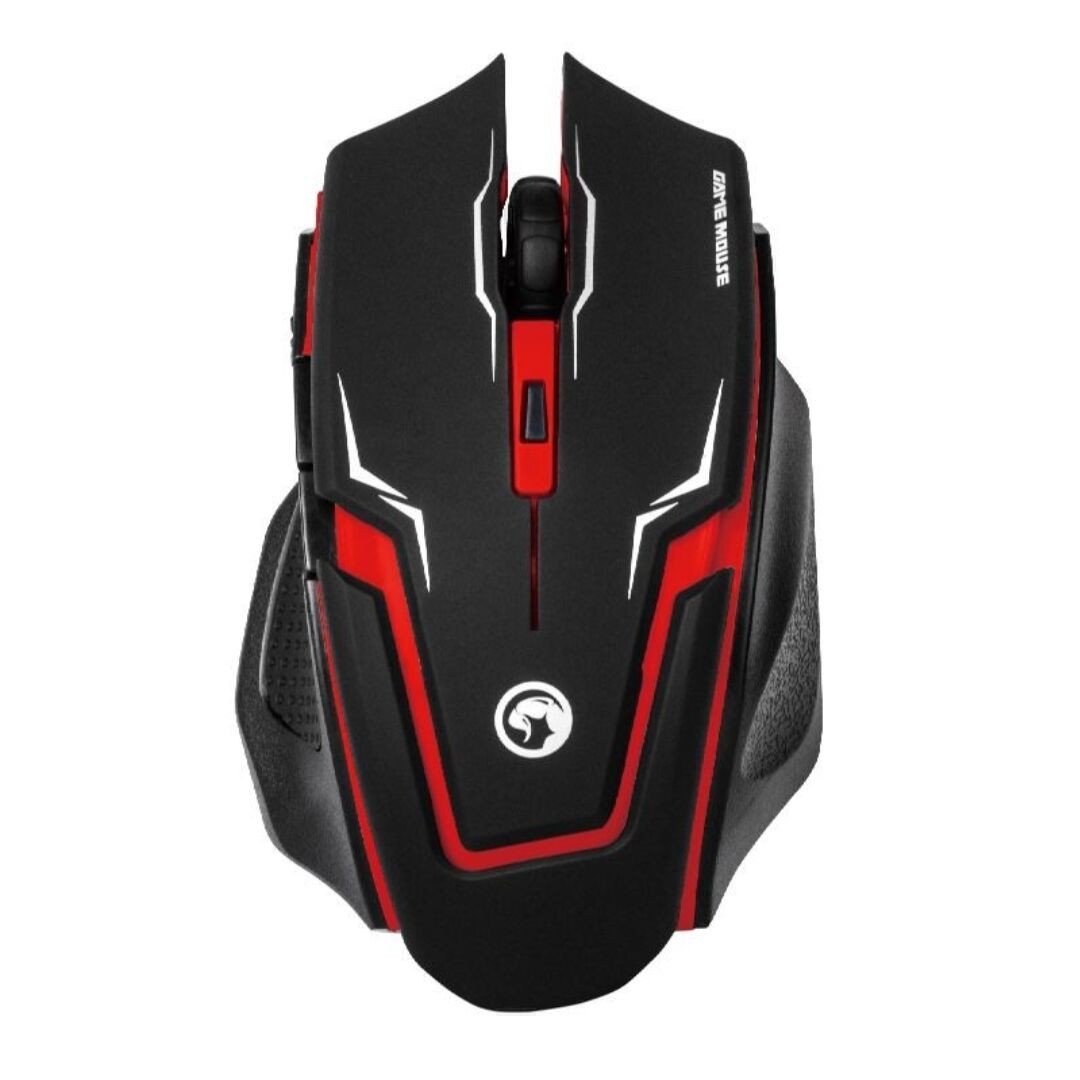
Image 1: The MARVO M319 Gaming Mouse, showcasing its ergonomic shape and red accents.
- Ергономски дизајн: Perfectly fits the hand of right-handed users for maximum comfort and stability.
- Textured Rubber Sides: Provides superior grip and adhesion.
- Оптички сензор: Competitive optical sensor for precise tracking.
- Подесиви ДПИ: 4-step sensitivity adjustment up to 2400 DPI for dynamic precision.
- Durable Switches: Contacts with an estimated 3 million press times for long-term reliability.
- Жичано повезивање: Stable and responsive connection via a fabric-protected USB cable.
- Плуг & Плаи: Easy setup with automatic driver installation.
Производ је завршенview Видео
Видео 1: Оверview of the MARVO M319 Gaming Mouse, highlighting its design and key functionalities. This video is provided by the seller.
6. Одржавање
- Чишћење: Користите меку, суву крпу за чишћење површине миша. За тврдокорну прљавштину, благо дampИсперите крпу водом. Избегавајте употребу јаких хемикалија или абразивних материјала.
- Чишћење сензора: Occasionally, use a cotton swab to gently clean the optical sensor located on the underside of the mouse to ensure optimal tracking performance.
- Нега каблова: Избегавајте оштра савијања или прекомерно повлачење USB кабла како бисте спречили оштећења.
- Складиштење: Store the mouse in a clean, dry environment when not in use.
КСНУМКС. Решавање проблема
| Проблем | Могући узрок | Решење |
|---|---|---|
| Миш не реагује | USB кабл није правилно повезан. Неисправан УСБ порт. | Уверите се да је USB кабл безбедно прикључен на рачунар. Pokušajte sa drugim USB portom. Поново покрените рачунар. |
| Неправилно кретање курсора | Прљав оптички сензор. Unsuitable mouse pad/surface. | Clean the optical sensor with a cotton swab. Use a clean, uniform-colored mouse pad or surface. |
| Дугме за DPI не мења осетљивост | Software conflict or temporary glitch. | Уверите се да ниједан други софтвер за миш не омета рад. Искључите и поново укључите миш. Поново покрените рачунар. |
8. Спецификације
- Бренд: МАРВО
- Модел: М319
- Боја: Црвени
- Повезивање: Жичани (УСБ)
- Тип сензора: Оптицал
- ДПИ: Up to 2400 DPI (4-step adjustable)
- Дугмад: 4 (Left, Right, Middle/Scroll Click, DPI)
- Оријентација руке: Десноруки
- Компатибилни ОС: Линукс, Виндоус 7, Виндоус XP (и новије верзије)
- Кабл: Fabric-protected USB cable
- Материјал: Rubber (textured sides)
- Тежина: 0.15 килограма
- Произвођач: Shenzhen Mark Technology Co.Ltd
9. Гаранција и подршка
For warranty information and technical support, please refer to the documentation provided with your purchase or contact your retailer. Keep your proof of purchase for warranty claims.